....and here !
Fry has a Sketchup plugin that contains a pulldown menu and an icon bar.
When you have a material selected in SU's material list and click on the Fry paintbucket icon the Fry material editor pops up. Sun and sky setup has it's own panel, just as the general settings and camera panel.
It takes some getting used to, but after some experimentation it works quite smoothly.
You start the rendering by choosing the export>3dmodel>Fryrender in the file menu of SU.
Once the export is done the FRY standalone GUI will pop up and the rendering starts.
That GUI has a 3D viewport where you can change the view and you can also change mlaterials/environment/camera/render settings over there (actually the same things you can set up through the Plugin itself).
The Fry standalone isn't as elaborate as the Maxwell studio as the developers wanted to make a 100% 'render from host' product.
You can download a demo on the Fryrender.com website.
It is fully operational (though the size image is max.800X600 and watermarked ).
Cheers,
Kwistenbiebel
thanks jenujacob...but it doesn't really work as described above.
It only let's you draw boxes.
I would like to be able to click-select edges of modeled objects so those can get chamfered.
@ypnos1 said:
Agreed follow me can be used but....
there has to be a simpler way. If anybody has used or played with MOI 3d ( http://moi3d.com/ )you'll know what i'm talking about.
- Pick a line or number of lines
- fillet/chamfer tool
- specify distances and boom
you've got something wonderfulWish it was this easy in SU
I very much agree with you Ypnos.
It should work like that and it would be a great tool to have, certainly towards photoreal rendering.
SU7?
By the way, happy birthday 
better late than never...
Hi,
Apparently the old gallery threads are gone so I decided to bring this old one up again.
To test the new Fry release (beta v1.9),I launched this rendering yesterday night just before bed time.
This was the morning fruit:
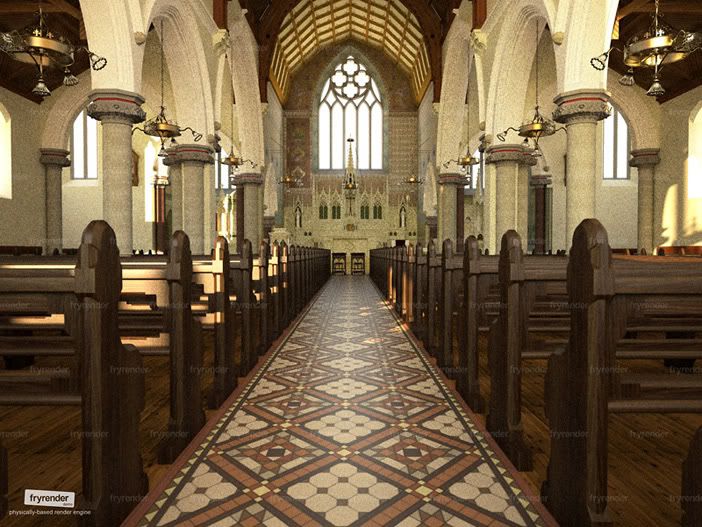
Cheers,
Kwistenbiebel
Thanks Nomer,
I wish I had your artist skills and use these images as a starting point for a real painting...
I did do some paintings some years ago, but I can't control oilpaint that well as you can.
It's merely a shadow 
Thanks!
...And the last one of the series.
The image is meant to emphasize on the beauty of the female body and not to be disrespectful. if people would find this last image to be offensive I'll kindly remove it. (I hope not though).
Cheers and thanks for watching,
Kwistenbiebel
RAW Fryrender output:

@gaieus said:
Just don't go wild Biebel!
Ah some subtle nudity....I hope the internet isn't entering some Victorian age.
A naked body is just a beautiful thing.
I have no intention in making it pornographic in any way...
although I have a good pornographic memory...or was that a photographic memory......with me it kind of relates to the same thing I'm afraid
Thank you Ross.
The first 2 images are Fry renders.
The last one (black and white) was made in Podium.
The woman figure is a .3ds model imported in SU.
Cheers,
Kwistenbiebel
Another one but rendered with a different render engine (Which one ? )
I color converted it to look like an old photo and added some 'depth of field' and film grain :

The following is an experiment on creating a curved up background to obtain some subtle transitions and a diffuse athmosphere.
By the way: can you guess the render engine? 
RAW renderings (no post editing):

.

Thanks Ilay,
I tried to copy and paste some of those code lines but it produces errors when opening in sunflow.
Not sure if those lines would just need to be added or they need to replace existing lines.
My lack of experience in using code lines makes this somewhat too hard  .
.
This is the result from a 'default' SU2Sunflow export.(render time ca. 4 minutes 1600X1200 )
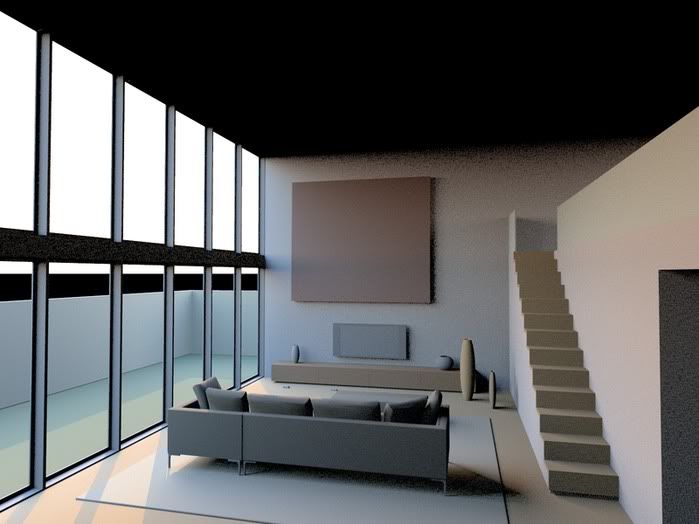
I can see Sunflow has potential when looking at the gallery section.
Hoping to see a full blown Sketchup plugin soon.
Regards,
Kwistenbiebel
Hi all,
I am trying sunflow out on a test model.
This is the first output I get after pushing 'render' in the Sunflow GUI.
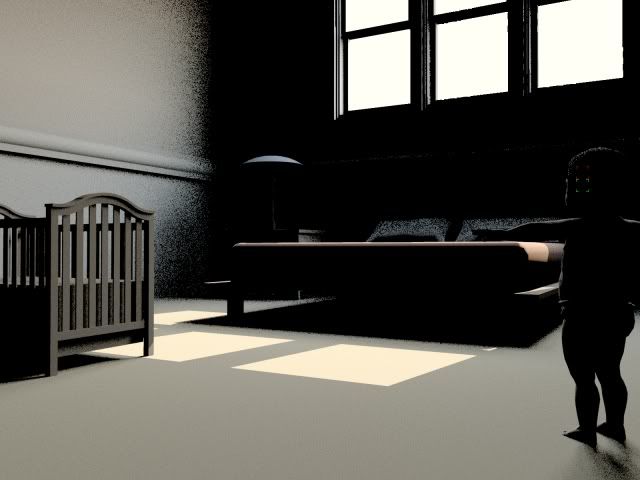
As you can see, there is direct light but the indirect light needs more bounces/trace depth.
I tried to find a way to change that but I couldn't find how.
Searching on Sunflow forum, I found code lines but I can't seem to be able to use the ctrlC+ctrlV (copy-paste) command to enter it in the' script editor' of the Sunflow editor.
What am I doing wrong.
Should I be editing the .sc file (it's HUGH !) or instead put code in the 'script' editor.
Where can I change the presets like resolution, GI settings, etc...?
I tried reading briefly through the Sunflow forum but couldn't find the answers.
Could someone give me a hand to get started with this?
Thanks in advance,
Kwistenbiebel
Isn't now a good time to spill some specs on the upcoming release?
This looks as real as it can get .
Nice work and I like the family concept in the cookie cutters...
I am curious how this will end up...gonna add some kind of 'twist' to it ?
@rickw said:
I thought I was fairly detailed in explaining the rationale, but if I missed saying anything that would clarify it for you, let me know.
It's clear to me now.
I am just not familiar with this kind of concept.
thanks for explaining.
Hi RickW,
I kind of overlooked this thread.
This will be an amazing Ruby and very handy indeed, even to use in combo with render software, avoiding to having to set up clip map materials.
I can use this.
Hopefully it will have a clear sales agreement.
(I am not in favor for 'a pay per view' solution since thats kind of non transparent towards my own 'budget control').
Could you shine a light on that?
Good luck with further development of the Ruby.
Already great results (golfbag).
Cheers,
Kwistenbiebel