sketchucation logo sketchucation
    • Login
    1. Home
    2. kwistenbiebel
    3. Posts
    Oops, your profile's looking a bit empty! To help us tailor your experience, please fill in key details like your SketchUp version, skill level, operating system, and more. Update and save your info on your profile page today!
    Urasik Extensions | Lots of new extensions to check out Learn More
    K
    Offline
    • Profile
    • Following 0
    • Followers 0
    • Topics 115
    • Posts 2,614
    • Groups 1

    Posts

    Recent Best Controversial
    • RE: In Development: Subdivide and Smooth

      @unknownuser said:

      Whaat you see is Whaat you get! 😎

      That's a good one πŸ˜„...and indeed one that is true.

      A little question to Whaat:
      I am curious what happens to a textured object when using the plugin.
      Do the textures hold or do we need to re-texture?

      Your plugin would be great to model for instance rock formations at a sea shore: starting from a sphere with a projected rock formation texture and then start modeling it by 'organic push pulling' from the projected texture reference...
      posted in Developers' Forum
      K
      kwistenbiebel
    • RE: Password protect locked component / group

      There is a risk to 'locking' components.
      I for one would hate it when 3dwarehouse would be filled with 'locked' geometry, as it would be against the whole concept of sharing ....

      I can understand people wanting to protect their copyrighted designs, but I am more in favour of a new file extension for sketchup in that case. A file extension that is only to be read with a 'Sketchup viewer' and not by the main Sketchup software.
      In that way you can give such a 'viewer' file to your client that he can't edit or load in his free sketchup version.

      But a geometry lock within sketchup itself? Please NO.

      posted in Developers' Forum
      K
      kwistenbiebel
    • RE: Calatravas Turning torso

      I tried the same scene using Indigorender.
      Having a hard time getting the phongs look realistic though:

      http://i140.photobucket.com/albums/r3/kwistenbiebel1/indigo1-1.jpg

      posted in Gallery
      K
      kwistenbiebel
    • RE: Calatravas Turning torso

      Pichuneke,
      That's an awesome video.
      It's a pity we don't have a render software developer for SU that supports animation at the fullest (besides Artlantis but I'm not a fan of the radiosity engine they use).

      I don't expect any of the 'unbiased' engines (Maxwell/Fry/Indigo) to come up with a good animation tool. So I keep my eyes open for the 'biased' ones like Vray and Podium v2.0 in the near future.

      Another possibility for photoreal animation, would be having a 'light/texture baking tool' so we can replace the ordinary SU textures by the baked photoreal ones (= in 1 render cycle) and use that in a normal sketchup animation session.

      posted in Gallery
      K
      kwistenbiebel
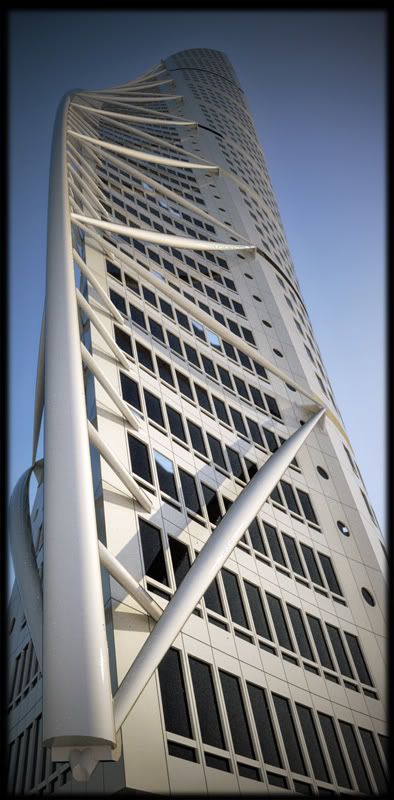
    • RE: Calatravas Turning torso

      Thank you frederick πŸ˜„

      I tried to increase the contrast towards the upper part (using the depth map) so it would jump in a bit more. Also I skipped the physical sky completely and went full HDR (IBL light)for softer shadows.
      There is still a lot of room for improvement imho but I am going to leave it as it is...

      posted in Gallery
      K
      kwistenbiebel
    • RE: Calatravas Turning torso

      Thanks guys...

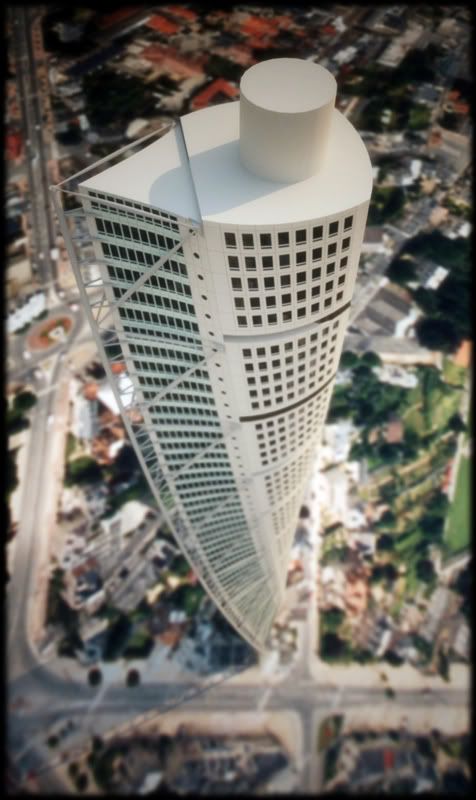
      My last try to get that aerial shot working:

      http://i140.photobucket.com/albums/r3/kwistenbiebel1/aerial-turning-torso-small.jpg

      posted in Gallery
      K
      kwistenbiebel
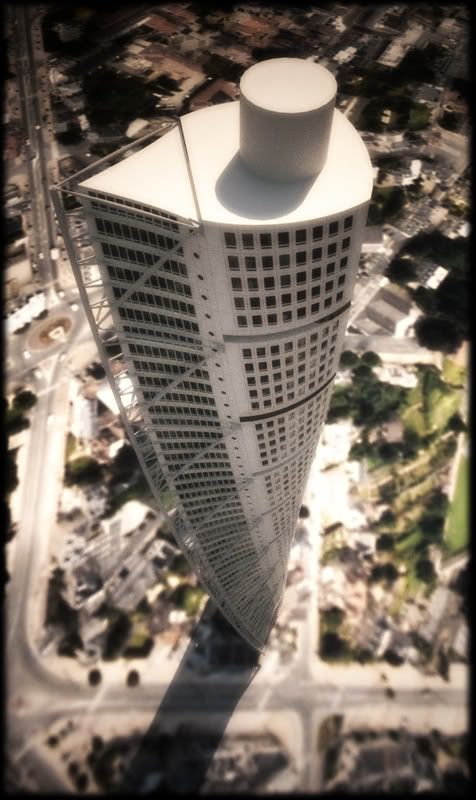
    • RE: Calatravas Turning torso

      ....and a re-run on that first shot.
      I lowered the direct sun strength in Fry and added some DOF by using the Z-depth map (as alpha for the lens blur in photoshop):

      http://i140.photobucket.com/albums/r3/kwistenbiebel1/turning-a-small.jpg

      posted in Gallery
      K
      kwistenbiebel
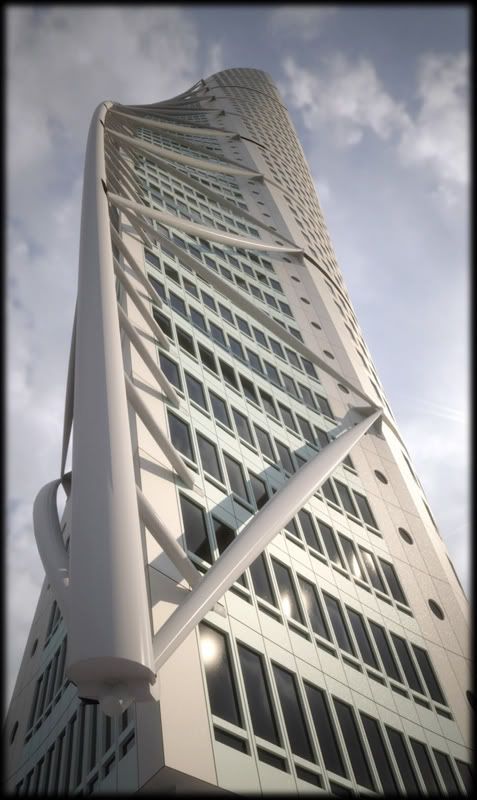
    • RE: Calatravas Turning torso

      Thank you Frederick and Pichuneke.

      Indeed, the shadow is a bit too sharp. I'll try to rerender that shot with the direct sun layer decreased.

      In the mean time a different viewpoint:

      http://i140.photobucket.com/albums/r3/kwistenbiebel1/turning-torso-small-2b.jpg

      posted in Gallery
      K
      kwistenbiebel
    • Calatravas Turning torso

      Hi Sk'uppers,

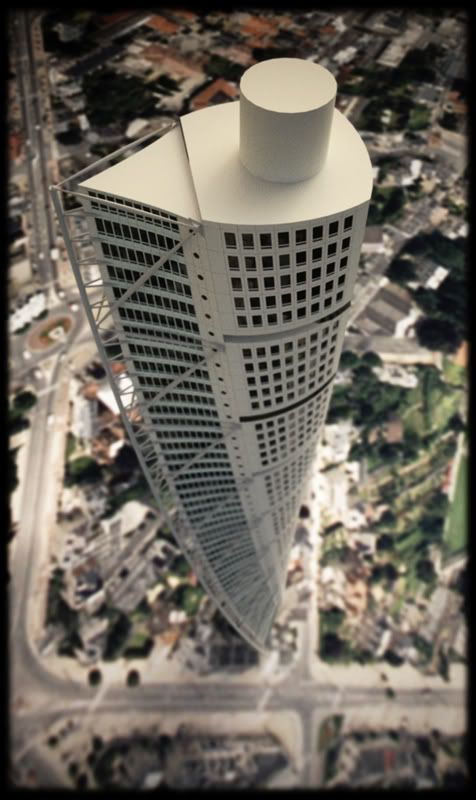
      A simple scene setup rendered using Fry Render.
      I placed the building (didn't model it myself) on an aerial image.
      Some glare assigned within fry and some soft focus applied in Photoshop.

      I hope you like it.

      cheers,

      kwistenbiebel

      http://i140.photobucket.com/albums/r3/kwistenbiebel1/turning-torso-small.jpg

      posted in Gallery
      K
      kwistenbiebel
    • RE: In Development: Subdivide and Smooth

      @gjenio said:

      @unknownuser said:

      @unknownuser said:

      This is astonishing! Maybe I don't have to learn Blender for my organic modeling after all!

      I second that.

      Me too

      Me 3 !!!!
      I knew Whaat would come up with something that would surprise us. 😍

      posted in Developers' Forum
      K
      kwistenbiebel
    • RE: Improved Mapping System

      Pibuz,
      I am glad you posted this as I second this.

      Su needs more uv mapping options!

      Not sure if Google would pick this one up.
      I kind of have the feeling that if it is not useful to be used in combo with Google earth...the wishes aren't easily granted.

      posted in SketchUp Feature Requests
      K
      kwistenbiebel
    • RE: [Plugin] SketchyFFD (Classic)

      That's really cool Krash88.

      The only little remark I have with current plugin (besides saying it is awesome πŸ˜„), is that after some manipulation, it starts to become difficult to see which points to move.
      It would be great if the control points would stick more to the geometry...I am not sure if my explanation is clear.

      Another thing is, I noticed that the outer limits of geometry gets changed by the plugin, even though only points were selected in the middle (no points located at the boundaries of an object). I experienced this issue as well while using the 'sandbox tool' in SU.

      posted in Plugins
      K
      kwistenbiebel
    • RE: [Plugin] SketchyFFD (Classic)

      Awesome guys !!!!!REALLY 😲 😲 😲
      This together with Whaats 'polycount controller' (= subdivide and smooth plugin) is simply great stuff. So we can finally do some organics in SU ? 😍 😎

      posted in Plugins
      K
      kwistenbiebel
    • RE: Tv Show Battle

      Battlestar galactica on top of my list.
      I saw the old one as a child and those cylons used to scare the living sh*t out of me.
      The new series is great stuff and a lot more intriguing.

      Off course 24 and Prison break is always fun as the adrenaline levels keep high the whole time.

      posted in Corner Bar
      K
      kwistenbiebel
    • RE: Modeling curve scuplture

      Solo,
      Is that Vue you are rendering with?

      By the way, I wouldn't have a clue how to model a doodle like that in sketchup..πŸ˜‰

      posted in SketchUp Discussions
      K
      kwistenbiebel
    • RE: [Plugin] Exporting a texture from a material

      Nevermind..... πŸ˜‰
      I used a workaround by exporting my scene to Kerkythea (Indigo works as well).
      The export automatically saves a folder with all textures in the same folder as the export output file.

      Also for users of Podium: a texture folder is in the >plugins>podium map containing all textures.

      posted in Plugins
      K
      kwistenbiebel
    • RE: Scaling uniformly using VCB

      Thanks Greyhead and Gaeius for the tips.
      the simple copy and 'paste in place method' worked like a charm. πŸ˜„

      posted in Newbie Forum
      K
      kwistenbiebel
    • RE: In Development: Subdivide and Smooth

      Hi Whaat,

      As you asked in the Indigo forum, I upload the 'naked running man' SU model that was made in 'Make Human' so you can test it with your S'nd S project.

      (The complete scene was way too big to upload).

      Cheers,
      Kwistenbiebel


      loper2.zip

      posted in Developers' Forum
      K
      kwistenbiebel
    • RE: This is fantastic!

      Wow CraigD,

      Wonderful to hear some positive sounds on the development of sketchup.
      I almost gave up hoping for better CG tools for Sketchup and a way to use high poly models towards third party render soft.

      ....as some old marketing phrase used by electronics firm Philips : "Let's make things better!"

      Thanks for the positive news.I think the SU community needs more of this.

      Cheers

      posted in Corner Bar
      K
      kwistenbiebel
    • RE: [Plugin] Exporting a texture from a material

      Hi Al,

      I try to use the 'export textures' but I don't know where to find the temporary folder...
      Is it situated under C\Windows somewhere?

      posted in Plugins
      K
      kwistenbiebel
    • 1 / 1