Hi,
I just installed version 9.7.0. I'm testing with a new file, a cube that I place on a "cube" tag.
If I hide the cube tag, Sketchup crashes.
Oops, your profile's looking a bit empty! To help us tailor your experience, please fill in key details like your SketchUp version, skill level, operating system, and more. Update and save your info on your profile page today!
Sketchucation Tools 5.0.7 | Licensing improvements and bug fixes Learn More
 Offline
Posts
-
RE: Rayscaper New Releases
-
RE: Plugin to quickly open nested Component or Group?
Is VBO Jump to level stable on your machine? I had a first crash with SU 2024, but it's very good, otherwise
-
RE: Plugin to quickly open nested Component or Group?
@sashapepperspray said in Plugin to quickly open nested Component or Group?:
maybe vbo jump to levels-https://extensions.sketchup.com/extension/584dba2f-6938-4f03-a1de-df61213cc672/vbo-jump2levels
Many thanks for introducing me to this extension which allows me to edit materials on faces deeply buried in groups or components.
-
RE: Rayscaper New Releases
Thanks Mike, I'will test your tip. here is the 9.6.4 version, tell me when your download is ok, I will delete the file:
https://www.swisstransfer.com/d/698b91bc-e0e6-4fc5-8434-9b06ef0571f7 -
RE: Rayscaper New Releases
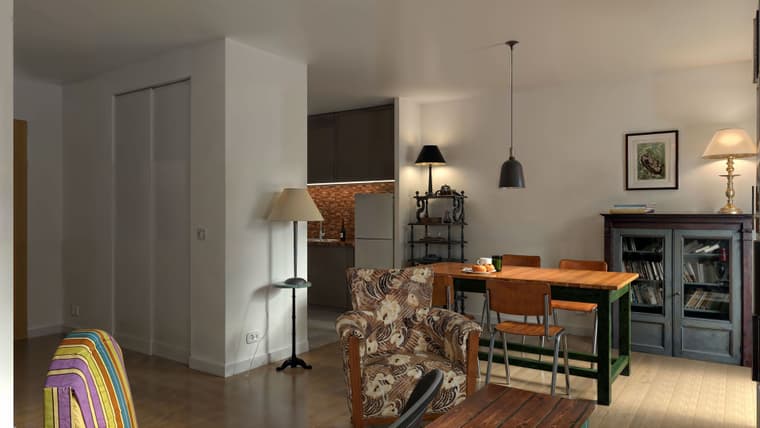
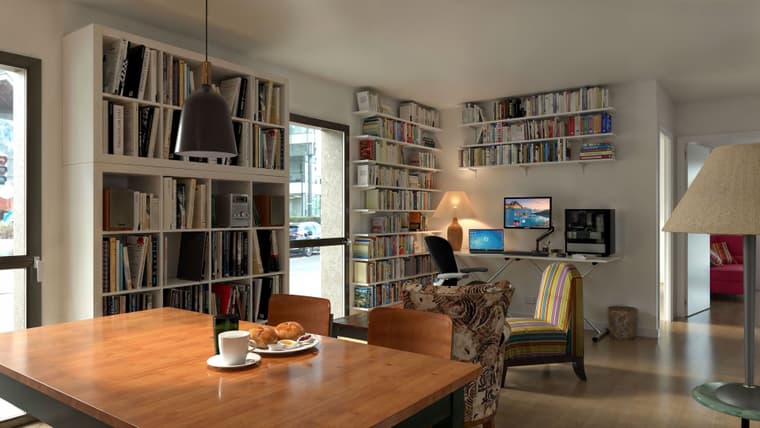
Hello, pictures of another apartment I would like to buy, I prefer this one. the exterior is made up, it's the hdri map. but the view is really nice in truth. Rayscaper render Magnfic Upscale
-
RE: Rayscaper New Releases
Ok, rayscaper is back if I use 9.6.4
-
RE: Rayscaper New Releases
The latest version is broken for me... I installed it and I don't think I restarted SU and it worked. But now the window is stuck in the taskbar;
I'm going to reinstall 9.6.4 to test. -
RE: Rayscaper New Releases
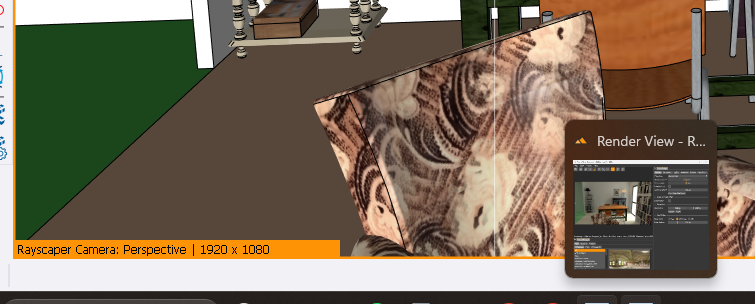
This time I have a scene that is a bit heavy, I copied an entire apartment in duplicate and when I open RS, it is active but the window does not want to enlarge and remains stuck in the taskbar. We can see in the thumbnail that it is working on the project, it is rendering... but I also did not have a Rayscaper loading window -
RE: Rayscaper New Releases
Hello, Pixelcruncher,
I'have installed RS 9.6.9
I'm testing it. When I hide a SU tag it stays visible. The only way seems to Hide a group so that it will not be visible. So: we can't use Hide/reveal Tags? -
RE: Rayscaper New Releases
I use AI Upscale to get a sharper render and correct details, characters, it improves materials, wood, etc.
-
RE: Rayscaper New Releases
for the record, all the furniture is really at my house, but I tried to see in these images what I could fit into this apartment that I could buy....
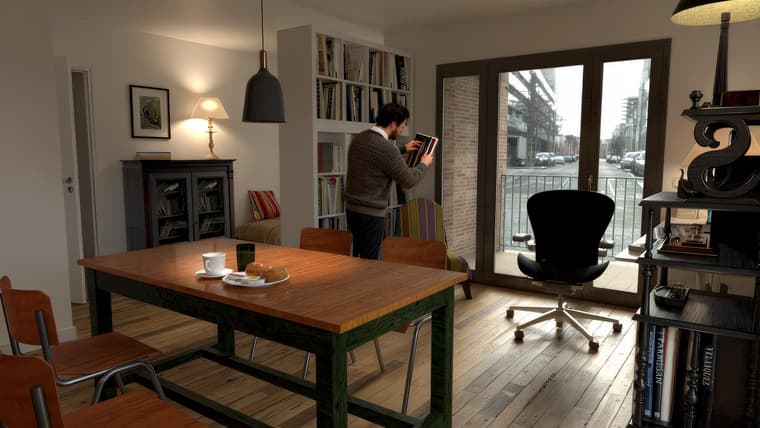
the character is not contractual, I have a shaved head! -
RE: Rayscaper New Releases
Nice render Mike!
@pixelcruncher said in Rayscaper New Releases:
Was this on the first texture, or after multiple imports?
I created a surface and imported a texture
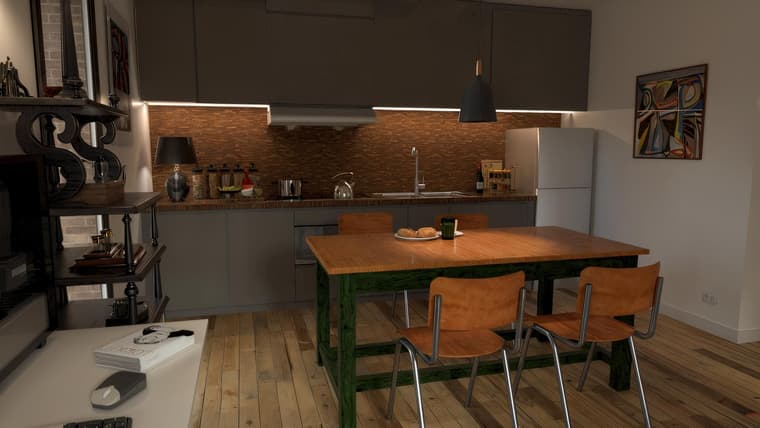
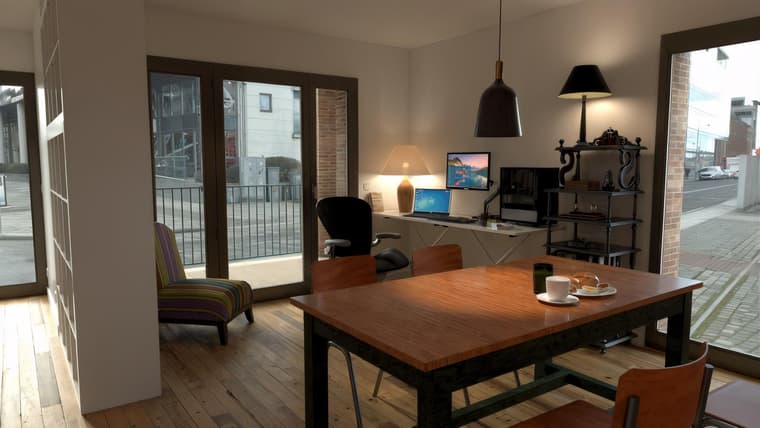
I found a solution to make an image emissive: for example for PC screens on the following images I make a copy of the face that must receive the image and I place it in front 2 or 3 millimeters of the initial face to which I applied an emissive. On this copy of the face I put my image as texture and I increase the Transmission slider, and it works well. (I just discovered this feature!)
ci-dessous 3 rendus avec un upscale KREA.AI
-
RE: Rayscaper New Releases
I came back to 9.64 version for test
-
RE: Rayscaper New Releases
Another crash when reopening RS and trying to apply a texture
-
RE: Rayscaper New Releases
crash again, I wasn't doing anything special... Sketchup 2024 and Rayscaper 9.6.8
-
RE: Rayscaper New Releases
I can't create an emissive material with an image, if I increase the power the image disappears and the texture is white. I can't make a monitor screen. Can someone help me?
-
RE: Rayscaper New Releases
Hello, if I leave Rayscaper open and import a texture directly onto a face (with the import tool) it crashes