So, can you upload the images again via SCF attachment system or imgur.com?
Oops, your profile's looking a bit empty! To help us tailor your experience, please fill in key details like your SketchUp version, skill level, operating system, and more. Update and save your info on your profile page today!
Sketchucation Tools 5.0.7 | Licensing improvements and bug fixes Learn More
 Offline
Posts
-
RE: [Tutorial > Modeling] Organic modelling
-
RE: [Tutorial > Modeling] Organic modelling
I am not able to see any image. See the screenshot to see exactly what I get

-
RE: [Plugin] Component Stringer UPDATED May 23, 2013
I used this plugin today and the plugin is scaling my component to a huge size. I select the uniform scaling option. What should I do?
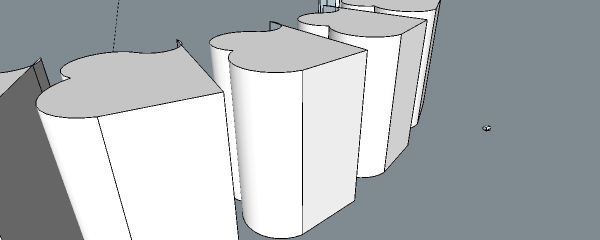
The original size of the component is the tiny one on the right and on the left is the result due to this plugin.
-
RE: [REQ] plugin overlay for low width aspect ratio export
@driven said:
you need to resize your drawing window to 1000...
Enorith has a PC plugin to help with that...
john
Link please
-
RE: Procedure for complex spheres, geodesics etc.
@roland joseph said:
@unknownuser said:
Construction details, depicting how the 3D SketchUp model was produced, are included • Dodecahedron sphere was produced first, then the resultant module was "unfolded," to create the paper pattern • Click on the purple model logo, to read the Geodesic Help Group forum discussion
Click on the purple model logo, to read the Geodesic Help Group forum discussion
If I click on the purple model logo, this page opens
https://3dwarehouse.sketchup.com/collection.html?id=1f33552966b6f22224e5217d8a2e013a
However, I found this link on warehouse profile. Is this same link which one should visit to learn about these complex structures?
-
RE: Exterior Real Estate
Very nice work Roo! You added trees in Sketchup or photoshop?


-
RE: Recent Works Gallery :::::
Really amazing and inspiring work.
What plugin did you use to model the tensile glass roof structure? -
[REQ] plugin overlay for low width aspect ratio export
Is there any plugin that shows a black overlay on the display while exporting images?
Often I need to export images that have lesser width to height ratio than my existing screen has.
For e.g. I can only export images with the ratio of the image
1332x535
However, if I want to export an image 1000x535, I don't have any option. Usually, I have to export a 1332x535 image then crop the sides accordingly.
I have used thomthom export 2d plugin but it doesn't give a black overlay option that I am looking for.
Can anyone suggest the desired plugin?
-
RE: Procedure for complex spheres, geodesics etc.
Can you pin point exactly the file that you're talking about? I guess he left the template for an average user, but I want to know "start from scratch method"
-
Procedure for complex spheres, geodesics etc.
There's a guy named Taff here..
https://3dwarehouse.sketchup.com/user.html?id=0058532540730737055623450
He has made really amazing complex balls. I want to know how can such stuff be made?
The most intriguing ones are
https://3dwarehouse.sketchup.com/model.html?id=41d1ad4b10b8b628bd158aa30fff4e9a
https://3dwarehouse.sketchup.com/model.html?id=f02696846822e06124377aac91b864b1
-
RE: Wrong rotated textures
@dave r said:
Still struggling with those screwed up axes from your poorly created CAD file, huh?
Yeah, I was running out of time. It was too late to make a fresh cad file with all the axes correct and then do Sketchupping again. That's why I was desperate for the plugin. But phew..I'm done with the work. I made a sketchup model for a 32 acre site which was the largest one I've ever worked upon.
The funny part is that I never cared about axes in Autocad for 8 years or so (the same time I've been working with sketchup). And things went really well in sketchup.
But now in 2014-15 I faced this really big trouble.

-
Unable to properly import dwg file in sketchup
I'm trying to import this dwg file in sketchup but it doesn't get imported the way it should be. However, on exploding the blocks in autocad and then saving the file, the import is successful in sketchup. What is wrong with my file?
-
RE: Wrong rotated textures
@wo3dan said:
@john2 said:
Often while modeling rectangular and straight faces when I apply texture, it gets applied in a rotated way?
This happens with changed (rotated) drawing axes. Is this what happens in your case?
@john2 said:I have to manually then rotate the texture intuitively which is not accurate. How can I solve it?....
The green rotation pin snaps to edges and guides.
A guide rotated a known angle makes exact rotation possible. Be sure to have the red texture pin on the edge/guide intersection prior to the rotation taking place.Yes, that is exactly what was happening. Thanks for telling about the red pin
I also found a plugin
https://extensions.sketchup.com/en/content/eneroth-texture-positioning-tools
-
Wrong rotated textures
Often while modeling rectangular and straight faces when I apply texture, it gets applied in a rotated way? I have to manually then rotate the texture intuitively which is not accurate. How can I solve it? I have tried using thomthom UV toolkit but it does not solve this issue.
-
RE: Group vs. components for axes management
@dave r said:
This was covered in a previous thread you started. Instead of importing poorly made CAD files and then trying to fix them in SketchUp, why don't you make good CAD files?
If I remember correctly, it was also explained clearly that there isn't anyway to open a component by clicking on its axes.
Yes I know sir, I was discussing the possiblity for making a plugin which helps mediocre SketchUp people like me.

-
RE: Group vs. components for axes management
I mean that double clicking on the axis would get us inside the component, i.e. in the editing mode just like the normal double clicking the component does
-
RE: Plugin uninstaller
@tig said:
The SketchUcation Plugins Manager [Toolbar OR submenu item] lets you Disable a selected Plugin so it no longer Loads when SketchUp restarts, but it it is still listed in the right-hand column, so you can always Enable it or Temporary-Load it as desired...
Enabled Plugins are named .rb/.rbs, Disabled ones are .rb!/.rbs!BUT, if you want to UnInstall a Plugin then you can use the SketchUcation submenu item to UnInstall it - using a similar dialog interface.
In that case the UnInstalled Plugins' files are renamed .rbx/.rbsx/.rb!x/.rbs!x
These UnInstalled Plugins can still be ReInstalled using the same dialog - until you actually manually delete their .rbx/.rbsx/.rb!x/.rbs!x files in our Plugins folder.
The UnInstaller also helps if you have several Plugins folders set up... it shows duplicated loading Plugin entries in pink, so you can ensure that only the one you want is getting loaded...I know about disabling plugins but can' t seem to figure out the uninstall option that you are telling about. Can you post a screenshot? I can understand the exclamation mark method of weeding out but unable to comprehend the "SketchUcation submenu item to UnInstall it - using a similar dialog interface."
-
RE: All vismats black
@dkendig said:
not sure where you're downloading them from, but try some of the vrmats that are on the chaosgroup website. There's also V-Ray Express for SketchUp available for download on our site, which comes with a large material library, studio environments, lights, hdr images, everything you need to get up and running quickly.
I'm downloading from this website
-
RE: Group vs. components for axes management
@dave r said:
The clipping thing has nothing to do with groups or components. The clipping behavior can be managed, though, and no plugins are required to do it.
Okay, and how difficult would it be to make a plugin [not for me, of course, but for a developer] to make a plugin that enables me to click on the axis to get inside the culprit groups/components. Of course there is outliner menu to search but the "click-on-axis-get-inside-the-component plugin" would be really awesome.
