sketchucation logo sketchucation
    • Login
    1. Home
    2. jason_maranto
    3. Posts
    Oops, your profile's looking a bit empty! To help us tailor your experience, please fill in key details like your SketchUp version, skill level, operating system, and more. Update and save your info on your profile page today!
    ⚠️ Important | Libfredo 15.6b introduces important bugfixes for Fredo's Extensions Update
    Offline
    • Profile
    • Following 0
    • Followers 0
    • Topics 21
    • Posts 1,011
    • Groups 1

    Posts

    Recent Best Controversial
    • RE: Lumion - Test drive

      Well if it helps any, Sketchup doesn't need much more than that and so any Quadro card(open GL) above 512mb in video memory is wasted on Sketchup -- and they can be quite expensive... so truly for Sketchup use you have the right card (I've got a Quadro470 system myself).

      The distinction here is the 2 systems are designed for radically different purposes -- Lumion is essentially a video game, Sketchup is basically a CAD program... there is very little common ground in how they display their graphics.

      It breaks down like this:

      OpenGL = Precise and stable
      DirectX = Fast and looks nice

      Best,
      Jason.

      posted in Extensions & Applications Discussions
      jason_marantoJ
      jason_maranto
    • RE: Lumion - Test drive

      If I had to guess it would be this version:
      http://www.newegg.com/Product/Product.aspx?Item=N82E16814133274

      or this:
      http://www.newegg.com/Product/Product.aspx?Item=N82E16814133307

      Either way it is not a card meant for realtime rendering in DirectX -- it is an entry level (read bottom of the barrel) OpenGL card that would be enough to get good performance from Sketchup and other cad programs but not much else.

      I'm pretty sure lumion uses DirectX and not openGL -- so a gaming type card would serve much better... although they often don't work so great for Sketchup.

      Best,
      Jason.

      posted in Extensions & Applications Discussions
      jason_marantoJ
      jason_maranto
    • RE: Hopper Dredger "Crane"

      Massively impressive work! β˜€

      posted in WIP
      jason_marantoJ
      jason_maranto
    • RE: Google is Listening!

      Re: Alan Fraser

      Yep the(Beta) plugin is about as close to an inside Sketchup workflow as you are going to get -- and it makes my point for me that Sketchup itself would need hardly any changes to make this work. However the issue is this is a Pro version software I am talking about -- We should have access to a Sketchup-based UV workspace that allows for basic mapping types and unwrapping in a Pro software.

      As I said I can use ZBrush for this very well, but as was pointed out once I go to ZBrush I'm not going back into Sketchup because it's just too much of a painful workflow. If there is a missing feature that drives me away from Sketchup and into the arms of another app (like Modo) it will be this UV issue -- which is a complete dealbreaker for my models. Here's an example: http://forums.sketchucation.com/viewtopic.php?f=333&t=34508 -- right now I have to take this model into ZBrush for the sole reason of applying textures/decals.

      Bottom line, this limits the usefulness of Sketchup to large percentage of users... many of whom have paid to be "Pro" users. I really fail to see how it is logical to expect a user who simply wants to model a object in Sketchup and render a professional looking presentation in Layout purchase a 3rd party UV mapper. This is a basic function and if they are selling texturing/rendering capability then support for getting textures properly mapped to the geometry should just be part of the package.

      BTW there is a very fast compiled free OBJ importer here: http://forums.sketchucation.com/viewtopic.php?f=80&t=35936 -- since you don't mind using 3rd party apps/plugins for basic functions this should answer your feature request perfectly...

      Yes, I'm very happy to have generous coders giving us free tools, but it does tend to highlight how easy it could be for the Sketchup dev team to add them if they chose to.

      Best,
      Jason.

      posted in SketchUp Discussions
      jason_marantoJ
      jason_maranto
    • RE: Google is Listening!

      πŸ˜† Yep, that's the plan -- I'm actually doing videos right now showing how to do it in ZBrush from Sketchup (they have a very nice plugin called UV Master for this)... but I would love to be able tell people they can stay inside the Sketchup "world" to do this basic task. β˜€

      Best,
      Jason.

      posted in SketchUp Discussions
      jason_marantoJ
      jason_maranto
    • RE: Google is Listening!

      I agree, although I think it mainly a language thing -- these programs often use very technical terms that can be very off-putting when the underlying concept is really very simple.

      For a decent UV unwrap when working with models you really only need:

      1. A knife tool to select the cutlines (these would just be regular edges)
      2. A select/group function to specify islands (Sketchups native groups are fine)
      3. A unwrap "3D skin" button

      Sure it would be nice to have edgeloop and symmetry based selection for speed, but those aren't critical. The navigation, move, scale, and rotate tools could all work exactly as in Sketchup.

      From there it's all 2D and optimization... and honestly that part should be pretty straight forward.

      Best,
      Jason.

      posted in SketchUp Discussions
      jason_marantoJ
      jason_maranto
    • RE: Google is Listening!

      I got some good names if you decide to go with an external UV unwrapper:

      WrapUp
      CutUp
      SliceUp
      TextureUp

      I'm sure there's more... πŸ˜‰

      Best,
      Jason.

      posted in SketchUp Discussions
      jason_marantoJ
      jason_maranto
    • RE: [Plugin] [$] Artisan (1.2.3) - Feb 28, 2014

      Enjoy it while you can, Sculptris won't be free very much longer -- oh, and the reason it is free is because it is a Beta.

      BTW, you have no right to determine the value of somebody else's hard work -- if you think it should be free then make your own Artisian and release it for free... yeah, I didn't think so.

      Best,
      Jason.

      posted in Plugins
      jason_marantoJ
      jason_maranto
    • RE: Google is Listening!

      Anybody who renders (either in Sketchup or outside of it) would benefit from stronger UV mapping controls -- Woodworkers (woodgrain on curved surfaces), Arch Viz (organic shapes) , Vehicles (more organic shapes), and even Film Production... just because they can kind of "get by" without does not mean it has no (or even little) benefit.

      All the others I agree with more or less -- but I cannot agree about the UV tools as they are essential once you start applying textures to any flowing form.

      I have suggested in the past and I still think it is the best option to simply move the UV editor outside of Sketchup proper in the same way as Style Builder works:

      1) select any object you want to edit in Sketchup.
      2) context click and select "edit UV mapping" -- which would launch the stand-alone UV editor.
      3) edit UVs
      4) save changed UVs back to Sketchup.

      A simple workflow that any Pro user would accept and the nice thing is it never even has to be visible in Sketchup outside of one context menu command... Sketchup can work with UVs like this so updating Sketchup itself would really not be necessary at all.

      Besides this is really not all that terribly complex of a concept -- it's essentially the same thing as skinning an animal... and we've been doing that since before we were "civilized".

      Best,
      Jason.

      posted in SketchUp Discussions
      jason_marantoJ
      jason_maranto
    • RE: Making chrome with Renditioner

      Metallic objects (chrome) are all about the environment you place them in -- without a complex environment to reflect the metallic surface looks plain/boring and too CG.

      You will either want a to build an interesting lighting/reflection scene to place your chrome objects into or use proper studio type HDR background/lighting to supply interesting reflections.

      Here's a link to a video showing a demo of this principle:

      Best,
      Jason.

      posted in Extensions & Applications Discussions
      jason_marantoJ
      jason_maranto
    • RE: Need scene suggestion (something "artistic")

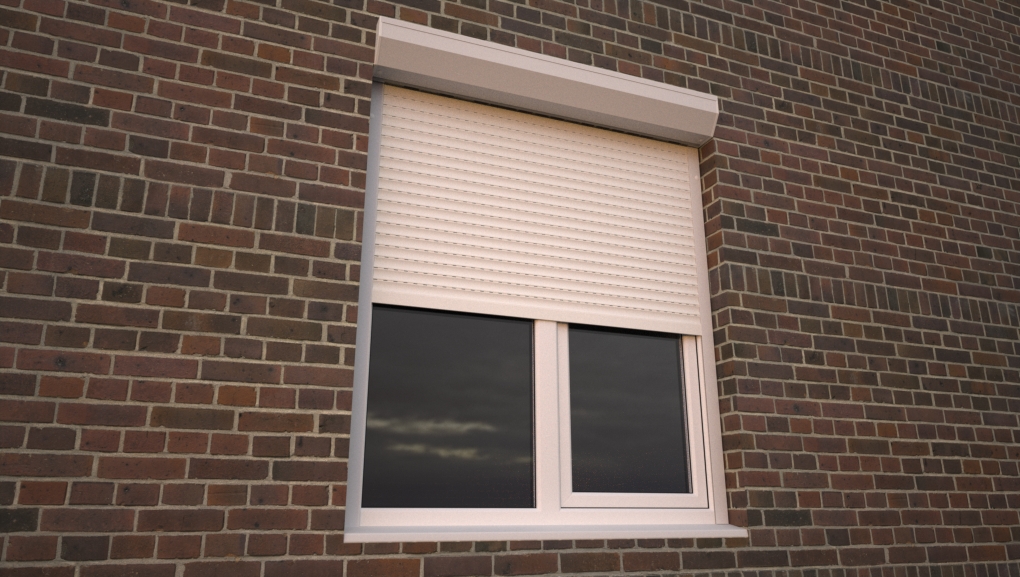
      Here's a softer sunrise/sunset HDR based render (sample from http://www.hyperfocaldesign.com )

      blinds.jpg

      I didn't bother fully texturing as this was mostly about seeing it with some softer lighting.

      Best,
      Jason.

      posted in Gallery
      jason_marantoJ
      jason_maranto
    • RE: Need scene suggestion (something "artistic")

      Are you using any kind of HDR/EXR image with this?

      Some interesting (subtle) reflected colors and softer shadows could give this alot of life -- right now it looks a bit spartan (as you say)... maybe some curtains on the other side of the window to soften things up a bit as well.

      There a bit of a "prison" vibe here and anything you can do to open it up and feel less confining would be good -- can you open one side of the window?

      Best,
      Jason.

      posted in Gallery
      jason_marantoJ
      jason_maranto
    • RE: FluidImporter free .obj importer Beta 1.0.5 Updated

      Wow, that is extremely fast! Thank-you 😍

      Best,
      Jason.

      posted in Extensions & Applications Discussions
      jason_marantoJ
      jason_maranto
    • RE: Lumion - Test drive

      Yeah 15mm would do it 🀒 -- something along the lines of 50mm would be much easier to enjoy the cool stuff in these videos β˜€

      Best,
      Jason.

      posted in Extensions & Applications Discussions
      jason_marantoJ
      jason_maranto
    • RE: Lumion - Test drive

      I'm finding all these videos fascinating -- does the software have a Angle of View/Field of View/Focal Length modifier for the camera? The reason I ask is I find the perspective distortion to be too extreme when rotating the camera (the strong fisheye effect at the corners makes me a bit dizzy).

      Best,
      Jason.

      posted in Extensions & Applications Discussions
      jason_marantoJ
      jason_maranto
    • RE: Video Tutorial Series...

      I agree -- but in a way I'm glad they dont because I always wait until the last minute to do those... I hate recording those "about me" videos because I never know what to say, I just think talking about myself in any way that makes me sound good is pretty vain. I much prefer to be self depreciating πŸ˜„

      I do my best to keep the focus on learning the software and techniques and not worry too much about how cool I am (or not). πŸ€“

      Best,
      Jason.

      posted in SketchUp Tutorials
      jason_marantoJ
      jason_maranto
    • RE: Video Tutorial Series...

      Here are my latest video training series -- all of them have free videos for the first 3 chapters which may be helpful:

      Sketchup Pro 8 13 free videos

      Maxwell Render 2 24 free videos

      Sketchup to Maxwell Workflow 9 free videos

      Best,
      Jason.

      posted in SketchUp Tutorials
      jason_marantoJ
      jason_maranto
    • RE: CorelDraw vs Layout

      Well certainly do not downplay the significance of the SU integration as that is the centerpiece of the software.

      In all honesty I see if more being analogous to Quark or InDesign than illustration packages like Corel Draw... and it can handle longer documents (text to page flow controls are non-existent here) but would have to be handled in the same ways as a page layout software meaning low-rez renders of all the linked SU files. This works fine for print output where you can specify to output at high rez but if you want to use Layout's presentation features that would not be something I would recommend.

      The interface is very nicely designed and the tools are powerful and compact -- I mostly think of Layout 3 as Layout 2 because the first was really a Beta... from that point of view I think it is slicker and more capable than either Corel Draw or Adobe Illustrator were in their early versions.

      There is a creeping "feature bloat" that has taken over the older packages that really becomes tiresome when most of the old tools are the ones still used most anyway... I know they have sell new versions but mostly the new features are there for the gee whiz factor and the meat and potatoes is stuff that has existed largely unchanged for over a decade.

      Best,
      Jason.

      posted in LayOut Discussions
      jason_marantoJ
      jason_maranto
    • RE: CorelDraw vs Layout

      Layout has a number of advantages but also some disadvantages -- a few prominent ones that come to mind are:

      1. A real lack of sophisticated fill/stroke options
      2. No compound shapes (shapes with holes)
      3. No support for text as shapes
      4. No Blending Modes
      5. If you are on a PC no CYMK support

      There are others that may be more important to you, I think the most bothersome issue to me is no support for common vector files formats to import objects from other packages which eliminates alot of the vector clip art out there from being useful... which is a total deal breaker for alot of graphics people.

      That said I do love it and hope it overcomes these issues soon as I would love to make it my primary vector app.

      Best,
      Jason.

      posted in LayOut Discussions
      jason_marantoJ
      jason_maranto
    • RE: Questions about rendering applications for SketchUp

      I would also add: It's worth considering (it factored into my decision) is the availability to use the renderer with other software without needing to purchase additional licenses/plugins.

      Maxwell (my render software) has no restriction as to which operating system you use (Mac, PC or Linux) the license is floating and travels with you to any machine you are working on in any operating system. Also they have free plugins for almost all the major modelling/animation software packages so you could use a different package(s) and still render in a familiar environment with no penalty whatsoever.

      Also worth noting, I would heavily recommend that you consider a package with stand-alone scene editing capabilities to get around some of the high-poly limitations of Sketchup -- which can be a real issue when dealing with things like trees.

      There's alot of good stuff to choose from out there -- good luck!

      Best,
      Jason.

      posted in SketchUp Discussions
      jason_marantoJ
      jason_maranto
    • 1
    • 2
    • 37
    • 38
    • 39
    • 40
    • 41
    • 50
    • 51
    • 39 / 51