sketchucation logo sketchucation
    • Login
    1. Home
    2. jason_maranto
    3. Posts
    Oops, your profile's looking a bit empty! To help us tailor your experience, please fill in key details like your SketchUp version, skill level, operating system, and more. Update and save your info on your profile page today!
    ⚠️ Important | Libfredo 15.6b introduces important bugfixes for Fredo's Extensions Update
    Offline
    • Profile
    • Following 0
    • Followers 0
    • Topics 21
    • Posts 1,011
    • Groups 1

    Posts

    Recent Best Controversial
    • RE: Grass!

      If you are talking about in the "sculpted" geometry, unfortunately not -- this is limited by the grass settings and random seed value.

      If you are talking in Maxwell Studio then absolutely -- this is part of the reason for stacking modifiers. This way I can have several variations in materials (dry/dead grass, green grass, newshoots, etc.) and variations in the way the geometry is generated -- for instance: dead/dry grass is going to be much thinner and generally lower to the ground than green grass.

      In this way some clumping variation can be added for mixed grass types (very common in more wild areas) -- the sky is the limit. Just remember that for each stacked modifier you want to reduce the density amount accordingly so as to not end up with too many blades.

      Example: I have 1 modifier and conclude that a density of 4000 is sufficient -- if I add another modifier I should reduce both to a density of 2000 (or any balance that restores 4000 at the total number).

      Best,
      Jason.
      posted in Extensions & Applications Discussions
      jason_marantoJ
      jason_maranto
    • RE: Grass!

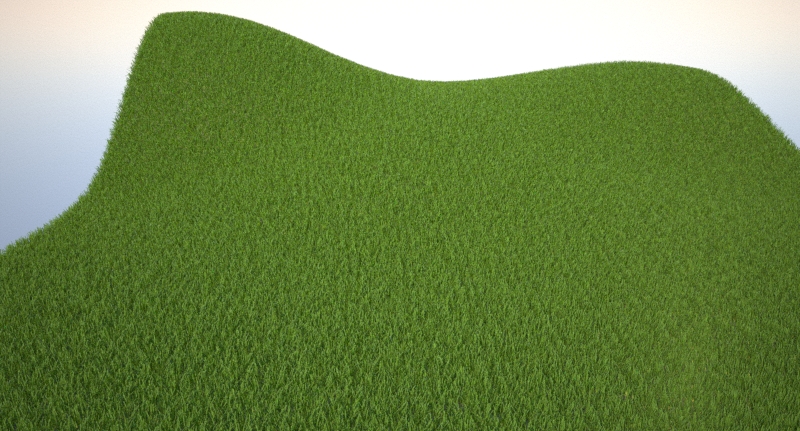
      It could have something to do with the irregular shape and distribution of the subdivision. I just made a 10x10m patch (subd every 0.5m) using the sandbox tools and here is the initial result:
      subd_grasstest.jpg
      As you can see there is still some slight artifacting from the subdivisions, but not as bad as yours.

      To alleviate this I added a copy of the same geometry set .01m below the current surface with the same grass settings except the Density>Seed value set differently -- this is the only current way to "stack" grass modifiers like I would in Maxwell Studio, but as you can see it does the trick pretty well (aside from slower renders):
      subd_grasstest_alt.jpg
      I would definitely prefer to do these types of things in Maxwell Studio (for now) so as to avoid duplicate geometry (and all the render costs it incurs)... I typically stack 2-5 grass modifiers for any scene I'm doing with grass.

      Best,
      Jason.


      subd_grasstest.skp

      posted in Extensions & Applications Discussions
      jason_marantoJ
      jason_maranto
    • RE: Grass!

      It can be used on such surfaces -- however there was a bug in the 2.7 release that revealed density control problems with subdivided surfaces. This was alleviated in the 2.7.10 release:

      http://support.nextlimit.com/display/maxwelldocs/2.7.10+release+notes

      301 Moved Permanently

      favicon

      (www.maxwellrender.com)

      Also, when working in Maxwell Studio it is best to stack several grass modifiers on one piece of geometry (to mix the randomization in several ways) -- which IMO gives a more naturalistic look. However this is a bit difficult to do in the current SketchUp plugin so I don't recommend you try it there.

      Best,
      Jason.

      posted in Extensions & Applications Discussions
      jason_marantoJ
      jason_maranto
    • RE: Georgia House

      This is when I would have unlocked the beta MXS referencing capabilities of the new plugin and at least tried it (no guaranteeing that it would work since it's beta, but still)...

      301 Moved Permanently

      favicon

      (www.maxwellrender.com)

      Best,
      Jason.

      posted in Gallery
      jason_marantoJ
      jason_maranto
    • RE: Sketchup crash when using MXM materials in Free Maxwell Ren.

      Most likely you are using a MXM that contains a displacement based material -- and depending on the settings displacement can easily use more RAM than SketchUp has available (due to it being a 32-bit application, which at best has 4 GB of RAM and more likely only has 2GB).

      Likely culprits would be "grass", "fur" and "carpet" materials... which often used strong displacement in previous versions of Maxwell. The need for displacement based approaches has been largely replaced by the Grass features of newer versions of the plugin... but even this (when used at extreme settings) can easily run out of RAM due to SketchUp limitations.

      Best,
      Jason.

      posted in Extensions & Applications Discussions
      jason_marantoJ
      jason_maranto
    • RE: FREE Maxwell Render for Sketchup (free version).

      Could you clarify exactly how you are adding the picture?

      Best,
      Jason.

      posted in Extensions & Applications Discussions
      jason_marantoJ
      jason_maranto
    • RE: FREE Maxwell Render for Sketchup (free version).

      Both. Maxwell cameras always operate in 3-point perspective, so orthographic and 2-point perspectives are "approximate" matches... which is often close enough. The plugin should automatically make the adjustments for you.

      To be clear about what I said before: you can setup section cuts using SketchUp, but you would have to "bake" them into the geometry, either manually or via a plugin.

      Best,
      Jason.

      posted in Extensions & Applications Discussions
      jason_marantoJ
      jason_maranto
    • RE: FREE Maxwell Render for Sketchup (free version).

      Maxwell does not currently recognize section cuts (because they are not real geometry) -- Maxwell has something similar called Z-Clipping, which can be used for floor plans... however it's worth noting that Maxwell also has some issues with non-perspective based camera views. So a true floor plan would be tricky (though if you are willing to accept a slight fudge factor it can be done).

      Best,
      Jason.

      posted in Extensions & Applications Discussions
      jason_marantoJ
      jason_maranto
    • RE: FREE Maxwell Render for Sketchup (free version).

      Silverlight is being phased out -- the Grass palette is a preview of this, as per this post: http://www.maxwellrender.com/forum/viewtopic.php?p=357436#p357436

      Best,
      Jason.

      posted in Extensions & Applications Discussions
      jason_marantoJ
      jason_maranto
    • RE: Maxwell Render - Printing Images

      How big were the printouts? The reason I ask is you typically want at least 180 pixels per inch (300 is preferable) for anything you will see up close.

      Best,
      Jason.

      posted in Extensions & Applications Discussions
      jason_marantoJ
      jason_maranto
    • RE: [Poll] What do you think of the new SketchUp logo designs ?

      I'm not crazy about it, but I didn't like the old one(s) either -- having done some logo design work over the years I have different ideas (especially about the type portion) but I'll keep those to myself. One good thing about this is it might be a harbinger of a full UI overhaul in v9...

      Best,
      Jason.

      posted in SketchUp Discussions
      jason_marantoJ
      jason_maranto
    • RE: FREE Maxwell Render for Sketchup (free version).

      In the Maxwell Scene Manager>"Options" tab>"General" subsection you should see a "Start Maxwell Fire" option, which you will want to set to "Manually".

      Best.
      Jason.

      posted in Extensions & Applications Discussions
      jason_marantoJ
      jason_maranto
    • RE: FREE Maxwell Render for Sketchup (free version).

      SketchUp (SKM) material opacity lower than 100% is interpreted by the Maxwell plugin as becoming more and more "AGS" (A simple material made to mimic glass reflections) as it reduces opacity. The solution to create these type of "false transparent" materials in SketchUp to Maxwell is to use images in PNG format that contain transparency data (as an alpha channel) for creating your SketchUp objects -- the Maxwell plugin will render these PNG based "SKM" materials as normal diffuse-type materials while respecting the transparency data in the images alpha channel.

      Best,
      Jason.

      posted in Extensions & Applications Discussions
      jason_marantoJ
      jason_maranto
    • RE: Grass!

      Pay again? I'm not sure what you mean -- the license doesn't expire... none of them do.

      Best,
      Jason.

      posted in Extensions & Applications Discussions
      jason_marantoJ
      jason_maranto
    • RE: FREE Maxwell Render for Sketchup (free version).

      It looks like you are using Skydome to render in that example -- you set your environmental lighting under the "Environment" tab of the Scene Manager. For this I would probabaly start with a type of "Physical Sky" with the Sun enabled.

      Render quality is directly related to SL/time -- meaning higher SL/render time will result in better images. This is set using the "Settings" icon in the Maxwell Fire window. I tend to render to SL 18 for final clay renders...

      Also be careful to manage camera focus parameters because strong depth of field effects increase render time -- I typically use a f-stop of 16 unless I know I need depth of field.

      Best,
      Jason.

      posted in Extensions & Applications Discussions
      jason_marantoJ
      jason_maranto
    • RE: FREE Maxwell Render for Sketchup (free version).

      In the plugin Scene Manager go to the "Output" tab and find the "Materials" subsection -- there you will see a checkbox to enable material overide, which when activated will allow you to load any MXM you might like to use for your clay material (I've attached a simple one).

      You can get more MXMs from http://resources.maxwellrender.com and I have a large array of colors (183 based on the RAL system) you might find useful for clay renders here: http://resources.maxwellrender.com/scripts/Diffuse1_9227.zip

      Best,
      Jason.


      basic_clay.zip

      posted in Extensions & Applications Discussions
      jason_marantoJ
      jason_maranto
    • RE: Grass!

      Yes, it is part of the Maxwell plugin, the grass is generated inside Maxwell at render-time based on the parameters you specify.

      Best,
      Jason.

      posted in Extensions & Applications Discussions
      jason_marantoJ
      jason_maranto
    • RE: What mouse?

      My wife and I both use Evoluent mice (she has had surgery) and have for several years -- they work very well but do take a bit of getting used to for most people (when someone else tries to use my computer they always give me the "WTF?!? look" at first).

      I also use a Wacom Intuos tablet exclusively on my other machine and I do find it to be the least stressing option for long work periods -- although it can feel somewhat less precise than a mouse for modeling purposes.

      In my recent years I've found good ergonomics to be very important to me, so I have a very custom working environment... probably my favorite item is my chair: http://www.salli.com

      Best,
      Jason.

      posted in Hardware
      jason_marantoJ
      jason_maranto
    • Form.Z 7 released

      http://www.formz.com/products/formz.html

      I've been testing the open beta for this for a last couple months and I have to say I've been very impressed with it's modeling capabilities -- among the highlights for me are fully customizable snapping for any object and completely customizable selection controls. The general modeling tools are really top-notch, largely thanks to the [url=http://www.spatial.com/products/3d-acis-modeling:1mw23378]ACIS modeling kernel[/url:1mw23378]... my only real quibble is I'm not crazy about how some parts of the GUI work.

      I'm sure a new version of bonzai3d will follow soon.

      Best,
      Jason.

      posted in Hardware
      jason_marantoJ
      jason_maranto
    • RE: WIP render with free software

      There are 2 possibilities I can think of (and it could be both at the same time):

      1. you are using real glass (instead of AGS) for the windows.

      2. the white of the walls exceeds RGB 225 (I rarely using anything brighter than 225 since that is the RGB value of a "white" sheet of paper)

      But it is also possible that (since you are using the free version of the plugin) the complexity of the lighting (multiple light-sources) is causing the error due to late appearance of some of the lighting information... the pay versions of the plugin have the "production" engine which is better suited to complex lighting calculations (multiple light-sources).

      This problem will most likely become more pronounced when rendering interiors.

      Best,
      Jason.

      posted in WIP
      jason_marantoJ
      jason_maranto
    • 1
    • 2
    • 12
    • 13
    • 14
    • 15
    • 16
    • 50
    • 51
    • 14 / 51