I have someone interested in similar window features to that found in "Chief Architect".
Oops, your profile's looking a bit empty! To help us tailor your experience, please fill in key details like your SketchUp version, skill level, operating system, and more. Update and save your info on your profile page today!
Urasik Extensions | Lots of new extensions to check out Learn More
G
Offline
Posts
-
RE: [Plugin] Window Maker
-
RE: [Plugin] Window Maker
Frame size will be controlled by parameters and or profiles. What do you mean by "replacement windows"
-
[Plugin] Window Maker
I have been asked by a number of architects and designers to create a Window Maker plugin along the same style as Door Maker and Cab Maker.
Door Maker will also go through a rewrite so that it uses the same look and feel as Cab Maker.
The idea is to provide windows that are very light weight but still gives you thousands of permutations and combinations. The interact tool will work with the windows.
The styles of windows that will be included are:
Fixed
Awning
Fixed over Awning
Casement
Fixed beside Casement
Horizontal Sliders
Single
Double Hung
Eyebrow
Half Circle
Octagon
RoundAs with door maker you will be able to provide your own profiles. That means vinyl, aluminum or wood profiles will be available.
If anyone has any request now is the time for discussion.
-
RE: [Plugin] GKWare Cabinet Maker
Andrew - mine too. Someone suggested that I have to buy it faster than I drink it!
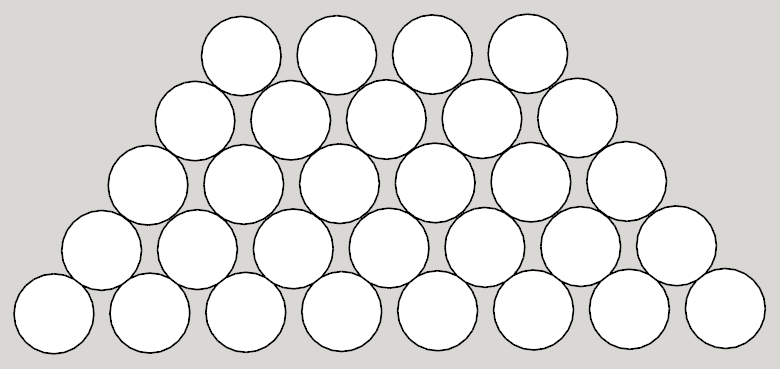
In actuality one of my hobbies is making wine. We live in wine country in British Columbia Canada. I do have a cool dark cellar and a metal wine rack that stores bottles 30 per shelf. Each shelf holds 8 bottles on the first row, 7 on the second row etc.
Wine ages best in a cool dark place. The advantage of having the bottles touch each other in this way is that it is suppose to reduce the effect of small temperature fluctuations.
-
RE: [Plugin] GKWare Cabinet Maker
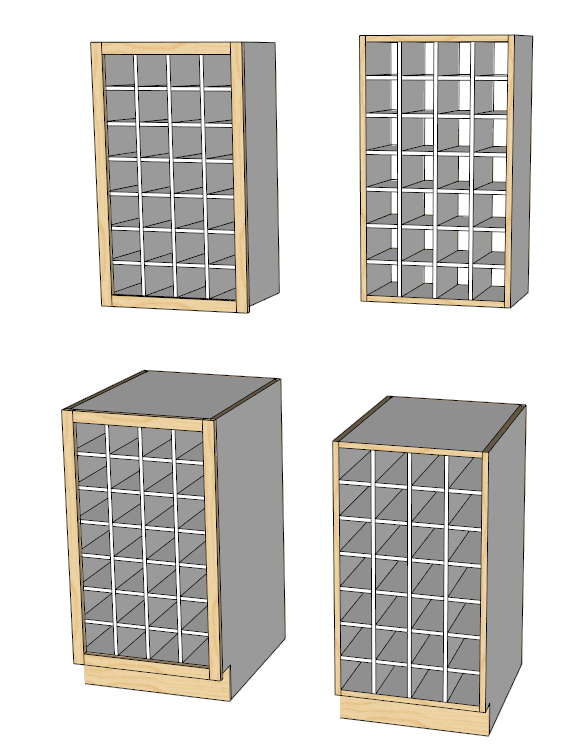
Added pigeon hole capability using vertical dividers and horizontal dividers. Works with frameless or face frame construction and for uppers or base cabinets.
This can work as a wine rack.
-
RE: [Plugin] GKWare Cabinet Maker
You can set the openings (space between shelves) and (space between pullouts) here
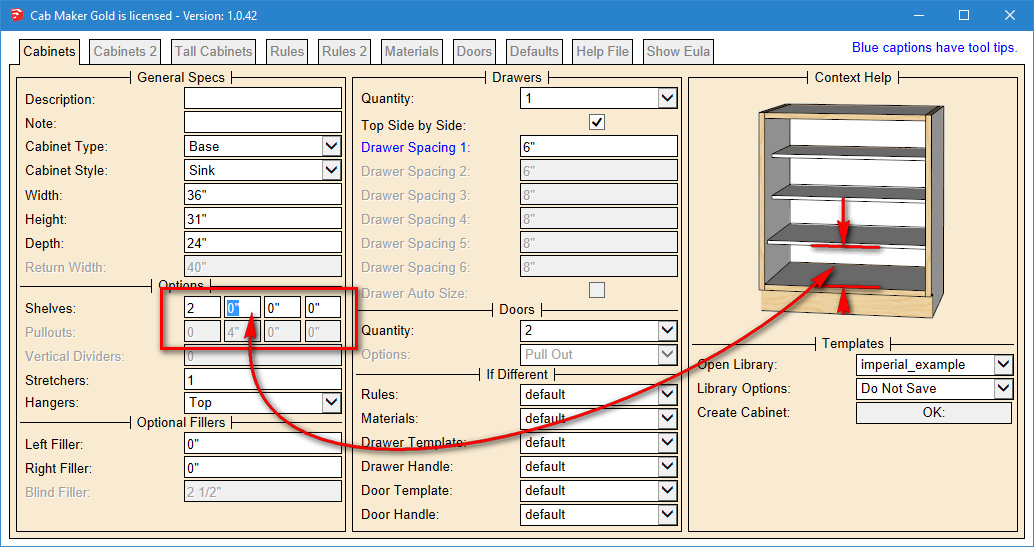
You can have different shelf width adjustments for Uppers and Base cabinets and have 2 widths for shelves for base cabinets. Also you can edge the ends of sides - bottom, top, none or both.
Set the new values to -1 to disable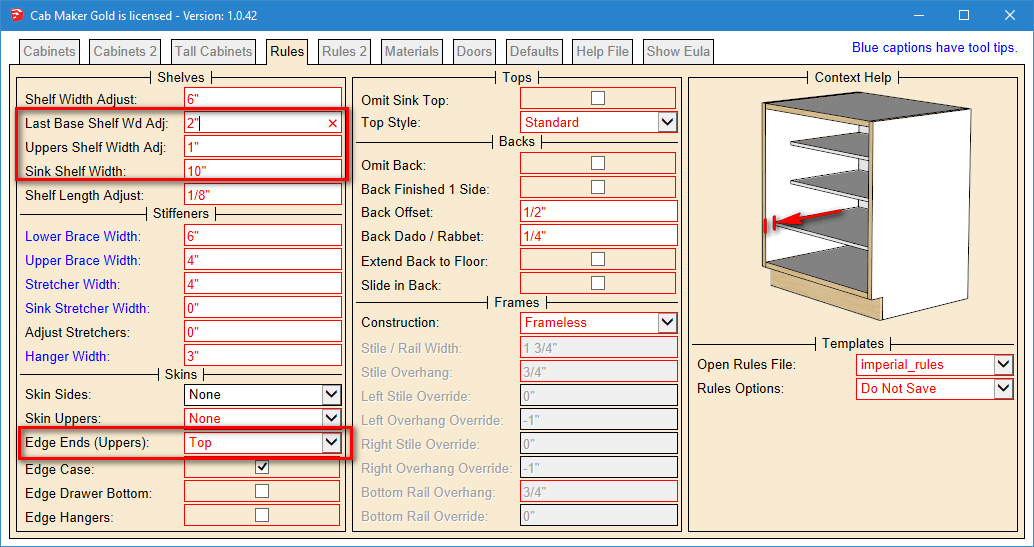
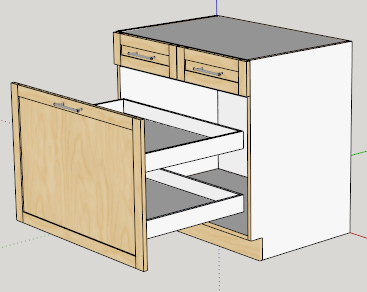
Here is the change for multiple pullouts with a door.
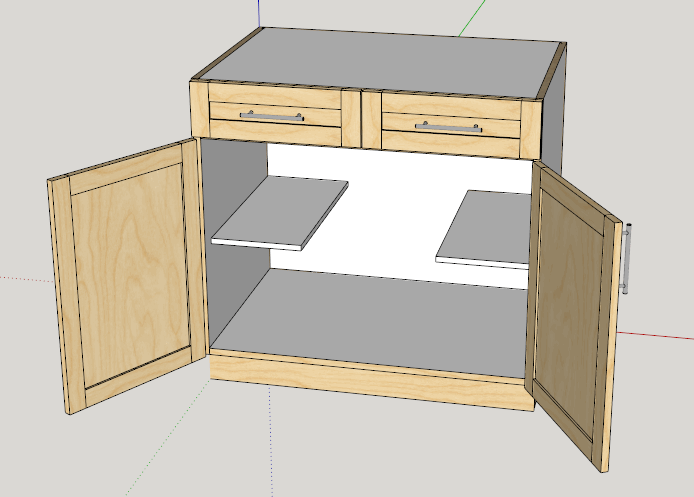
Here are split sink shelves - you set the length - set to -1 to disable.
-
RE: [Plugin] GKWare Cabinet Maker
Version 1.0.42
- Added Confirm Save Configuration and a confirm popup to Web Dialog.
- Added context sensitive help for cabinet templates. If 320 X 240 png image exists in library folder
- Added version number to web dialog title
- Side by Side drawers now work for frameless construction and stretchers set to at least 1
- You now have option for edging upper cabinet ends of the sides if not skinning the top and or bottom
- Corner cabinet adjustable shelving had edging along the back where the shelf butts up against the corner brace. Fixed
- Sides, Top and Bottom front edges had edging with face frame construction. Fixed
- You can override shelf spacing for up to 3 shelves
- You can now set pullout spacing for up to 3 pullouts or use the default rule
- Cabinets with 1 door set to pullout now works with more than 1 pullout
-
RE: [Plugin] GKWare Cabinet Maker
I am working on a new way to choose a cabinet from the library for those of you who want to work with libraries.
The idea is to add a find button, then pop up a new window that contains pictures of your cabinets. There would be a bit of work on your part.
What does everyone think?
-
RE: [Plugin] GKWare Cabinet Maker
1.0.41 ready for download
Version 1.0.41 - Mar 30, 2016
- Side dado's incorrect for Base cabinets with Integrated Kick with a 0 notch and side dadoes. Fixed
- Sink cabinets with side dado and rule to omit top had top dado. Top dado should be skipped. Fixed
- Parts report sometimes missing a part. Fixed
- Added new parts report for Gold. *_full_part_list.csv
- Added configuration setting for 'Silent Permissions'
- Update manual and added lines to translation files
-
RE: [Plugin] GKWare Cabinet Maker
I spent another 2 days testing and found a few more errors in the tall cabinets.
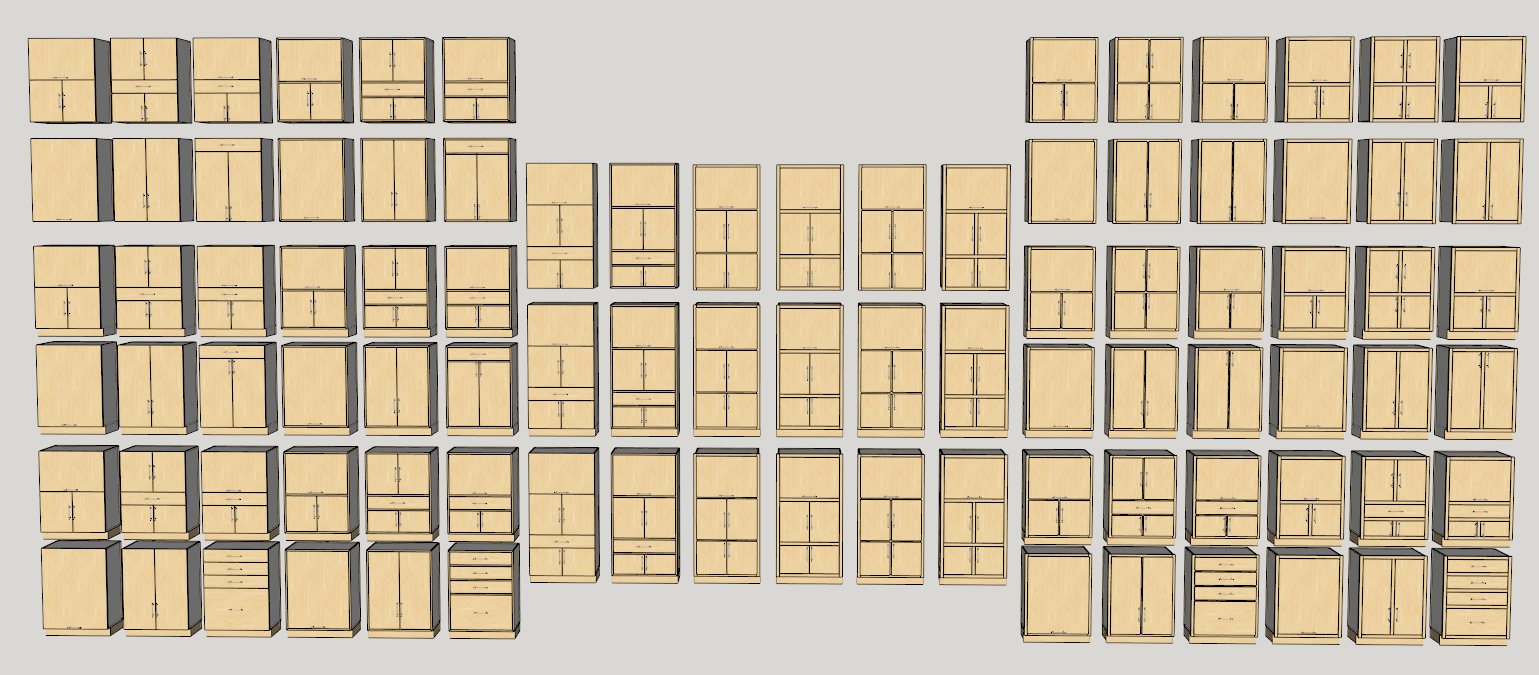
Now pretty happy with the test suite. The skp test file is 7 megs and contains 90 tall cabinets of various constructions and configurations.
Version 1.0.40
- some configurations for frame less overlay construction for tall cabinets had the doors in the bottom section incorrect heights. fixed
- the auto drawer size feature was not properly updating the drawer height. fixed
- when using auto drawer size the drawer box height was inconsistent. fixed
- For Overlay doors only the top Gap can be now be eliminated by setting the value to negative door gap.
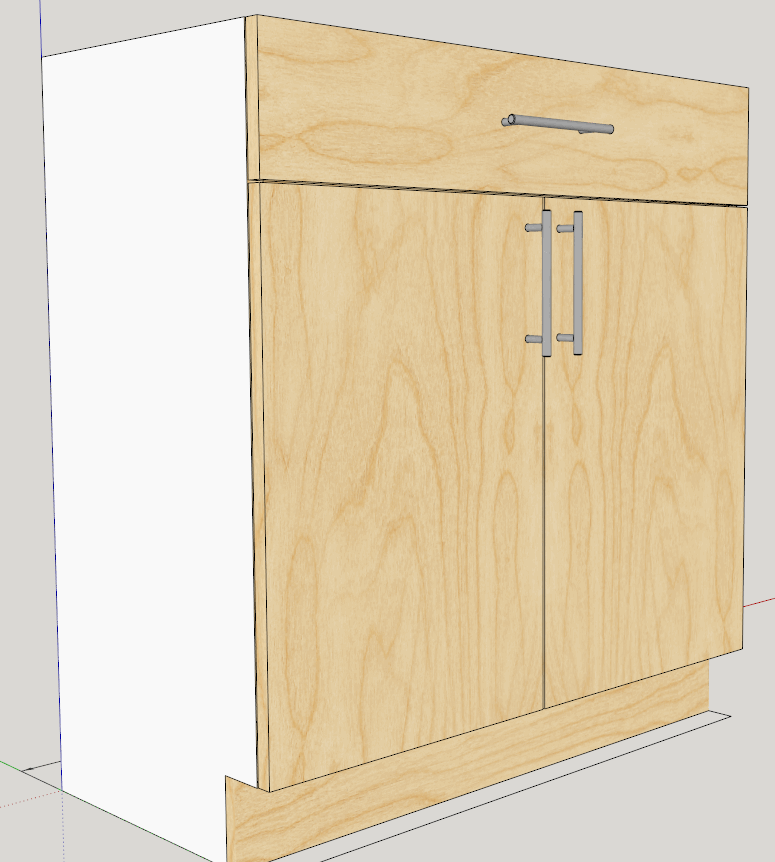
Here are the 90 tall cabinets
-
RE: [Plugin] GKWare Cabinet Maker
If you want to have a shared location for templates and library files there is a way. I created a shared location on a different drive and then set up a batch file to point to that location.
One reason to do this is if you have several licensed computers and you want to have 1 set of templates. Another reason is you want to make sure your templates don't get over written during an update.
From the command prompt
subst x: e:\library\gkware_cabmakerThen copy the following files into the shared area
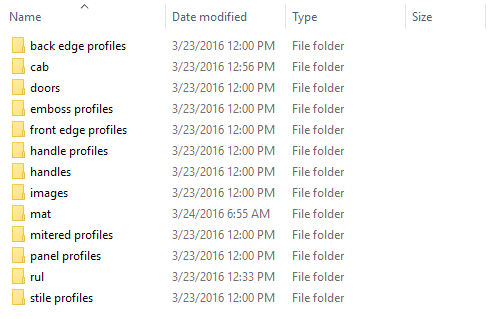
Next from the main menu choose
Extensions\GKWare_CabMaker\Cab Maker - Edit Config
And set the library location to x: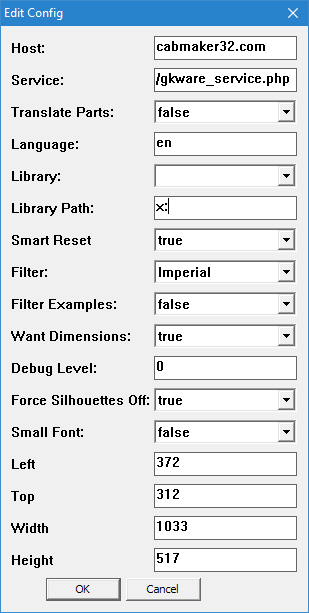
Finally restart sketchup for the changes to take effect.
-
RE: [Plugin] GKWare Cabinet Maker
Version 1.0.39 is now ready to download.
Available from my web site or from Sketchucation.
-
RE: [Plugin] GKWare Cabinet Maker
I am doing a fairly thorough testing of the Tall Cabinets. So many permutations and combinations that it is taking longer than I originally anticipated.
There are 7 section combinations Times 6 constructions Times 3 for uppers, base integrated and base non integrated.
That's 142 combinations and doesn't even begin to deal with different types of interiors.
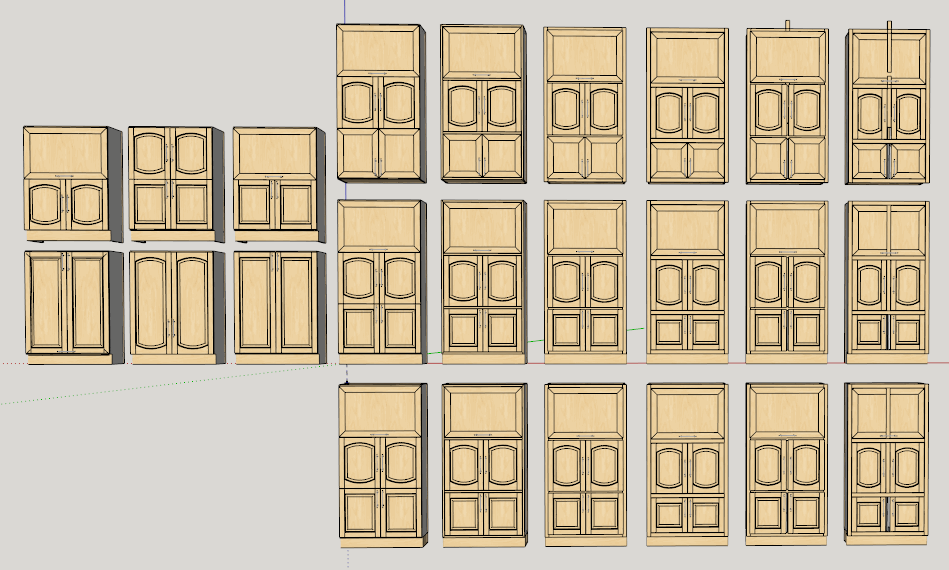
Here is a model containing 24 different tall cabinets. The 3 rows on the right are uppers, integrated base, and non integrated base. The six columns on the right represent 6 constructions.
The six cabainets on the left (2 rows of 3) represent 1 construction for base cabinets with integrated kickThese tests have uncovered a few Face Frame bugs that you can visually see. The cabinets with 1 and with 2 sections show correct top gap but only the cabinets that have the bottom section have correct bottom gap. Additionally one cabinet has rendered incorrectly.
So ... testing continues.
-
RE: [Plugin] GKWare Cabinet Maker
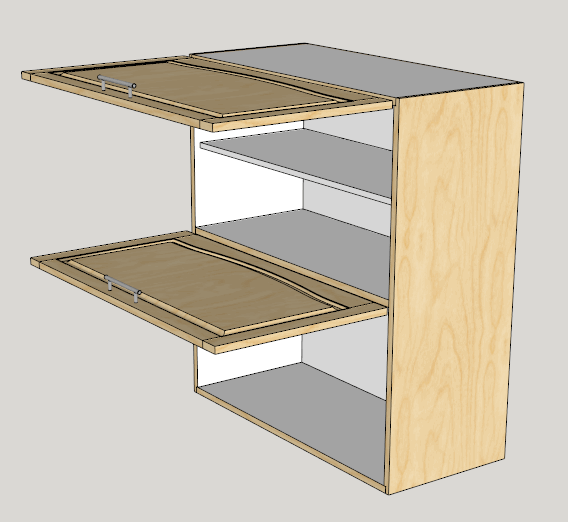
You were asking about an Ikea cabinet a few postings back.
On Cabinets Tab:
Height = 40"
Depth = 16"
Cabinet Type = Upper
Cabinet Style = Base
Drawers = 0
Doors = 1
Hinge TopOn Tall Cabinets Tab:
Top Section:
Height = 20"
Doors = 1
Hinge Top
Shelf = 1Mid Section:
Height = 0"
-
RE: [Plugin] GKWare Cabinet Maker
Version 1.0.39 just about ready.
- Network path not working. Fixed
- Materials with Capitals in name created a problem. Fixed
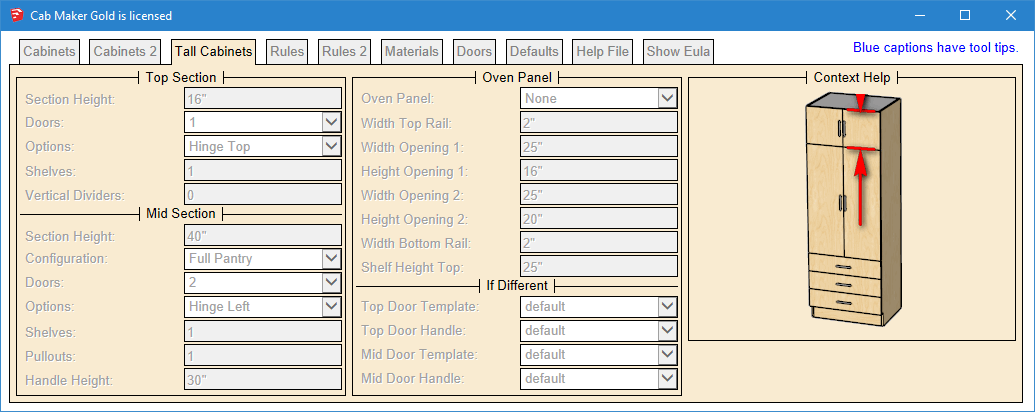
- Gave Tall cabinets their own tab. Each tall cabinet section now has its own settings
- Upper tall cabinets had a bug where doors on top and mid sections were not lined up. Fixed
- Tall cabinets now can have doors in bottom section.
- Tall cabinets bottom section can now have shelves and pullouts or dividers
Essentially the bottom section now works the same as for any standard cabinet. All the settings on the first page apply to the bottom section of a tall cabinet. The Top and Mid sections now have there own areas resulting in less confusion.
Notice that you can have 3 different door styles and a different drawer style on 1 tall cabinet.
You can also have up to 4 different handles. The Top section defaults to Upper defaults and the Mid Section defaults to Base defaults.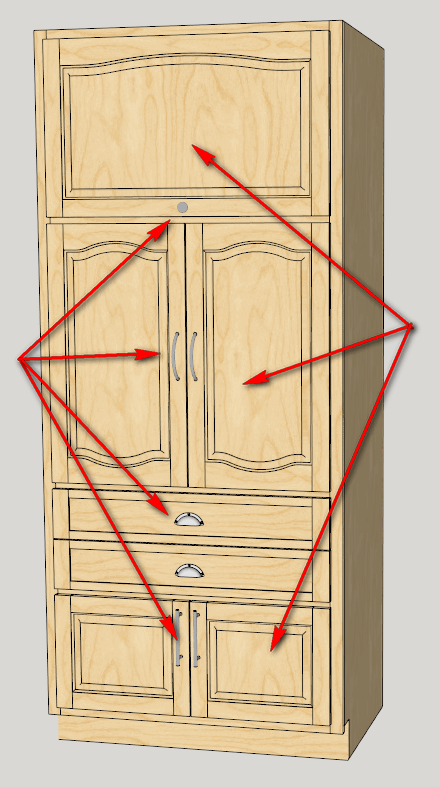
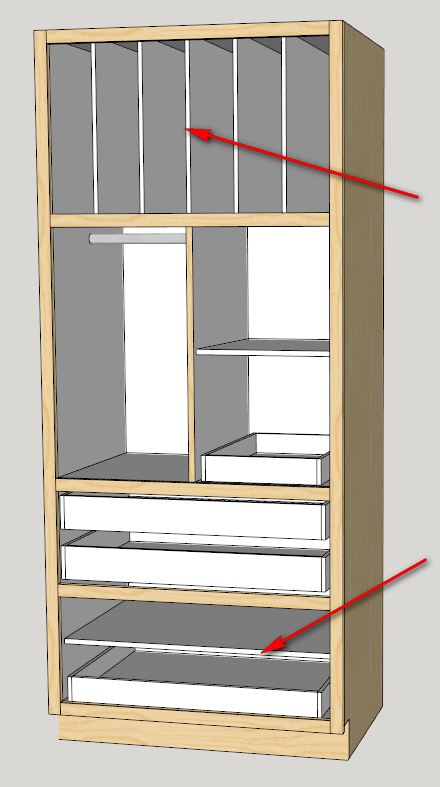
The Top section can have shelves and or pullouts or vertical dividers. The Mid section behaves as before by setting the mid sections configuration.
-
RE: Different textures to multitude of identical surfaces?
Could you please show us some of these images and what your honycomb model looks like.
-
RE: [Plugin] GKWare Cabinet Maker
CabMaker follows System 32 as closely as possible. System 32 is designed this way on purpose to allow the stacking of cabinets while maintaining proper Door Gaps.
A cabinet uses this calculation for door size.
Door Width = (Cabinet Width - (Door Count * Door Gap)) / Door Count.
Door Height = Cabinet Height - Door GapNotice that the wording is "Adjust Top Gap". This is not an override - it is an adjustment. This value is added to the Door Gap to produce the overall gap. So if you have a door gap of 3 mm and a value of 12 mm for "Adjust Top Gap" then the result is 15 mm.
Also notice that CabMaker calls it Drawer Spacing - not Drawer Heights. This again is for adopters of true system 32. My default metric cabinet values in my examples have height as 768 mm and drawer spacing of 160 mm. It isn't coincidence that these values divide by 32. 768 / 32 = 24 and likewise 160 / 32 = 5.
I added "Adjust Top Gap" as a feature on request by a number of users. I also added "Adjust Bottom Gap" for the same reason. Additionally a number of users asked to extend doors below the bottom of upper cabinets so I modified the "Adjust Bottom Gap" to give you the ability to put in a negative value.
I will add this to the list of feature requests to modify "Adjust Top Gap" to allow negative values. When enough users request a feature then that feature moves up the list.
-
RE: [Plugin] GKWare Cabinet Maker
I'm actually working on something that should work for you.
The next version of cabmaker will give you more control over tall cabinets.
And yes - you will be able to make a cabinet with up to 3 sections - each with single doors and each with hinge options.