sketchucation logo sketchucation
    • Login
    1. Home
    2. Garry K
    3. Posts
    Oops, your profile's looking a bit empty! To help us tailor your experience, please fill in key details like your SketchUp version, skill level, operating system, and more. Update and save your info on your profile page today!
    Urasik Extensions | Lots of new extensions to check out Learn More
    G
    Offline
    • Profile
    • Following 0
    • Followers 0
    • Topics 33
    • Posts 976
    • Groups 2

    Posts

    Recent Best Controversial
    • RE: [Plugin] GKWare Cabinet Maker

      Version 1.0.38 now ready for download.

      Fixed a network path issue.

      posted in Plugins
      G
      Garry K
    • RE: [Plugin] GKWare Cabinet Maker

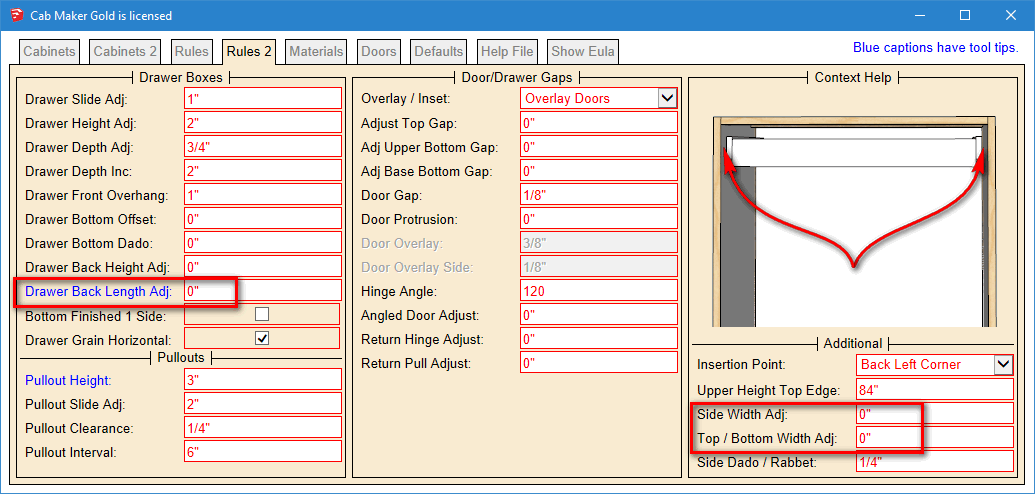
      I see what you mean however these are actually 'Additional' since there are 5 items.
      only 2 of them are Part adjustments

      Then there is 1 part adjustment in the drawer box section and then each door template has 5 adjustments.
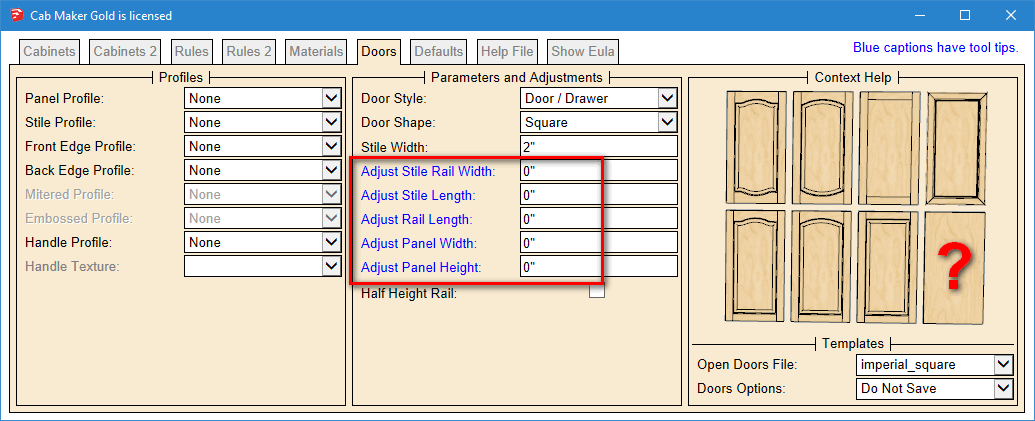
      adjust doors.PNG


      adjust drawer box.PNG

      posted in Plugins
      G
      Garry K
    • RE: Is it worth upgrading from SKPv8 to 2016?

      I'm running Windows 10 and I have Sketchup 7 through Sketchup 2016 installed

      I was using Sketchup 8 for all my developmental work. Now I use Sketchup 2016 as I like a lot of the new features. More ways to draw arcs, better tool bar handling, trays, better info when working through bugs.

      The other versions are simply for testing my plugins. I use a strategy where my plugins go into a shared folder that all versions of sketchup use. So I can configure a plugin and then test it on all versions of sketchup. This also makes it much easier when upgrading. When Sketchup 2016 came out all I had to do was drop a 2 line ruby file into 2016's plugin folder. All plugins loaded without having to install them.

      posted in SketchUp Discussions
      G
      Garry K
    • RE: [Plugin] GKWare Cabinet Maker

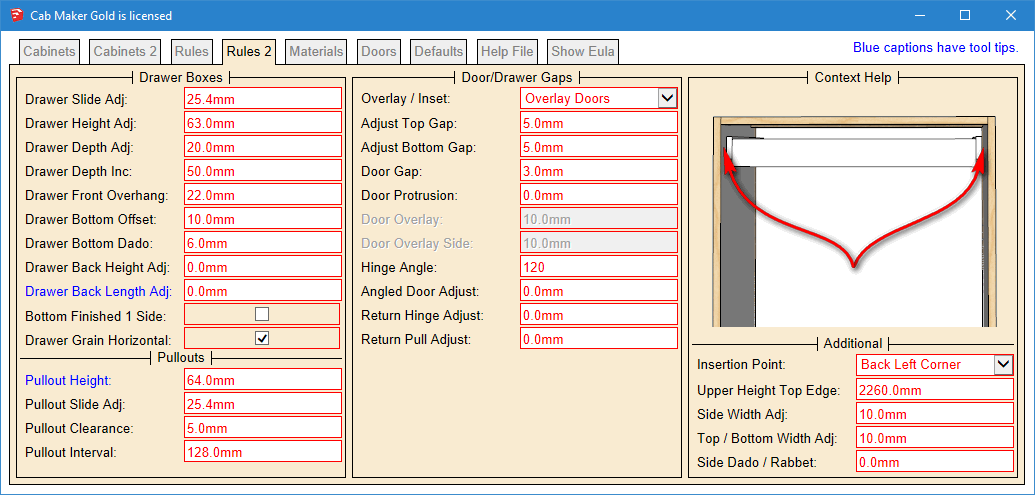
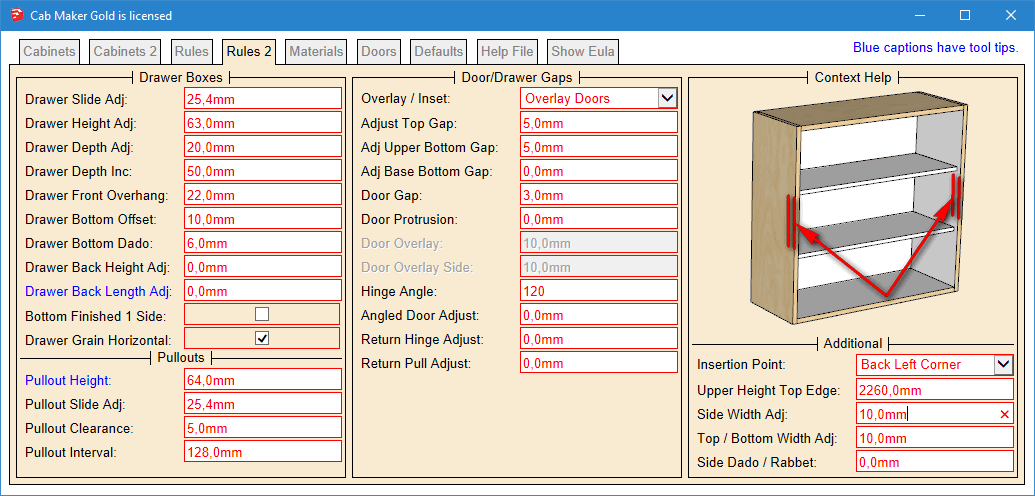
      Please check the 'Additional' section in the Rules 2 tab

      Side Width Adj:
      Top / Bottom Width Adj:

      There are several adjustments that are required for cabinet makers who need to increase the size of various parts. That includes:

      Sides, Tops, Bottoms, Drawer Box Fronts and Backs and Door parts (Stiles, Rails and Panels)

      side adjust.PNG

      posted in Plugins
      G
      Garry K
    • RE: [Plugin] GKWare Cabinet Maker

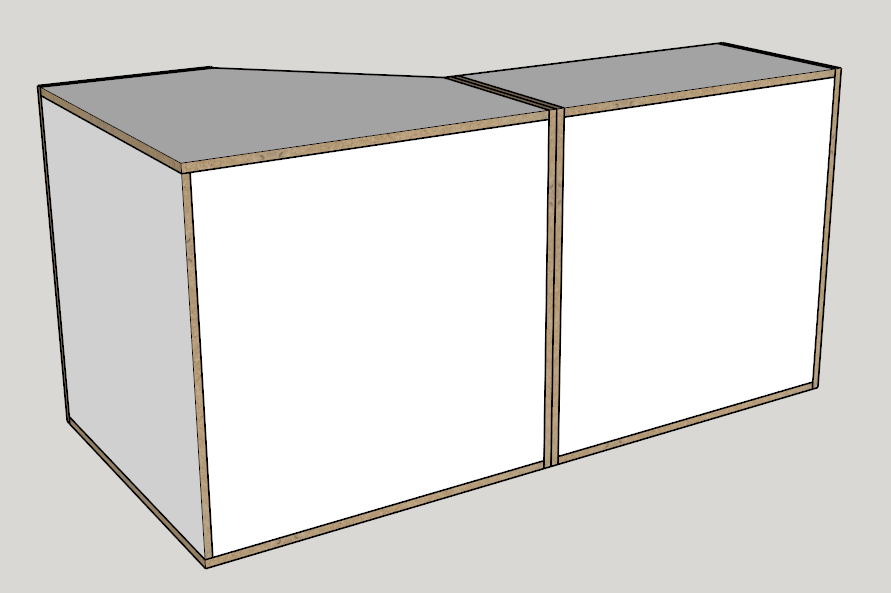
      The fix is now in version 1.0.37.

      I've set:
      Corner brace width = 0
      back material thickness = 5/8"
      Back offset = 0
      Back dado = 0

      flush.png

      posted in Plugins
      G
      Garry K
    • RE: [Plugin] GKWare Cabinet Maker

      This is a bug. I will fix this and include it in today's version 1.0.37

      posted in Plugins
      G
      Garry K
    • RE: [Plugin] GKWare Cabinet Maker
      1. Drawer auto height - Edit now shows actual height for last drawer in drawer bank.
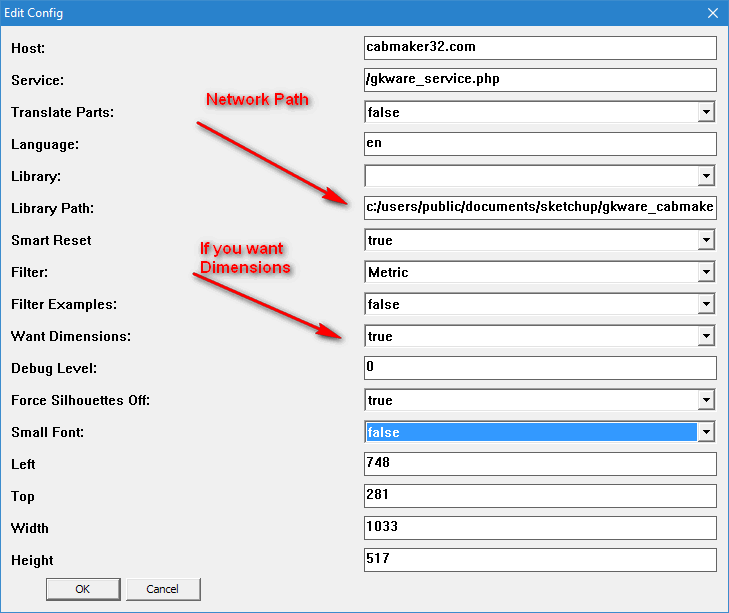
      2. 2D cabinet dimensioning on layer called "Dimensions"

      Set Config if you want dimensioning. Also you can set a network path here.

      New version available shortly.

      new_config.png


      dim_1.png


      dim_2.png

      posted in Plugins
      G
      Garry K
    • RE: [Plugin] GKWare Cabinet Maker

      It'll be around a month before it comes out.

      posted in Plugins
      G
      Garry K
    • RE: [Plugin] GKWare Cabinet Maker

      I've alreday started adding dxf export to my cutmaster Gold.

      posted in Plugins
      G
      Garry K
    • RE: [Plugin] GKWare Cabinet Maker
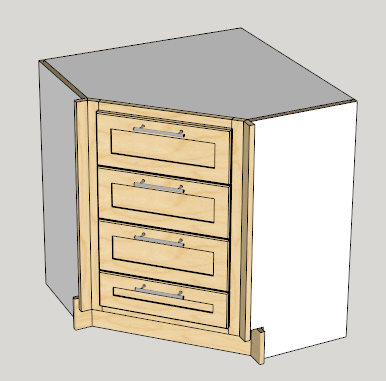
      1. Added angled drawer bank.

      Angled Drawer Bank.png

      posted in Plugins
      G
      Garry K
    • RE: [Plugin] GKWare Cabinet Maker
      1. You can now save templates using mixed case.
      2. The Defaults Tab now has a default Upper Handle and a default Base Handle.

      I've had a request to allow drawer banks with angled cabinets and with return cabinets. Anyone else interested. Any other feature requests?

      posted in Plugins
      G
      Garry K
    • RE: [Plugin] GKWare Cabinet Maker
      1. Added a handle called 'No Handle' It is simply an invisible line - use where you do not want a handle to show up.
      2. Toolbar is now restored to previous state for Mac. Also Tool Bar now shows at first install.
      3. Angled Sink cabinets missing tilt out drawer front. Fixed
      4. For frame less construction and upper cabinets fillers extend below cabinet if doors extend below cabinet.
      posted in Plugins
      G
      Garry K
    • RE: 3D Truss Models

      I'm averaging updating my current plugin every 5 calendar days without any complaints. I see nothing wrong with getting the updates out fairly quickly.

      I am fairly good at incremental version numbers. When the plugin checks in with my web service it gets the current version from my web site and notifies the user that a new update is available if the version number is different. Works fine when I don't miss changing the plugins version number.

      posted in Plugins
      G
      Garry K
    • RE: [Plugin] GKWare Cabinet Maker
      1. Toolbar is now restored to previous state for Mac. It is is also now shown on first install.
      2. Added a handle called 'No Handle' It is simply an invisible line - use where you do not want a handle to show up.
      3. Added Bottom Gap for Upper Doors. Changed Bottom Gap to Base Bottom Gap. Enter negative amount for door to extend beyond cabinet.
      posted in Plugins
      G
      Garry K
    • RE: [Plugin] GKWare Cabinet Maker

      Working on requested features and bug fixes.

      1. Fillers now work with Face Frame Construction.
      2. Fixed drawer handle position. Return cabinets had handles on drawer fronts and shouldn't have.
      3. Embossed Shaker ignored edge profiles. Fixed.
      4. Added library location so that your libraries can be on a server.
      5. Added logic to check for other language pdfs. If language is fr then first look for the French help file named 'cabmaker_fr.pdf' and if not found then loads the English 'cabmaker.pdf'. The same for other languages.
      posted in Plugins
      G
      Garry K
    • RE: Find out if point is inside solid

      Randolf Franklin solved this problem back in the 1970's

      Here is his original 2D code for a single polygon

      
      int pnpoly(int nvert, float *vertx, float *verty, float testx, float testy)
      {
        int i, j, c = 0;
        for (i = 0, j = nvert-1; i < nvert; j = i++) {
          if ( ((verty[i]>testy) != (verty[j]>testy)) &&
      	 (testx < (vertx[j]-vertx[i]) * (testy-verty[i]) / (verty[j]-verty[i]) + vertx[i]) )
             c = !c;
        }
        return c;
      }


      I ran a modified version of this code on very old mobile computers 80186 processor running at 18 megahertz. We used it to determine which State or Province your vehicle is in.

      3D isn't much more difficult but you do have to look at each face and see if your ray passes through it or not.

      posted in Developers' Forum
      G
      Garry K
    • RE: [Plugin] GKWare Cabinet Maker

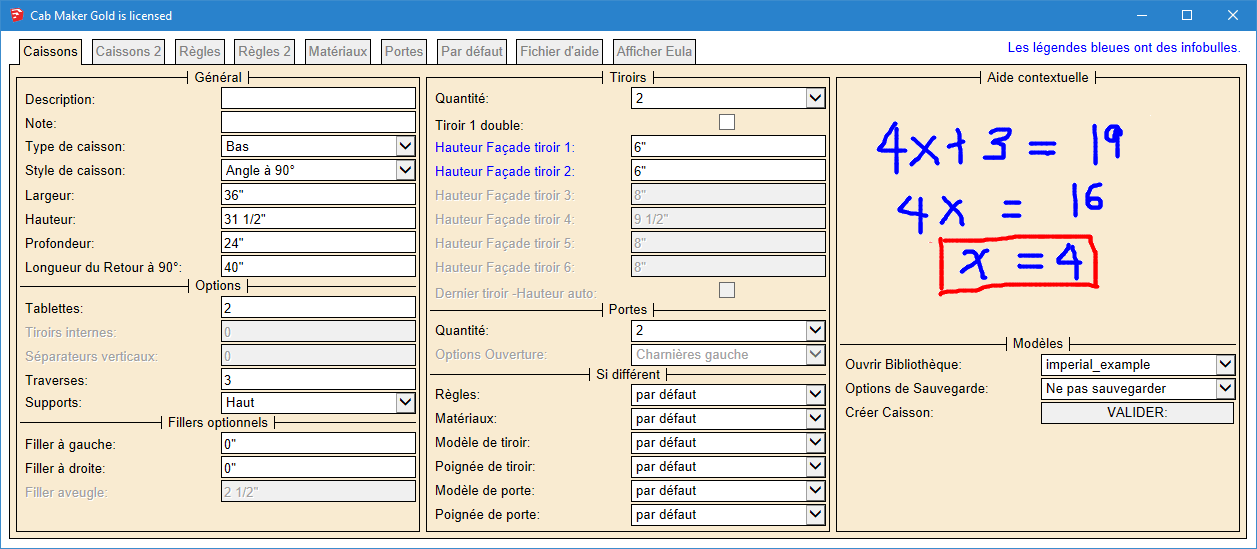
      Thank you Nathaniel for your kind words.

      Here is the first tab in French.

      _Cabinets Tab French.png

      posted in Plugins
      G
      Garry K
    • RE: [Plugin] GKWare Cabinet Maker

      Version 1.0.36 is now available for download from my website

      Login to my web site
      http://cabmaker32.com/login/

      Then go to download page (you need to be logged in to download.

      posted in Plugins
      G
      Garry K
    • RE: [Plugin] GKWare Cabinet Maker

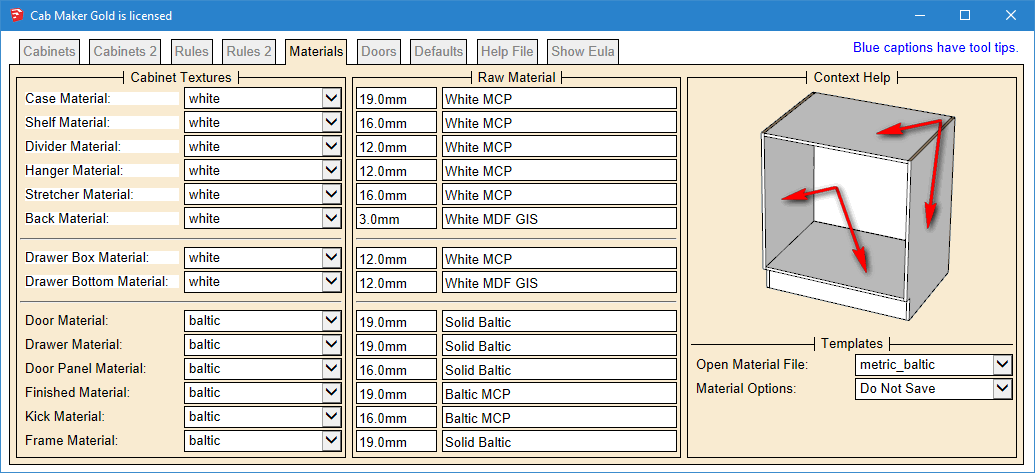
      The red borders identify rules. Notice that some rules and some cabinet parameters have been moved around. Hopefully this simplifies the work flow and reduces confusion.

      posted in Plugins
      G
      Garry K
    • RE: [Plugin] GKWare Cabinet Maker

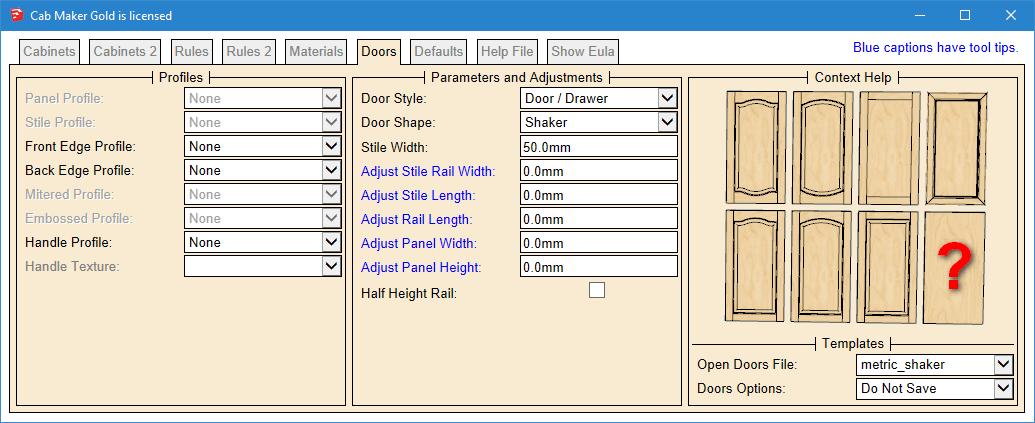
      Version 1.0.36 will be ready later today. French Translation is complete. Web Dialog is reorganized.
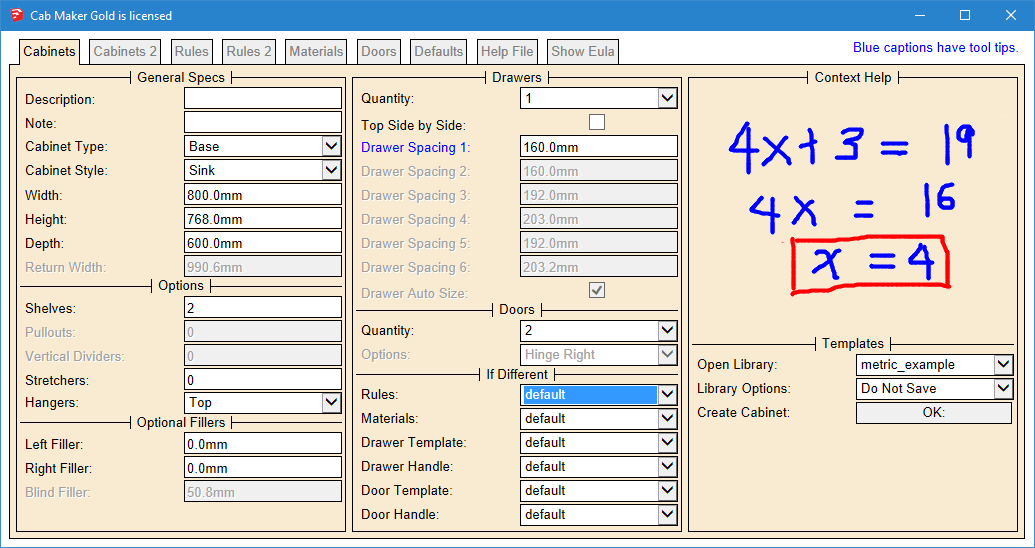
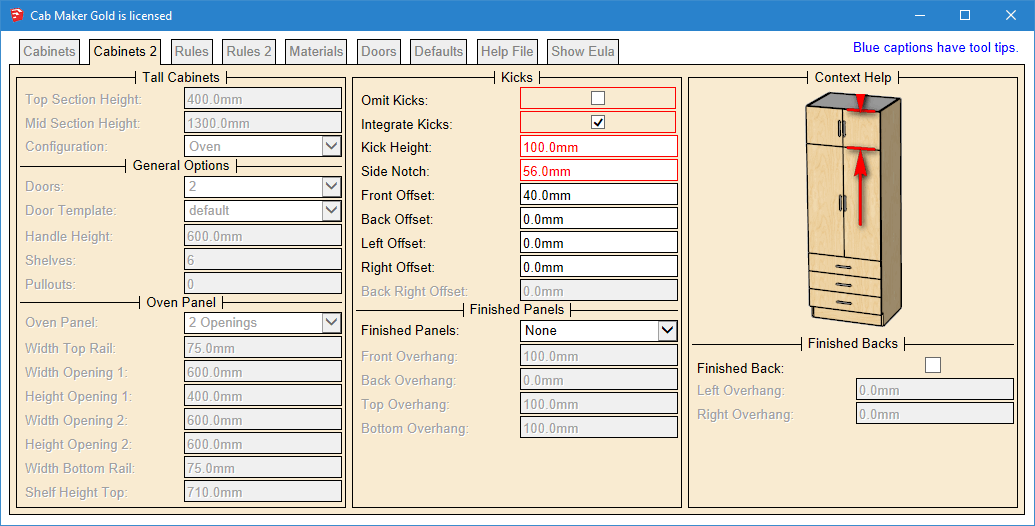
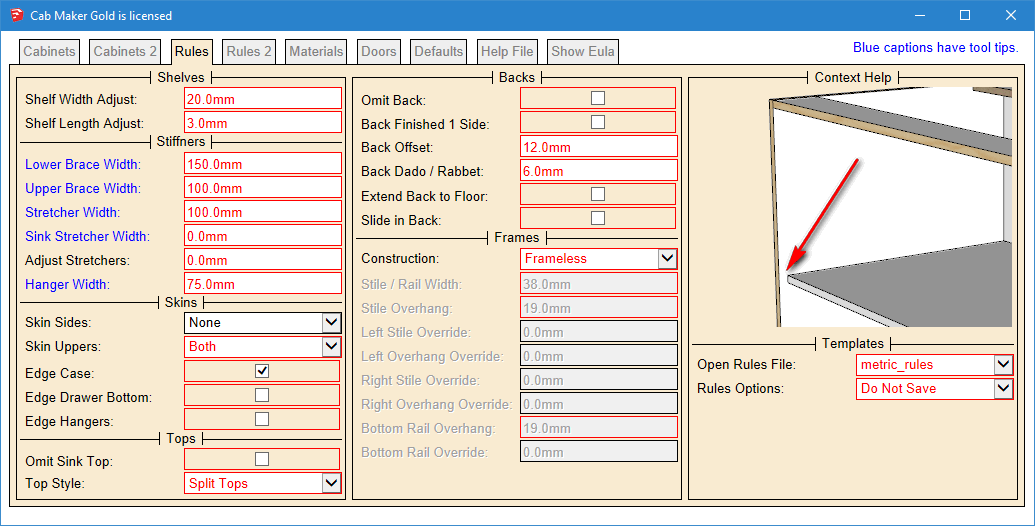
      Cabinets


      Cabinets 2


      Rules


      Rules 2


      Materials


      Doors


      Defaults

      posted in Plugins
      G
      Garry K
    • 1
    • 2
    • 19
    • 20
    • 21
    • 22
    • 23
    • 48
    • 49
    • 21 / 49