sketchucation logo sketchucation
    • Login
    1. Home
    2. Garry K
    3. Posts
    Oops, your profile's looking a bit empty! To help us tailor your experience, please fill in key details like your SketchUp version, skill level, operating system, and more. Update and save your info on your profile page today!
    Urasik Extensions | Lots of new extensions to check out Learn More
    G
    Offline
    • Profile
    • Following 0
    • Followers 0
    • Topics 33
    • Posts 976
    • Groups 2

    Posts

    Recent Best Controversial
    • RE: Starting a new Ruby Tool Extension

      One more thing - I too like to test on multiple versions of sketchup with a single plugin install.

      I test with SU 7, SU 8, SU 2013, SU 2014, SU 2015 and SU 2106

      I create a 2 line ruby file that I name loader.rb - it contains:
      require 'sketchup.rb'
      require_all('c:/users/public/documents/sketchup')

      Then I put my various plugins into the shared folder 'c:/users/public/documents/sketchup' and treat it as the same as the plugins folder for each Sketchup version.

      I then run a batch file that prepares and copies all the necessary files into THAT folder.

      posted in Developers' Forum
      G
      Garry K
    • RE: Starting a new Ruby Tool Extension

      John McClenahan,

      I agree with Joh (Driven) that the linetool.rb is a good starting place.
      It comes with SU 7 and SU 8.

      I use Dan's start file concept with a few small changes.

      The linetool.rb is missing a few things - such as mouse cursor and setting up a tool bar.

      posted in Developers' Forum
      G
      Garry K
    • RE: Ropefall released - draw ropes, wires, cables quickly

      @unknownuser said:

      free for three days, pay 10 USD for a perpetual licence incl. free upgrades & support for one year

      I read your license. The way it is worded there are 2 interpretations.

      1. Support and upgrades are free for 1 year
      2. perpetual license including free upgrades - however support is for 1 year

      I'm assuming you meant the first one.

      posted in Extensions & Applications Discussions
      G
      Garry K
    • RE: Tracking Usage

      When I have collected usage information in the past I have done so only with the consent of the user. Furthermore the numbers simply go into a database and do not have names or locations attached.

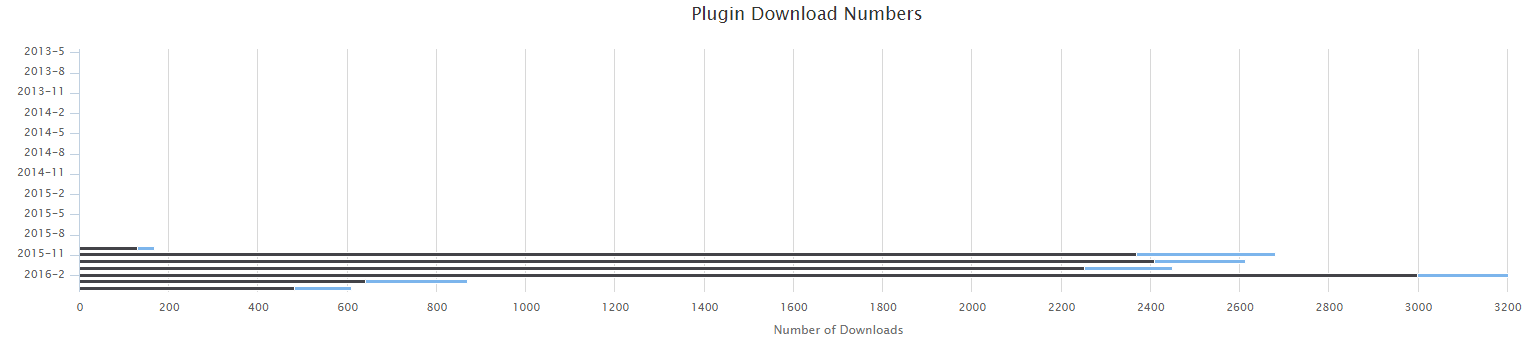
      Many web sites today perform analytics. Even sketchucation performs a type of analytics to establish daily download numbers for plugins. The key bit is they don't track who downloaded - they just count the downloads.

      These are the download numbers for cab maker. You can see that the number of downloads gained momentum around the time Sketchucation featured my plugin. Now they have settled down.

      analytics.png

      Similarly, in the past I have counted some usage specs to determine if a feature is worth more development or not. Again I do not know or care who used the feature.

      For example - If I were going to gather info on my CabMaker (which I have not done), I would first ask the user if it is ok and then I would provide them with a configuration that they could turn on / off anytime they want.

      The info could be something like this for Cabinet counts:
      Standard=155
      Sink=6
      Angled=1
      Return=5
      Left Blind=0
      Rignt Blind=0
      Tall=1

      This combined with users emailing me with wish lists would help me streamline the priorities for further programming.

      posted in Developers' Forum
      G
      Garry K
    • RE: Help with window hole in wall script

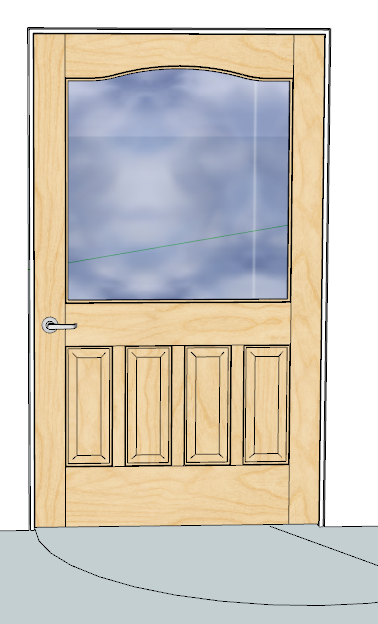
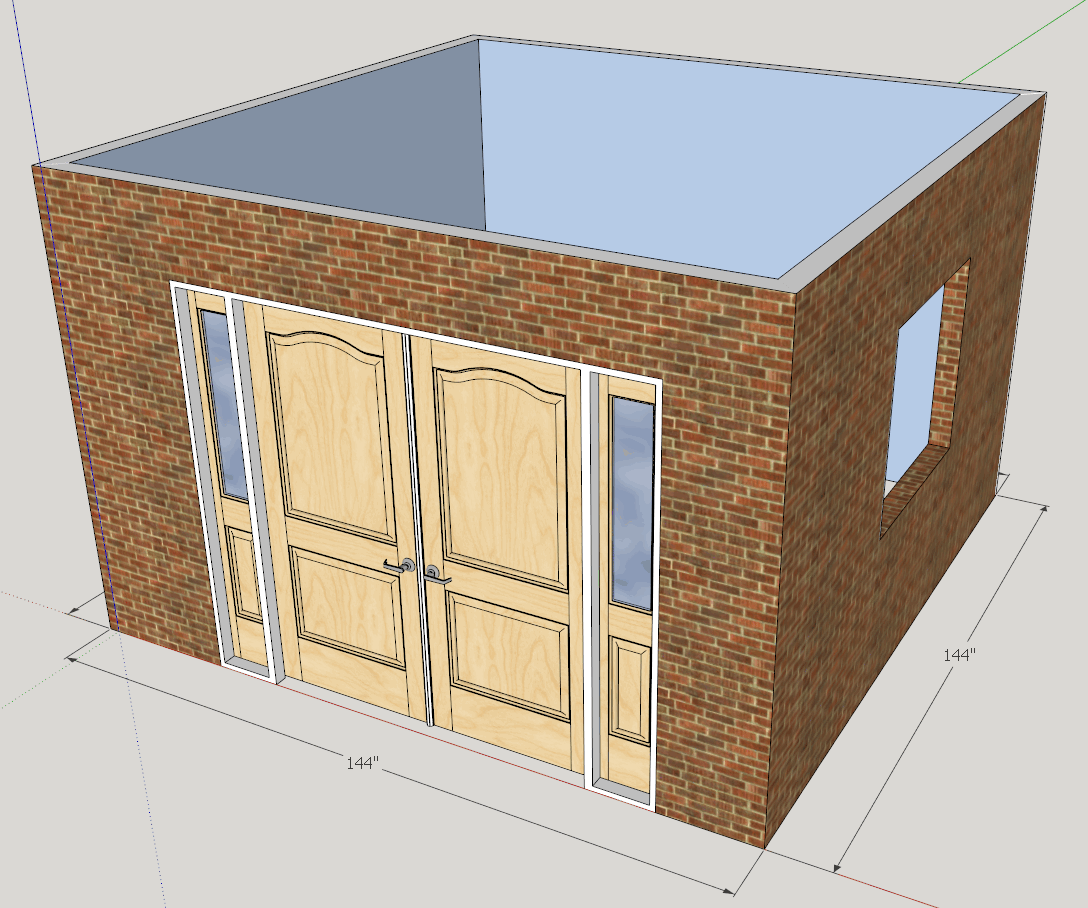
      Here's the entry door with side lites and astragal.

      wall maker.png

      Here's a bit of the wall maker. You can turn on / off the dimension layer. You can edit the length of the wall by double clicking on the dimension text. Change it and the wall changes length. The tool tip shows the length of the wall. You can straight type and let the VCB make the change to length, or provide length and height with a comma between the values (semi colon for users that have their decimal indicator as a comma). There is a button to toggle between top view orthographic and perspective. The wall being created is in ortho.

      Walls have a category and a name which corresponds to a file with inside material, outside material, height and wall width. Users can create their own wall specifications.

      I just started this plugin a week ago.

      edit wall.png

      posted in Developers' Forum
      G
      Garry K
    • RE: Help with window hole in wall script

      All my plugins have a 7 or 14 day free trial.

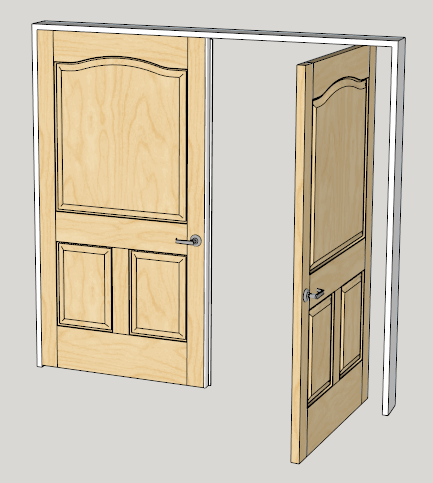
      I have 2 versions of door maker - same code base. Pro makes doors for cabinets and furniture. Gold adds more features including Passage Doors, Bifolds and Entry doors. There are built in features such as pivot hinges for large heavy doors.
      http://sketchucation.com/pluginstore?pln=gkware_doormaker

      I have been asked to build a window maker along the same lines as door maker.

      I also have stair maker for curved stairs and spirals.
      http://sketchucation.com/pluginstore?pln=gkware_stairmaker

      And I've put quite a bit of work into CabMaker which creates kitchen cabinets, vanities and various types of furniture.
      http://sketchucation.com/pluginstore?pln=gkware_cabmaker

      I am also currently working on a Wall Maker that works a bit like Chief Architect

      posted in Developers' Forum
      G
      Garry K
    • RE: Help with window hole in wall script

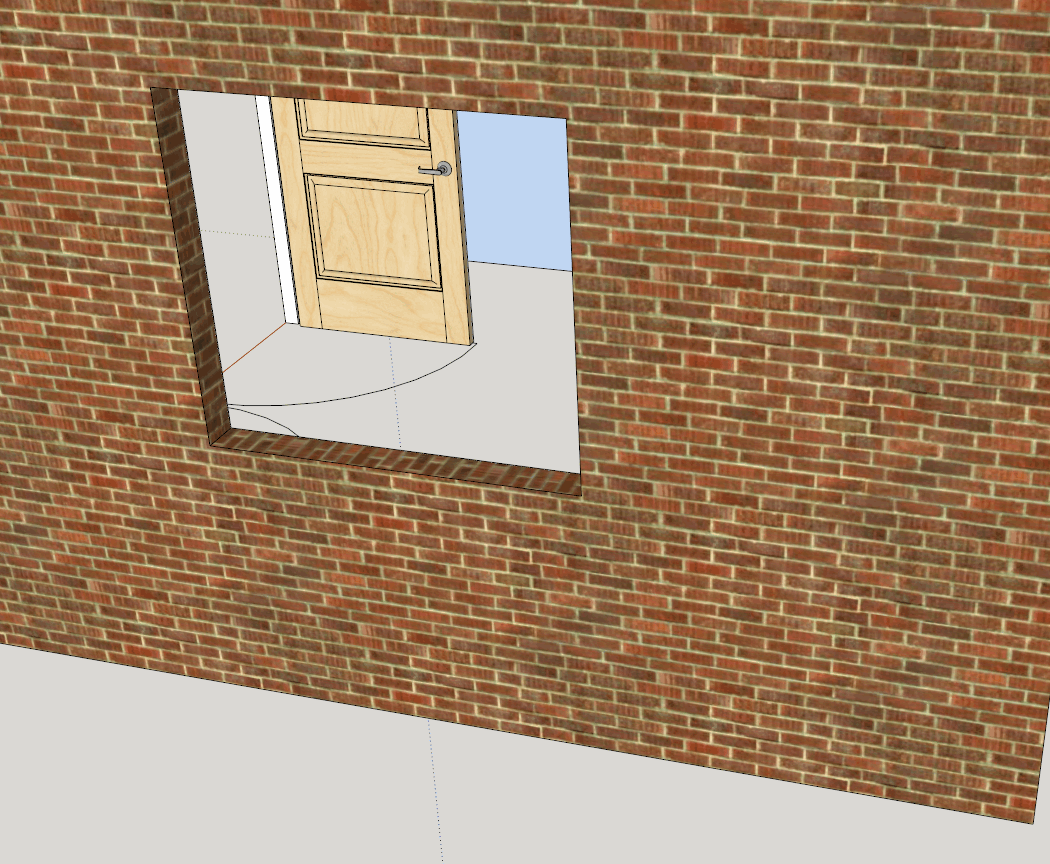
      pushpull doesn't align the texture completely. The sides are close. But the top and bottom are not.

      Notice the panel raised door through the window opening. It was created with a ruby script with 1 texture.

      Parts were created vertically and then moved and rotated into position.


      pushpull wall.png

      posted in Developers' Forum
      G
      Garry K
    • RE: Help with window hole in wall script

      I would probably not use pushpull in that case. First Make the cutouts in the opposing wall faces. Then create the frame group and create the rest of the geometry inside the new group.

      posted in Developers' Forum
      G
      Garry K
    • RE: Help with window hole in wall script

      Since we are now discussing stylistic issues

      Personally I like

      @olt = 103.mm if (! @olt)

      I generally use parentheses for if statements and for methods even though ruby does not require them. This helps me with speed reading code as you can immediately distinguish a mehod from a var

      Aslo I prefer ! instead of not
      and I prefer || instead of or
      This is because of my C / C++ background

      I use single quotes ' for simple strings (slightly faster)
      'my simple string'

      I use double quotes " when strings include escape characters or variable replacements
      "my variable#{variable} \n with a newline"

      posted in Developers' Forum
      G
      Garry K
    • RE: From AutoLisp to Ruby

      Dean - why don't you study linetool.rb
      It comes with sketchup 8 and is in your plugins folder.

      linetool.rb gives a pretty good example of what is possible. It is missing a few features that you might want such as setting up a tool bar.

      posted in Developers' Forum
      G
      Garry K
    • RE: [Plugin] GKWare Cabinet Maker

      Version 1.0.44 fixes a number of bugs that where version specific

      Ready for download - those running sketchup 2016 do not need to upgrade.

      • Older versions of sketchup that used Ruby 1.8 and did not support round(decimals). fixed
      • Older versions of sketchup 7, 8 and 2013 do not support adding linear dimensions programatically. CabMaker now detects sketchup version and only attempts dimensions for version 14.0 and greater
      • The way I was grabbing images for cabinet templates only worked on recent versions of sketchup. Fixed
      posted in Plugins
      G
      Garry K
    • RE: Ropefall released - draw ropes, wires, cables quickly

      My pricing model for all my plugins is as follows:

      7 day free trial
      permanent license
      free updates for at least 1 year or until the major version changes - whichever is longer

      posted in Extensions & Applications Discussions
      G
      Garry K
    • RE: Need help with specific dimension plugin

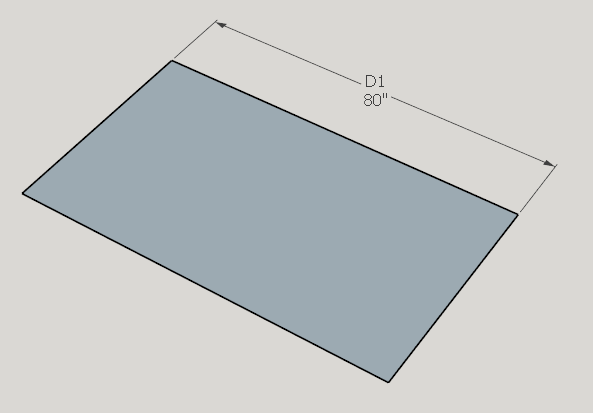
      You can also do this with your text override.

      dimension.png

      dim.text = "D1\n<>"

      \n = means newline and puts the dimension on a second line
      <> = means include the model's units in with the dimension

      posted in Developers' Forum
      G
      Garry K
    • RE: [Plugin] GKWare Cabinet Maker

      Version 1.0.43 ready for download

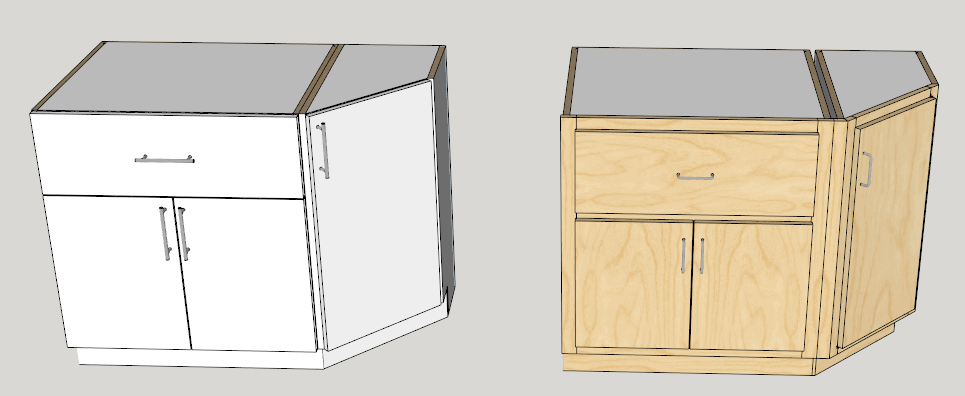
      Next I am looking at adding a right and left angled cabinet. This style of cabinet is for finishing a run of cabinets.

      Angled.png

      posted in Plugins
      G
      Garry K
    • RE: [Plugin] GKWare Cabinet Maker

      Version 1.0.43 will be ready today for download

      • Added horizontal grid along with vertical dividers. Can use as a wine rack.
      • Modified the web dialog materials tab. Colors now show on a empty label just to the left of the color pulldown.
      • Modified web dialog. When Mac users use arrow keys in a closed drop down the graphics now update like it does for Windows users.
      posted in Plugins
      G
      Garry K
    • RE: [Plugin] Window Maker

      For extra wide doors you can set a pivot point and use pivot hinges.
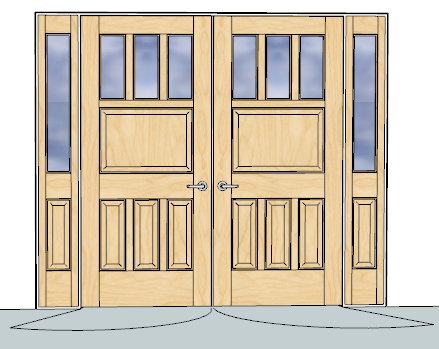
      Here's a double door with astragal and a 6" pivot point

      All doors open and close - you set the angle.
      Bifolds have bifold action.

      pivot point door.png

      posted in Extensions & Applications Discussions
      G
      Garry K
    • RE: [Plugin] Window Maker

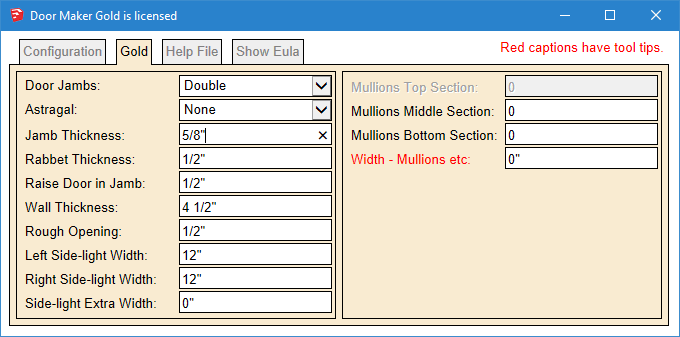
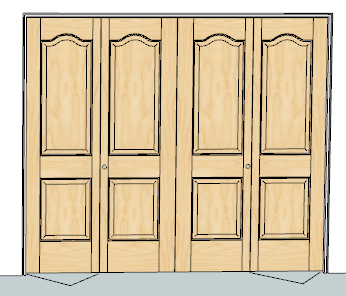
      Door Maker Gold adds features for passage doors, bifolds and entry doors
      And it will do cabinet doors as well.

      For thick passage doors the panel raising is on both sides and the handle is on both sides.

      door maker gold.png

      Here are some examples

      double bifold.PNG

      wide door.PNG

      Entry.PNG

      posted in Extensions & Applications Discussions
      G
      Garry K
    • RE: PlusSpec

      When I read and analyze what dpaul said I get something completely different.

      David actually was commenting on your pricing program and making a comparison to other pricing programs such as Sketchup, Archicad and Vectorworks.

      He stated that at the end of the year he still owns, Sketchup, Archicad and Vectorworks but PlusSpec seises to work - so he has nothing.

      David has been working with Sketchup for a number of years and currently uses an assortment of plugins. He also loves how he can manipulate terrain with Sketchup. But for now he does not use Sketchup for the majority of his Architectural needs.

      Having said all that - you opened saying that dpaul is wrong or maybe you didn't explain yourself.

      dpaul is not wrong - he is the customer. You on the other hand did not even try to answer his one question. That question being why are you so bent and determined to push down everyone's throat this notion of full price subscriptions.

      Earlier you said you have 10 employees. Now, if they are full time (which I highly doubt) and if you pay them even a low wage such as 30$ per hr - as an employer you would have additional costs to handle everything from pensions to holiday pay etc. so lets go 20% costs above and beyond.

      So for you to break even you would have to have 792 yearly subscriptions at 1000$ per. And then of course you are advertising 20% off for Sketchucation premium members.

      My assumption is that you may have up to 10 associates that provide expertise in various areas - but at this juncture I would be highly doubtful that they are full time employees.

      Personally, I find it insulting when someone avoids the direct question and then makes a statement that WE are wrong !!!!
      posted in Extensions & Applications Discussions
      G
      Garry K
    • RE: [Plugin] Window Maker

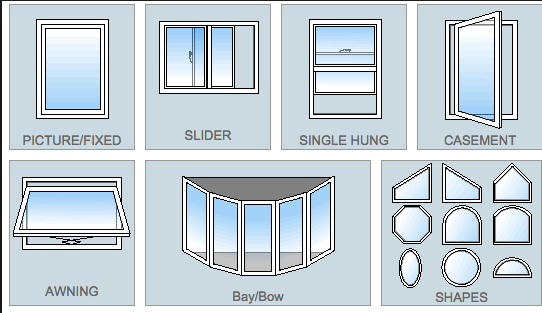
      Yes - to be a fully featured plugin you need to have all of these types of windows and more. Also designers aren't just building square boxes. They need a lot of options.

      A good window and door schedule that they can add to is also important.

      window styles.png

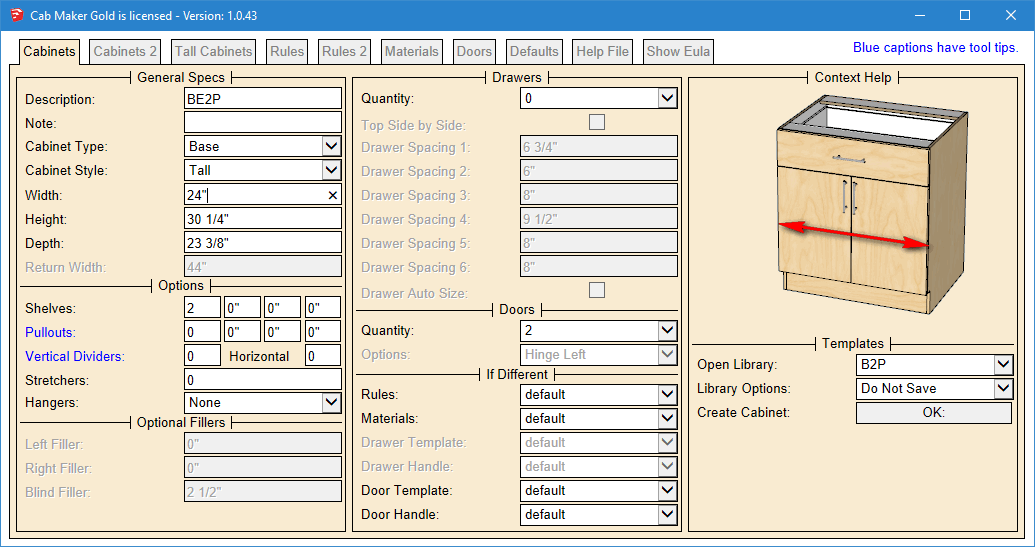
      I see the interface to be similar in nature to my cab maker interface. You can pack a lot of parameters, group, disable enable, work with language translation files and most importantly have graphics showing the user what the parameter does. That along with a detailed manual.

      Here is an example of the user interface for cab maker in English with Inches in fractions.

      __Cabinets Tab.png

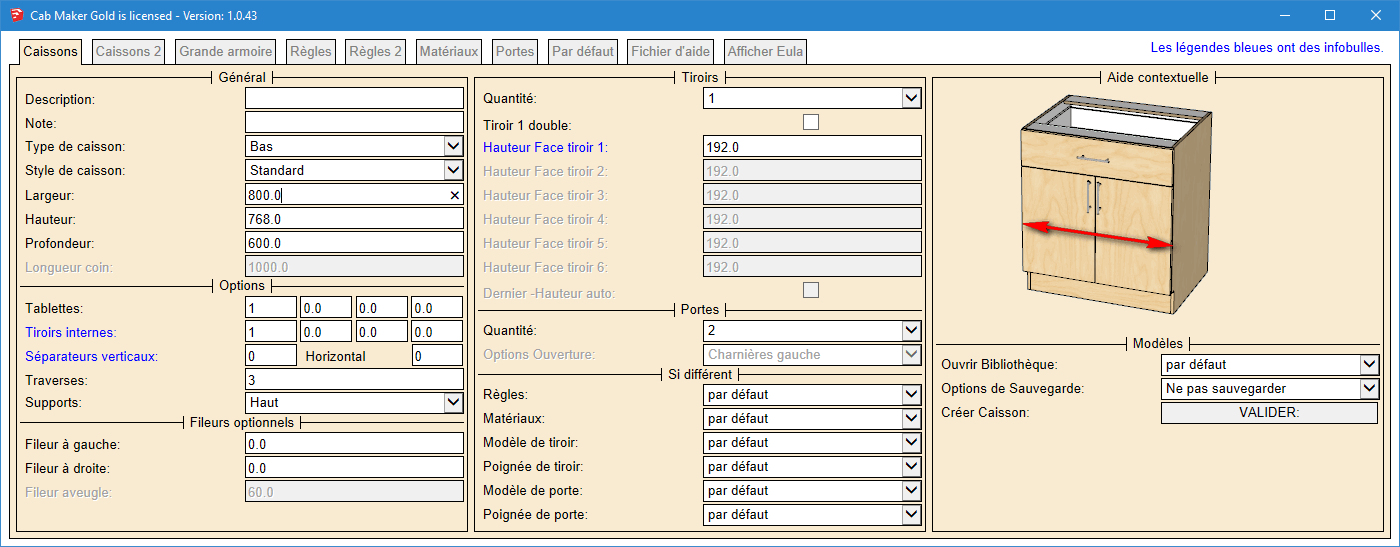
      And here is the same user form but this one is in French and uses millimeters.

      __Cabinets Tab French.png

      posted in Extensions & Applications Discussions
      G
      Garry K
    • RE: [Plugin] Window Maker

      There are a lot of architects that have very large models and need plugins that produce low poly counts, are really quick, and are very kind when it comes to memory usage.

      My plugins such as cab maker and door maker give you lots of flexibility without a lot of bloat. There are also issues when it comes to curves and properly re sizing dynamic components.

      Although my plugins are not DC's, they do work with interact, open, close etc.
      Also batch editing is very powerful and quick. Change rules for how a window is constructed and change all the windows in the entire complex - if you wish.

      posted in Extensions & Applications Discussions
      G
      Garry K
    • 1
    • 2
    • 17
    • 18
    • 19
    • 20
    • 21
    • 48
    • 49
    • 19 / 49