sketchucation logo sketchucation
    • Login
    1. Home
    2. EarthMover
    3. Posts
    Oops, your profile's looking a bit empty! To help us tailor your experience, please fill in key details like your SketchUp version, skill level, operating system, and more. Update and save your info on your profile page today!
    πŸ”Œ Easy Offset | Offset selected faces in SketchUp in positive and negative offsets. Download
    Offline
    • Profile
    • Following 0
    • Followers 0
    • Topics 112
    • Posts 1,768
    • Groups 3

    Posts

    Recent Best Controversial
    • RE: [REQ] Edge 2 Groove

      @unknownuser said:

      right.. drawing all the pieces to subtract can be the part that takes the longest.

      one thing to note, if you do end up going that route, is that you can have multiple solids inside a group and it will still count as a single solid. (so the Boolean action can happen once instead of doing each 'C' (in this case) individually.).. it can't be soild groups inside a group though.. all raw geometry inside one single group.

      in other words.. draw two unconnected cubes.. group them together.. these cubes will be recognized as a solid group and can be used with the solid tools.

      good luck.

      True, ultimately it may just easier to automate the cutting object process through ruby. Something like "Lines to cube tube" Something like Didier's "Lines to Tubes" except that it will create 4 sided solid cutting object or shelled multiple objects. Unfortunately free users would not benefit from this. I wish Profile Builder worked on multiple paths at the same time.

      posted in Plugins
      EarthMoverE
      EarthMover
    • RE: Way to make grooves or reveals?

      Thanks Chris. The 1001 bits tool is a great tool, but doesn't quite fit the bill. It just creates grooved via a face select with an incremental offset. We need more of a "engraver" tool that works via preselected edges. Hopefully TIG can come up with something. If he can't do it, no one can. πŸ˜‰

      posted in SketchUp Discussions
      EarthMoverE
      EarthMover
    • RE: [REQ] Edge 2 Groove

      Thanks TIG for giving it some thought. Glad to know a worthy mind is pondering it. I can definitely see how the all the different variables make it tough to automate and assume that is why the request went unfulfilled in the past. Even a script with limited scenario capability would be helpful.

      posted in Plugins
      EarthMoverE
      EarthMover
    • RE: COUNTRY HOUSE

      @davidh said:

      The track was done by the same method I do most of my post processing and that is primarily by masking.
      My techniques are very very simple and I am working on putting together a tutorial/book on how to not only copy it,but also explaining the tought process behind it- Stay tuned...

      Looking forward to it! πŸ‘

      posted in Gallery
      EarthMoverE
      EarthMover
    • RE: [REQ] Edge 2 Groove

      Thanks guys.

      The methodology is quite simple, just looking to automate a tedious task.

      Pilou, what you've done can be achieved with a single tool - "Protrude" from Jim.

      Boolean makes a lot of sense, as in Jeff's example, but creating the cutting object is still tedious on something like wood deck or brick banding.

      Here is a simple video of what I'm looking to achieve.

      [flash=420,315:255ldakm]http://www.youtube.com/v/ivSEfcAVRjE[/flash:255ldakm]

      posted in Plugins
      EarthMoverE
      EarthMover
    • [REQ] Edge 2 Groove

      I remember this being asked for before, but can't find anywhere that it was produced. Looking for a simple plugin that will allow the user to select an edge or series of edges (obviously edges that support a face on either side) and input the desired width, depth and taper parameters and it will create a groove where the edge was. It would be fine if it were restricted to only edges which support co-planar faces. Thanks in advance.

      posted in Plugins
      EarthMoverE
      EarthMover
    • RE: We need another World War!

      There are too many students and not enough teachers, perhaps we need more school shootings. There are too many people on welfare, perhaps we need to encourage more murder among the poor. There are not enough resources, perhaps we need global imperial hegemony to hoard what's left for the elite few and cull the third world herd in the process. πŸ˜’ πŸ‘Ž

      posted in Corner Bar
      EarthMoverE
      EarthMover
    • RE: A new home for SketchUp

      Wow! Speechless! I think we should refrain from too much speculation and just wait and see. I feel I've settled in to a very comfortable workflow and well adapted set of plugins for what I need. As long as the geolocation is going to still be functional and the 3D warehouse only improves, then there is nothing to lose. I can stay with version 8 until something proves to be worth the upgrade. From a marketing standpoint, the folks at Trimble must certainly understand they are not just acquiring software, but the 30 million users that come with it. I think they are looking to integrate some core functionality from the engine into other softwares, but as a stand alone, Sketchup will fundamentally remain the same or get better. They don't have to do much, other than put the right people on payroll and allow John and his team the resources they need to start beefing up the infrastructure. My point is they know what software they are acquiring. One would not purchase Maya from Autodesk and turn it into a CAD program...it would be easier to just create a new program. Why buy Sketchup and completely change it? As they are not competing with it on any level, it would be an asinine business strategy. I'm hopeful for good things in the future. Google is too big and has their hands in too many other pots. Trimble sounds like a good fit with goals that are geared toward better GPS based terrain information and BIM tools. Two things that will take Sketchup to the next level. β˜€

      posted in SketchUp Discussions
      EarthMoverE
      EarthMover
    • RE: Terrain from contours - improve on native 'from contours'?

      @unknownuser said:

      For a SU plugin, it is possible to handle some cases, but it is probably not very convenient. Here is an attempt I started some months ago but that I stopped because to get acceptable performance you would need to offload some pieces of the algorithm to C / C++ (I am lazy to write C extension which have to work in both Windows and Mac and have no experience in this field).

      [attachment=0:2l6fep6v]<!-- ia0 -->TopoShaper simple.gif<!-- ia0 -->[/attachment:2l6fep6v]

      Fredo

      To bad that never manifested. That's looks incredible Fredo!

      posted in SketchUp Discussions
      EarthMoverE
      EarthMover
    • RE: Best and fastest laptop to run sketchup

      I just got this laptop a few months ago and it is a beast! - http://www.amazon.com/ASUS-G74SX-DH72-17-3-Inch-Gaming-Laptop/dp/B005PAJICG/ref=pd_cp_pc_1

      It out performs the desktop system I built and I can take it anywhere. I run Lumion on it at better framerates than my desktop which is running a GTX560ti video card. It's great for rendering and anything else I throw at it. Runs cool to the touch as well.

      For just Dynascape and Sketchup, this is overkill, but it is definitely spec'd to not be outdated in six months. I personally love Asus, and use a lot of their products.

      posted in Newbie Forum
      EarthMoverE
      EarthMover
    • RE: Dropbox's New feature - Links

      Awesome...thanks for sharing Paul! Hopefully Dropbox isn't going to now be abused by software pirates like all the other filesharing sites. Great for sharing files with clients though!

      posted in Corner Bar
      EarthMoverE
      EarthMover
    • RE: [Plugin] FredoTools::ThruPaint - v1.3a - 20 Oct 16

      Great update Fredo! This was my only issue with the tool. Now it is perfection!

      posted in Plugins
      EarthMoverE
      EarthMover
    • RE: Balcony Pool – day and night

      πŸ‘ The sunlight looks great. Love the glass railing. Congrats and thanks for the tutorial!

      posted in Gallery
      EarthMoverE
      EarthMover
    • RE: Why is China America's friend, but Cuba isn't?

      Point taken Miguel. I question the necessity of "stuff" as actually bettering ones existence. The perceived need for stuff when it only exist elsewhere, creates poverty of the mind. However when in a temperate lush climate, most of ones basic needs are provided by the Earth. All else is a form of hierarchical needs. Albeit Cuba was fed for years by the industrial teet and consequently built up concrete structures between them and their life source....so suffering ensues. The industrial machine must now return and save them with the power of paper.

      However, I must say if they don't have Google (or Sketchup) in Cuba, then a lack of exposure to the information age is truly malnutrition and my sympathies to the Cuban people. 😒

      Seriously though, the U.S. is drenched in a long path of hypocrisy to the point of pattern. (We are more surprised in the this country with a politician who is honest than when one lies.) Hypocrisy denotes conscience. Only humans have a conscience. The U.S. is run by the corporations, for the corporate banks....none of which have a conscience. Profit is the moral compass in a Corprotocracy.

      posted in Corner Bar
      EarthMoverE
      EarthMover
    • RE: Why is China America's friend, but Cuba isn't?

      Agree totally with Jeff. My question is why is it such a bad thing for Cubans? Lose ties with the consumer whore on one hand and rekindle your humanity on the other. No multinational trade agreements helps maintain local economies and while the elites of the country may not get fat on the hog, at least the money stays in circulation. Trade agreements are economic vacuum cleaners in the third world. They are better off staying off of the radar for another few decades until the global economy finishes collapsing.

      posted in Corner Bar
      EarthMoverE
      EarthMover
    • RE: Machine shop lamp nΒ°006

      Great renders but equally great composition and shooting angles. Love the scratches as well! πŸ‘ πŸ‘

      posted in Gallery
      EarthMoverE
      EarthMover
    • RE: [Plugin] Colour N-Gons v1.0 (17/4/12)

      @unknownuser said:

      @unknownuser said:

      a cool thing will be something like that
      colour ngons > 6 and < 10 (just example)

      ..and you will want these to be randomly painted also?

      🀣

      Thanks Thom...very handy.

      posted in Plugins
      EarthMoverE
      EarthMover
    • RE: [Plugin] Image 2 Model

      First post updated with [plugin] tag.

      Got a bit busy and haven't had a chance to truly say thanks! SDMitch, I owe you a beer! Plugin works great. Thanks again!

      posted in Plugins
      EarthMoverE
      EarthMover
    • RE: House - to be build (rendering for a client)

      Making the plant components is easy once the transparent .png is made. Just look up how to make "faceme" components. Making the .png image is a little trickier but it is still pretty easy if you start with the right photo. Luckily I do 3D work for a company which has a full scale plant nursery and tree farm. The main difficulty is just removing the background from the plant photograph. To make this easier I use a painters dropcloth behind the plant when I photograph and then use photoshop to remove the white pixels. If I have time, I'll try to make a quick tutorial in the near future.

      Glad you found my plant pack useful. I'll see if I can't put another pack together with a few of my newer plants as well.

      posted in Gallery
      EarthMoverE
      EarthMover
    • RE: House - to be build (rendering for a client)

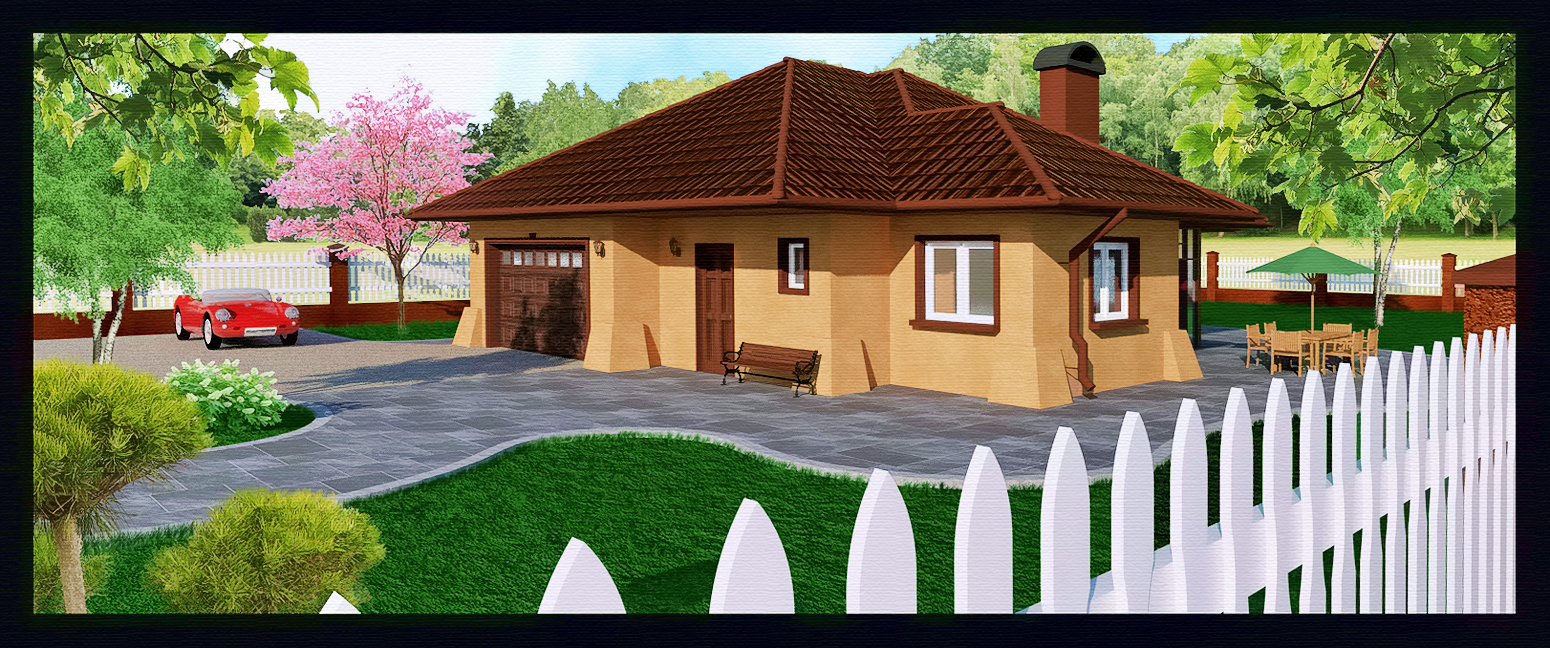
      Careful not to push it too far or you can really detract from the focus on the architecture you are trying to present. Good rule of thumb for photoshopping a render is to take each adjustment to where you think it should be then dial it back by half that amount. Keep each adjustment subtle and let the cumulative affect of all the changes together work to your benefit, instead of trying to do drastic things in just one or two adjustments.

      With this image you used very strong colors to begin with which removes the photorealism. Try desaturating the roof and grass a little (slightly) in Sketchup and before you render. I personally think your image is better suited to be taken into a NPR, illustrative look, perhaps watercolor. Strong colors work to your advantage in that regard. Perhaps something along these lines, which could be taken into Fotosketcher, ala Tomsdesk and others -


      Untitled-1.jpg

      posted in Gallery
      EarthMoverE
      EarthMover
    • 1
    • 2
    • 5
    • 6
    • 7
    • 8
    • 9
    • 88
    • 89
    • 7 / 89