Oops, your profile's looking a bit empty! To help us tailor your experience, please fill in key details like your SketchUp version, skill level, operating system, and more. Update and save your info on your profile page today!
Urasik Extensions | Lots of new extensions to check out Learn More
 Offline
Posts
-
RE: Sketchup handles in a "funny" way RAM and Page File ?
-
RE: Sketchup handles in a "funny" way RAM and Page File ?
Hmm, if it would be the graphic card, wouldn't it affect both instances equally? Just the second on gets affected. First runs smoothly.
-
Sketchup handles in a "funny" way RAM and Page File ?
I noticed that when I open two Sketchup windows, the second one often works horribly. And it doesn't help if I close the first one. I'm wondering if this has something to do with Page File. If second SU process loads on virtual ram, it may explain the poor response, but I can not understand why it doesn't improve when I close the first opened window. And more strange is that the response time on first opened window don't degrade.
-
SKETCHUP CRASH when drag and drop files !!!
I use Sketchup 8 under Windows7 and if I have Sketchup opened and I drag and drop any file from one location to another, Sketchup crashes !!!
If it's minimised I did not encountered that, unless I drag files on a folder's (or application) icon on the taskbar. It's like SU tries to catch the file, even if the focus is in other window. Somehow it tries to get priority when mouse passes over its window, or taskbar button.
I first noticed this when I tried to send images trough yahoo messenger and I had SU opened. I also lost two Twilight renders from this reason
 .
.
This should be a QUICK FIX, if Google guys are reading this, because it interacts badly with Windows. -
RE: What is the best plugin to delete coplanar/single edges?
@thomthom said:
I do think it's due to small faces after all, many of your edges there are ~1mm long which is very near or at the limit where SU starts to act weird.
I suspected this, but I encountered this issue with larger models too. If it will happen again, I will post here. Unfortunately I can not remember last models when it happened.
-
RE: What is the best plugin to delete coplanar/single edges?
@gaieus said:
Ouch. That indeed looks ugly (you said it deleted someedges - well,it seems it only leftsome
 )
)It depends on model... sometimes it lets some, other times it deletes some of them
 But it happens often
-
RE: What is the best plugin to delete coplanar/single edges?
Version: 2.0.0 -> token from tt_cleanup.rb
Settings used:
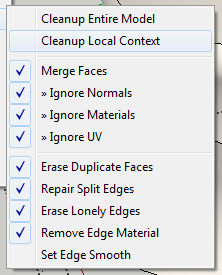
You could use buttons in this manner:
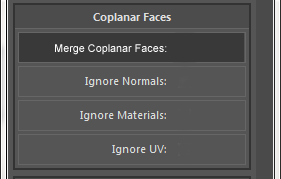
-
RE: What is the best plugin to delete coplanar/single edges?
Wow, it looks promising. One suggestion, though: you could use big buttons instead of radio buttons and check-boxes. Such elements need more precision to click them (because they are small) and when using such plugin several times it can come more handy.
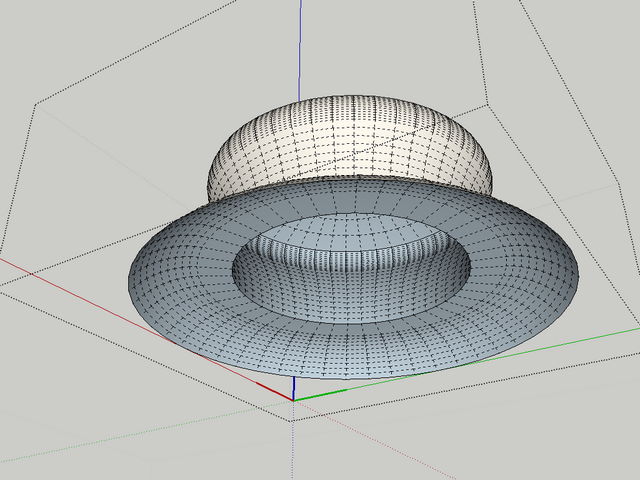
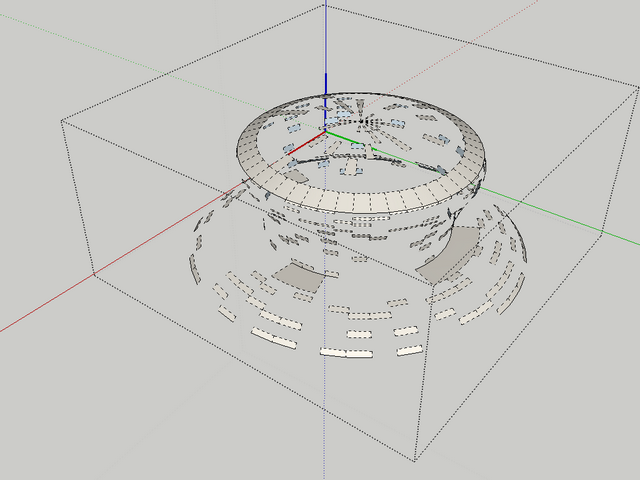
See below the model. I used Cleanup Local Context
last attachment is the skp model.
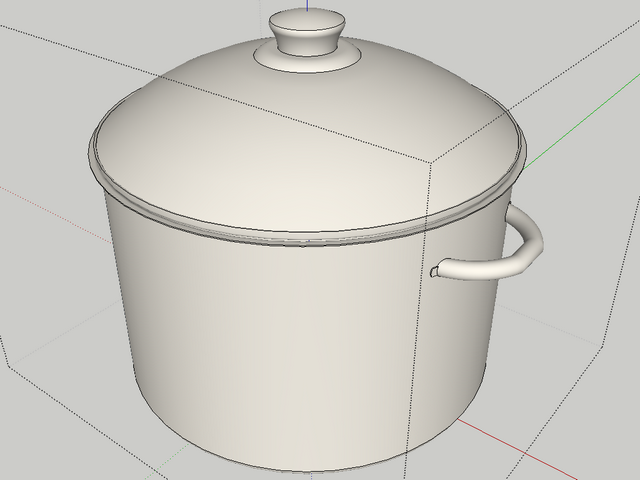
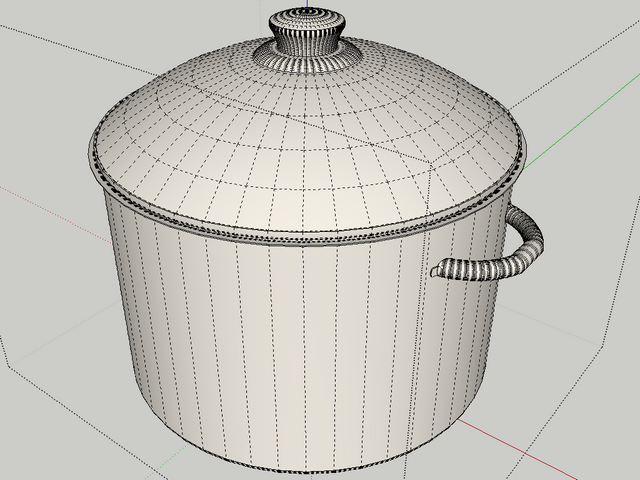
-
What is the best plugin to delete coplanar/single edges?
There are many plugins that do such things, including thomthom's Cleanup which is very complex. But I need one for quick use and which doesn't delete lines that create faces. Even thomthom's plugin sometime deletes parts of model and I don't understand why. I often use lines to help me in modelling process, or sometimes there are hidden lines resulted in automatic triangulation of geometry, by sketchup, lines which are not needed.
Which one is known to do this job in a safe manner? And why sometimes this kind of plugins do remove edges that make faces? -
RE: [Plugin] Smoothstep Animation
Is it a similar plugin to this one http://forums.sketchucation.com/viewtopic.php?f=323&t=33417 ?
-
RE: Photomatch model from interior render?
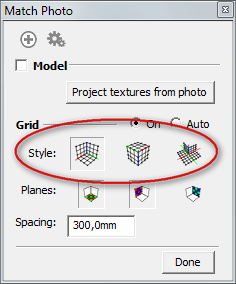
Be sure you select the correct projection, according to your model (image). Also, be sure that you have front view activated, not back view, in sketchup viewport. If green axis is with dotted part towards you, is OK. But if the dotted line is pointing at the horizon, you are looking to your model from back and that can explain why you are seeing the model that way.
-
RE: [plugin request] Smallest bbox for 3d geometry.
@gaieus said:
Why not just reset the component axes (at least in this particular case it would not be hard).
The example with the pillow is just an example. Maybe not the best one, but was the first one that came in my mind.
-
RE: Another plugin idea
Maybe you are right. Plugins that have tool can be simple, as you can record the time for each active tool and then make a log. But there are plugins that do some operations with the geometry and those can be difficult to track how many times were activated in a certain amount of time.
-
RE: [plugin request] Smallest bbox for 3d geometry.
@srx said:
I know that with Fredo scale you can edit that way. So he probably can extract this code from plugin.
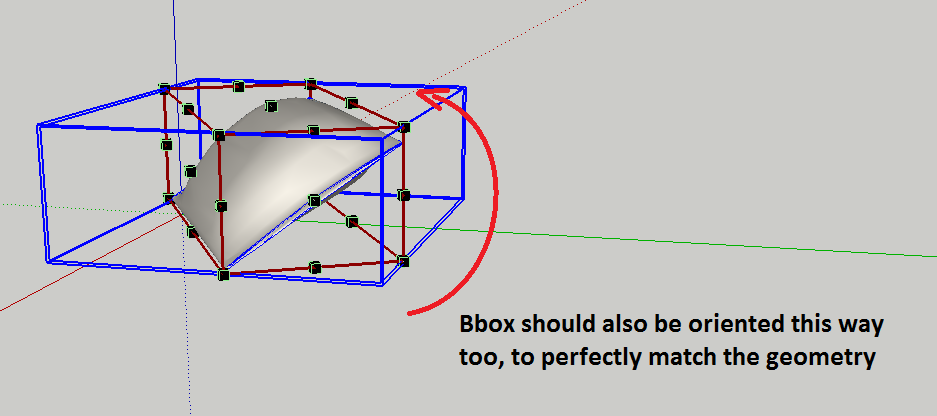
In fact, Fredo tools don't fully orient bbox. See the image:
-
Another plugin idea
I was thinking to a plugin that traces how much plugins that user have installed are used and make sort of statistic. I'm thinking this could be useful for any user to see what plugins are less used. This idea came to me when I made some cleaning in my plugins folder. Several nice plugins that tempted me at the time, but I never used them... especially some of which don't have icons, just menu entries, so I don't see all the time and I forget about them.
Of course the idea could be refined. I just throw the bait -
[plugin request] Smallest bbox for 3d geometry.
Is there any plugin that matches the smallest boundingbox for a 3d object? (not necessary a solid, but any kind of geometry that have dimension on xyz coords.)
Let's say that I have a pillow and from some reason its axes are strange oriented. If I could orient its boundingbox in the most efficient way, then I could use better the rotation handlers that appear on bbox (with move tool).
I can remember that I saw something similar, but for 2d faces. Or I'm confusing something here?
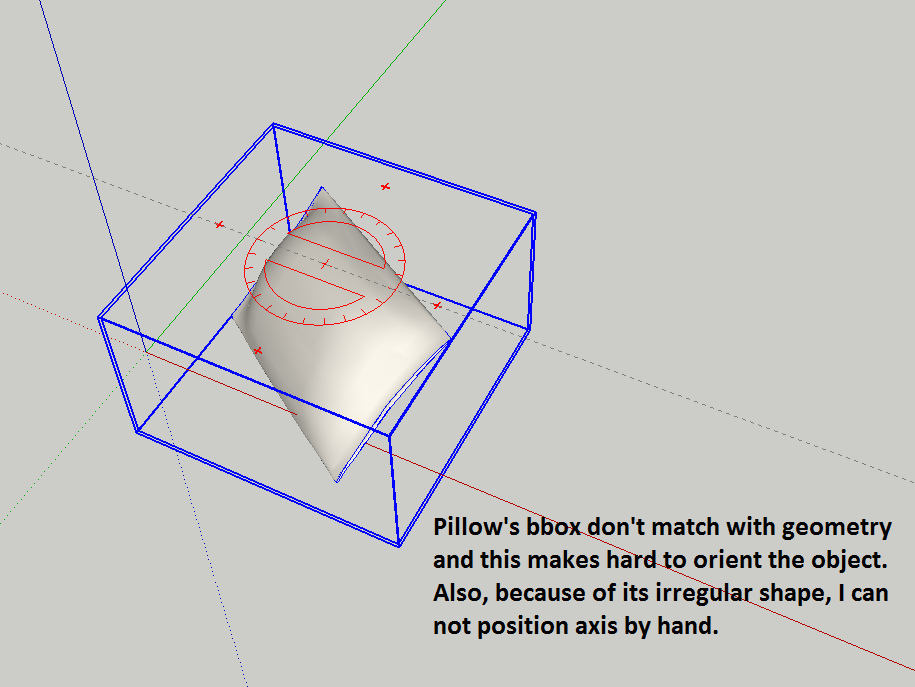
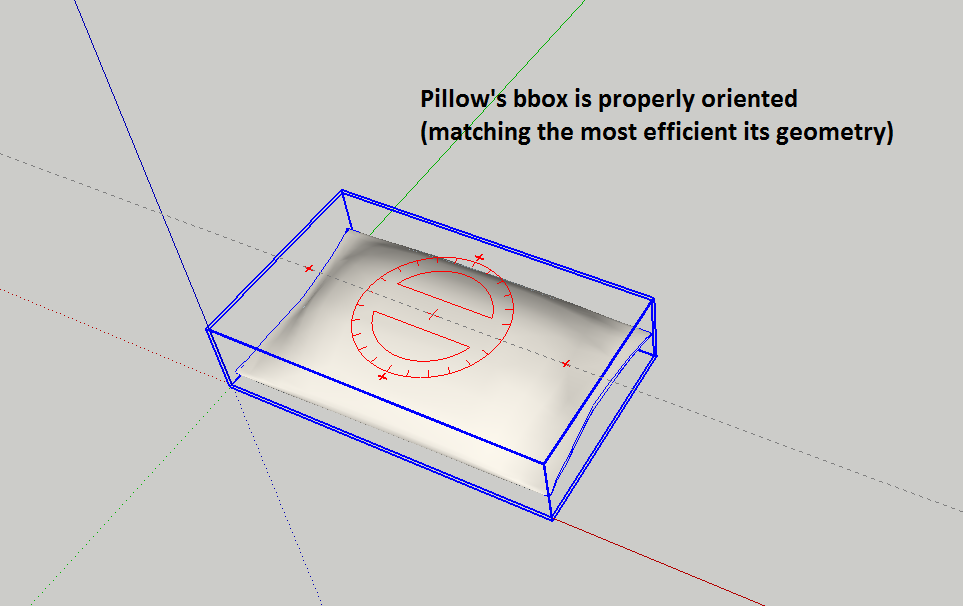
-
RE: Right Clicking a Material
Indeed right-click on material takes long time to react. Also hovering on material to see its name it's not very responsive. Often, the name doesn't appear or I see the name from other material. Like it doesn't refresh. I have to hover again to see the name.
-
RE: Model This: Sofas
@gaieus said:
@unknownuser said:
@solo: how did you made those places where the buttons are? As I can see, the proxy doesn't have any deformations.
@solo said:
...I used SDS sculpt for button indentations (new)...
Yes, that is what I can not figure how he did !
... as the proxy is flat on that areas. -
RE: Model This: Sofas
@solo: how did you made those places where the buttons are? As I can see, the proxy doesn't have any deformations.
-
How can I add motion blur in a twilight rendering ?
Is there a way to render motion blur using twilight render? I have a notebook falling from a desk and I want to "catch" it moving on air. I was wondering if twilight render can do that, or my only choice is post-production?
Also, I never did something like that, so if you have some suggestions about how this can be done (postpro) in the best manner, please tell me.
Thanks.
