Thanks Tig and ArCAD-UK
I now know it must be the Retina display as I took a screenshot on the old MacBook to post along with a screenshot on the new MacBook to post and show the difference, but when I opened the old Macbook screenshot on the Retina, although it looked substantially different on the old MacBook, it was exactly the same on the new machine.
I also tried cycling through styles as you suggested Tig, but there was no discernible change in guide size.
The Retina has only 2 available screen resolution sizes: Best for Retina , and scaled.(What goes on in their little minds  )
)
Scaled seems to be designed to enhance text.
There is a program available called SwitchResX, https://store.kagi.com/cgi-bin/store.cgi?storeID=3XH_LIVE that allows for any screen resolution to be used. There is a fair amount of complaining (OK whining) going on about this in the Macbuzz universe.
As for the other, No guidelines appearing.
I just want to clarify. I have no problem making guidelines do what I want, it was just under this one circumstance, where nothing happens, I was trying to understand.
If you could indulge me:
Create a 10' x 10' (3.048 m x 3.048 m) vertical square along the Red axis.
With the tape measure tool, Inference to the centre of the top of the square, and pull a guideline down on the face of the square, lets say 3' (0.914m)
with the tape measure tool inferenced to the centre of that guideline, pull out along the green axis, again let's say 3' (0.914m).
Right Click.
I'm interested in what happens for you, as nothing happens for me, the green arrow indicating I am on the green axis appears as I pull out, but when I click, there is no guide point, or guideline.
I was wondering if this was a bug, or if there was some (Duh) reason (that was being secretly kept from me), that made this action useful.
Thanks


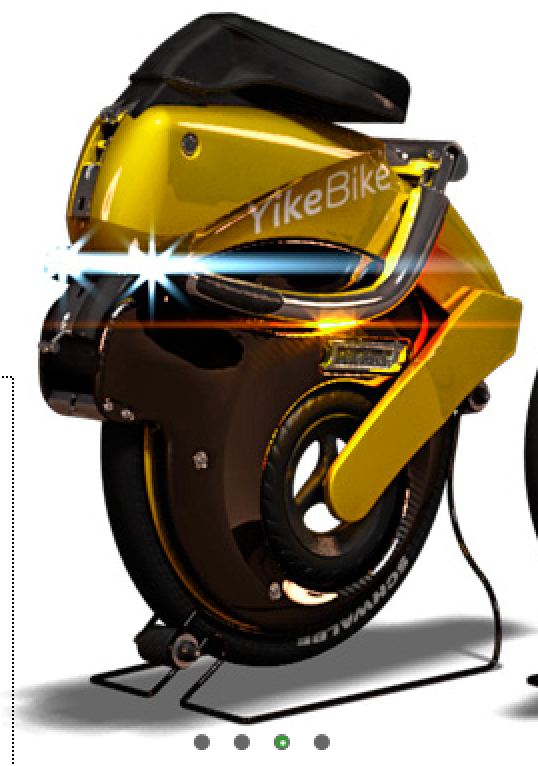 and starting at $2000.00 US puts it inline with other quality electric bikes.