sketchucation logo sketchucation
    • Login
    1. Home
    2. cotty
    3. Posts
    Oops, your profile's looking a bit empty! To help us tailor your experience, please fill in key details like your SketchUp version, skill level, operating system, and more. Update and save your info on your profile page today!
    ⚠️ Important | Libfredo 15.6b introduces important bugfixes for Fredo's Extensions Update
    Offline
    • Profile
    • Following 0
    • Followers 0
    • Topics 122
    • Posts 3,300
    • Groups 3

    Posts

    Recent Best Controversial
    • RE: Construction site sign

      @gaieus said:

      How about Kerkythea export then? There you can set whatever aspect ratio you want. Size is just a matter of memory but they have a 64 bit version now.

      I think I will stick to the NPR version because I don't want to adapt the materials for rendering...

      @unknownuser said:

      I might try a version with a more muted sky as well because that blue, when painted large, is going to overpower the rest of the image.
      of course, this is all personal opinion etc..

      I will try that and show some results when it is done. Every opinion is very welcome, especially if it is personal 😛

      posted in WIP
      cottyC
      cotty
    • RE: Construction site sign

      @gaieus said:

      You can try the cubic pano out plugin. It add those grey bands on the sizes that crop the output.

      I have tried the plugin but I think there are two problems regarding this aim:

      • the angle of view is changed to 90° so the direct output of the plugin looks distorted
      • a manual export from one of the created scenes even with the gray bands visible uses the sketchup window aspect ratio nevertheless

      @unknownuser said:

      i think it's locked to the actual sketchup window...
      try resizing your window to where it's near square then export at larger than 8000 px… crop to a true 8k x 8k square afterwards..

      You are right, it is the sketchup window (I never noticed because I have installed so much plugins that I never change my window size to something smaller than maximum 😕 ) and your solution does it...
      Back to the shown images:
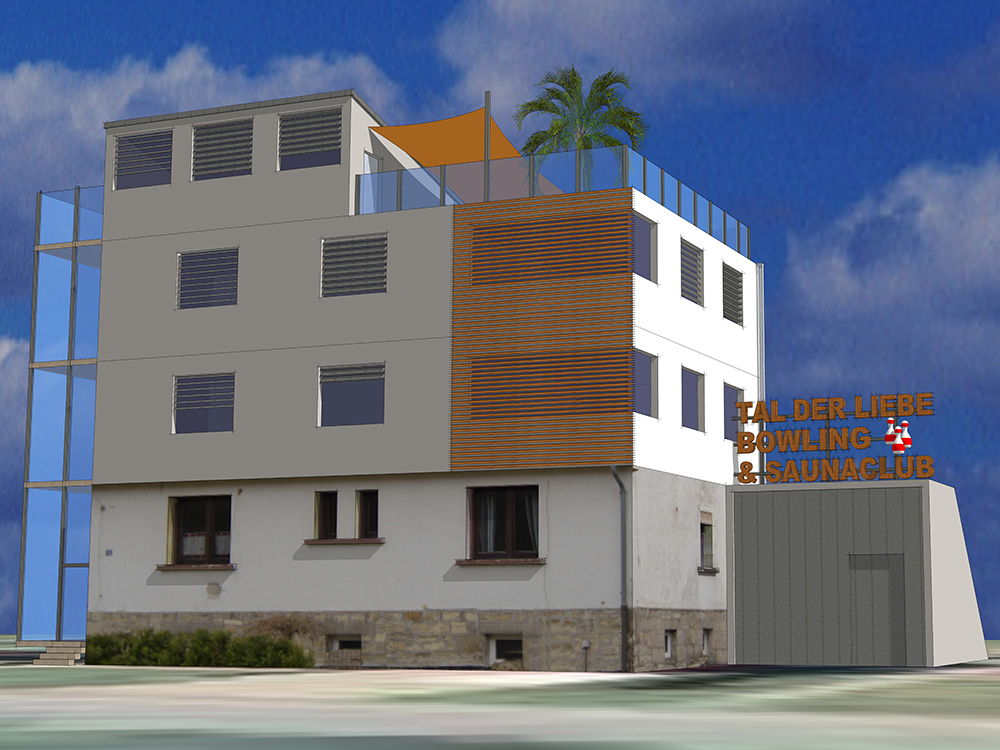
      Which of the shown perspective would you expect on a construction site sign? Do you think another style can look more professional?

      posted in WIP
      cottyC
      cotty
    • RE: Construction site sign

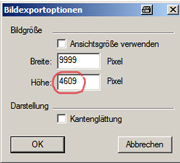
      Is there a way to export a large image without the aspect ratio from the screen? I know that there is a maximum of 9999 pixels in one direction, but the second dimension depends on the screen resolution, e.g.
      image_export.jpg

      I try to get an output with e.g. 8000x8000 px ...

      posted in WIP
      cottyC
      cotty
    • RE: Construction site sign

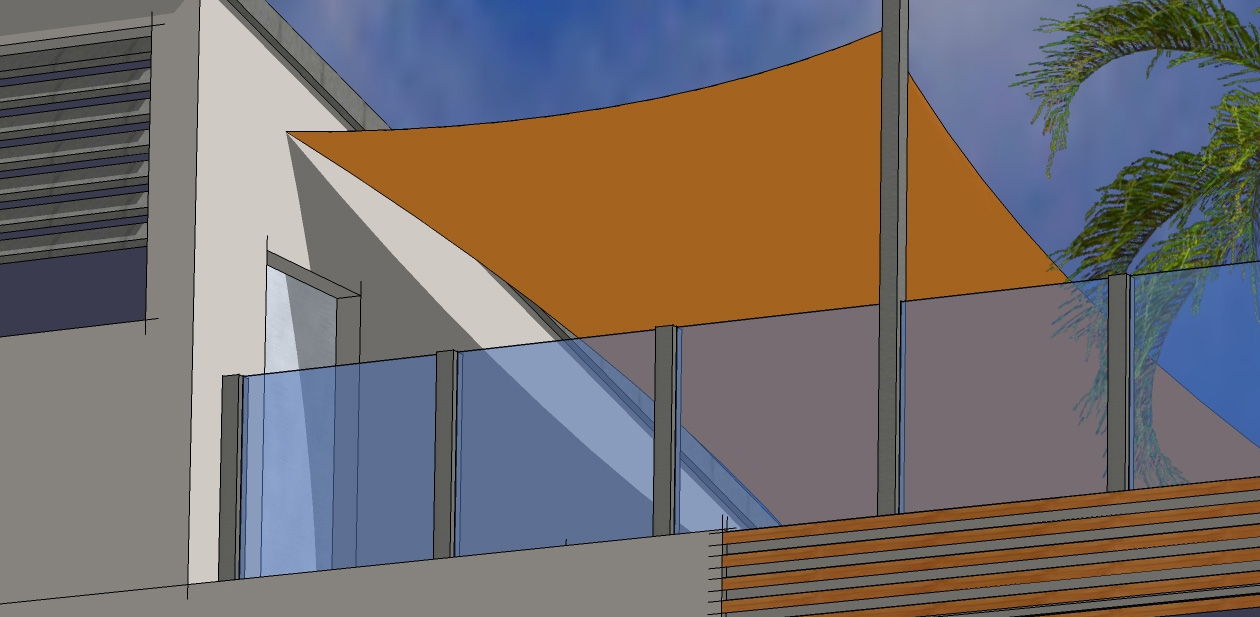
      Here is a detail view with the original resolution...


      Detail view

      posted in WIP
      cottyC
      cotty
    • Construction site sign

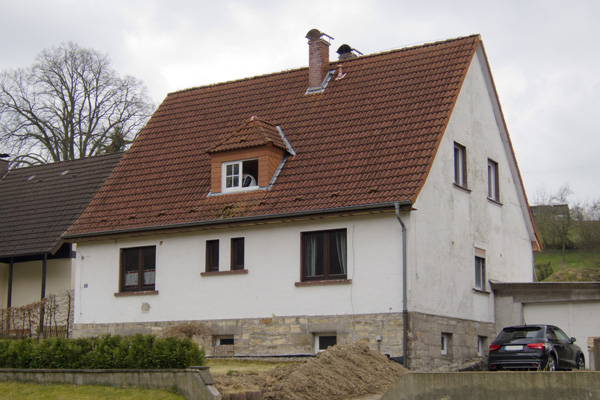
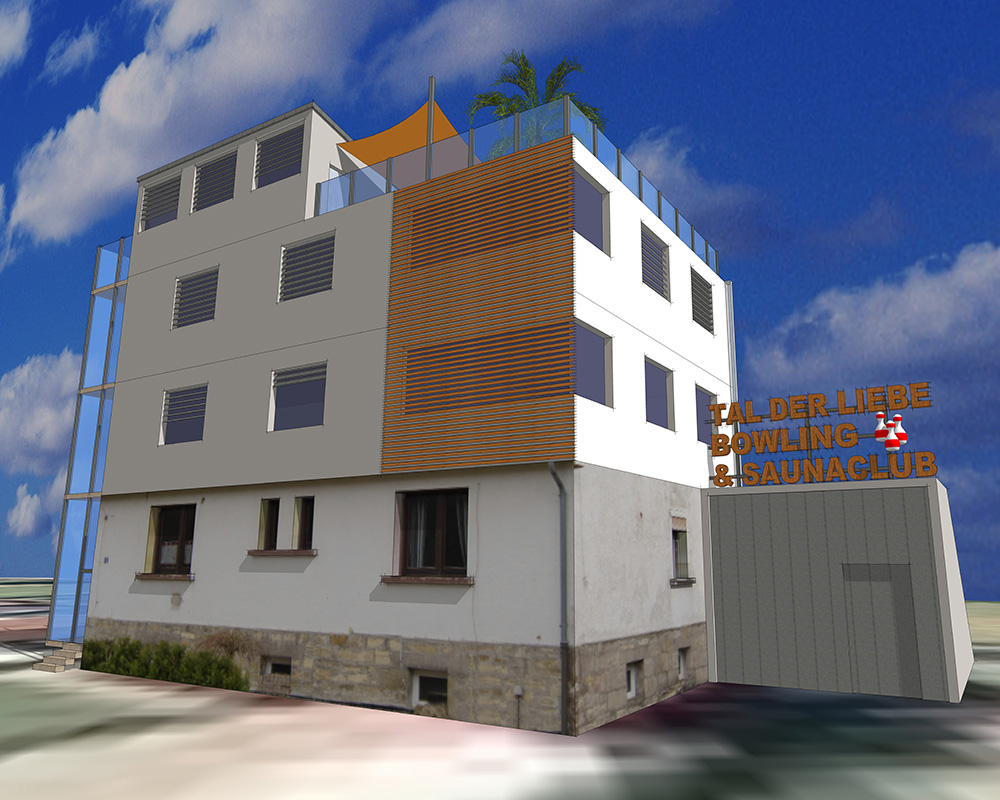
      A friend will buy the house in the attached photo. His friends (I am one of them) want to surprise him (and his future neighbors) with a construction sign in his front yard (ca 2x1,5m). I have done a "reconstruction" and would be happy to get some feedback. The picture for the poster should be attractive but pretentious... 😄


      Original house


      Version 1


      Version 2

      posted in WIP
      cottyC
      cotty
    • RE: Simple Artisan examples collection

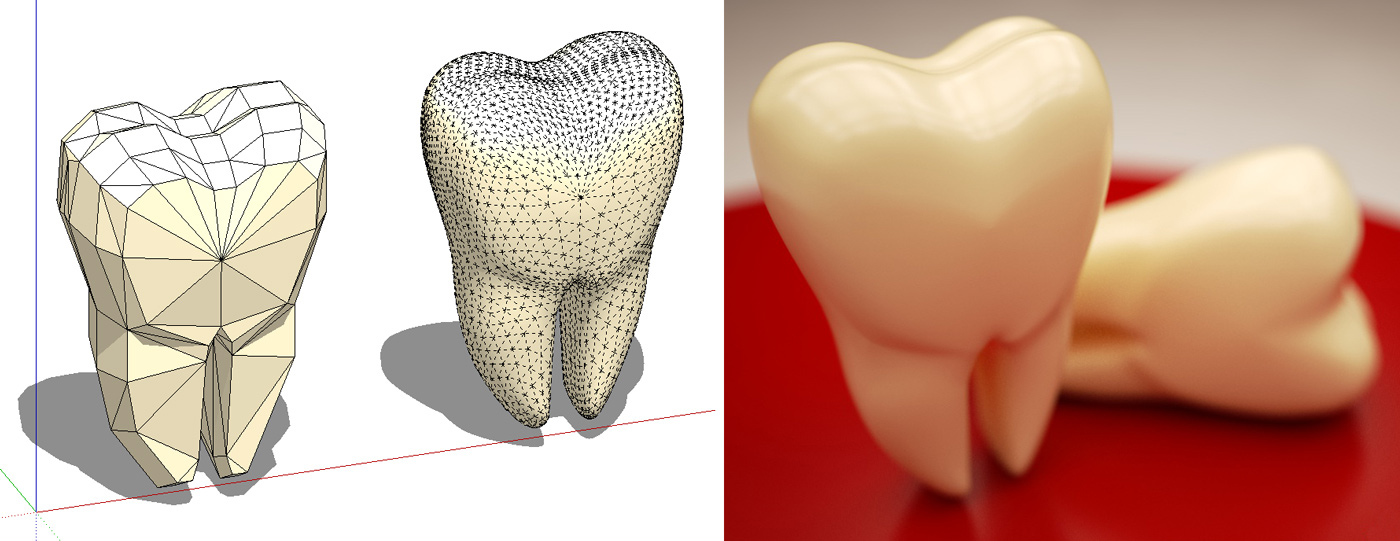
      A simple tooth example...

      tooth_forum.jpg


      tooth.skp

      posted in Organic Modelling
      cottyC
      cotty
    • RE: Orthografisches Zeichnen?

      Ich denke auch, dass hier die Fixierung der Ableitung hilft: Bogen etwas aufziehen, so dass die Richtung der Vorstellung entspricht (Ableitungsfarbe hilft bei der Kontrolle) und dann die Großstelltaste drücken und gedrückt halten. Die Fixierung der Ableitung wird durch eine fetter dargestellte Ableitungslinie angezeigt. Nun kann der Bogen bei Beibehaltung der Ausrichtung bis zur Führungslinie weitergezogen werden, ohne dass ein Führungspunkt auf der gewünschten Höhe nötig ist. Sollte dies nicht helfen, wird für das Verständnis des Problems ein Screenshot nötig...

      posted in Deutsch
      cottyC
      cotty
    • RE: Simple Artisan examples collection

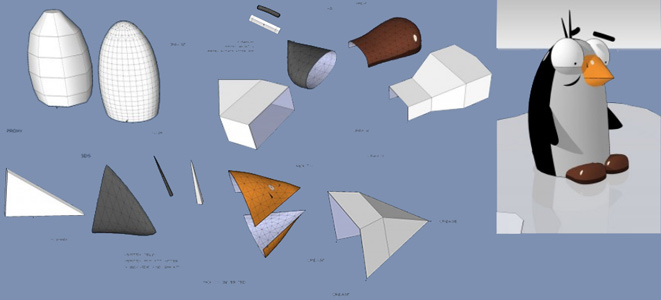
      [Tutorial] Penguin by Boofredlay from here...

      penguin_Boofredlay.jpg

      posted in Organic Modelling
      cottyC
      cotty
    • RE: Simple Artisan examples collection

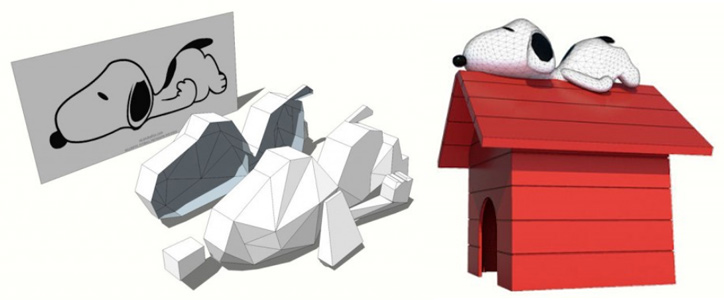
      Snoopy by Solo from here...

      snoopy_solo.jpg

      posted in Organic Modelling
      cottyC
      cotty
    • RE: Sketchup style changes by print preview

      @dave r said:

      As to you background thing, that's what sky and ground do. If you want a flat background color, use Background but not Sky or Ground.

      So the question is: how to print the view including the background color...

      posted in Newbie Forum
      cottyC
      cotty
    • RE: Simple Artisan examples collection

      Lomme bed by leminilab from here...
      (ZIP with model is attached there)

      leminilab_lomme_bed.jpg

      posted in Organic Modelling
      cottyC
      cotty
    • RE: Simple Artisan examples collection

      Sea shark model by solo from here...
      (proxy model is attached there)

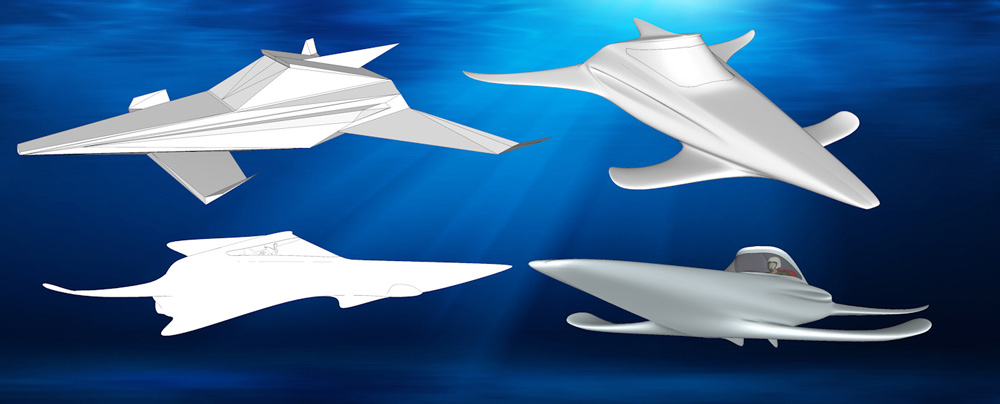
      sea_shark_solo.jpg

      posted in Organic Modelling
      cottyC
      cotty
    • RE: Sketchup style changes by print preview

      If you use your background color (style dialog) as sky and ground colors it should work. It seems that the background color is not printed...

      posted in Newbie Forum
      cottyC
      cotty
    • RE: Simple Artisan examples collection

      A makefured teddy ...
      (The attached model only contains some of the rendered hairs because of filesize)

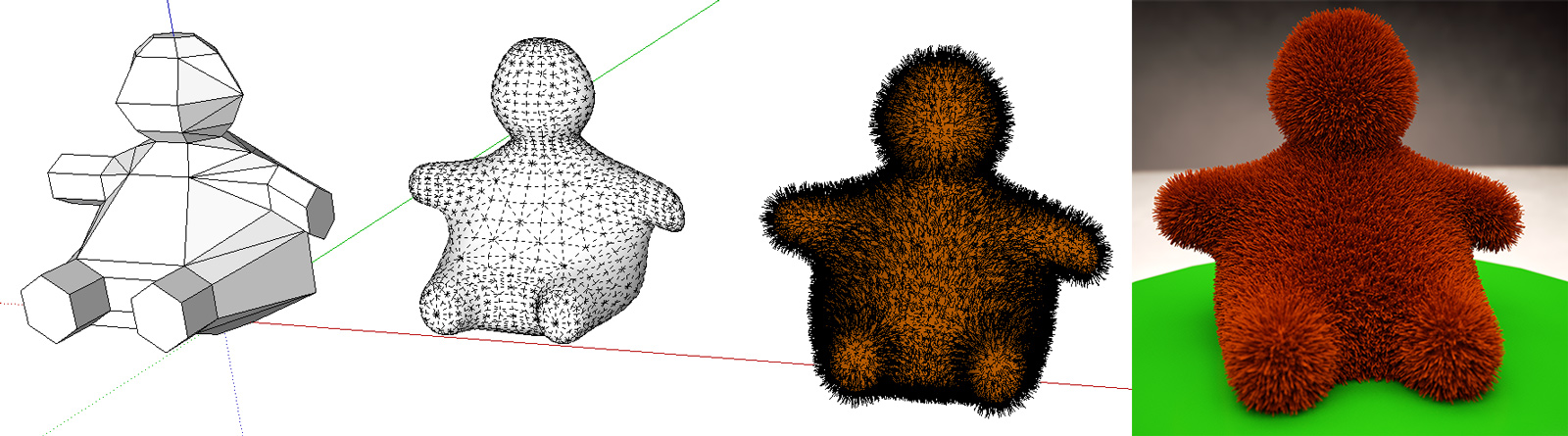
      teddy.jpg


      teddy_forum.skp

      posted in Organic Modelling
      cottyC
      cotty
    • RE: [Plugin] SketchUV - now free

      @moghamdi said:

      I tried to use it on my sofa, but I could not get the result that I am looking for.

      That are the results the tutorial videos from Whaat promises?!

      posted in Plugins
      cottyC
      cotty
    • RE: [Plugin] SketchUV - now free

      @whaat said:

      The plugin can be purchased for $15 at Smustard

      Thank you for providing this fantastic plugin (and your others of course) for an affordable price so that hobbyists like me are able to use them...

      posted in Plugins
      cottyC
      cotty
    • RE: Great websites

      An unusual but interesting way to search and to watch photos from flickr...
      http://flickriver.com/

      Another interesting website to waste time is sketchucation.com, but I think you know this one 😉

      posted in Corner Bar
      cottyC
      cotty
    • RE: Simple Artisan examples collection

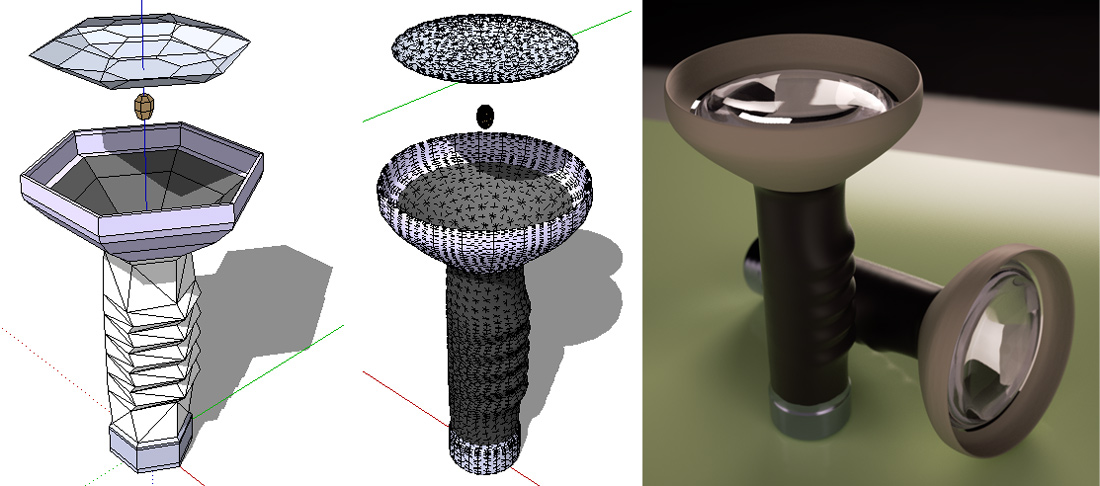
      A torch example...

      torch.jpg


      torch.skp

      posted in Organic Modelling
      cottyC
      cotty
    • RE: Bemaßung von kleinen Bohrungen usw.

      Der einfachste Trick wäre näher ranzoomen 😉

      Andere Möglichkeit ist sicherlich die Erzeugung von Konstruktionspunkten:

      • Bei aufgelöstem Kreis: http://forums.sketchucation.com/viewtopic.php?t=18963#p155504
      • Bei intaktem Kreis:
        • Ableitung des Mittelpunktes und Markierung mit: http://sketchuptips.blogspot.de/2008/02/plugin-construction-line-tool.html (Strg wechselt den Modus, einer erzeugt Konstruktionspunkte)
        • oder direktes Zeichnen von Konstruktionspunkten mit :http://forums.sketchucation.com/viewtopic.php?t=20140#p167471

      oder von mir bevorzugt (funktioniert in beiden Fällen):

      • Loch durch diagonale Linie schließen (Fläche erzeugen), Linie wieder löschen
      • Mittelpunkt der Fläche markieren: http://forums.sketchucation.com/viewtopic.php?t=11081#p71681
      • Hilfsfläche wieder löschen
      posted in Deutsch
      cottyC
      cotty
    • RE: Simple Artisan examples collection

      @yogiestars said:

      my apples

      Nice models and great render!

      posted in Organic Modelling
      cottyC
      cotty
    • 1
    • 2
    • 157
    • 158
    • 159
    • 160
    • 161
    • 164
    • 165
    • 159 / 165