sketchucation logo sketchucation
    • Login
    1. Home
    2. CAUL
    3. Posts
    Oops, your profile's looking a bit empty! To help us tailor your experience, please fill in key details like your SketchUp version, skill level, operating system, and more. Update and save your info on your profile page today!
    πŸ”Œ Smart Spline | Fluid way to handle splines for furniture design and complex structures. Download
    C
    Offline
    • Profile
    • Following 0
    • Followers 0
    • Topics 8
    • Posts 61
    • Groups 2

    Posts

    Recent Best Controversial
    • RE: Intersect_with revisited

      @sdmitch said:

      [...]Anyone else seen this

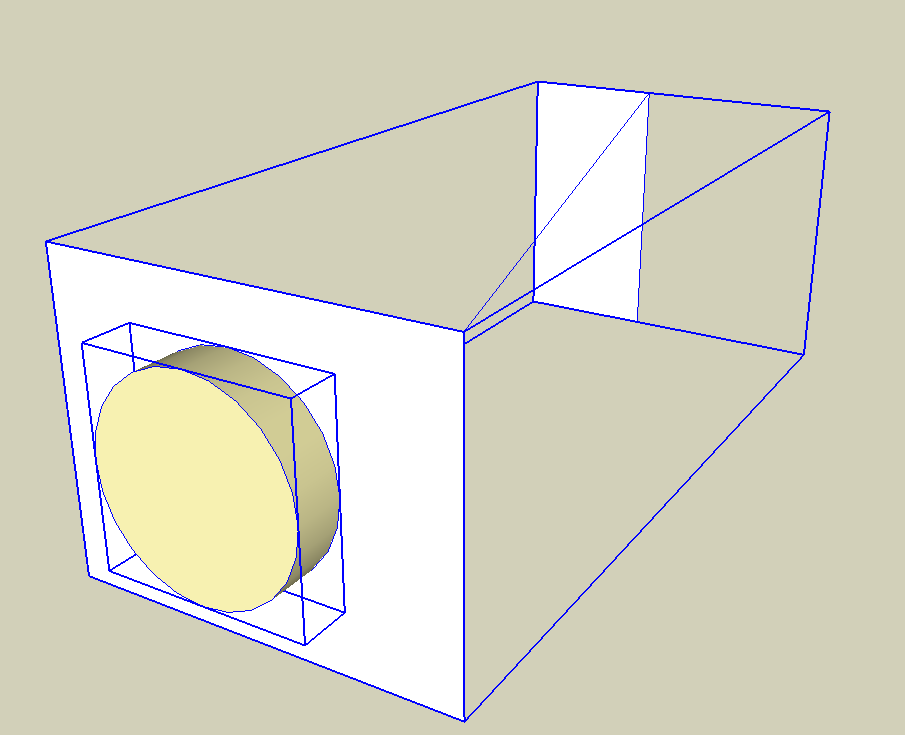
      Yes, I've encountered this as well and have had some success with the following method. Instead of exploding the intersection edges into the face group with one explosion, the edges are distributed randomly over something like 20 groups, and these are then exploded into the face group. On complex geometry this is both faster and more robust, for some unknown reason.

      I've added a small file and a code snippet to illustrate the principle. Select the two groups and run the script.

      
      mod = Sketchup.active_model # Open model
      ent = mod.entities # All entities in model
      sel = mod.selection # Current selection
      
      gs = sel.grep(Sketchup;;Group)
      
      #find the edge group
      eg = gs.select{|g| g.entities.grep(Sketchup;;Face).length == 0}[0]
      #find the face group
      fg = gs.select{|g| g.entities.grep(Sketchup;;Face).length != 0}[0]
      
      #collect all edges from the edge group
      es = eg.entities.grep(Sketchup;;Edge)
      #compute a tranformation from the edge group into the face group
      tr = eg.transformation * fg.transformation.inverse
      
      #create #no_of_groups empty groups in the face group
      no_of_groups = 20
      ess = [] 
      (1..no_of_groups).each { |i| ess << fg.entities.add_group }
      
      #add edges more or less randomly to the groups
      i = 0
      es.each { |e| 
        ess[i % no_of_groups].entities.add_line(e.start.position.transform(tr), e.end.position.transform(tr)) 
        i += 1
      }
      
      #explode all groups
      ess.each { |g| g.explode }
      
      #delete the edge group
      eg.erase!


      IntersectionTest.skp

      posted in Developers' Forum
      C
      CAUL
    • RE: [PLUGIN] Flowify v1.1.0 (updated 150327)

      @hagawaga said:

      I've tried some examples downloaded from here, but I always get the message:
      "INPUT ERROR: Not enough Input".

      You must have BOTH the support group and the source geometry selected before running Flowify. Below is a screen shot (from the example file) of what this looks like.


      All Selected.png

      posted in Plugins
      C
      CAUL
    • RE: HiDef Rim Tutorial using Flowify

      Again, very, very nice tutorial. I think there are two points in relation to Flowify that are worth mentioning.

      1) The thickness of the geometry (the dimension perpendicular to the projection grid) is transferred directly to target surface coordinates, the geometry is then transformed from there into world coordinates. So, if the target surface is in a scaled group the thickness will be scaled as it is transformed to world coordinates. For predictable results the target surface can be exploded and regrouped, this will put an identity transform (scale=1) on the target surface group. Ideally, Flowify should handle this but currently does not..

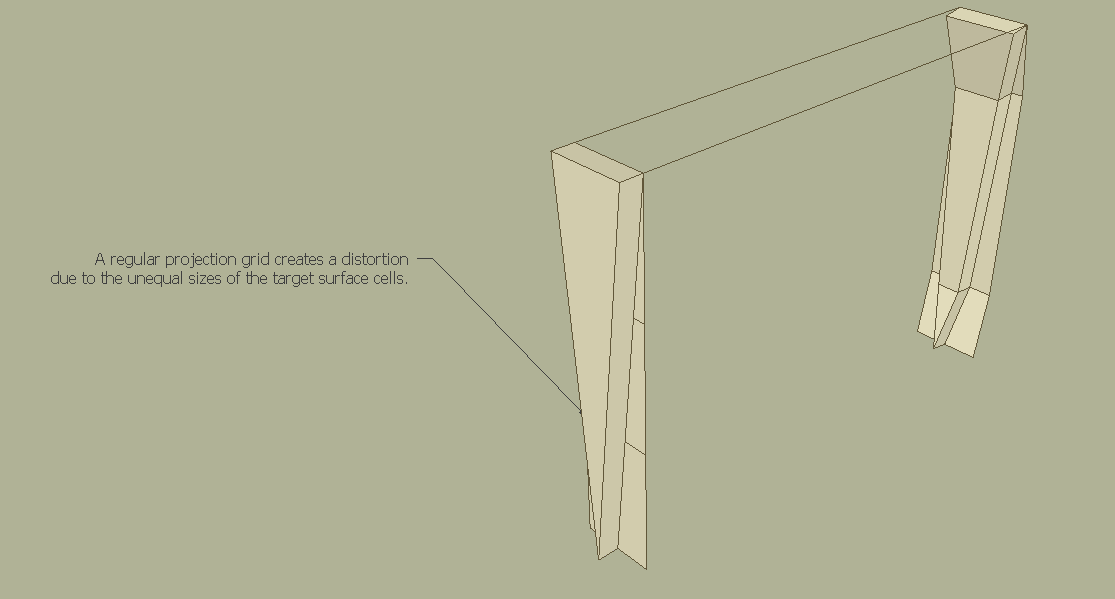
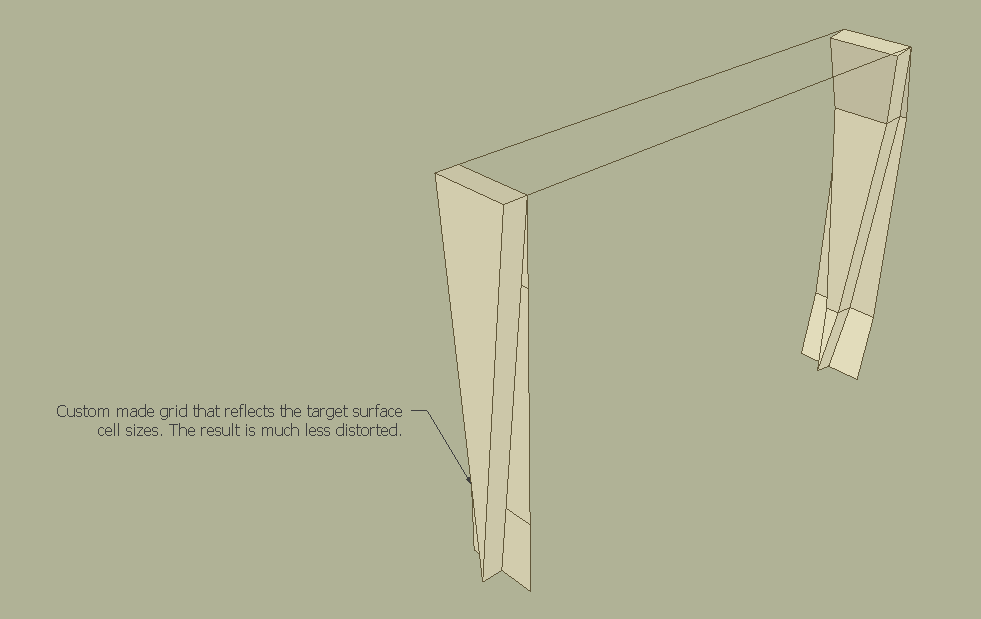
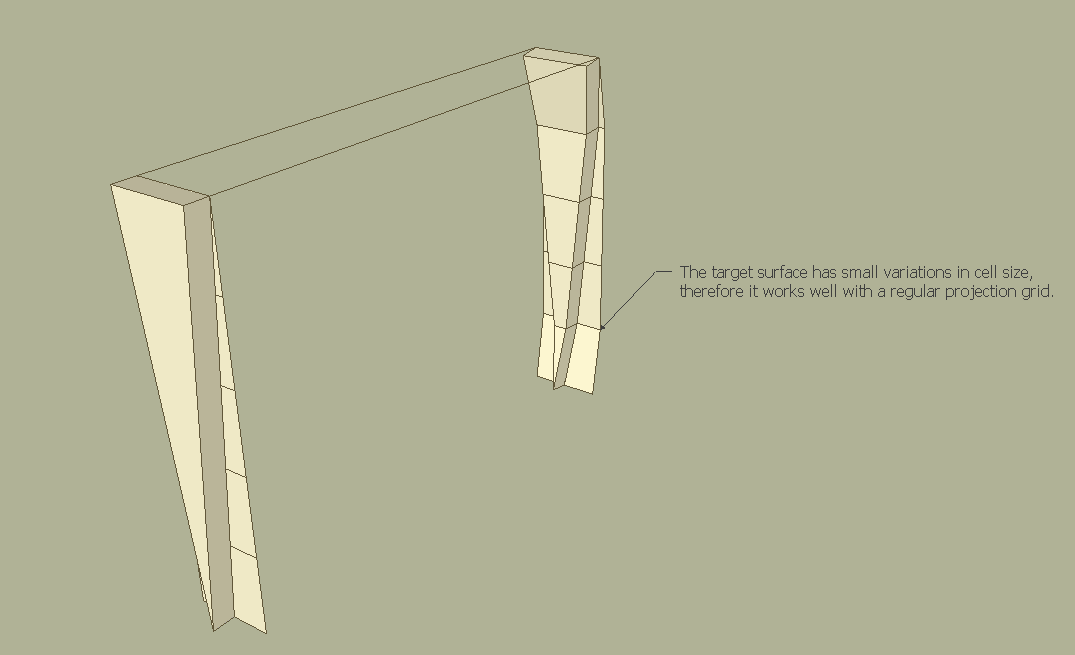
      2) The second point concerns the relation between the projection grid and the target surface. Flowify sets up a coordinate system between the grids where all cells have the exact same size in uv-space. As seen in the image below, the results are more predictable if the projection grid and target surface have more corresponding cell sizes. This can be achieved by either constructing a custom projection grid (Image 2) or by having about equal sized cells in the target surface (Image3). In regards to the tutorial, if you keep the idle points in the poly line and convert these into quads, then the regular grid (constructed with impose grid) will better match the target surface.


      Image1.png


      Image2.png


      Image3.png

      posted in SketchUp Tutorials
      C
      CAUL
    • RE: HiDef Tire Tutorial using Flowify

      Very nice! Also good to see that the extension seems to work on a mac.

      posted in SketchUp Tutorials
      C
      CAUL
    • RE: [Plugin] Hide Overlapping Geometry (Updated 20150511)

      @ntxdave said:

      I have attached a VERY simple model that just has two boxes. Flipping one of them works fine. Where I am messing us is with the double click method. When I double click on one, how do I then select the other one so that I can then apply your plugin to the 2 of them. This is making me feel really dumb........

      You should not enter (double click) any of the components, just select the two components and run the script.

      posted in Plugins
      C
      CAUL
    • RE: [Plugin] Hide Overlapping Geometry (Updated 20150511)

      @jql said:

      If you're developing that, could we define the layer's name by tinkering with rb?

      The current version lets you select an existing layer.

      @ntxdave said:

      Feeling really dumb. I created a box and then duplicated it and drug the corner of one box to the corners of the other box. I tried double clicking one of the boxes and then used the selection box to select both boxes. When I clicked on the Hide Overlapping Geometry, the overlapping geometry was not hidden.

      I'm not sure what you're doing wrong (if anything). Do you have a sample model?

      posted in Plugins
      C
      CAUL
    • RE: Problem with follow me

      @littleche said:

      hi

      I recently came into trouble with follow me tool .
      in this file you see one profile and one path . I think everything is correct But the result is not good! where I was wrong? In your opinion, where I wrong?

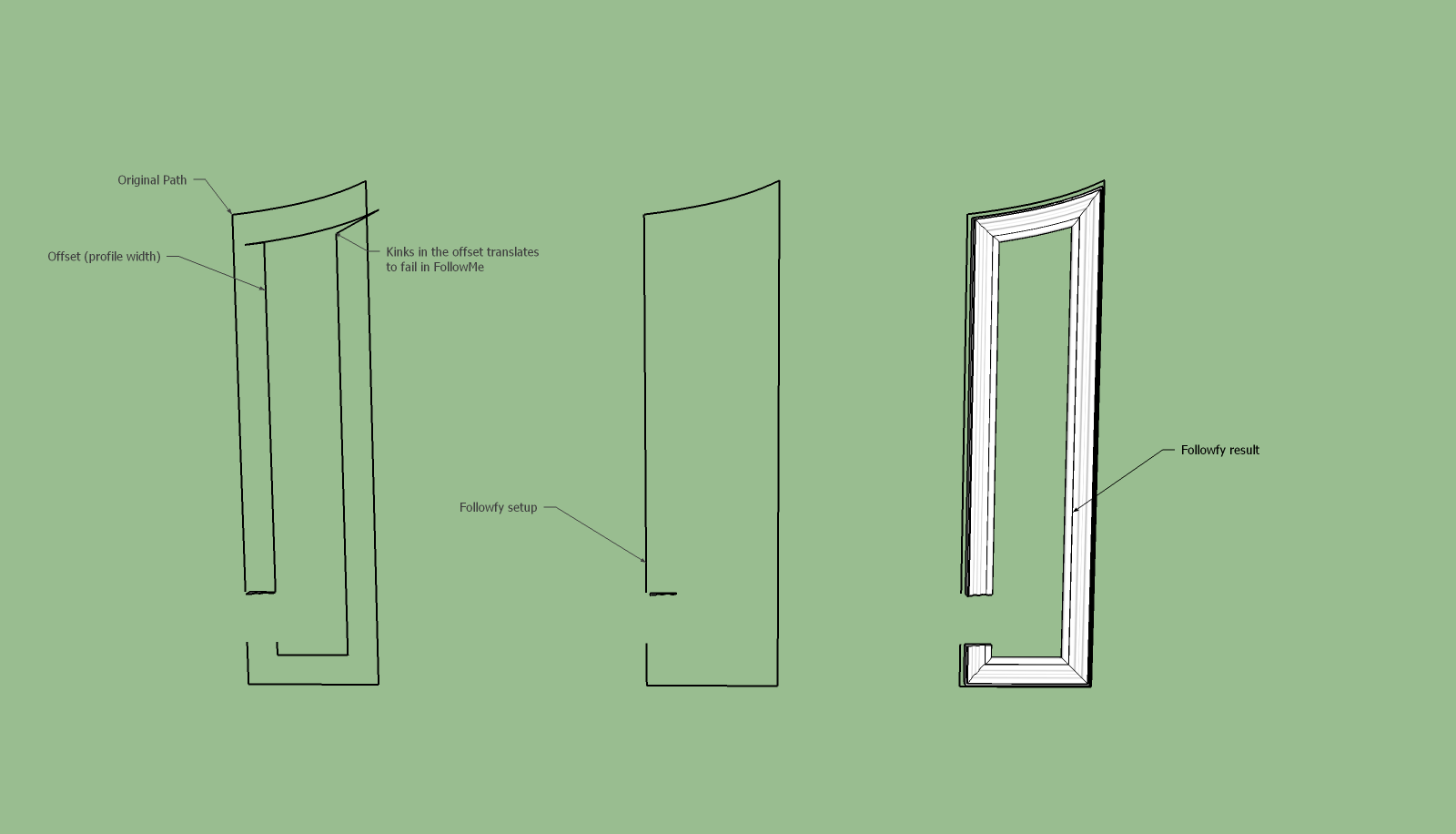
      Your problem is inherent to FollowMe. Basically, if offset fails then FollowMe fails. There is a script here which handles some of these special cases. The script does not deal with loops so you have to join the frame manually with pushpull.


      follow me (Followfy).png


      follow me (Followfy).skp

      posted in SketchUp Discussions
      C
      CAUL
    • RE: [Plugin] Hide Overlapping Geometry (Updated 20150511)

      @pixero said:

      Thanks for version 2. That seems to work well now. πŸ‘
      Would you please also add a "Show overlapping edges"?
      When for example designing a multi floor facade it would be great to hide the edges to see how the whole facade looks and then it could be useful to turn the edges back on for viewing the different floors.

      Maybe the possibility to move the geometry to a specific layer is enough? Then you can turn the visibility of the layer on and off.

      posted in Plugins
      C
      CAUL
    • RE: [Plugin] Hide Overlapping Geometry (Updated 20150511)

      @jclements said:

      I noticed that if the normals of the two overlapping faces are the same (both are "pointing" in the same direction), then the script fails.

      This is not really a bug (nor a feature). It's mentioned in the initial post. The reason for this behaviour is that it's a very convenient simplification from a developers point of view. The extension is centered around solids with consistently oriented faces so it's a reasonable simplification.

      posted in Plugins
      C
      CAUL
    • RE: [REQ] Open and close all nested groups in selection

      @pixero said:

      Here is a simple example file.
      A real life model would probably have more nested levels.

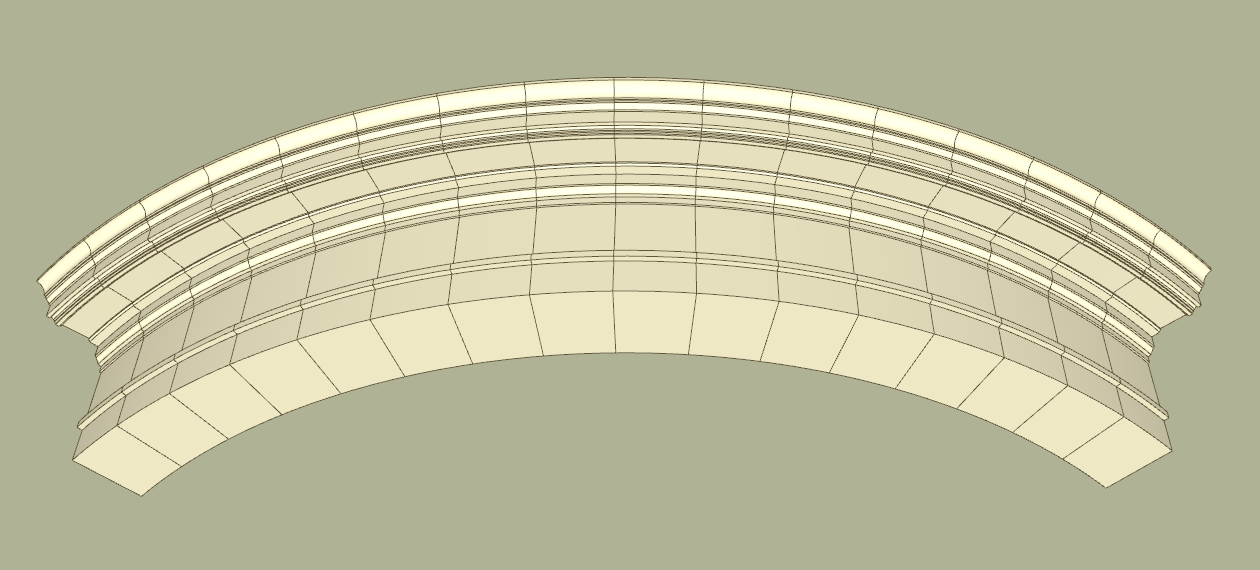
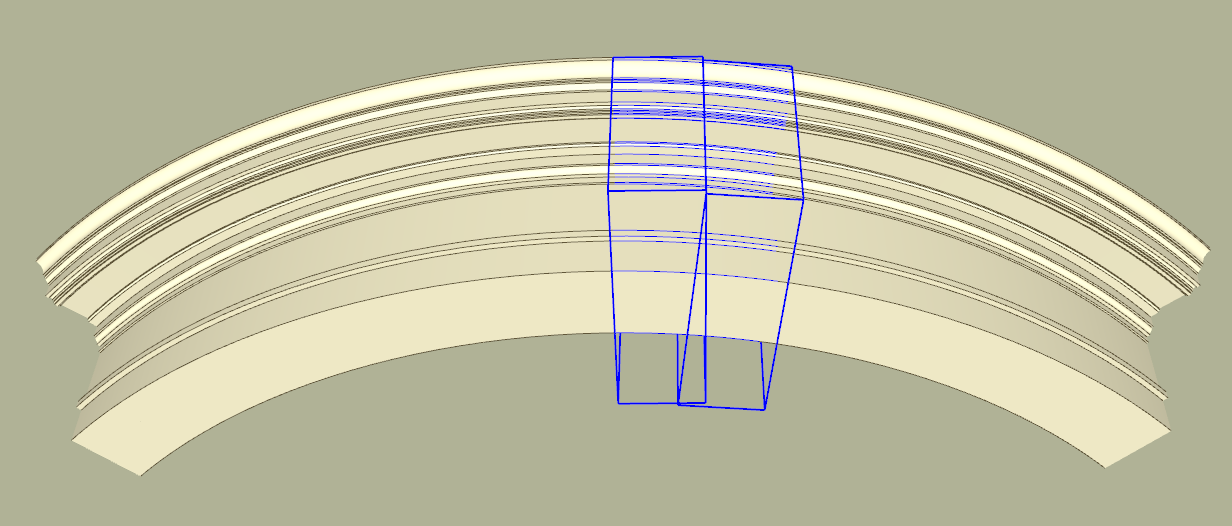
      I get the result below (and the nested groups also becomes unique):


      Before


      After

      posted in Plugins
      C
      CAUL
    • RE: [REQ] Open and close all nested groups in selection

      @pixero said:

      I tried your code but it didn't work with nested groups either. 😞

      I think there are two issues here.

      1. HideOverlappingGeometry does not compare groups within a common top group. So in your example, the 4 boxes within a group will not be compared with each other, they will however be compared to the 4 boxes in the other group. That's just a choice I made in the extension that reflects the way I use the script. If you want to hide the seams between the groups within a group you have to enter the group and select all groups within and then run the script. I think I will add an option to the extension so that is also compares stuff within the same nesting.

      2. I don't quite see why the provided code doesn't work in your example. I tried with a similar example and the groups all became unique. Do you have a sample model?

      posted in Plugins
      C
      CAUL
    • RE: [REQ] Open and close all nested groups in selection

      @pixero said:

      As a way of automating the process from here:
      http://sketchucation.com/forums/viewtopic.php?f=323%26amp;t=61842#p565790
      Can someone make a script that open and close all nested groups in a selection?

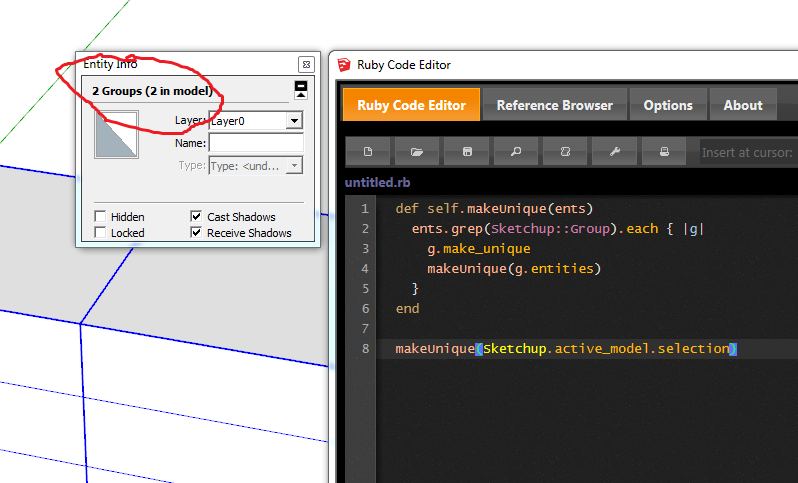
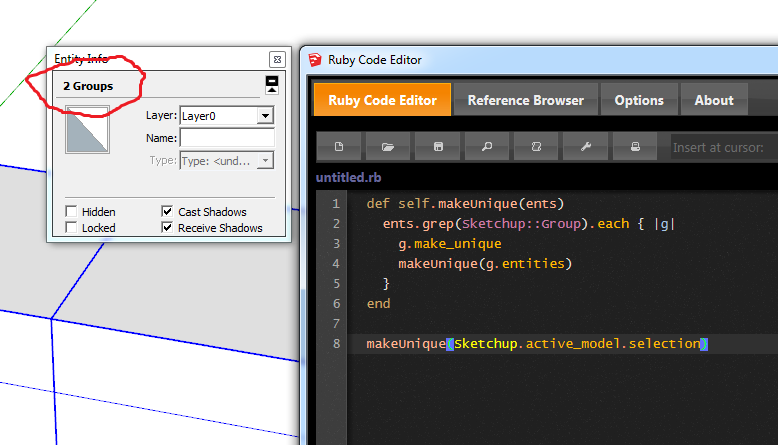
      The code below makes a recursive traversal through nested groups. I will add an UI to the hide overlapping extension where make_unique is an option.

        
        def self.makeUnique(ents)
          ents.grep(Sketchup;;Group).each { |g|
            g.make_unique
            makeUnique(g.entities)
          }
        end
      
        makeUnique(Sketchup.active_model.selection)
      
      posted in Plugins
      C
      CAUL
    • RE: [Plugin] Hide Overlapping Geometry (Updated 20150511)

      @pilou said:

      I don't very well understand that this script must do! πŸ˜„

      In your example the faces intersect. Overlap is when the faces are aligned (and have exactly opposite normals) and occupy the same space. In the image below there are 16 instances of a solid group. For visual reasons the seams between the groups should be hidden, and the way to do this is to hide the overlapping faces and edges. If you select two adjacent groups and run the script the seams disappear.


      Before


      After

      posted in Plugins
      C
      CAUL
    • [Plugin] Hide Overlapping Geometry (Updated 20150511)

      Hide Overlapping geometry is a script that, well, hides overlapping geometry. It works as follows:
      1) Overlapping faces are always hidden. Two faces overlap if they have exactly opposite normals and share an interior point.

      2) If two faces overlap, the script will check their edges for overlap. An edge will be hidden if it overlaps another edge and A) is connected to only overlapping faces, or B) is connected to overlapping and non overlapping faces where the latter have an angle between the normals < 22.5 degrees.

      The problem is somewhat subtle and it's not always obvious what to hide. The script works best with solids. If a face or edge is hidden, it will be hidden in all group and component instances.

      Usage

      Select one or more groups or components and run the script. The script appears as "Hide overlapping" in the Extensions menu. If only one group or component is selected the option
      "Hide within nesting" has to be true.

      v0.0.2

      Interface added with four options:

      1. The smooth angle can be explicitly defined
      2. The geometry can be transfered to a specific layer
      3. Groups and components can be made unique
      4. Groups and component can be compared within the same nesting

      Example.png


      Example2.png


      v0.0.2

      posted in Plugins
      C
      CAUL
    • RE: [REQ] Hide edges that share the same space

      @pixero said:

      In my test I made a simple cube a group and moved it on top of the first. No components used. Still all horizontal edges were hidden.

      The groups are instances of the same definition (just like components) until you edit one of them. I think you get correct result if you explode one of the groups and then regroup it, this will make the regrouped group unique.

      Nevertheless, I need a script like this myself and will try to make a better version as soon as I get time. As pointed out in the other thread, faces should also be hidden by the script in order to prevent bleed through.

      posted in Plugins
      C
      CAUL
    • RE: [REQ] Hide edges that share the same space

      @pixero said:

      Thanks for the link. That script doesnt work very well though.
      It seems to hide all horizontal edges when I try it with two cubes on top of each other.

      This may be due to the groups not being unique. If you have many instances of the same group, hiding an edge in one group will hide the corresponding edge in all instances.

      posted in Plugins
      C
      CAUL
    • RE: [plugin idea] hide double edges in different context

      @cotty said:

      Thank you for your fast reply. With my test model (see attached model), not all edges are hidden...

      Ok, the problem was partially overlapping edges. That is a somewhat trickier problem. Below is a second try. A problem is that all overlapping edges should probably not be hidden. The vertical edges in the inner corner of the cogs should ideally still be visible even though they overlap.


      HideOverLappingEdges2.rb

      posted in Plugins
      C
      CAUL
    • RE: [plugin idea] hide double edges in different context

      @cotty said:

      I would like to have a plugin that hides all edges that are in the same place but in different groups/components.

      Example usage:

      • convexify a group (part of FredoTools)
      • select all 25 groups (or group of 25 groups)
      • hide all "internal" edges (same position, different context)

      [attachment=1:2t7wh1k2]<!-- ia1 -->hidelines.jpg<!-- ia1 -->[/attachment:2t7wh1k2]

      Or is there a fast workaround to achieve this manually?

      The attached script may do what you want. It should hide edges that overlap completely, partial overlap is not handled though.


      HideOverlappingEdges.rb

      posted in Plugins
      C
      CAUL
    • RE: [PLUGIN] Flowify v1.1.0 (updated 150327)

      @taner batu said:

      Hello Caul! I like it. I watched videos again many times, but I could not use it.
      Please, share SketchUp files of examples with us. So everyone will know better. Thank you.

      I've added an example file to the initial post. Hope that helps!

      posted in Plugins
      C
      CAUL
    • RE: [PLUGIN] Flowify v1.1.0 (updated 150327)

      @unknownuser said:

      it looks like the "flow without" cut doesn't add triangles but unsfoften every edges.. can we have an option to preserve edge properties so that this tool could be more esily integrated in an organic/quadfacetools-friendly workflow?

      Good suggestion! This feature is now introduced in v1.1.0.

      posted in Plugins
      C
      CAUL
    • 1 / 1