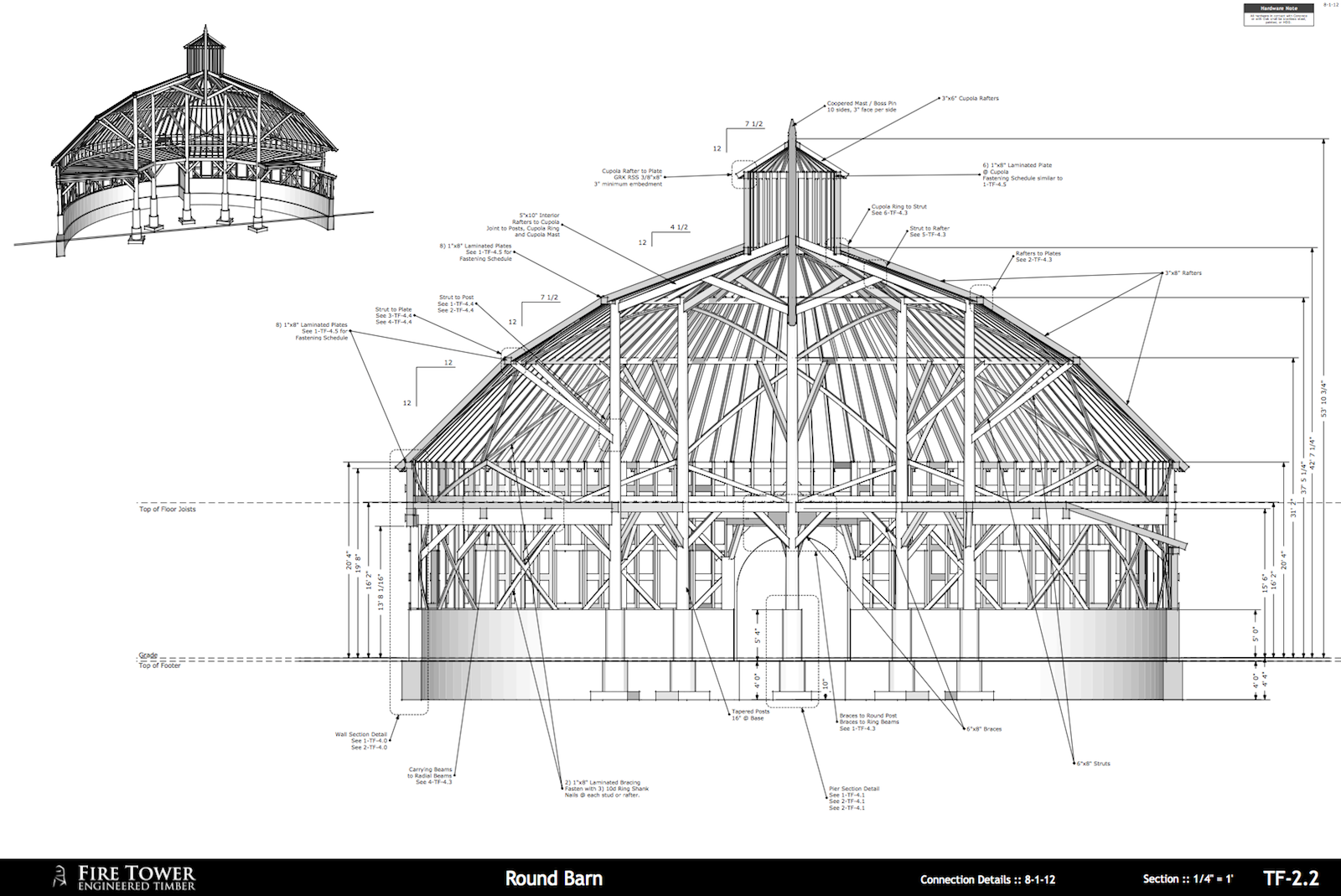
This:
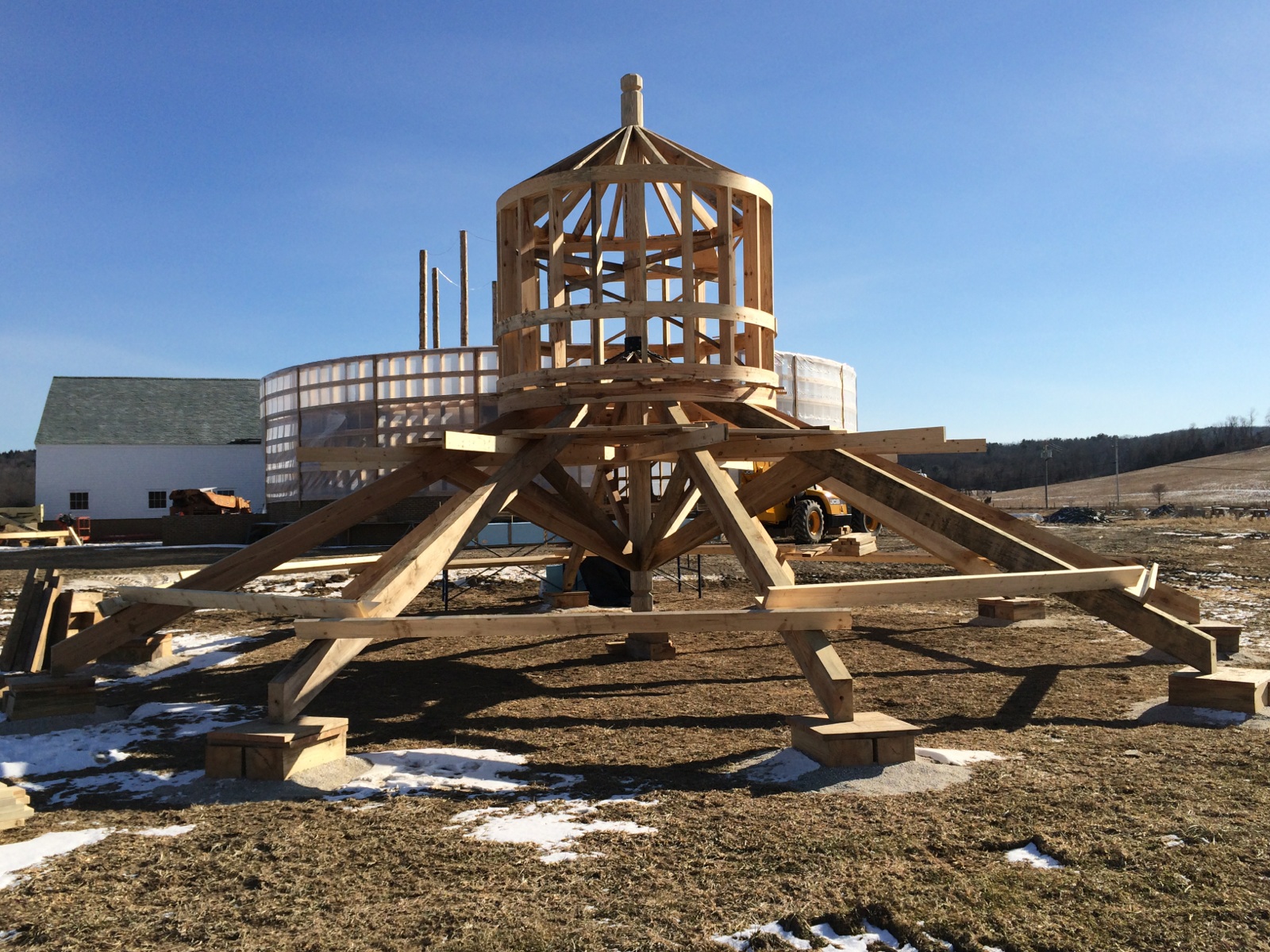
Came from the drawings I posted earlier:
 Offline
This:
Came from the drawings I posted earlier:
Just an update...
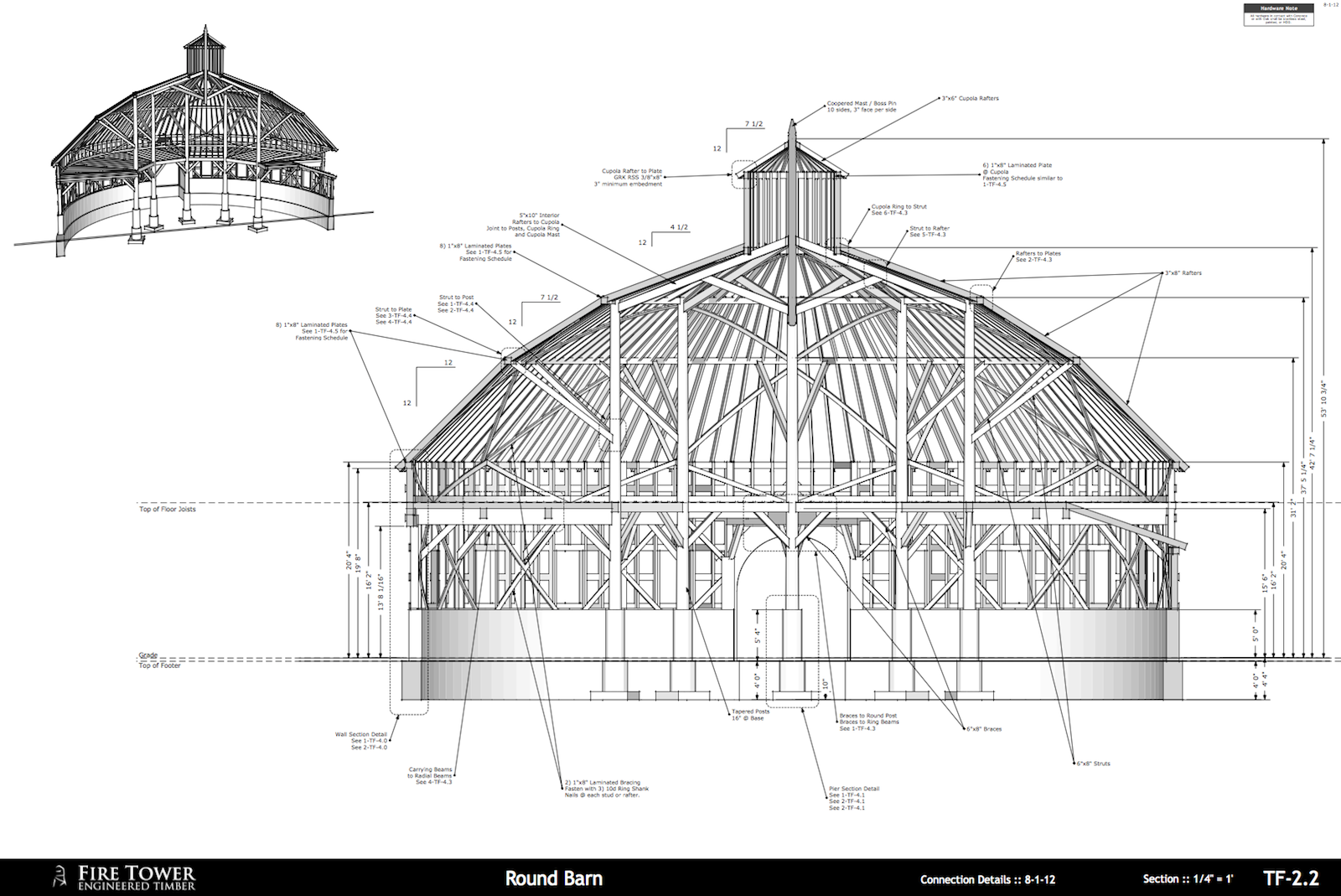
This:
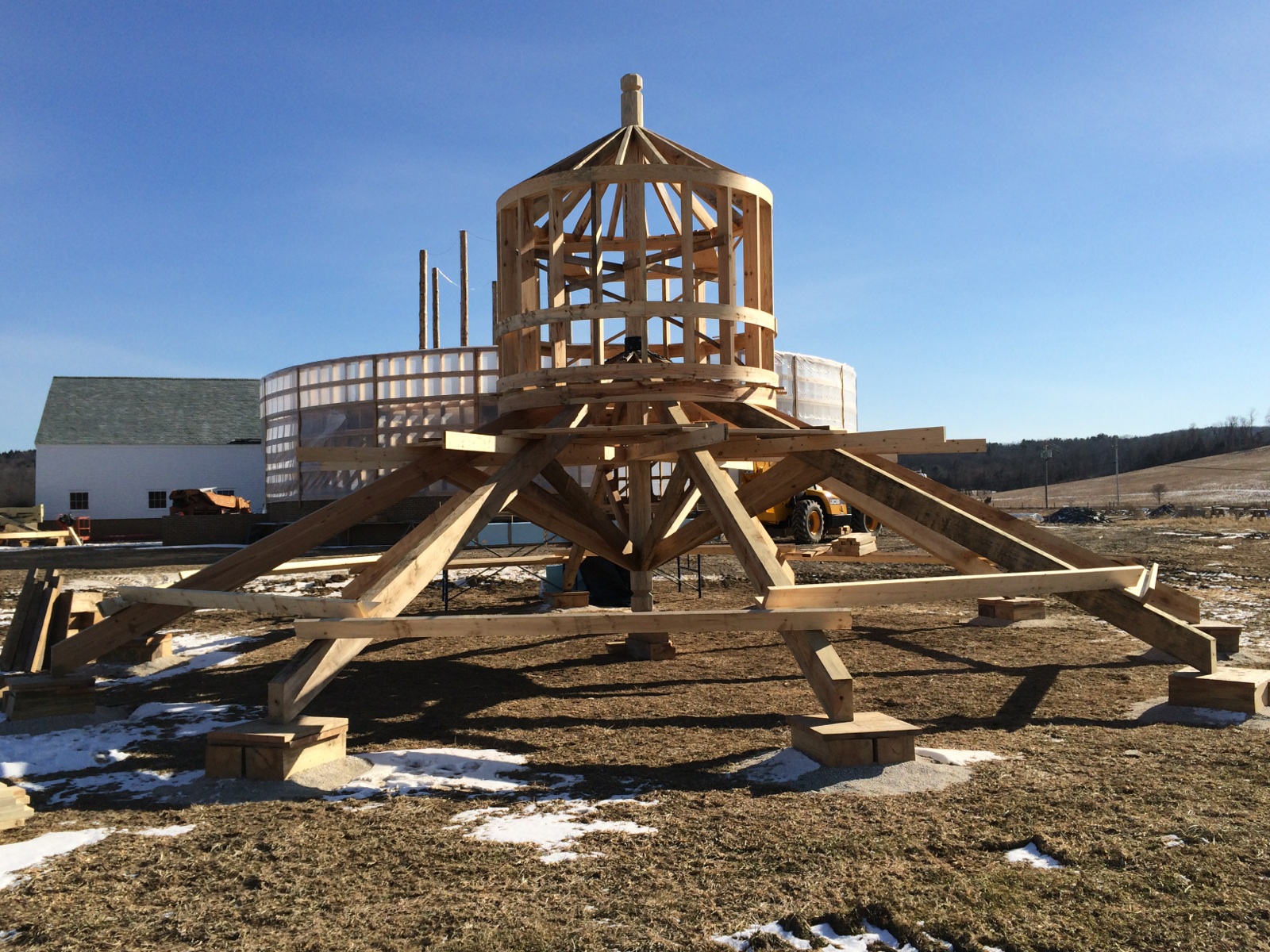
Came from the drawings I posted earlier:
@dave r said:
I wonder if deleting some of the SketchUp registry keys and restarting SketchUp would have fixed the problem. I periodically had to delete toolbar keys with SU8 because of issues with huge numbers of entries. That's no longer a problem with SU2013, though.
does something like that exist on a mac? i posted this same problem in the bugs forum... no one responded.
might have to do a reinstall - but i can't afford down time this week.
OSX Mavericks, happens if I launch 8 or 2013.
Some things are still there... others are gone.
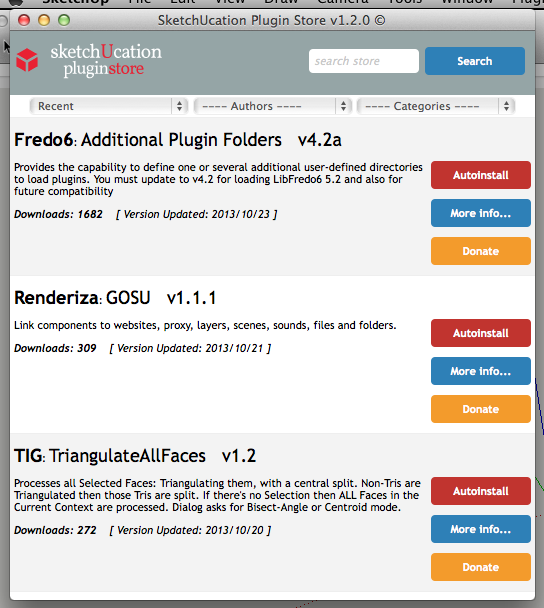
TIG, seems to load fine. No time to play with downloading... will try later.
@slbaumgartner said:
Just tried both SU 8 and SU 2013 on Mavericks, and they both launch and open files just fine. Of course, it will take some use to be 100% sure that everything works, but I don't think Apple changed anything that should matter to SU.
thanks. worst case i guess i can always bootcamp and use my copy on windows, should something be broken.
@sdmitch said:
Of course that's the nature of components. Editing one changes all. Before using Bolt Maker, right click on each and choose "Make Unique". Groups don't have that problem.
agreed.
wonder if there is code that can make only the components selected when running the plugin unique, or have them downgrade to groups...
but, nice work.
@unknownuser said:
for what it's worth
mavericks (osx 10.9) has a checkbox to show/hide the library via the user folder view options:[attachment=0:2v2zfpx2]<!-- ia0 -->Screen Shot 2013-08-15 at 11.27.44 PM.png<!-- ia0 -->[/attachment:2v2zfpx2]
developer, eh?
nice.
like it so far?
@krisidious said:
No one has found anything? This was mentioned over in the 2013 thread and some of the guys were searching for it a while back. Seems kool...
![Link Preview Image]()
SketchUp Extension Warehouse
Your library of custom third-party extensions created to optimize your SketchUp workflow.

(extensions.sketchup.com)
@unknownuser said:
Dibac for SketchUp is a plugin for architectural drawing. It's a great tool for Architects and for anyone who wants to draw architectural plans using 2D tools and then getting the 3D automatically.
You can draw walls, doors, windows, wardrobes and stairs, all dynamically created. And many more features will come in future upgrades. Watch our video to see it in action.
Try the Dibac for SketchUp free trial now!
The promotional license will run without limitations until June 30th, then if you like it, you can support us by getting it for just $39 or 29 € (vat excl.)
Anyone using this on a regular basis? Looks promising.
Does it work well in foot / inch? Seems like their video is showing metric units.
the icons that follow my cursor around sometimes get sticky.
orbit seems to do it most often.
when i spacebar back to select... i'll be stuck with orbit.
have to manually go up and hit the icon, and then things switch over.
latest SU pro 2013 update, latest and greatest mac osx.
Wondering the same thing. Have to dig out some old files to import into 2013 and test.
@pbacot said:
@marcdurant said:
Hi Mike-
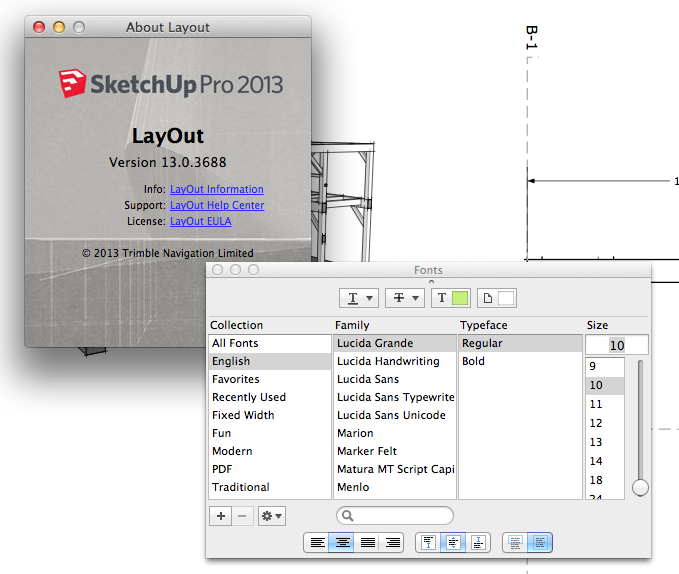
The Font window is available under "Window -> Show Fonts" in the menu bar. I always look for this command in the "Text" menu instead, which is wrong. Where were you looking for it? If we get enough complaints I might be able to move the command.
thanks,
MarcCan you get it snap in the stack and collapse like the other windows?
This would be great!!!!
@unknownuser said:
Hi Francois:
From the project you posted, it does not appear to be any more complex than anything we deal with. Your drawings, which are beautiful with many dimensions. However I see many things that do not require dimensions such as window sash, tube steel, framing members etc. These are static elements that are what they are. For instance an 11-7/8" LVL is 11-7/8" - no need for a dimension. Unless you folks are custom building every component, I do not see why perspective details don't work. Here the contractor's love them. I get far less questions in the field on very complex assemblies compared to the old days of 2d detailing. Our drawing sets are very detailed - typically 60- sheets or more in a set for a 3000 sf home. Those sets will contain 70-100 architectural details along with several sheets of structural details posted above.
Richard is correct, the dimensions in windows do adjust with changes in geometry, so they are associative. You can also dimension perspectives.
I have had similar reactions to 3d details. Certain items 'are what they are' and don't require dimensioning nor fully detailing them out... other thing certainly do require a very detailed drawing.
What I've found interesting is that builders 'get it' alot quicker with some perspective views - and some have even offered suggestions on how they would make an attachment, or which specific hardware they would rather use - once they see how things fit together.
@petterwb said:
I can edit the dimensions in the box, but when entering Return it does not do anything to the rectangle or line (as it did in the previous versions)
don't edit the dimensions in the box. its visual only. the moment you click anywhere, including that box, you end the command streak and you can't continue to change rectangle sizes, multiple copy, or divide by copy. (or any of the other things you can use the infinite repeat for...)
just type, and hit enter.
youtube:
@unknownuser said:
My problem with traditional CAD systems is the output. You just cannot simply get the same level of graphic output as easily as you can with the SU / LO process.
those are really nice sonder.
might have to start working in color... 
i really wish LO would allow for transparent type (haven't been able to do it on my mac, unless i'm missing something...).
and i guess i need to start assembling scrapbooks of data - little detail files that i can paste into new drawings that are rendered / exploded in LO, for use elsewhere.
@mikebelluckf said:
Yep - definitely NO font window on Mac Layout - quite annoying!!!! I use fonts all the time in layouts - ugh! Show me I am wrong!
@marcdurant said:
Hi-
The LayOut team is definitely thinking along the same lines. I can't promise when it will get done, but...
thanks,
Marc
Wow, yes, please, and thank you!
I've messed around with text on layers that I can toggle on and off... but it is a pain.
Being able to build a 'label' with various fields available would be excellent.
Basically anything available in the Entity Info box could transfer over... ideal w,d,l area or volume, component definition, name, etc.
@frv said:
To Mike:
I don't know what you mean to say with:
- How does one get that into 2d construction documents?
Francois
The link I visited shows quite a bit of modeling tools, but I'd like to see tools equivalent to LayOut or Paperspace in AutoCAD. Does VisualArq have such tools? Or are you then bringing that model into another package to do detail sheets, elevations, etc... ?