Marius, you're an insanely gifted modeler. Just jealous of course. Very nice.
Oops, your profile's looking a bit empty! To help us tailor your experience, please fill in key details like your SketchUp version, skill level, operating system, and more. Update and save your info on your profile page today!
🚨 Skimp | 25% Off until March 30 Buy Now
B
Offline
Posts
-
RE: M.T. "Navena" Diesel Trawler
-
Podium render stops
As soon as I change the material properties of a particular material, Podium V2 stops and shows me this in the render manager:
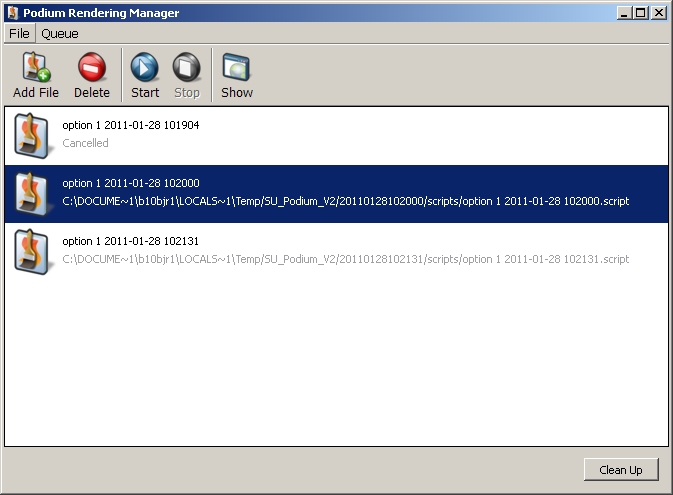
Any ideas why? I will go the SU Podium forums but thought I'd ask as long as I was here.
Thank you.
-
RE: Export To What?
Solo, Chris and Kristoff,
Thank you for taking time to respond. Are any of you knowledgeble about the .eps format. I've come across some large images in that format and wondering what makes that special for large graphics?
Ben
-
Export To What?
Out of all the export options available in SU, if you had to choose, which one would provide the best detail and/or the most appropriate for use in Photoshop and Illustrator? Oh, and why?
Thanks, Ben
-
RE: Activate Section Planes
@unknownuser said:
@unknownuser said:
Halroach, thank you. Wow, just had one of those "duh" moments after reading your first suggestion. So if you want the same camera view though for each scene, you set up the camera view first, then switch to the next scene and make another section plane active right?
you can:
-
after setting up all your different scenes, place the camera where you want it, and recheck the camera position in all the scenes.
-
save one scene with only the camera position checked - that way you can snap back to your favorite position without worrying about anything else.
That makes sense. I'll try it and thank you for responding.
-
-
RE: Activate Section Planes
@unknownuser said:
@ben ritter said:
What's the easiest way to activate various section planes while zoomed in, not allowing you to see the section boundary? Is there a way without zooming out?
- save a scene for each section plane that you activate, making sure to uncheck the camera in the scenes manager.
- use pageup/pagedown to shift between the different scenes.
- It may be convenient and quicker (depends on your needs) under 'model info' under 'animation' to uncheck "enable scene transitions" - or vise versa.
- assign shortcuts for "activate section plane" (I use 'k') and for view section planes (I use 'j') - for quick editing and moving of the planes
have fun!

Halroach, thank you. Wow, just had one of those "duh" moments after reading your first suggestion. So if you want the same camera view though for each scene, you set up the camera view first, then switch to the next scene and make another section plane active right?
-
Activate Section Planes
What's the easiest way to activate various section planes while zoomed in, not allowing you to see the section boundary? Is there a way without zooming out?
-
RE: [Plugin][$] Curviloft 2.0a - 31 Mar 24 (Loft & Skinning)
Fredo, thank you very very much, again.
