At present not possible as far as I can see, needs a clever script writer perhaps.
Do you have more than one viewport on a page? If so you can select all the viewports and render them as one. But you probably knew that...
You can use the Style dropper to sample a previous viewport setting as well, might save a bit of time...
And if you click on the next page even while the 'Wait' doughnut is circling, it will go there eventually, bit more of a visual clue if your attention wanders...
Oops, your profile's looking a bit empty! To help us tailor your experience, please fill in key details like your SketchUp version, skill level, operating system, and more. Update and save your info on your profile page today!
Check out Febhouse | New extensions for Shadow Analysis in SketchUp Download
 B
Offline
B
Offline
Posts
-
RE: Hybrid render all viewports at export
-
RE: How would you go about this?
@joe wood said:
Pretty neat little pad Baz, did you laminate those two handrails to get the curve in them?
Yes and the rafters.
-
RE: How would you go about this?
@joe wood said:
Hey Baz, I'd love seeing your workspace

Hi Joe. Just a shed now with basic gear. I got rid of most of the stuff when I moved to the country for my retirement. Nice spot tho.
This is the house, not the shed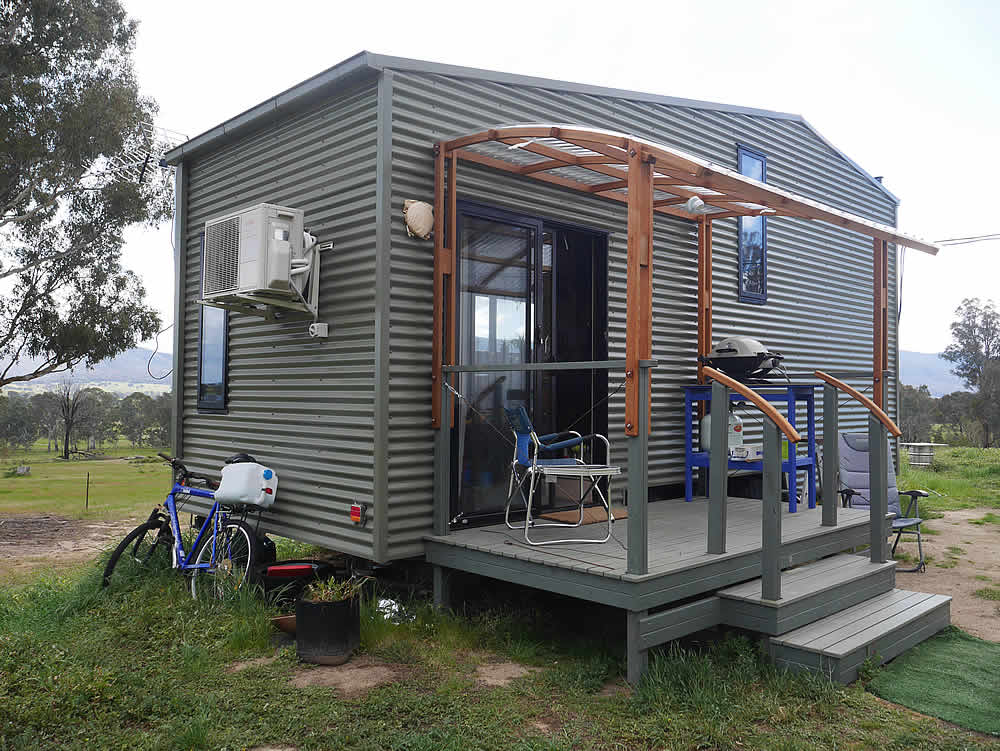
-
RE: How would you go about this?
@nlipovac said:
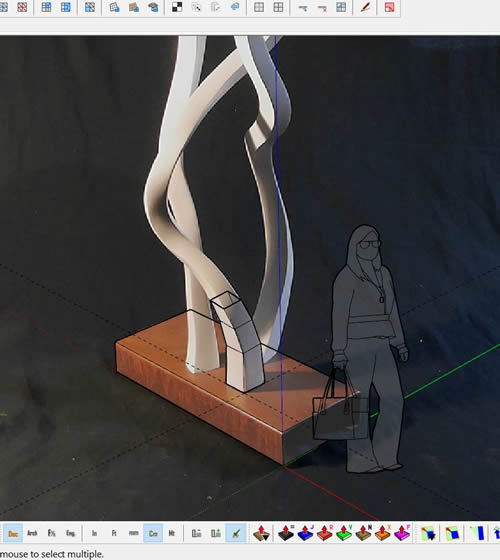
If those pictures are not tempered with you could use in eg. second one and go with Matched Photo to get base and overall shape and then use Vertex tools and SubD to get smooth transitions.
Thanks. Interesting.
-
RE: How would you go about this?
@pilou said:
My curve is a Bezier Nurbs curve so can have any path on the 3D Space!

So using my images for reference how would you get the path to follow them exactly?
-
RE: How would you go about this?
Hi Pilou, your example has everything on one plane, look at my Gif, totally three dimensional.
-
RE: How would you go about this?
@nlipovac said:
If those pictures are not tempered with you could use in eg. second one and go with Matched Photo to get base and overall shape and then use Vertex tools and SubD to get smooth transitions.
Hanging out to see what you have done...Could you re-post with SU V2019? Thanks.
-
RE: How would you go about this?
@box said:
Here's a super quickie.
This is just a random bunch of straight lines, I used it for follow me of a square.
SUbD will then make it nice and smooth. This is without any extra manipulation. Quad face tools and Vertex tools just help you manipulate it and add edges etc. Start with something simple and see what you can do, I'm sure you'll get the hang of it, something will just click.Thanks Box. Ok, I will look for a 'Dummies' tutorial and try again.
-
RE: How would you go about this?
@box said:
Ideal for Vertex Tools and SubD.
Don't have time just now to demo but a good time for you to learn VT, SUbD and QFT.I was afraid you would say that. I gave VT and SubD a good run last year, inc. following tutorials step by step. I've even tried to reproduce some of your Gif tuts, they never come out right. My brain can't seem to get it.
-
How would you go about this?
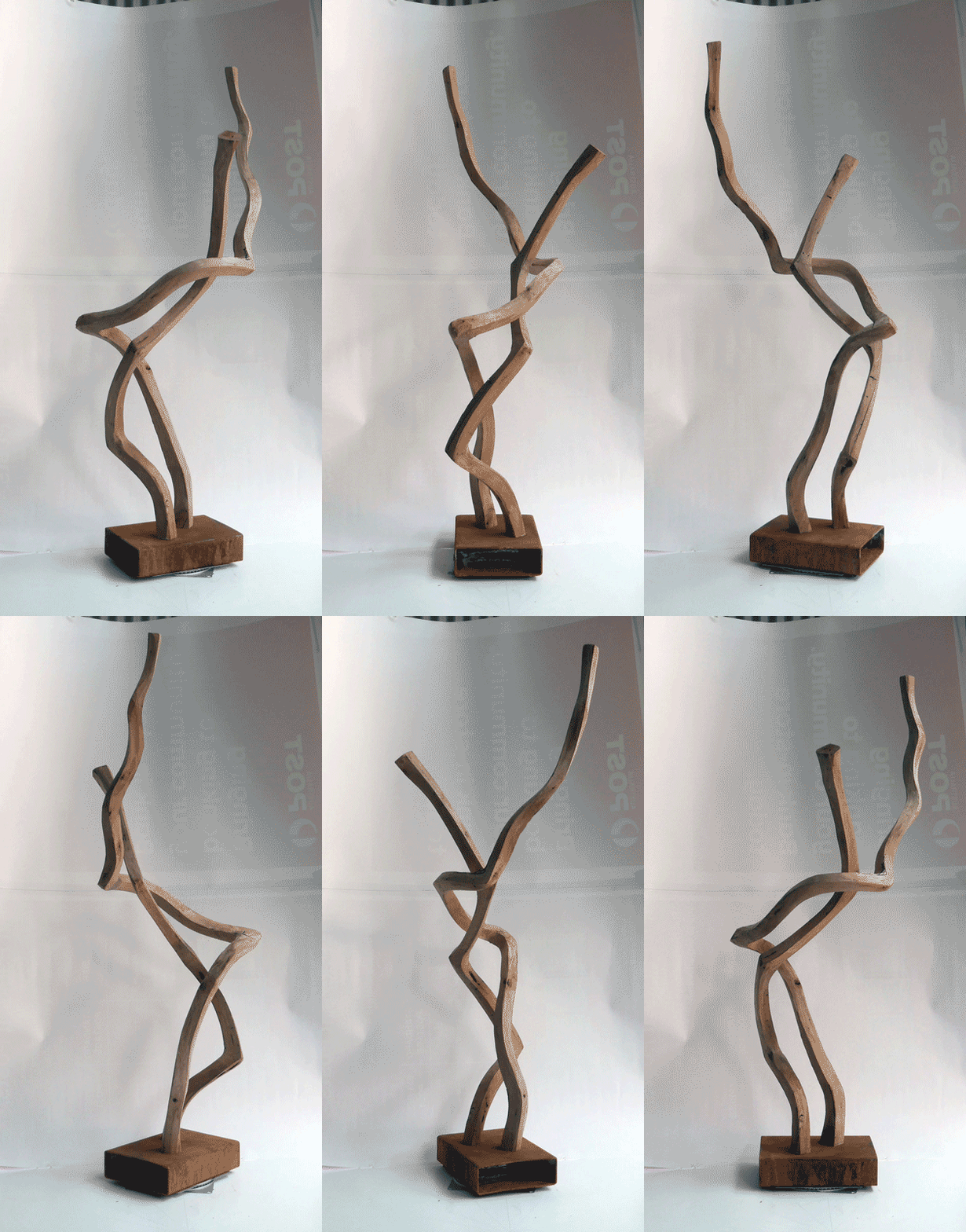
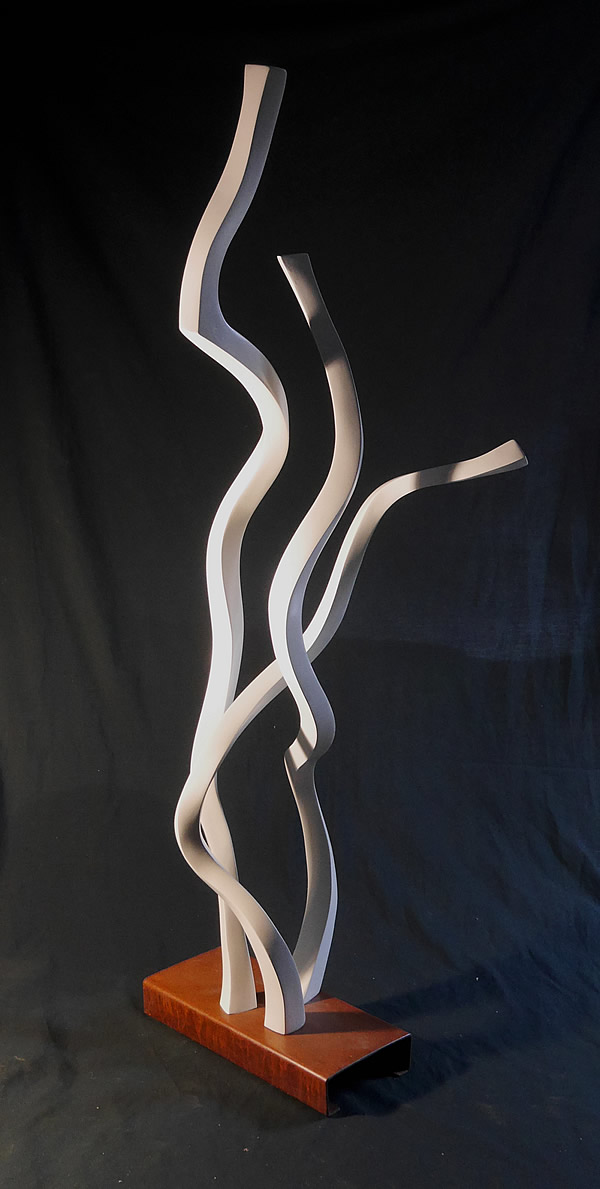
Now I have a bit of time, I have returned to my first loves, carving and sculpture.
I am curious as to how you guys might approach modelling these 'sticks' accurately.I can get approximations with Shapebender but my results are very clumsy.
Tis no biggie, but it would be great to see them 'real' in SU.
Cheers.
-
RE: Tutorial: How to Change Sketchup's Measurement Units
This post heading is misleading, it looks more like a question rather than a 'How To'.
It might be an idea to rename your post with the prefix: 'Tutorial'. As in:
Tutorial: How to Change the Sketchup Measurement Unit
You might also mention that plugins are available to change units on the fly. Very useful, for example, when reading boatbuilding plans.I am curious as to why you wished to share these very basic settings. Is this something you have had difficulty with?
Cheers, Baz -
RE: Fun With Flags (NSFW?)
I find it fascinating. Trying to figure out the story. But is there one?
'Fun with Flags' seems to me to be a red herring, n'est pas? -
RE: Lekythos vessel with freeze of Heracles
Sorry to be a pedant Chedda but it's 'Frieze'.
-
RE: Find the name of the texture
You mean the file name, as in xxx.jpg? If so, select the material/edit/. The 'Texture' dialogue shows the file name, which your file explorer should find easily.
-
RE: Why is there no normal movement and rotation in SketchUp?
Or: Hey Tomtom, can you please sort my life out, I hab no idee. Tanks.
Me in bad mood.
Hi Box. xx -
RE: Render challenge on the Twilight forum.
Hey Mike, I tried to find the challenge on the Twilight site, no luck.
Love your interior, the strange floating bench worries me tho -
RE: New old stuff
At last, a photo that looks like a render rather than the other way around
-
RE: Movin' on...
@pbacot said:
My two cents. The awning in the illustration looks too low. Barring other considerations. I'd make it higher. People going up and down steps do not walk in a smooth line--depending on their gait, their head height varies. Take it from someone who has knocked himself on a low beam in hurrying up a step...I wasn't knocked senseless but who's to say?
My design was too low so I tested it empirically as mentioned previously. Three months now and no problem.
In Wales, I lived in a pub where I had to duck every step and a half to avoid the joists. -
RE: Movin' on...