Pilou. The actual line length is 2155 +/- 5. measured in the real world.
This thread is starting to make my brain hurt...so, respected elders, is it a Bug or not?
 B
Offline
B
Offline
Pilou. The actual line length is 2155 +/- 5. measured in the real world.
This thread is starting to make my brain hurt...so, respected elders, is it a Bug or not?
@garry k said:
Circle1 144s at 400 mm - scale by factor of 2
Circle2 288s at 400 mm - scale by factor of 2entity information reports ~5026.5 mm for both - I don't know where this number comes from
Exactly! Or inexactly as it happens. Could you open that file again and see if the numbers have changed, they have on mine.
@ely862me said:
This might be a bug..
According to previous posters, it is a limitation of SU. But I can't see why a line shouldn't be a line, whether curved, stretched or otherwise abused.
Shall I load the skp?
@pbacot said:
if you split the circles before the length of the two half curves remains the same when scaled regardless of sides...
Sorry, not quite following you there.
But to restate the question: If I draw a line at 100, Entity Info will tell me its 100.
If I draw an arc and explode, I will get an accurate line length.
However, if I scale a circle to make an ellipse, Entity Info gives me nonsense, and not even consistent nonsense. I just went back to my example model as shown at top and all the reported numbers are now different...
It's to do with scaling, I reckon. It confuses SU's little brain.
Wow, this is getting complicated.
Thanks Box.
John, I understand about the segments adding up. But it seems as if SU doesn't like lines which have been scaled. And I'm not seeing this with arcs, regardless of number of segments the line length remains the same.
However, will chuck that one in the too hard basket for the time being,
Thanks for your help.
I have a given ellipse with a minor of 400 and a major of 900.
Why do you suppose different segments give such different answers, none of which is accurate anyway.
Hi John. I am wrapping these columns with ply and veneer. I was hoping to get an accurate length...IE: the line length of the ellipse.
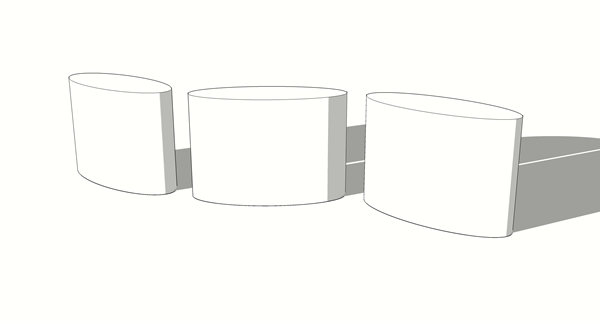
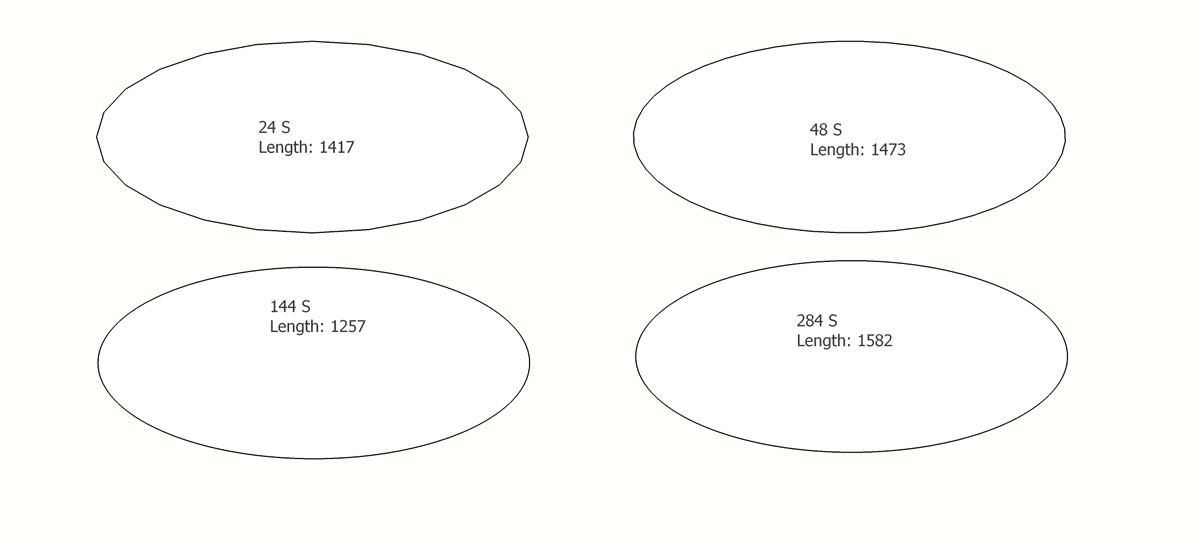
I'm sure this has not been a problem in the past, I need the length of the line that forms the ellipse. At first I thought it was to do with number of segments and as you can see, it does, but not in a good way.
Ellipse was formed by scaling a 400mm Diam circle, scaling in one direction and entering 900mm.
Tried exploding and welding and quartering and whatnot but...
I'm hoping this doesn't turn out to be a 'Duh'.
(The actual line length is 2155 +/- 5. measured in the real world).
Puzzled Baz
10 months vaping. couldn't be happier...
Well a bit...
Started off on 18mg. And because I was vaping far more frequently than having a smoke, I was taking too much nic.
So I got me some 12mg, but too weak... so I mix it with the 18 which gives me enuf buzz/baz to not get a headache on the puter. Thought it was my glasses but it was too much nic.
So at last to the point....
What is your nic mg. in your regular vape?
And how many mls? do you get thru a day? (I'm doing about 4/5 mls pd).
baz
[quote="pcmoor":m4lamnad]
@baz said:
@unknownuser said:
, could you post a screen shot of how you have yours set up?
Bazby all means...
[attachment=1:m4lamnad]<!-- ia1 -->Capture-Screen1.PNG<!-- ia1 -->[/attachment:m4lamnad]
[attachment=0:m4lamnad]<!-- ia0 -->Capture-Screen2.PNG<!-- ia0 -->[/attachment:m4lamnad]
you can create different size trays and park them on the other screen, plus I have DC option placed too
you can leave the default or some pinned as well? but I find that the placed ones less annoying.
Ah I see, numerous trays on second monitor, will try that, thanks Phillip.
@unknownuser said:
With regards the new trays, they take a bit of getting use to, however they are well suited to a two screen setup once you have made a few unpinned custom ones to suit your workflow
Phillip, I too am having trouble getting used to the new trays, could you post a screen shot of how you have yours set up?
Baz
@dave r said:
Yes. I was thinking about those handheld scanners. I was also thinking this would be another way I could justify a 48 x 96" CNC machine. Replace the router with a scanner head. You could scan up to a full sheet or plywood.
Kickstarter campaign maybe?
@gareth said:
Quality work mate....in fact, exceptional.
You have raised the bar so high, I now can walk under it....!!
Very true, have you noticed the 'distressing' on the timber.
Insane detail...
Joe, Did you do as JQL suggested and look under 'Styles/Guides'?
@rich o brien said:
Dave's long grain wood materials are epic!
wish he'd put them out there for purchase

Joe, suggest you start a new thread, one of the veterans will surely be able to help.

