@jql said:
A skilled artist will make design and a talented designer will make art...
Well there ya go. I think you have it.
 B
Offline
B
Offline
@jql said:
A skilled artist will make design and a talented designer will make art...
Well there ya go. I think you have it.
@rich o brien said:
Art = Talent
Design = Skill
You have encapsulated the Art/Craft debate right there Rich.
But what is a skilled artist and a talented designer to make of that?
baz
I call myself an 'Artist/Craftsman' sometimes. Other times a 'Designer/Maker'. Some times just a 'Wood craftsman'.
Tho' at the moment I'm a 'Deck maker' with a couple of jobs on the go.
(BTW: Never trust a man with two decks. Sorry, New Zealand joke).
But this article by Alex Trochut got my attention, it's coming from a Graphic design perspective but I wonder if you artists/architects/creators, think it is relevant.
PS: My byeline pretty much covers my view.
**Design vs Art
Design is solving a problem. Art is raising a question.
Design is conclusive. Art is an open debate.
Design is being an actor and following a script. Art is writing and interpreting your own story.
Design is the mind looking for solutions. Art is the voice of the soul.
Design needs a collective acceptance. Art only needs an inner approval.
Design is an act of empathy. Art is an act of freedom.**
Alex Trochut
This article was originally published in Computer Arts magazine issue 252.
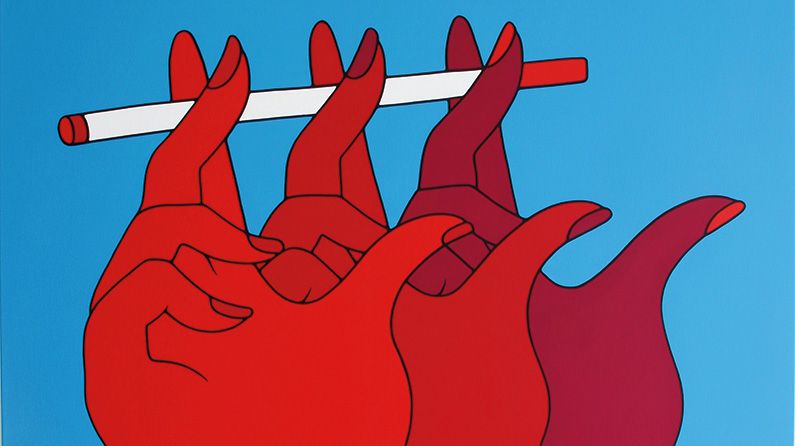
Alex Trochut explores the languages of art and design to discover how they're different.
Creative Bloq (www.creativebloq.com)
I am really not getting on with the new trays in 16, I would like the option to revert to the 15 version.
Just had a very quick play and I think it works pretty well. Of course once you have the scene you can turn off the W/mark and merge model and photo post-pro.
Well done for the question, having the same problem myself, you got me thinking...
... would love to see how you go...
ps: this a direct from SU image export.
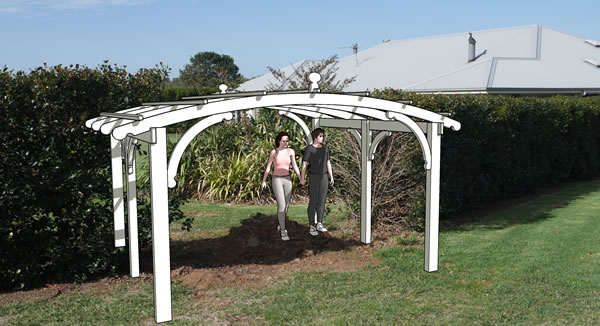
Pretty sure you could use the 'watermark' style for that...
@joe wood said:
and I've already paid him 2 grand.
Whoops!
Tell him to give the money back or get it done, otherwise you will trash him on social media.
(Tell him you haven't got time for that, but your son/daughter/nephew would love to take it on).
Joe, Dave has it by the nuts. Layout is not too hard to come to grips with.
The big thing is your layout file is connected to the sketchup file, so when you have to alter something in the SU drawing, it can be updated in LO easily.
Re: learning layout, apart from the tools obviously, get a handle on 'Layers' and use them lots. Saves a lot of grief, trust me I know 
In the attached, the client changed the dimension 3 times. Once the model was altered, it took less than 10 mins each time to open LO, reload/update the model and re-export to PDF.
(The critical thing here is not to change your scenes at all in SU)
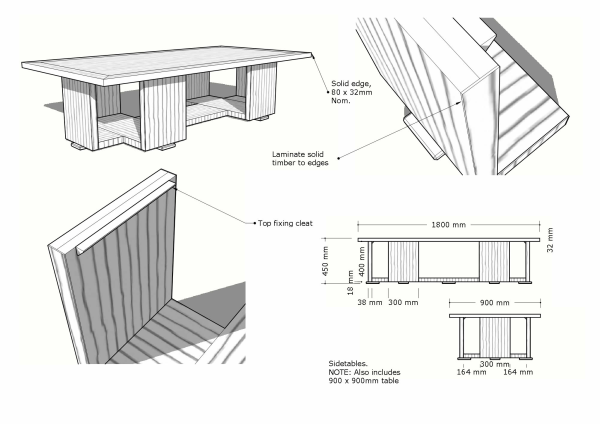
Joe, I noticed that the text in question has a leader line which you have hidden, this I believe is the problem, maybe a bug.
But simply redo your text in a clear area which will negate the leader line and bob's yer uncle.
baz
Weird, I get the same result as Joe...
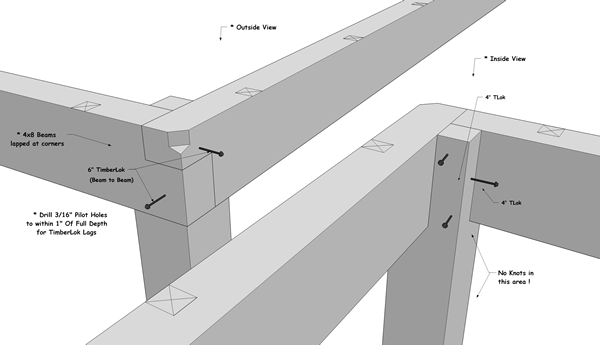
@paul russam said:
Thankyou baz!!!
That's exactly what I've been missing.

@paul russam said:
The same is partially true for images (renders in this case), no ability to crop is really REALLY annoying.
No native cropping but you can use a clipping mask.
Another possible scenario here: It looks like you possibly copied your groups with 'Paste in place'?
Try deleting a group, or check them in the outliner.
The US: E-Cigs Very Bad! The UK: E-Cigs OK! All of Us: Huh?
Article from WIRED...

Public health officials in the US and UK have different priorities for dealing with e-cigarettes.
WIRED (www.wired.com)
Way to go Sam, good onya...
Welcome back, (one hopes )
Baz
Ps: Can you model me a camper trailer to tow behind my Outback?
(Just kidding, I think).
Clever,clever,clever. You gotta watch the 'making of', clever film-making.
@nektares said:
Maybe this, on first step just draw a rough aproximation of where you want the rope to go.
on step two adjust it and then convert it with bz toolbar to catmull spline
and then the final step just tube along path or follow me along the generated catmull spline.[attachment=0:18pbu3s6]<!-- ia0 -->rope_test1.jpg<!-- ia0 -->[/attachment:18pbu3s6]
That's a goer for me, I hadn't realized that BZ could convert straight lines. For my needs that works plenty good.
Thanks.
I would purchase this, but I have to agree with all the others...