amazing, i had no idea about that feature, ar there many other commands like that?
this is going to make things a lot easier
Oops, your profile's looking a bit empty! To help us tailor your experience, please fill in key details like your SketchUp version, skill level, operating system, and more. Update and save your info on your profile page today!
Sketchucation Tools 5.0.7 | Licensing improvements and bug fixes Learn More
A
Offline
Posts
-
RE: QUESTION: making a curved face?
-
QUESTION: making a curved face?
hi, i want to make a curved wall, SU generally produces a faceted curve...
how can i increase the facets along this curve to give it a more arc like shape? -
RE: Closing Groups and Components after edit
u could always keyboard shortcut it (i use 'end') but i guess ur still tapping the same button u can also click outside the component to get out of the grup/component ur editting
i know it doesnt quite answer the question but its a bit of a solution -
RE: Ideal GC for SU
hi, its an Nvidia Geforce 7900 GS 256, not 128 (my mistake)
someone also told me it might just be the processor speed thats slowing it down although modelling more carfully/purging unused, etc. should def keep things running smoothly
thanks for all your comment/help this forum is far eaier to navigate than the google groups one -
Ideal GC for SU
i have posted this on the sketchup pro forums site as well sorry to spam :S
hi i dont really know a much about computers but i want to improve the way my sketchup models run, at the moment i have
intel core 2 duo 2.4
2Gb RAM
& an Nvidea 128mb Gc
im assuming its the GC thats letting it down but wasnt sure which one to get i have mainly used Nvidea ones before and have been happy with the way they perform, any advice? -
Autocad from SU
thought it was about time i shared something on the new forum-
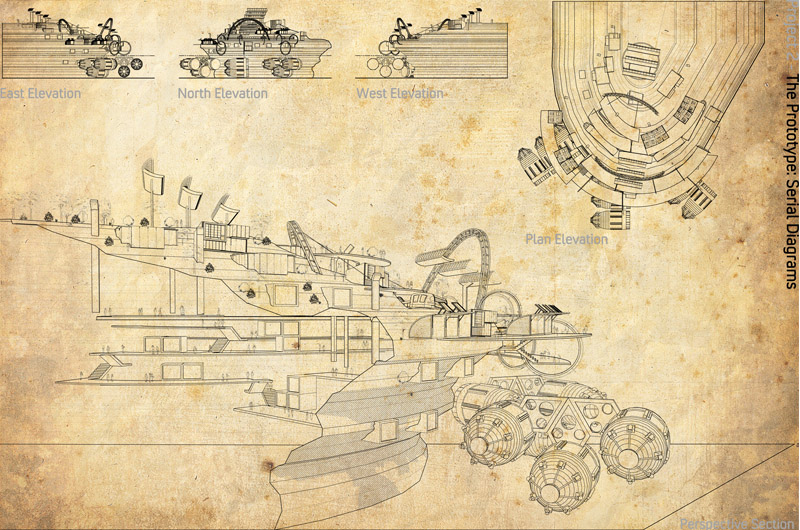
here is some DWGs of a project i am doing for uni, did a bit of fiddling about with line weights and did a bit of hatching (which u cant really see from the pic)
-
RE: [Tutorial > Modeling] Organic modelling
this is insane (in a good way), and it gives an insight into the process involved, what kind of timescale is modelling a head/character? i must give this a go.. but keep up the good work so we can all adopt your work methods
-
RE: Poor Tree Placement
thanks, that is reallt helpful, has anyone got any good resource sites for trees/vegetation or is formfonts the best?
poster-Archi Rag
-
RE: Creating a backround Image for Montage/Presentation
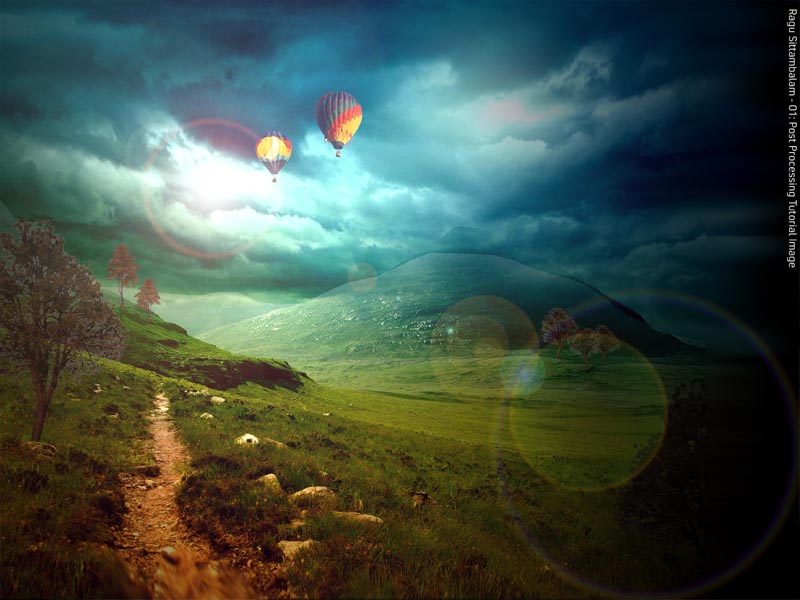
just add a lens flare (filter>render>lens flare) and this is what you get...
-
RE: Creating a backround Image for Montage/Presentation
4)time for more detail... adding trees is pretty simple, google search it or http://www.formfonts.com has a good library so just find some that work well with the landscape and then copy/paste them in, a simple way to duplicate more trees without them looking the same is by altering the colour balance and using the Edit>transform controls to change them slightly....
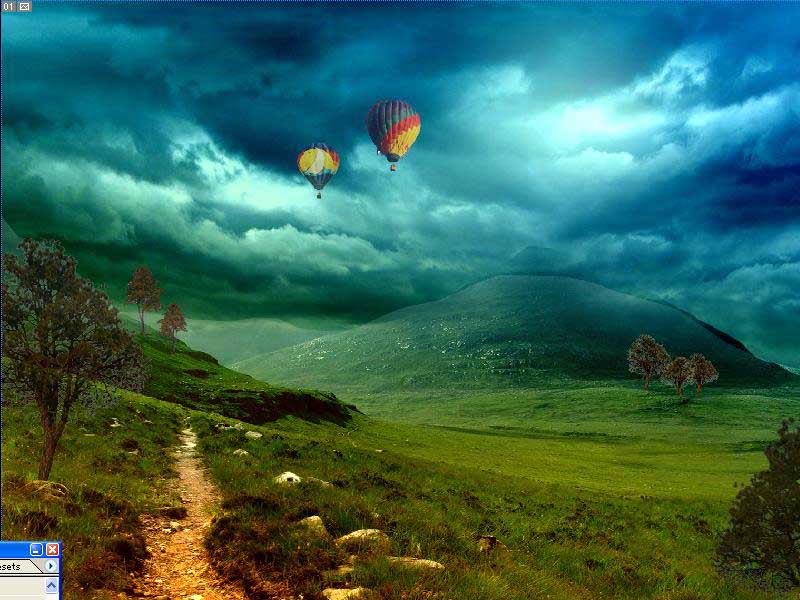
- Now you have a base picture so save it as a JPEG and create a new file to the required size and 100-150 pixels per inch which can form the basis for your presentation panel
7)The next few steps are a matter of personal preference i have always had a fondness for the dark and back as a colour as well as being an easy colour to merge with, so resize your picture so that you can use some of the outside space to define your idea/show additional images and create a rectangle behind it.
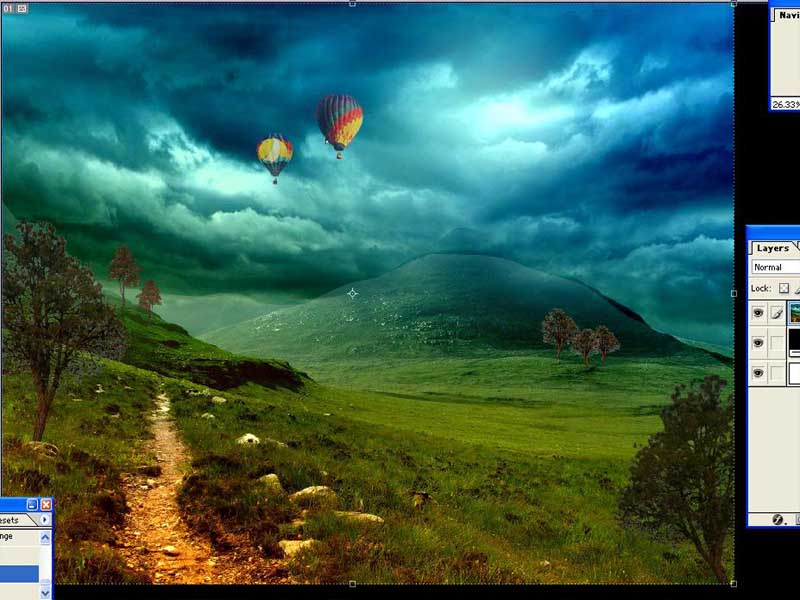
- Go to Filter>Render>Lighting Effects- from here choose a lighting effect that can complement the picture making it easier to blend in with the background.
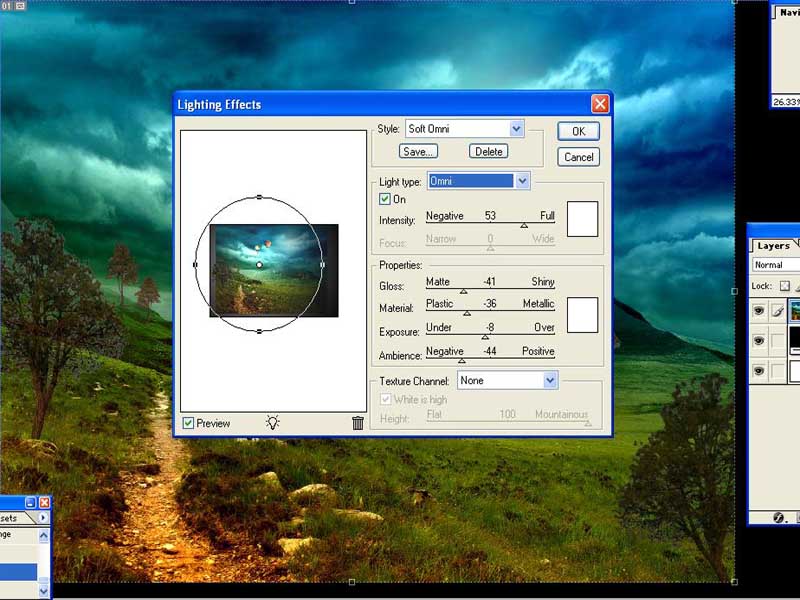
This is hopefully what we are going to produce-
poster-Archi Rag
-
Creating a backround Image for Montage/Presentation
hi, i recently made an entry into a shed competition and i thought i would do a quick tutorial about how i created the background image...
this process literally takes about 10 minutes depending on how much you want to fiddle with individual layers/elements the final product may not be the most professional looking image but it does the job!
This tutorial is aimed really for novice photoshop users, any expert users who see this- i apologies in advance for poor technical methods. Ok, lets go:-
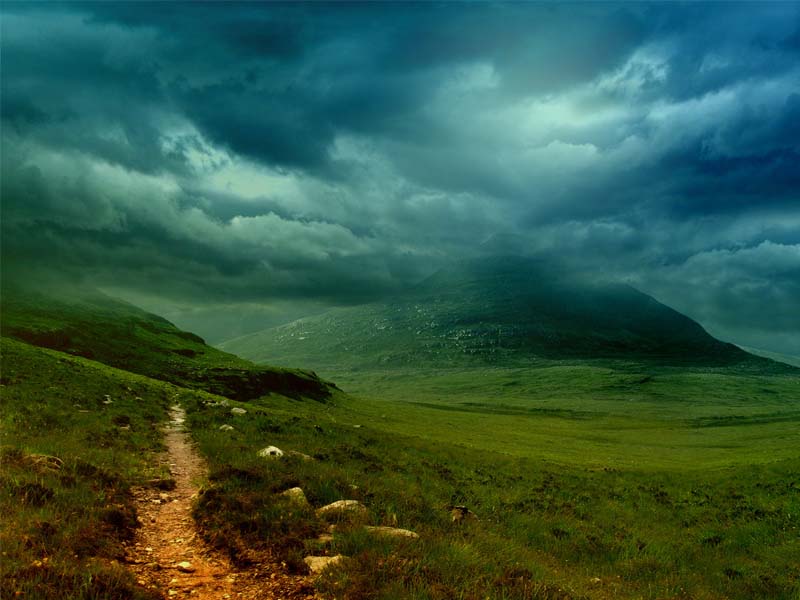
So first of all find a background (unless your working from photos of a real site which really helps). To find the one here I just went on Google image search and typed in ‘landscape night’ setting the image size to large to get a decent resolution
Here is the original image used & the link:
-
a little bit of minor editing to make the image a bit nicer to look at... so open up Photoshop and either
auto levels the image (image>adjustments>auto levels or ctrl+shift+l)
this will balance up the image quite nicely if it isnt already. A more advanced way of doing this for more specific results can be achieved by going through the
colour levels (ctrl+b) and brightness/contrast controls (image>adjustments>brightness/contrast).3)Optional further editing can be done.... so say if I want to alter the sky, all you do is lasso it up and change the brightness/contrast levels shown in the images below:
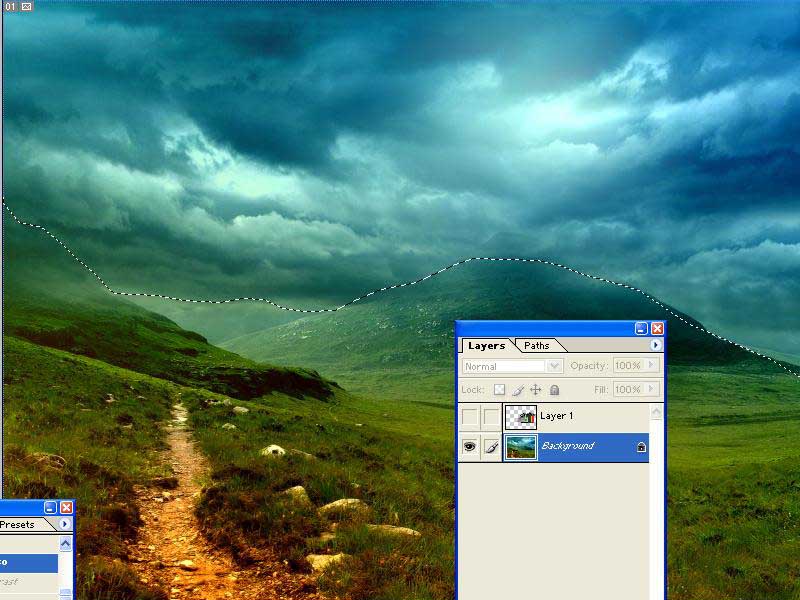
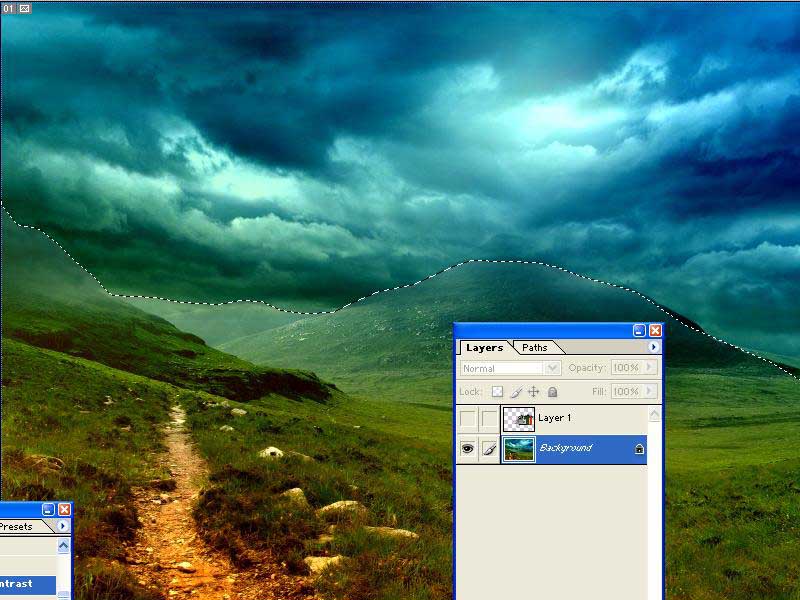
poster-Archi Rag
-