sketchucation logo sketchucation
    • Login
    1. Home
    2. alpro
    3. Posts
    Oops, your profile's looking a bit empty! To help us tailor your experience, please fill in key details like your SketchUp version, skill level, operating system, and more. Update and save your info on your profile page today!
    🚨 Skimp | 25% Off until March 30 Buy Now
    A
    Offline
    • Profile
    • Following 0
    • Followers 0
    • Topics 54
    • Posts 512
    • Groups 1

    Posts

    Recent Best Controversial
    • RE: Kitchen remodel

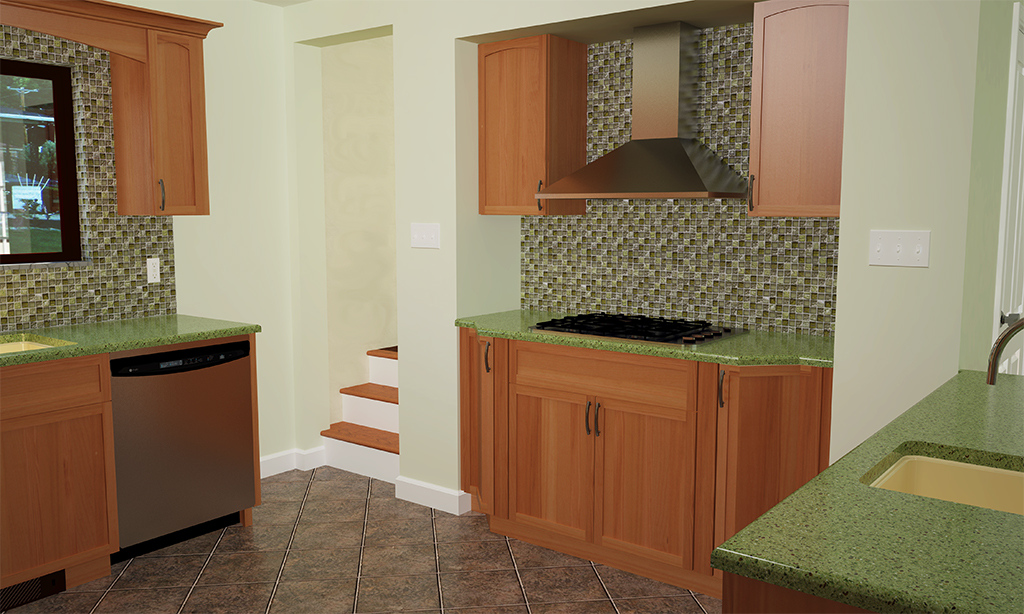
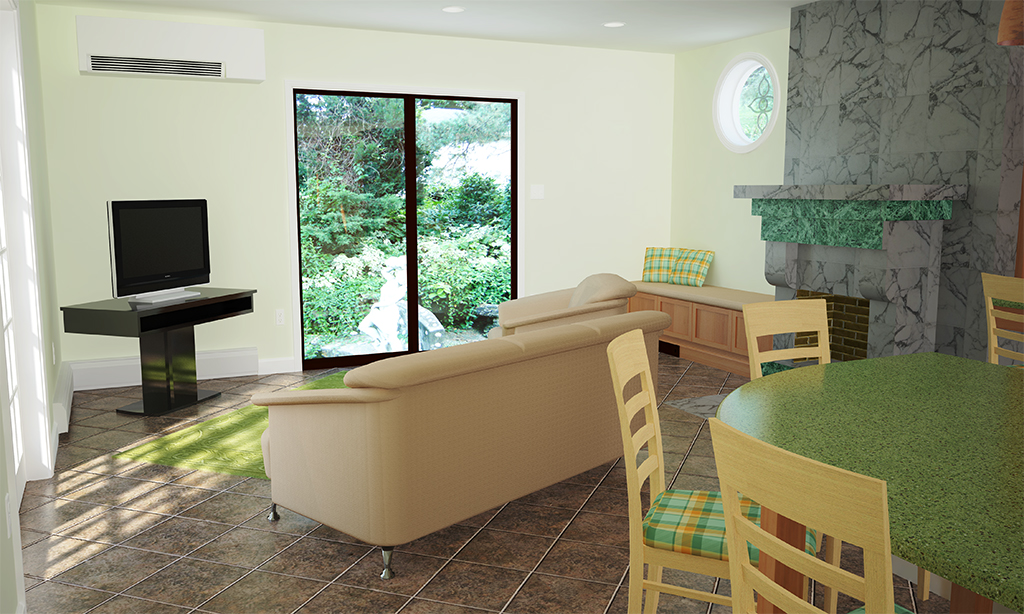
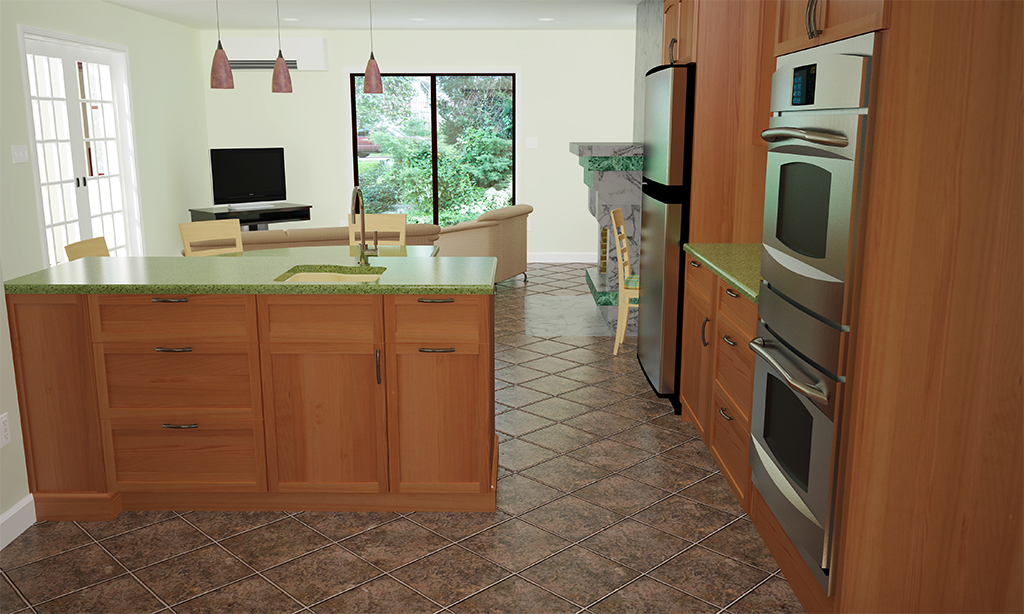
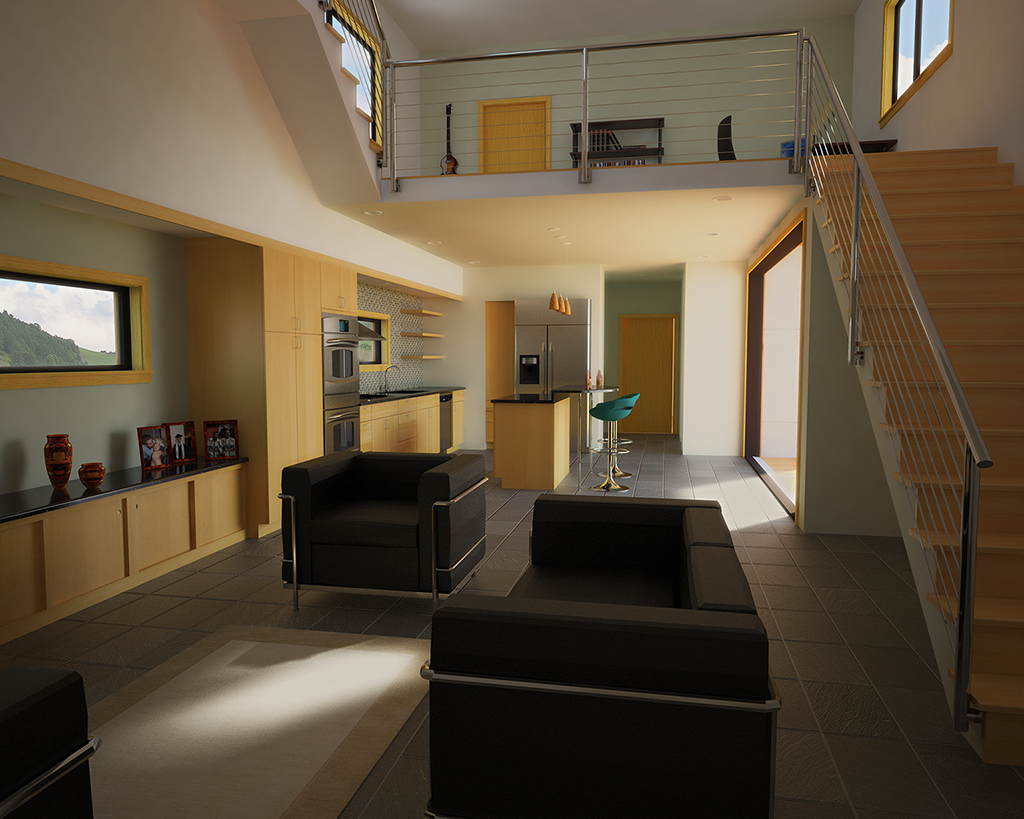
      Adam, it's just one of the off white colors on the door and the ceiling but its the walls that are bleeding onto the door and ceiling. The wall material was one of the Sherwin Williams skms posted on the forum awhile back, Liviable Green I believe. I wonder if adding a slight bump to the walls would help.

      Mike

      posted in Gallery
      A
      alpro
    • RE: Kitchen remodel

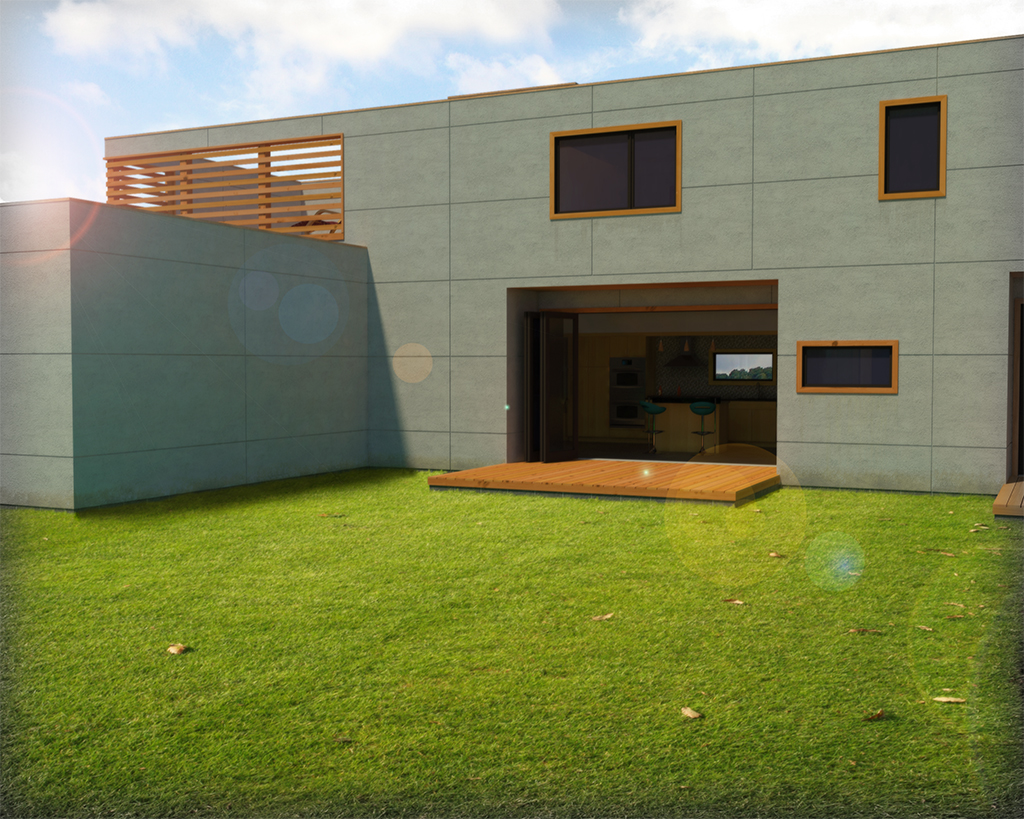
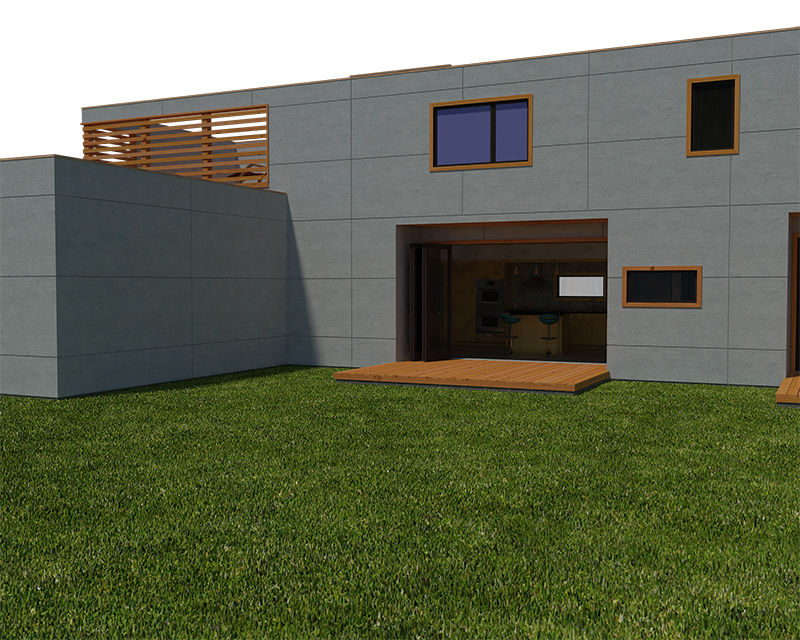
      Adam, these were rendered with Vray and I don't know why I was getting so much color bleeding, especially on that one wall and door, and the ceiling above the fridge and double oven, never had an issue with this. I tried changing some of my settings but at 6 to 7 hours per render at 4500x2700, I didn't get to keep making changes and rerendering. I also tried to fix it in photoshop but my results were similair to yours and when printed seemed to make the problem worse. As far as the exterior, I probably could fiddle with the exposure but I don't want to change the background as thats the actual view that the client would see. Thanks for the comments and if you know what setting in Vray affects color bleeding please let me know.

      Mike

      posted in Gallery
      A
      alpro
    • Kitchen remodel

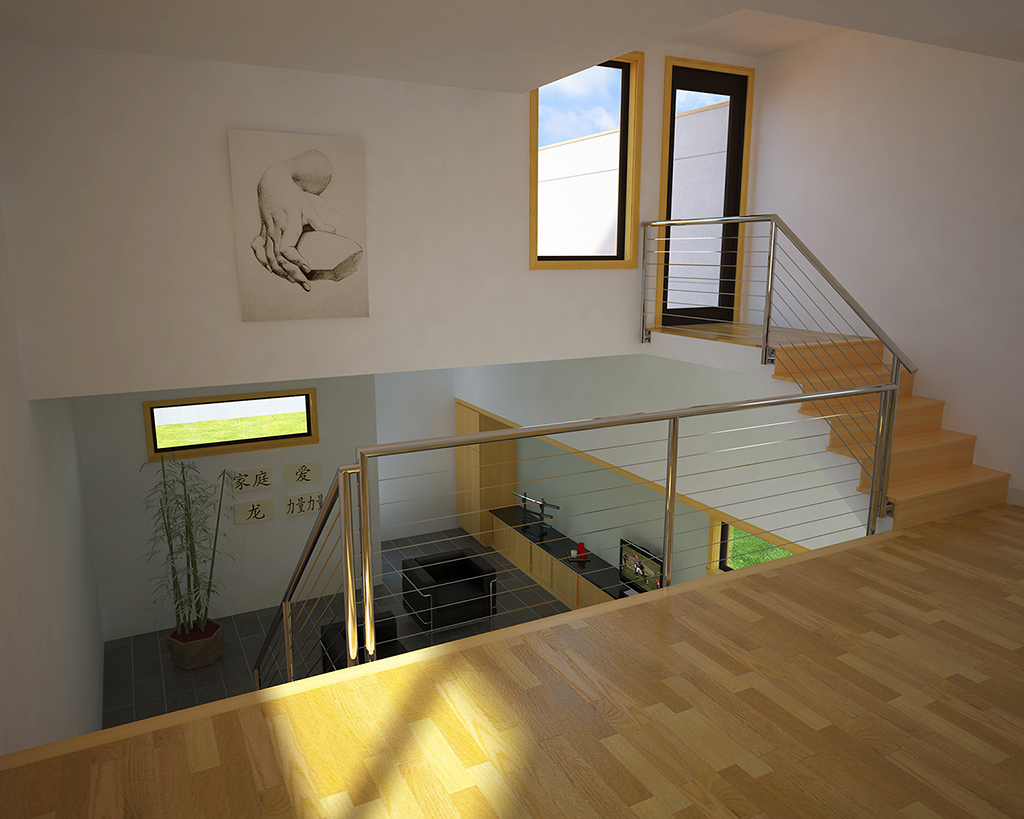
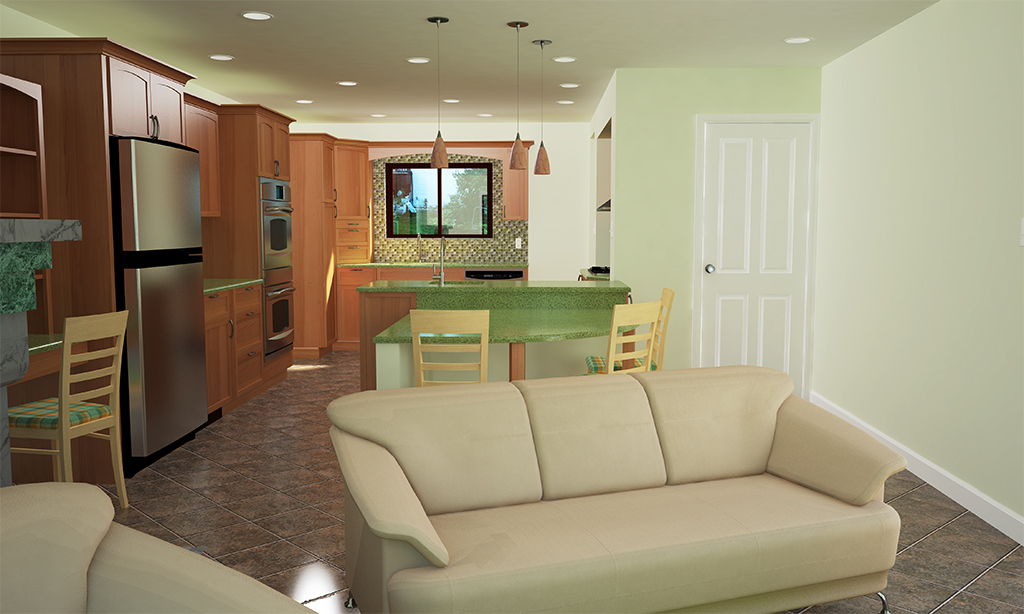
      Here are some renders of a kitchen remodel that I've been working on, would of liked to fuss with these a little more cause somethings quite not right but can't put my finger on it. Anyway, an interesting project for me cause not only did I get to do the modeling and rendering, I did the actual design, helped in material selection (client wanted a very green project), did the construction drawings, and helped in the selection of a contractor. The green part, all existing interior doors, appliances, cabinets are being donated to a second hand material supplier to keep job debris going to the dump to a minimum, the insulation is Icyene LD R 50 spray foam (made from castor plants), the gypsum board is Serious Materials EcoRock, the paint is a Sherwin Williams low VOC product, the cabinets are Greenway Cabinetry Breathe Easy cabinets (made from FSC certified plywood and bamboo faces and doors constructed with no formaldyde glues and low VOC finishes), the flooring is Crossville Ecocycle tile (made with recycled glass, the countertops are Vetrazzo (also made with recycled glass), the tile backsplashes are Hakati Asland Series (also recycled glass), the recessed lighting is Energy Star rated Juno LED cans, the faucets are Deltas 1.5 gpm,the ac system is a high effiency Mitsubishi, and all the new appliances are Energy Star rated. Sorry for the long post but like I said this was a very interesting project for me and the first that was so green. Any and all c&c on the renders and design much appreciated.

      Mike

      Scene_1.jpg


      Scene_2.jpg


      Scene_3.jpg


      Scene_4.jpg

      posted in Gallery
      A
      alpro
    • RE: [How to] make textures for rendering??

      I use photos for all my textures, either ones I've taken myself or from the web. I use Photoshop but I'm sure Gimp will work just as well. I try to start with a good base pic, not much shadow or highlight cause I have a real hard time evening out the lighting, though alot of people do a good job at it. Modelhead posted a good tutorial for making textures here on the forum awhile ago. Then I crop the part that I want to use, then the offset filter, then either or a combination of all, the clone tool, healing brush, blur tool, to make it seamless. Then if my orginal pic is big enough, I'll pick another part and repeat the whole process then combine the two seamless pics, this helps to avoid tiling. If my orginal pic isn't big enough, then I'll make same slight variations to my seamless pic and combine those two. I have trouble fully explaining myself sometimes so here is a good tut, http://www.bitbrush.com/tutorial1.html

      Mike

      posted in SketchUp Components
      A
      alpro
    • RE: Landscape Plant Packs - 68 total (update w. alphas)

      Thanks alot Adam, very generous of you.

      Mike

      posted in SketchUp Components
      A
      alpro
    • RE: V-Ray Views From Above

      I like them, they explain the site and look good. The only thing I noticed is the parking lot seems over reflective, in the second image the reflection of the white posts and the last image the reflection of the semis both seem too strong for a parking lot material.

      Mike

      posted in Gallery
      A
      alpro
    • RE: PhotoSketch launched

      Personally I don't mind new software announcements even if they're untested. Then I can download a demo and see if it fits into my work flow or if it's a waste of time. Everyones needs, work flows, and UI comforts are a little different, so even if an experienced user post a rave review about the software that they use, that doesn't mean it'll be a fit for me. However members posts still do carry some weight as right now I'm having a hard time deciding between Modo and Vue, thanks to solo and his recent gallery posts.

      Mike

      posted in Hardware
      A
      alpro
    • RE: I think I'm starting to get it.....

      Well, still can't quite get the exterior right.
      @Adam, thanks for the tips, will have to give it a try

      Mike


      Scene_2a_final copy.jpg

      posted in Gallery
      A
      alpro
    • RE: Interesting settings - Vray (visopts included)

      Yes David, I agree with you. I have quite a few interior and exterior scences of this model that I've already rendered with my settings so when I have a chance today or tonight I'm gonna render some with these settings at the same resolution and on the same machine. As far as displacement, I usually don't use it much however wanted to see if I could create some realistic grass for this scene. And as far as patience, it rendered over night while I was sleeping so no big deal, don't think I could of waited that long during the day.

      Mike

      posted in V-Ray
      A
      alpro
    • RE: Music Video created in Sketchup

      Thanks for posting, pretty cool use of SU and I even liked the music.

      Mike

      posted in Corner Bar
      A
      alpro
    • RE: Interesting settings - Vray (visopts included)

      Well, after a first test this is what I got. Rendering this scene @1600x1200 with my settings took 10 hrs (and I screwed up, forgot to save the orginal, just got the postpro version), I believe the long render time is due to the grass displacement. Using your SRveryhigh settings @2560x2048 cut the render time down to 4hrs, however I got alot of blotchiness and some color bleed looking into the interior but I did notice some more detail in the stucco, in my orginal it was just a kinda washed out gray. So I will do some more tests today and post both renders and times.

      Mike


      Test_1 copy.jpg

      posted in V-Ray
      A
      alpro
    • RE: Interesting settings - Vray (visopts included)

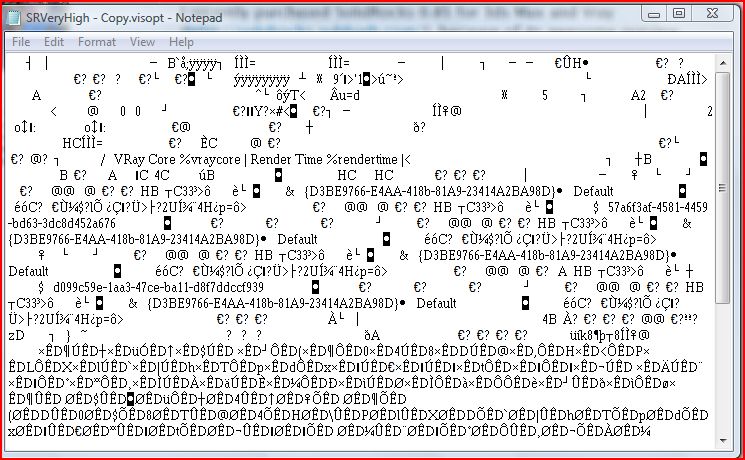
      Adam, don't know if its because maybe I don't have the font that you used or something else but below is what I get when I open your files, hope to figure it out, was looking forward to running some tests, just got done with an exterior scene that took 10 hrs, wanted to compare it with one of your settings.

      Mike


      Capture.JPG

      posted in V-Ray
      A
      alpro
    • RE: I think I'm starting to get it.....

      Wow, thanks for all the comments guys, really means alot coming from all the pros here.
      @artisan, vray was the renderer and a total of about 25hrs to model(each room in the home is complete),texture, and adjust materials, the renders took about 1 1/2 hrs each, which I could live with considering almost every surface in these scenes has some reflection on it.
      @edson, its vray but I've still been using Podium also, can't wait for V2.
      @chango, I will post my vispot when I get on my other machine.

      I have two exterior scenes that I'll post when I'm done photoshoping, for whatever reason the exterior scenes seem to really be giving me some problems, either too bright, not bright enough, shadows too hard or too soft, and the render times were off the charts, definitely have to adjust some settings.

      Mike

      posted in Gallery
      A
      alpro
    • RE: Interesting settings - Vray (visopts included)

      Thanks Adam, I've really been beating my head against vray the last two weeks trying to get a good ratio between speed and quality. I think that I've had some success with an interior, but still running into some problems on the exterior. Definitely gonna do some tests tonight, have been doing alot of rendering lately so I can make some comparisons. Will report back.

      Mike

      posted in V-Ray
      A
      alpro
    • RE: I think I'm starting to get it.....

      Thanks for the replys, I have 2 exterior renders cooking right now, and I think I'm gonna redo these two with different backgrounds and a better leather texture. Though I was hoping for some more c&c as I have a few interviews for a couple local firms for some arch viz work and I was gonna use this set as part of my portfolio.

      Mike

      posted in Gallery
      A
      alpro
    • RE: Where did the "ding" come from?

      Do you have housebuilder ruby installed, if so that's it. Somewhere on this forum were some lines of code to fix it.

      Mike

      posted in SketchUp Discussions
      A
      alpro
    • I think I'm starting to get it.....

      or I've been looking at these too long and after seeing Eye Candy 3 I was even hesitant to post. So any and all c&c much appreciated, I know my walls are a little blotchy. Thanks

      Mike


      Scene_4_final copya.jpg


      Scene_6a_final copya.jpg

      posted in Gallery
      A
      alpro
    • RE: 2012

      Stinkie and Alan, I agree with both of you. Almost everything, including religion, if taken to an extreme will not have the desired effect.

      Mike

      posted in Corner Bar
      A
      alpro
    • RE: 2012

      I really didn't want to get involved in this discussion but have to add my two cents just to see what kind of replys I get. Yes I'm a believer, no, not hard core, I won't quote any bible scriptures, and I do struggle with this issue sometimes which gets me looking at both sides. However it's always the science that seems to bring me back to my faith. Yes creatures evolve, its a survival mechanism to deal with changing enviroments but why are we the only creatures that have evolved to this point and how was it possible? Science even has a little problem explaining this.
      "Using tools has been interpreted as a sign of intelligence, and it has been theorized that tool use may have stimulated certain aspects of human evolution—most notably the continued expansion of the human brain. Paleontology has yet to explain the expansion of this organ over millions of years despite being extremely demanding in terms of energy consumption. The brain of a modern human consumes about 20 watts (400 kilocalories per day), which is one fifth of the energy consumption of a human body."
      My other point would be whether you're a believer or not, I don't see a problem living your life using the bible as a guide line, the ten commandments, loving your neighbor, turning the other cheek, and so on, could make the world a better place.

      Mike

      posted in Corner Bar
      A
      alpro
    • RE: [Request] Decorative Corbel

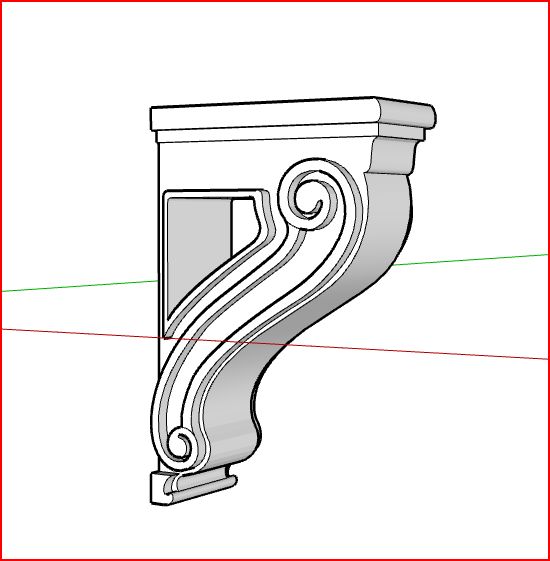
      Here's one, hope it works for ya.

      Mike


      Capture.JPG


      corbel1.skp

      posted in SketchUp Components
      A
      alpro
    • 1
    • 2
    • 13
    • 14
    • 15
    • 16
    • 17
    • 25
    • 26
    • 15 / 26