damn ely862me that was quick. I saw you had some models for sale, ever think about selling a video tut for modeling things like this? I know I would be interested in something like that.
Mike
damn ely862me that was quick. I saw you had some models for sale, ever think about selling a video tut for modeling things like this? I know I would be interested in something like that.
Mike
No that's not it Jeff, the model already has photo texture 38#2, 38#3, and so on in it already. What I was doing was exporting each texture one at a time, deleting it, purging, and then importing the texture to reapply. For whatever reason when exporting say texture 38#2 SU is not picking up anything after the 38, renaming it in the material editor doesn't help either, it has to be renamed on export. Would like to hear valkamas exact steps of how he textured this, was it all photo matched or did he do something else in the process.
Mike
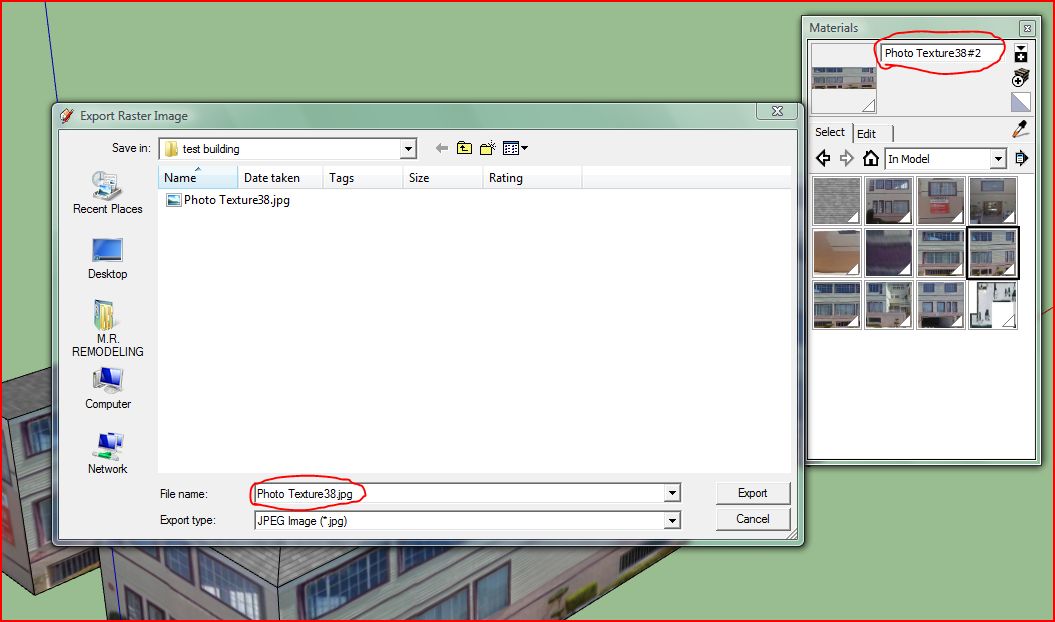
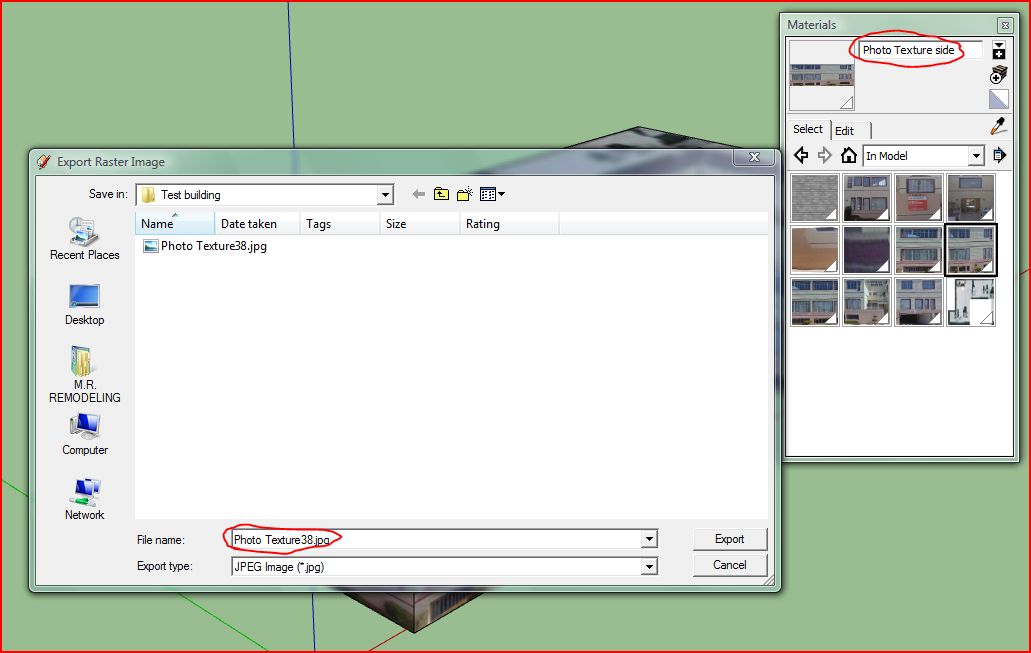
I think it has something to do with the way photo match handles or names textures. I was able to export to 3ds with textures. What I had to do was export a texture one at a time, then delete in the model, then import it and reapply to a face, it then exported fine. But what I noticed was some textures were named photo texture 38, photo texture 38#2, photo texture 38#3, and so on but when I would export texture 38#2 or 38#3 it didn't pick up the # after the 38, it would just say photo texture 38 already exists, do you want to replace it?, so I would have to rename it.
Mike
Wow that's strange, couldn't get an export in 3ds or obj no matter what settings I used. Even copy pasted into a new file, purged model, grouped, exploded. Where the textures photo matched?, I've never ran into this problem but I don't really use photo match.
Mike
Those look great tom but I sure wish I knew what was up with that damn chair.
Mike
I think that you didn't get many replies because you just weren't specific enough about exactly what you needed. There are many different ways to get an animation out of SU, tools and plugins that can be used, just depends on what you need for a finished product. What you could do is export a series of jpgs at whatever resolution you need and then stitch those together using some other video editing software. If you use a pc, windows movie maker would do, there's also free programs like Virtual Dub.
Mike
I think it's typical, the front grill (light placement) is a little unusual but the body is the typical suv "crossover". It seems that all new vechiles are made with a cookie cutter system, no "style". Back in the day you could tell a vechiles make and model by its body or even just the taillights. Granted they were gas guzzlers, weren't as safe, and didn't have all the bells and whistles but they each had their own "style".
Mike
Wow, that first one is really great. Like majid said, a good asphalt texture and change the dof, somehow doesn't seem right, and it would be hard to tell it apart from a photo.
Mike
Looks good especially for just starting with Kerkythea but I would work on the camera angles, kinda distracting the way they are now.
Mike
Hi, its at the end of the first post here, http://forums.sketchucation.com/viewtopic.php?f=323&t=18210
Mike
Well Team USA and Team Canada for the gold Sunday, should be a good game.
Mike
Just my thoughts, I think it works if the pale blue areas are the focus of the design because as I look around my eyes keep getting drawn back to those areas, if it isn't the focus then it's a little distracting.
Mike
red-shift, sorry if what I said was alittle confusing. I didn't add the pebble post pro, I did make a material by taking a picture of the mat, there was no grout at the time, in PS I just used a fill color behind the picture. This made grout lines perfect with the pebble when in reality the grout actually came up the pebbles some so you actually saw more of the grout and less of the pebble, hope that makes sense.
Mike
Thanks for the comments, this is what I'm looking for to help improve my renders. As for the exposure at the window, I did have one that I applied diffuse glow to, to try and get that blown out look but it just didn't seem right to me, maybe I used too much glow, should of did it using another technique, or thats how it would look for real. The pebble floor comes in 12"x12" mats so it is a little repetitive, all I did was take a picture and in PS fill it behind with a dark gray for the grout, however when we installed it, I did notice that you saw alot more of the grout and alot less of the pebble so maybe that has something to do with it.
Mike
nomeradona, these are very nice, I always like your renders. What are your thoughts of the new Vray, I haven't upgraded yet? Also can you share your material settings for the lamp, I always seem to have a problem with chrome type materials and the way they reflect.
Mike