works fine for me
Oops, your profile's looking a bit empty! To help us tailor your experience, please fill in key details like your SketchUp version, skill level, operating system, and more. Update and save your info on your profile page today!
Urasik Extensions | Lots of new extensions to check out Learn More
 Offline
Posts
-
Exporting panoramas from SketchUp
A new video tutorial on exporting 360 panoramas from SketchUp to build QuickTime VR files you can email to others.
Be sure to choose quality of 720p (HD)
-
RE: Fragmenting(?) issue...
doesn't look like faceting to me.
looks more like a flat bevel leading off from the rim of saucer. -
RE: Transforming an array of points
If you're applying the same transform to all the points, generally you'd be better off both in performance and accuracy with changing the container entity's transform rather than changing the Points themselves.
-
RE: Learning Ruby by Writing a Working Shell?
In order to avoid using assignment rather than comparison, software devs often put the constant on the left side of the expression because it cannot be "assigned to" (properly, its not an "lvalue") so you avoid this common typo.
ie write it as:
if 6 == xwhereas (mistakenly) typing:
if 6 = xwill cause your programming language to bark at you.
-
RE: Excluding from undo stack
Arun,
Menus are transient elements so it doesn't make sense to use a persistent SU representation. And you'll start rubbing up against stuff like Undo because its kinda abusing the intended use.
You should be simply generating draw commands as needed.
-
RE: SketchUp and OSX Mavericks....
Should say I posted new builds of LightUp Analytics for Macintosh too.
LightUp updates for OSX Mavericks available here: http://light-up.co.uk
LightUp Analytics updates for OSX Mavericks here: http://lightup-analytics.com
6 releases in 1 day was .. challenging.

Adam
-
RE: SketchUp and OSX Mavericks....
I had a look at this yesterday for LightUp when I started getting reports of blank dialog windows on Macs running OSX 10.9 on Friday.
I believe most of these posts in this thread are way off the mark. I may be wrong, but I believe its nothing to do with WebDialogs looking at text strings after @ etc. I believe it is Mavericks using increasingly fine grain parallelism and in particular being much less speculative in launching CPU - and therefore power consuming tasks - which is after all the USP of 10.9.
So LightUp now runs fine on Mavericks and I posted new builds and installer (v3.0j) yesterday.
It now works on Mavericks because I procrastinate communicating with WebKit until the latest I can to ensure it really is running. Using set_file etc before this appears to simply be talking into an azure blue void.
Adam
-
RE: Volumetric visualization
Your best bet is to extract the iso-surface from your data using marching-cubes rather than generate zillions of cubes.
It would mean you could create N colored surfaces representing each of your threshold values for V.
If you're asking whether its a trivial 10 minute script. The answer is unfortunately, No.

Adam
-
OSX 10.9 Mavericks and LightUp
We've now tracked down and got a fix for the infamous blank dialogs LightUp users (and judging by the posts here, many other plugins) are seeing with Apple's brand new operating system "Mavericks OSX 10.9".
We'll push out an update (v3.0j) in the next day or so which you can download from the website.
Adam
UPDATE: LightUp v3.0j now available for downloading using your Registration Key in the Downloads area.
-
RE: Pdf to dxf/dwg converter for Mac OSX
The cool thing about PostScript (the underlying imaging model for pdf) is that it is "resolution independent" because it stores text and diagrams as Geometry. You can scale it up as much as you like, and it will always be totally crisp.
However, PostScript (and therefore pdf) can also embed regular pixel images that have a fixed resolution.
If you find a pdf that is "fuzzy", in all likelihood, you've simply got a pdf containing an image.
And what that means, is you cannot convert it to a (geometric format) like dxf.
Adam
-
RE: LightUp v3.0 launched
Hi,
I've written up a roundup of some of the new features in LightUp v3 with some pretty pics too!
Its available here: New Features of LightUp v3
Let me know if you have questions.
Adam
-
Daylight room
Inspired by a V-ray render posted by Gustavo Chagas, this model uses just area emitters to give a muted feel to the room.
SU2013 + LightUp v3.0Render time: 1min 35sec.
Short realtime vid here: http://www.youtube.com/watch?v=o2oNkxPxITo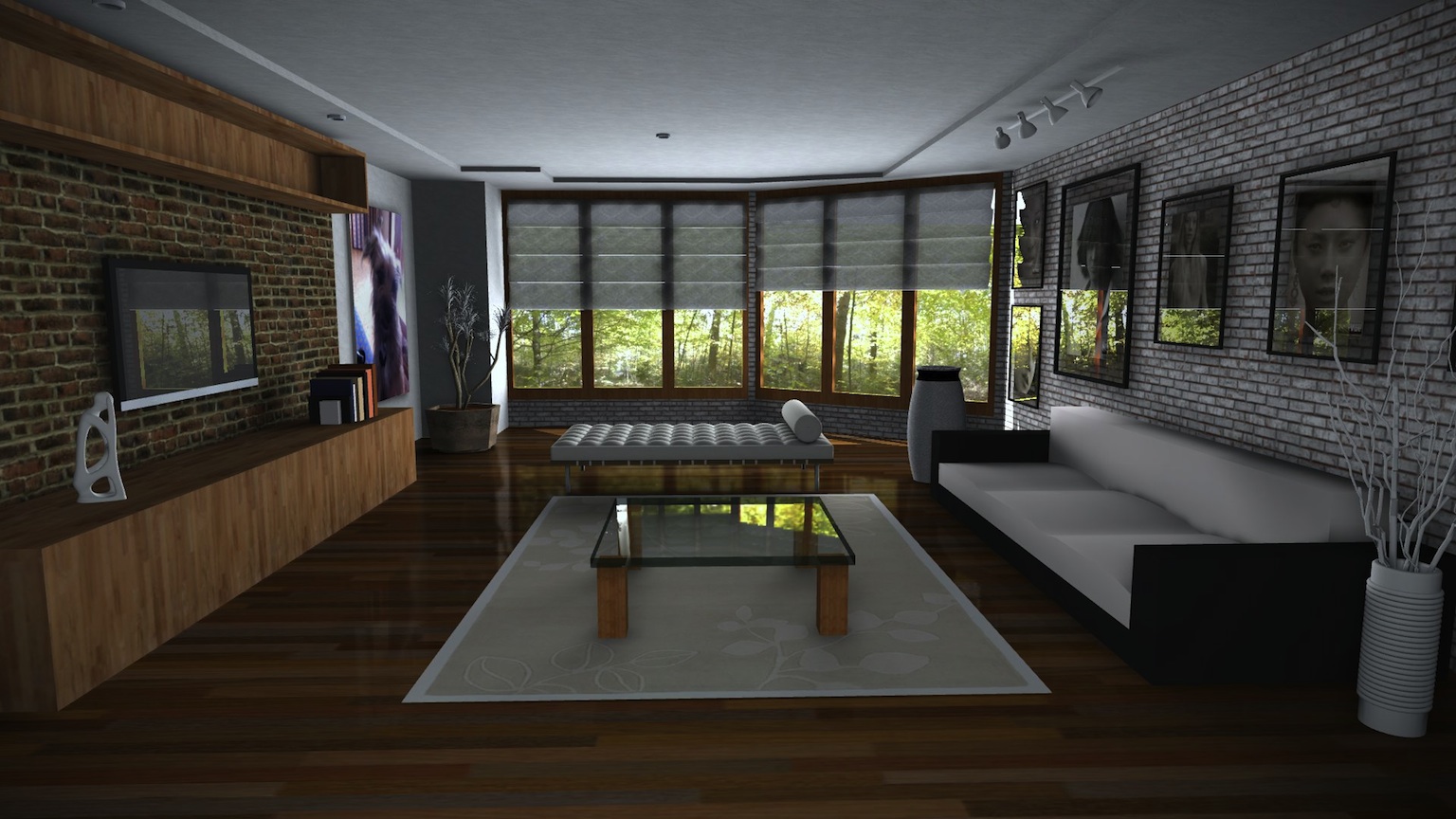
-
RE: LightUp v3.0 launched
@unknownuser said:
Amazing!

Allways the same technic ? Precalculated lights of the scene then walkthrough ?
Yes, but more features!
LightUp can do GPU-based realtime lighting (like Lumion etc), or you can bake the lighting. It really depends on what you want.
Also added a simple raytracer embedded inside the Preferences dialog which can give you a quick preview thumbnail without needing to run the whole lighting process:
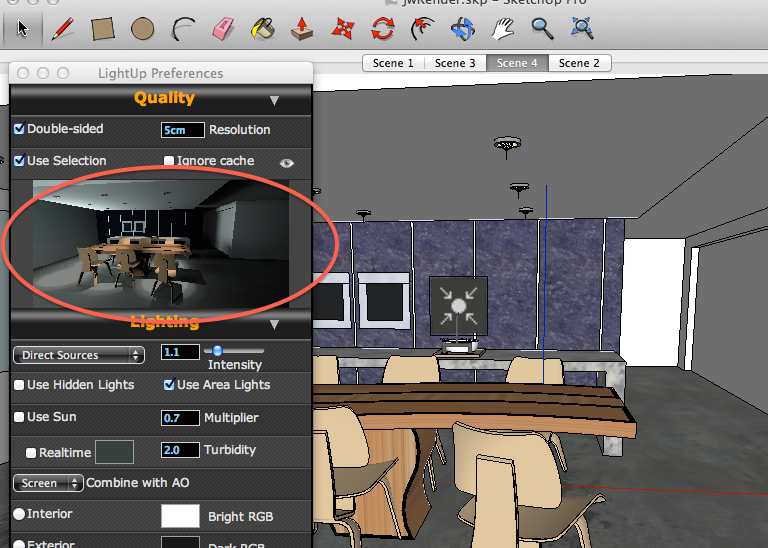
The dull sounding "No Backface culling" is pretty neat too. You may want to model with backface culling (ie just showing Front faces) but when it comes to plants and foliage in particular, it looks horrible to 'lose' half your foliage. Enabling "No Backface culling" for that Group means you get the density but keep the performance.
-
LightUp v3.0 launched
LightUp v3.0 has been launched offering a range of new features.
- New optimized engine is 30% faster on Windows
- Offers Vertex lighting mode for fine detailed meshes
- No Backface cull mode per object
- Lambert-Beer transparency
- Color control of outline stroking (Styles)
- Streamlined menu system
- Updated multi-layer Collada export
- Rectangular luminous openings for IES lights
- Improved Image-based lighting
- Enhancements and bugs fixes
Website: http://light-up.co.uk
Be sure to choose quality of 720p (HD)
-
RE: IE and Safari still the only browsers that work?
For plugin dialogs, SketchUp currently only uses WebKit (Safari) on Mac and IE on Windows.
However, opening a URL such as the warehouse will use whatever you've set as the App to open that kind of content. Guess you've got FF as the app used to open .html files.
Adam
-
RE: Light Emitting
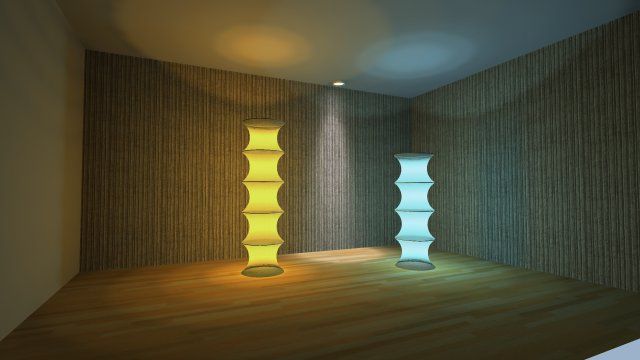
Applying a light emitting material is going to emit light evenly in all directions, giving a 'flat' look.
I think you'll want to build a translucent shade and add some interior PointLights to shine through and give more graded shading.
Something like this:
-
RE: Trying to sort scenes by alphabetical order..Need Help!
Following this thread, I wonder whether the OP would be better off just caching each Scene in a convenient format and simply filling the existing Scenes as 'buckets' - rather than creating and destroying objects all the time.
So simply set attributes, names, camera etc etc for each.
Adam
-
RE: Webdialogs for SketchUp ......RIP!
Dave,
Marshalling parameters and providing some glue to call a C function isn't the problem - though I'm sure SWIG does a great job.
The 'heavy lifting' is around exposing underlying C++ entities as first class objects in your chosen host language.
Adam
