sketchucation logo sketchucation
    • Login
    Oops, your profile's looking a bit empty! To help us tailor your experience, please fill in key details like your SketchUp version, skill level, operating system, and more. Update and save your info on your profile page today!
    ⚠️ Important | Libfredo 15.6b introduces important bugfixes for Fredo's Extensions Update

    Push and pull tool

    Scheduled Pinned Locked Moved Newbie Forum
    sketchup
    19 Posts 12 Posters 3.8k Views 12 Watching
    Loading More Posts
    • Oldest to Newest
    • Newest to Oldest
    • Most Votes
    Reply
    • Reply as topic
    Log in to reply
    This topic has been deleted. Only users with topic management privileges can see it.
    • GaieusG Offline
      Gaieus
      last edited by

      Very witty, Jean!
      πŸ˜„

      Gai...

      1 Reply Last reply Reply Quote 0
      • EdsonE Offline
        Edson
        last edited by

        this a great tut, jean. very useful indeed.

        gai, we should move jean's tuts to the tutorials section, don't you think so?

        edson mahfuz, architect| porto alegre β€’ brasil
        http://www.mahfuz.arq.br

        1 Reply Last reply Reply Quote 0
        • GaieusG Offline
          Gaieus
          last edited by

          @unknownuser said:

          this a great tut, jean. very useful indeed.

          gai, we should move jean's tuts to the tutorials section, don't you think so?

          I agree, Edson!
          And don't forget that both you and Jean are mods who can easily do this!
          πŸ˜„

          Gai...

          1 Reply Last reply Reply Quote 0
          • EdsonE Offline
            Edson
            last edited by

            no, i do not forget that. i am just not sure how to do it.

            edson mahfuz, architect| porto alegre β€’ brasil
            http://www.mahfuz.arq.br

            1 Reply Last reply Reply Quote 0
            • GaieusG Offline
              Gaieus
              last edited by

              Hm...

              It's quite easy, Edson! See here:
              http://www.sketchucation.com/forums/scf/viewtopic.php?f=20&t=756

              πŸ˜„

              Gai...

              1 Reply Last reply Reply Quote 0
              • EdsonE Offline
                Edson
                last edited by

                gotcha.

                edson mahfuz, architect| porto alegre β€’ brasil
                http://www.mahfuz.arq.br

                1 Reply Last reply Reply Quote 0
                • TIGT Offline
                  TIG Moderator
                  last edited by

                  I wrote a random pushpull script ages ago - it's still available free on Didier's site and elsewhere...

                  IF you make the max. and min. variation in the 'range' then it push/pulls the selected faces by the same amount in one go...

                  Its function with a range and allowing random or stepped amounts of push/pulling gives similar results to the 'Grebble' script that's under discussion in other threads...

                  TIG

                  1 Reply Last reply Reply Quote 0
                  • S Offline
                    SchreiberBike
                    last edited by

                    Jean (Johnny) Lemire,

                    You have a gift for making what seems impossible easy.

                    Thanks!

                    1 Reply Last reply Reply Quote 0
                    • bradB Offline
                      brad
                      last edited by

                      Hi All,

                      You could also used the attached Ruby script.

                      Description:
                      Push pull faces along a vector given with 2 clicks, in any direction.

                      Instruction/Usage:
                      Install:Just drop it in Plugins folder.
                      Menu: Context

                      Hope that helps.


                      pushpull_tool.rb

                      Brad
                      SketchUp QA

                      1 Reply Last reply Reply Quote 0
                      • EdsonE Offline
                        Edson
                        last edited by

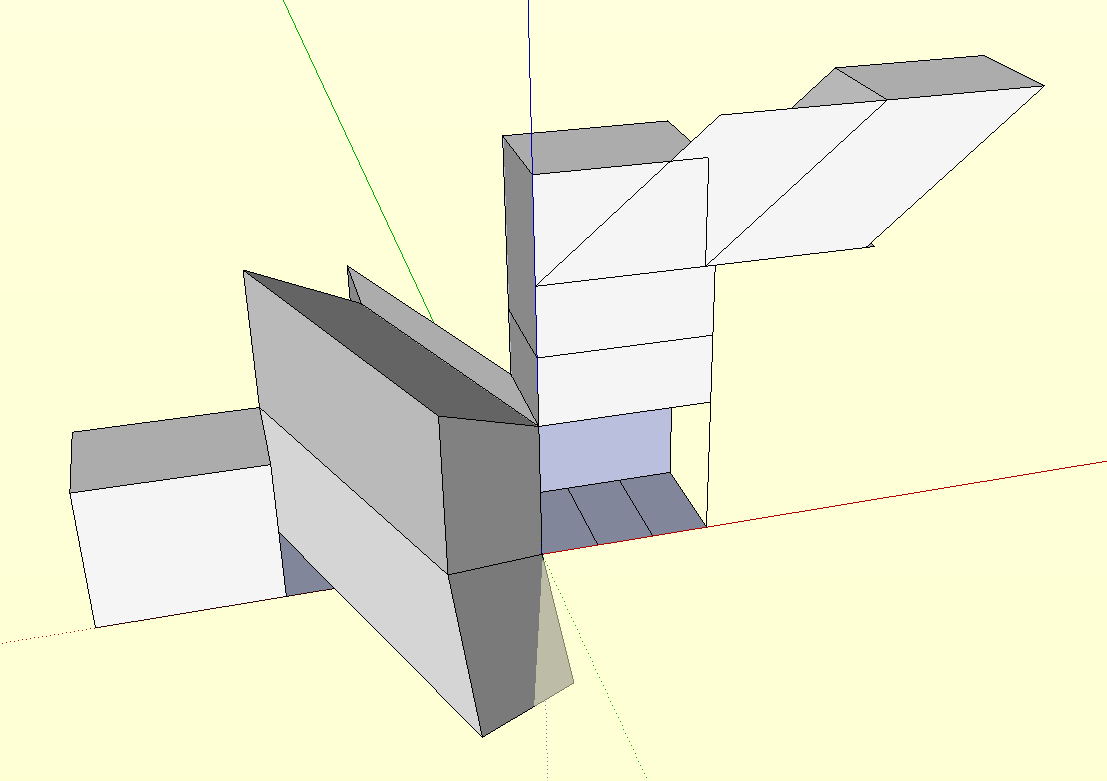
                        thanks, brad. indeed, it allows one to push-pull in directions the straight tool will not allow. i played with it for a short while and came across some unexpected results, like being able to copy a face along one of its sides (see attached).

                        i wonder if anyone who has been using it for some time can tell us some practical ways to use it.

                        Picture 20.png

                        edson mahfuz, architect| porto alegre β€’ brasil
                        http://www.mahfuz.arq.br

                        1 Reply Last reply Reply Quote 0
                        • F Offline
                          Fletch
                          last edited by

                          why not just use the "push/pull multiple faces" ruby for this? That's what I use πŸ˜‰

                          Fletch
                          Twilight Render Cross-platform Plugin for SketchUp on PC or Mac

                          1 Reply Last reply Reply Quote 0
                          • 1 / 1
                          • First post
                            Last post
                          Buy SketchPlus
                          Buy SUbD
                          Buy WrapR
                          Buy eBook
                          Buy Modelur
                          Buy Vertex Tools
                          Buy SketchCuisine
                          Buy FormFonts

                          Advertisement