Push and pull tool
-
TRUE. WAS ASSUMING. silly.
-
-
@jean lemire said:
I folks.
See attached SU file for ideas.
Jean,
Once again you proved to obtain a solution with basic SU tools, great!!
We tend to forget the possibilities of more 'complex' ++ or +/- selections with Crtl and Shift.
Thanks for sharing.(Wo3Dan)
-
Very witty, Jean!

-
this a great tut, jean. very useful indeed.
gai, we should move jean's tuts to the tutorials section, don't you think so?
-
@unknownuser said:
this a great tut, jean. very useful indeed.
gai, we should move jean's tuts to the tutorials section, don't you think so?
I agree, Edson!
And don't forget that both you and Jean are mods who can easily do this!
-
no, i do not forget that. i am just not sure how to do it.
-
Hm...
It's quite easy, Edson! See here:
http://www.sketchucation.com/forums/scf/viewtopic.php?f=20&t=756 -
gotcha.
-
I wrote a random pushpull script ages ago - it's still available free on Didier's site and elsewhere...
IF you make the max. and min. variation in the 'range' then it push/pulls the selected faces by the same amount in one go...
Its function with a range and allowing random or stepped amounts of push/pulling gives similar results to the 'Grebble' script that's under discussion in other threads...
-
Jean (Johnny) Lemire,
You have a gift for making what seems impossible easy.
Thanks!
-
Hi All,
You could also used the attached Ruby script.
Description:
Push pull faces along a vector given with 2 clicks, in any direction.Instruction/Usage:
Install:Just drop it in Plugins folder.
Menu: ContextHope that helps.
-
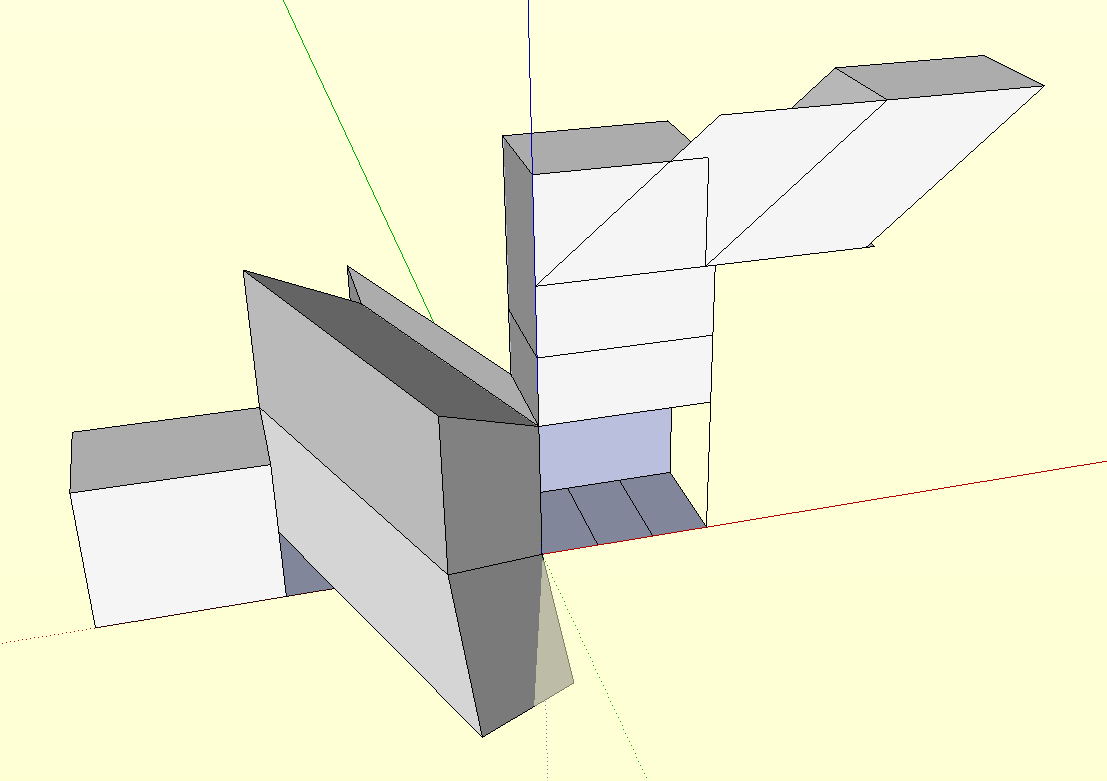
thanks, brad. indeed, it allows one to push-pull in directions the straight tool will not allow. i played with it for a short while and came across some unexpected results, like being able to copy a face along one of its sides (see attached).
i wonder if anyone who has been using it for some time can tell us some practical ways to use it.
-
why not just use the "push/pull multiple faces" ruby for this? That's what I use








Hello! It looks like you're interested in this conversation, but you don't have an account yet.
Getting fed up of having to scroll through the same posts each visit? When you register for an account, you'll always come back to exactly where you were before, and choose to be notified of new replies (either via email, or push notification). You'll also be able to save bookmarks and upvote posts to show your appreciation to other community members.
With your input, this post could be even better 💗
Register Login


Advertisement