Rayscaper New Releases
-
Sorry Pixelcruncher, that's my faulty translation... I really want to highlight Rayscaper! I love the photorealistic quality of RS's path tracing. I meant the opposite in my post and I've corrected it.
Phew
 I'm happy you like it!
 -
I made a blunder, but my post has been corrected.
-
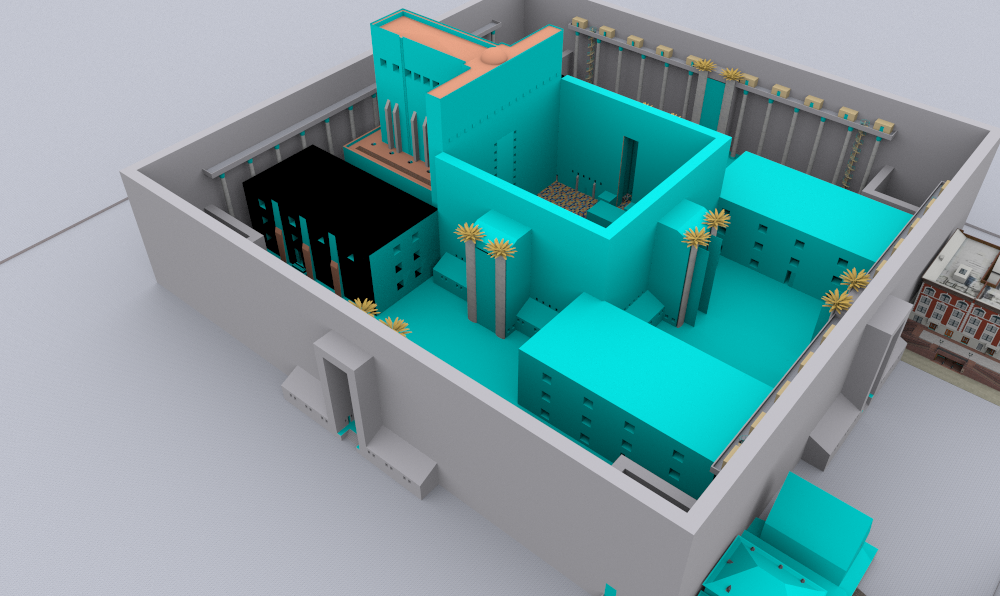
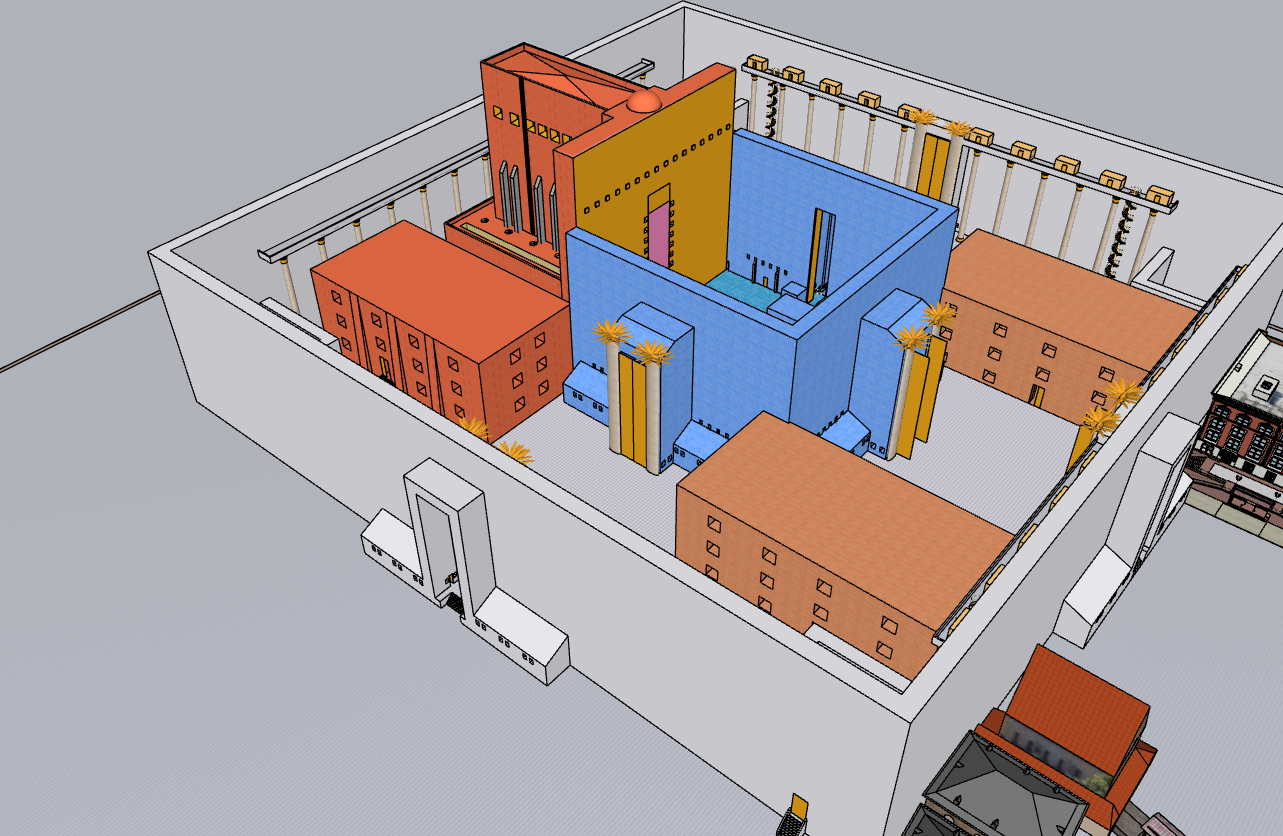
I just noticed a bug, Most files (I think it is if they were created before 2026, and I am opening them in 2026) that I open the rayscaper window in, all the faces are blue, and I have to reset every material to see the textures.
Also, One file (it is on the warehouse here https://3dwarehouse.sketchup.com/model/6e2af6cd-7fde-487b-99f4-919da24ecd11/the-original-second-temple) whenever I open rayscaper in it, sketchup just closes.
here si pictures of the first bug
-
Thanks for the bug report.
Do you mind sending me a file where the first issue happens (i.e., the faces without materials)?
For the second issue, I can reproduce this with the temple model. I will have a look at it.
Regards,
Thomas -
@pixelcruncher said in Rayscaper New Releases:
produce this wit
here is one with the bug, the stone texture does not work.
terrrain.skp -
@sashapepperspray Thanks for the scene! I can reproduce it, so that will help me fix it.
-
Hey, Rayscaper users!
Rayscaper 0.9.77 Beta is available. You can get it via:
- The SketchUcation store.
- Direct download: link.
I recommend upgrading to the latest version.
What Changed?
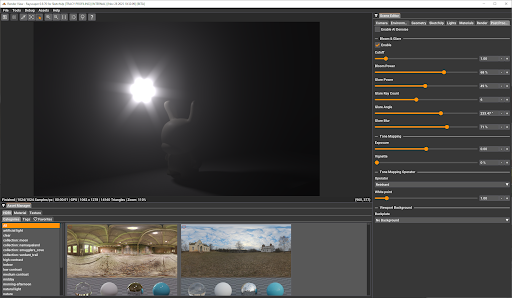
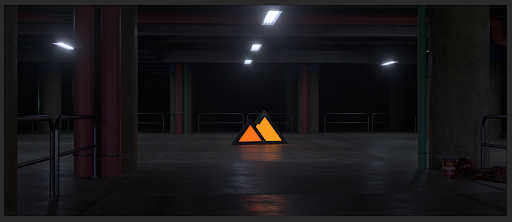
- Add Bloom and Glare post-processing effects. Enhance your renders with cinematic quality.
- Add visual feedback for render failures. A red "RENDER FAILED" text now appears when rendering encounters errors,
making it immediately clear when something goes wrong. - GUI enhancements: Improved sliders and tooltips. Sliders now have dedicated input boxes for more precise control.
- Fix texture environment image update. Loading a new HDRI would not restart the render.
- Bugfix: Fix grayscale image display in ImGui. Grayscale images were showing as red due to improper handling of
single-channel pixel formats. - Add procedural sky environment support. You can now create realistic sky environments directly in Rayscaper without
needing HDRI images. Perfect for quick outdoor renders with physically-based sky and sun simulation. - Add SketchUp environment tracking support (SketchUp 2025 or higher). Rayscaper can now automatically track and sync
with SketchUp's environment settings. - Add PBR material support for SketchUp 2025. SketchUp 2025's new PBR materials are now supported and will
automatically convert to Rayscaper's material system with proper metallic, roughness, and normal map values. Note:
Rayscaper does not support power/scale multipliers on image textures, so if your SketchUp PBR material uses a
roughness or metallic texture with a scale value other than 1.0, that scaling will not be applied in Rayscaper. - Bring back archive creation. You can now export your complete scene, including all assets, to a zip archive for easy
sharing and backup. - Separate max depth settings by path type. Advanced users can now configure maximum ray bounce depths separately for
diffuse, glossy, and transmission paths for more control over render quality and performance. - Bugfix: Fix FloatImageTexture color space handling. Float textures (like roughness and metallic maps) now correctly
use linear color space for accurate rendering. - Bugfix: Fix noise texture deserialization. Noise textures saved in previous versions now load correctly and don't
crash Rayscaper. @sashapepperspray - This should fix the crash you saw opening your file. - Bugfix: Avoid duplicate SketchUp shadow light. The sun/shadow light from SketchUp will no longer appear twice in the
scene.
The following screenshot shows the user interface enhancements:
Render by @Rich-O-Brien using bloom & glare for more realism:
Help Me Build the Community

If you like Rayscaper, please share your renders (final or work-in-progress, it doesn't matter)! This is motivating and helps me showcase its capabilities
to new users.Follow me on https://x.com/rayscaper3d.
Happy Rendering!
Thomas -
thanks, great !
-
@pixelcruncher thank you so much!
-
I had to uninstall the extension store and I got an error message from Rayscaper.
And now I'm having the same problem again after reinstalling Rayscaper 9.77.
-
@Krass Can you post the error message from Rayscaper? Looking into this, sorry about that.
-
No, I did get a window indicating a problem loading the Rayscaper extension, but it hasn't reappeared.
Krass
-
However, I had installed it correctly without any problems before.
-
I have a question regarding material libraries. I have prepared a Carpaint collection and am also going to prepare a water material pack. The question is that if the same name materials will be replaced? i.e. a car paint in my library is called 001red. Imagine there is another material in the Sketchup model by user and called 001red, I am wondering if RS will replace the same name with my material? To be more precise: How do material libraries in RS work?
-
I must admit to being more than a little biased here, Majid's contributions in this department have been extremely helpful. Personally, I would like to see all the finish items from twilight included in Rayscaper, they would much improve the goal of simplicity with speed.
Absentia mortis praesentiam vitae probat, vita autem est argumentum constantiae.
-
@majid said in Rayscaper New Releases:
I have a question regarding material libraries. I have prepared a Carpaint collection and am also going to prepare a water material pack. The question is that if the same name materials will be replaced? i.e. a car paint in my library is called 001red. Imagine there is another material in the Sketchup model by user and called 001red, I am wondering if RS will replace the same name with my material? To be more precise: How do material libraries in RS work?
Nice, users will love those material packs!
No — naming your materials isn’t essential for Rayscaper. Names only matter for finding them in the material library. They are necessary for the user, not for the software.
Behind the scenes, Rayscaper stores each material as a material pack, which is simply a ZIP file. This pack includes a human-readable configuration file and all the texture images used by the material. I will add this format to my documentation. I hope that, in the age of AI vibe-coding, people can build tools to convert materials from other renderers into Rayscaper, and vice versa.
When you apply a material in Rayscaper to any material in your SketchUp model, Rayscaper doesn’t replace the SketchUp material. Instead, it configures the existing SketchUp material using the parameters it reads from the material pack.
You can view the material packs that Rayscaper saves in the
%%AppData%%/AssetCachefolder (the exact path escapes me, I'm not at my PC right now).Cheers,
Thomas -
I think my friend @majid requested that before as well
 He has a keen eye for this.
Given that the Twilight website is offline, is there a source where I can find these things? Maybe I can actually provide tools for using Twilight materials in Rayscaper, or at least the same templates.
-
@Krass I will have a look soon to help you out here, stay tuned.
-
are you both talking about Twilight render ?
-
@Krass said in Rayscaper New Releases:
are you both talking about Twilight render ?
Yes, @majid and @Mike-Amos are talking about Twilight render. But I'm not too familiar with it myself. But it seems to have a couple of dearly missed features?




Hello! It looks like you're interested in this conversation, but you don't have an account yet.
Getting fed up of having to scroll through the same posts each visit? When you register for an account, you'll always come back to exactly where you were before, and choose to be notified of new replies (either via email, or push notification). You'll also be able to save bookmarks and upvote posts to show your appreciation to other community members.
With your input, this post could be even better 💗
Register Login


Advertisement