sketchucation logo sketchucation
    • 登入
    Oops, your profile's looking a bit empty! To help us tailor your experience, please fill in key details like your SketchUp version, skill level, operating system, and more. Update and save your info on your profile page today!
    🔌 Easy Offset | Offset selected faces in SketchUp in positive and negative offsets. Download

    Rayscaper Alpha Version Available

    已排程 已置頂 已鎖定 已移動 Extensions & Applications Discussions
    114 貼文 14 Posters 4.4k 瀏覽 14 Watching
    正在載入更多貼文
    • 從舊到新
    • 從新到舊
    • 最多點贊
    回覆
    • 在新貼文中回覆
    登入後回覆
    此主題已被刪除。只有擁有主題管理權限的使用者可以查看。
    • Rich O BrienR 線上
      Rich O Brien Moderator
      最後由 編輯

      Here's an interior render of a guggenheim-ish type scene...
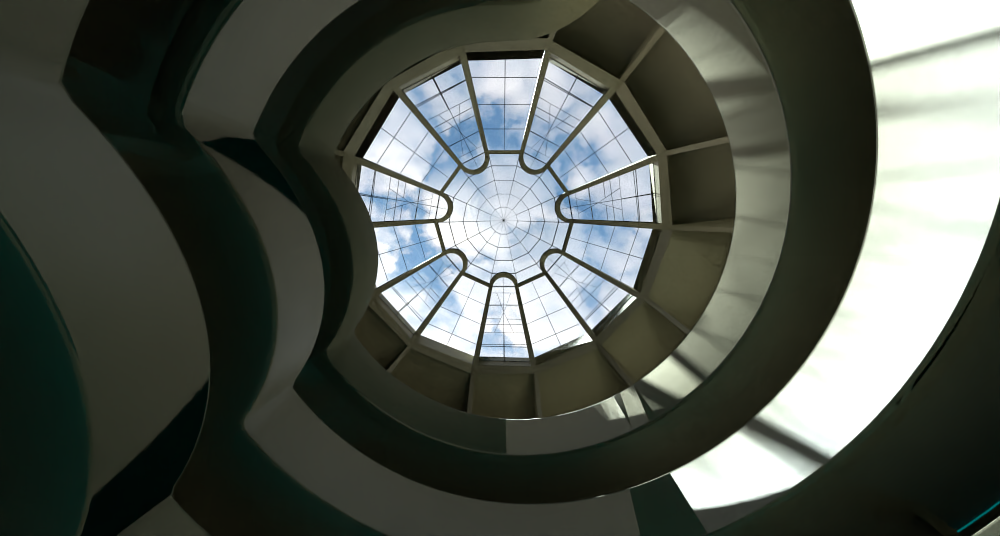
      guggenheim.png

      Rayscaper is still earlier in development so I'm reluctant to push it. It does have certain shading artifacts that I've let Thomas know about.

      But overall I think it's very capable. I love the Polyhaven integration.

      Download the free D'oh Book for SketchUp 📖

      1 條回覆 最後回覆 回覆 引用 0
      • soloS 離線
        solo
        最後由 編輯

        Is there a shadow catcher material?

        http://www.solos-art.com

        If you see a toilet in your dreams do not use it.

        1 條回覆 最後回覆 回覆 引用 0
        • ntxdaveN 離線
          ntxdave
          最後由 編輯

          Thanks Rich. I as hoping for something like a room or office setting but I understand that it is early in the cycle. Wish it would work with SU 2020.

          Press F1...thank me later

          1 條回覆 最後回覆 回覆 引用 0
          • P 離線
            pixelcruncher Extension Creator
            最後由 編輯

            @solo said:

            Is there a shadow catcher material?

            Not yet, but it's planned, should be there in a couple of weeks.

            Here's the planned road map for 1.0: https://rayscaper.com/docs/roadmap/

            Cheers,
            Thomas

            I'm the developer of Rayscaper: https://rayscaper.com/ - Fast and easy rendering for SketchUp.

            1 條回覆 最後回覆 回覆 引用 0
            • ntxdaveN 離線
              ntxdave
              最後由 編輯

              Thanks for sharing the release plans. 👍 👍

              Just hoping I will be able to use with SU 2020 and that it will be something I can afford. 😄

              Press F1...thank me later

              1 條回覆 最後回覆 回覆 引用 0
              • P 離線
                pixelcruncher Extension Creator
                最後由 編輯

                @ntxdave said:

                Thanks for sharing the release plans. 👍 👍

                Just hoping I will be able to use with SU 2020 and that it will be something I can afford. 😄

                Yes, I'm looking into supporting SU2020. It will be part of one of the upcoming releases.

                And yes, I plan to offer great software that everyone can afford. Of course with a discount for premium members.

                Cheers,
                Thomas

                I'm the developer of Rayscaper: https://rayscaper.com/ - Fast and easy rendering for SketchUp.

                1 條回覆 最後回覆 回覆 引用 0
                • P 離線
                  pc10pc Newcomers
                  最後由 編輯

                  Hi,
                  I'm on SU 21.1.332 and having the same issues with toolbar not showing up.

                  1 條回覆 最後回覆 回覆 引用 0
                  • P 離線
                    pixelcruncher Extension Creator
                    最後由 編輯

                    @pc10pc said:

                    Hi,
                    I'm on SU 21.1.332 and having the same issues with toolbar not showing up.

                    Hi,

                    Could you check if you can get it via these instructions? If that doesn’t help, send me a private message.

                    Cheers,
                    Thomas

                    I'm the developer of Rayscaper: https://rayscaper.com/ - Fast and easy rendering for SketchUp.

                    1 條回覆 最後回覆 回覆 引用 0
                    • majidM 離線
                      majid
                      最後由 編輯

                      I watched your YouTube video and seems the engine is great. Just installed and seems I have a problem. Maybe because I have no SCF plugin toolbar installed.

                      PS: it solved, I installed the SCF plugin and now I have the Rayscraper!
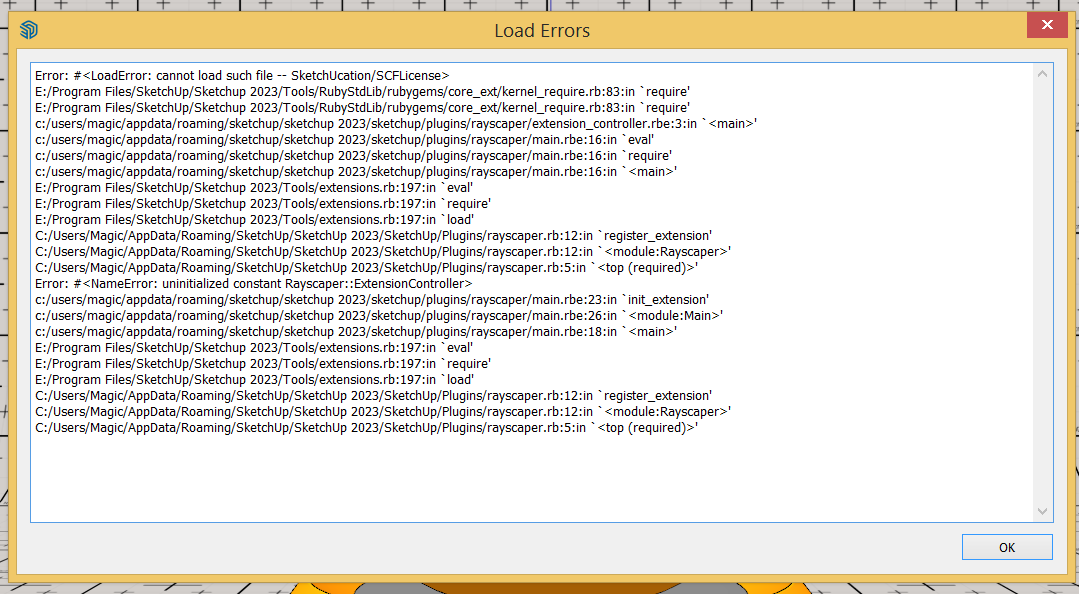

                      Capture.PNG

                      My inspiring A, B, Sketches book: https://sketchucation.com/shop/books/intermediate/2612-alphabet-inspired-sketches--inspiring-drills-for-architects--3d-artists-and-designers-

                      1 條回覆 最後回覆 回覆 引用 0
                      • majidM 離線
                        majid
                        最後由 編輯

                        It works charmingly!


                        Capture2.PNG

                        My inspiring A, B, Sketches book: https://sketchucation.com/shop/books/intermediate/2612-alphabet-inspired-sketches--inspiring-drills-for-architects--3d-artists-and-designers-

                        1 條回覆 最後回覆 回覆 引用 0
                        • Rich O BrienR 線上
                          Rich O Brien Moderator
                          最後由 編輯

                          @majid said:

                          It works charmingly!

                          I'd love to see you try this on it....

                          https://sketchucation.com/forums/viewtopic.php?f=81&t=76396&p=693038#p692999

                          Download the free D'oh Book for SketchUp 📖

                          1 條回覆 最後回覆 回覆 引用 0
                          • majidM 離線
                            majid
                            最後由 編輯

                            @rich o brien said:

                            @majid said:

                            It works charmingly!

                            I'd love to see you try this on it....

                            https://sketchucation.com/forums/viewtopic.php?f=81&t=76396&p=693038#p692999

                            Okay Rich,... I am working on it... 👍 13% progress..


                            aa.jpg

                            My inspiring A, B, Sketches book: https://sketchucation.com/shop/books/intermediate/2612-alphabet-inspired-sketches--inspiring-drills-for-architects--3d-artists-and-designers-

                            1 條回覆 最後回覆 回覆 引用 0
                            • majidM 離線
                              majid
                              最後由 編輯

                              29% without any denoising and I believe it is good enough.
                              I stopped it on 49% progress and it seems good (despite without any denoising)
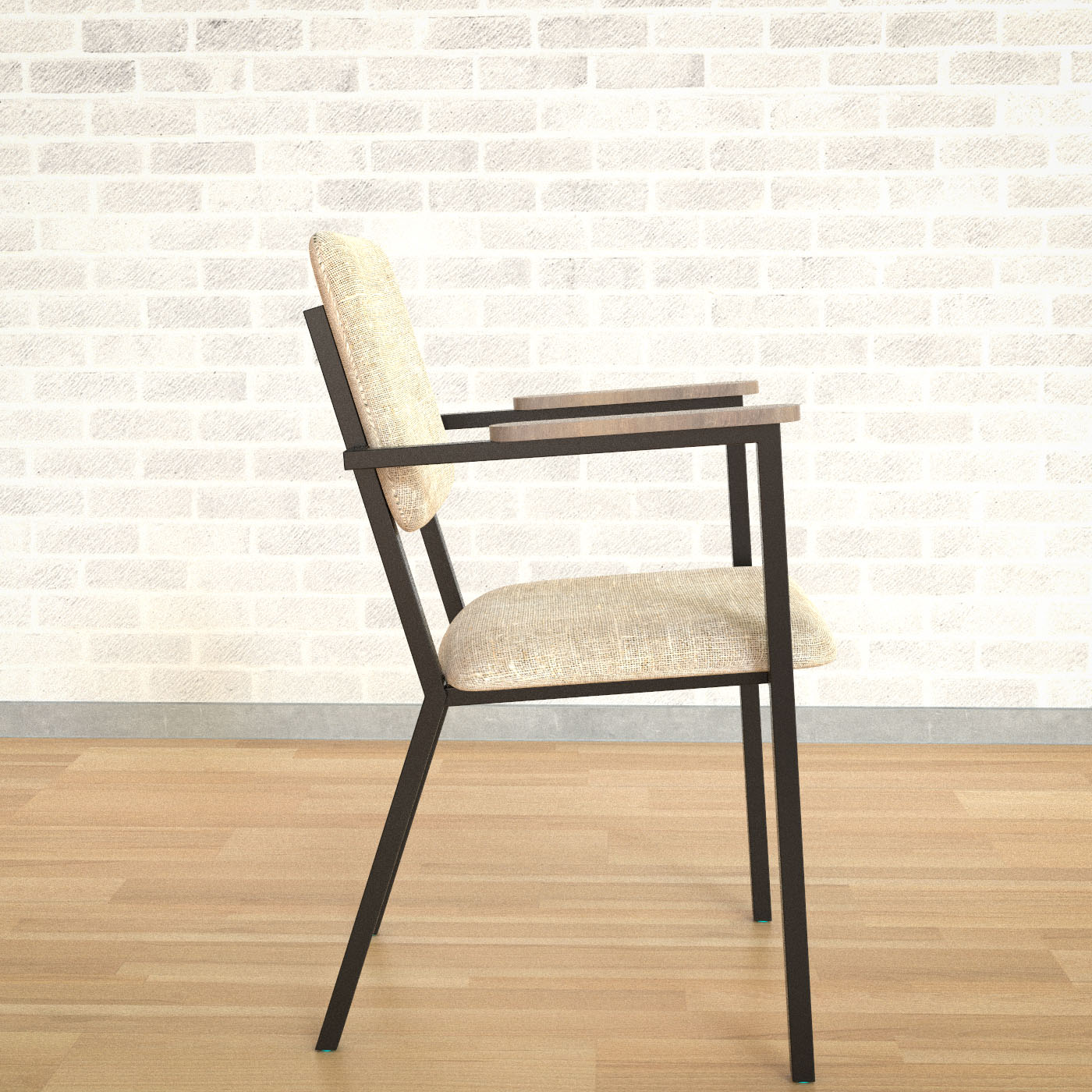

                              xx.jpg


                              49% progress

                              My inspiring A, B, Sketches book: https://sketchucation.com/shop/books/intermediate/2612-alphabet-inspired-sketches--inspiring-drills-for-architects--3d-artists-and-designers-

                              1 條回覆 最後回覆 回覆 引用 0
                              • P 離線
                                pixelcruncher Extension Creator
                                最後由 編輯

                                @majid said:

                                It works charmingly!

                                It's great to see a talented artist like you taking an interest in Rayscaper! I saw you sent me some feedback, so I will go and digest that.

                                Cheers,
                                Thomas

                                I'm the developer of Rayscaper: https://rayscaper.com/ - Fast and easy rendering for SketchUp.

                                1 條回覆 最後回覆 回覆 引用 0
                                • jo-keJ 離線
                                  jo-ke
                                  最後由 編輯

                                  due to the sunset of twilghtrender I stumbled across this new alternative.

                                  downloaded and licensed it today.

                                  looks promissing....

                                  http://www.zz7.de

                                  1 條回覆 最後回覆 回覆 引用 0
                                  • jo-keJ 離線
                                    jo-ke
                                    最後由 編輯

                                    Is there a tutorial for glass and emitter materials?

                                    http://www.zz7.de

                                    1 條回覆 最後回覆 回覆 引用 0
                                    • Rich O BrienR 線上
                                      Rich O Brien Moderator
                                      最後由 編輯

                                      @jo-ke said:

                                      Is there a tutorial for glass and emitter materials?

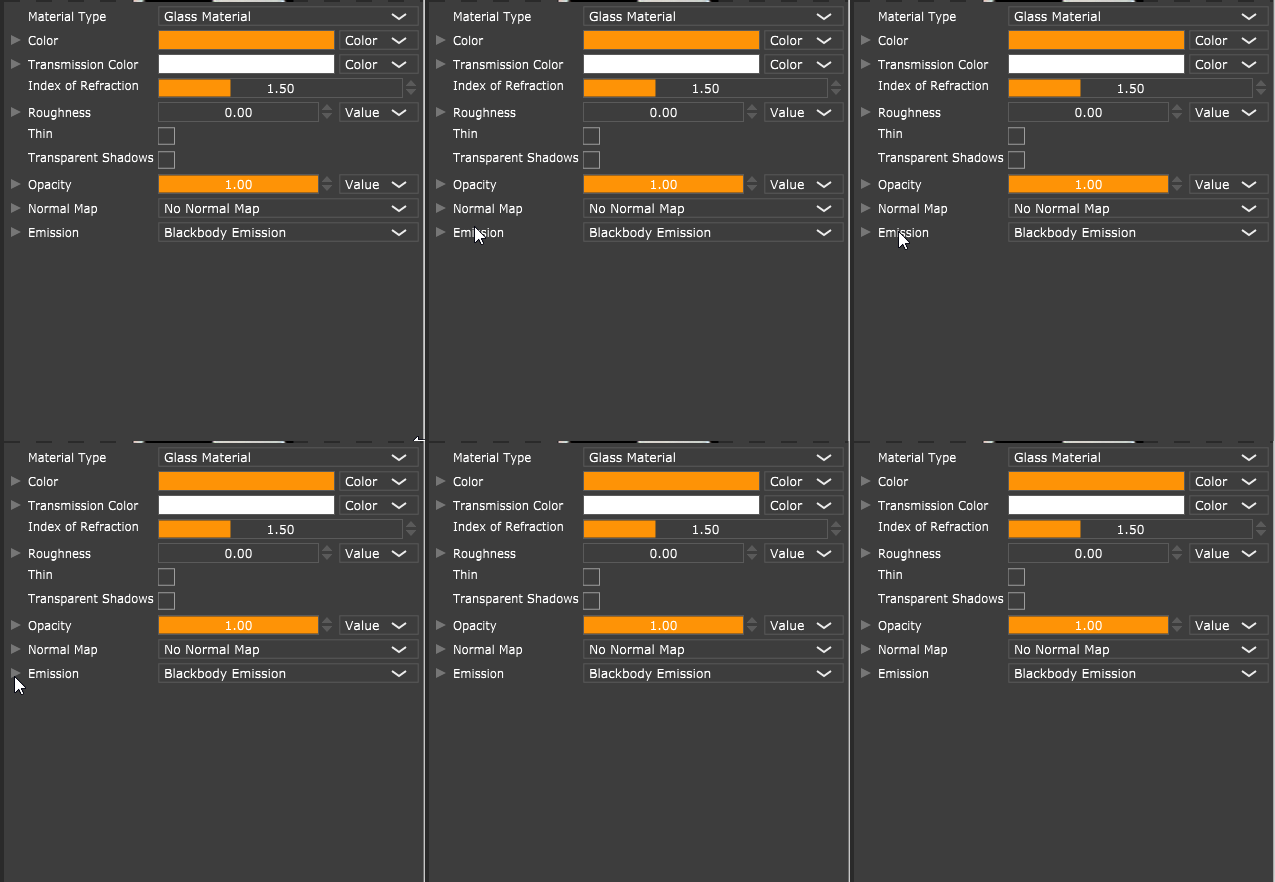
                                      It has a Glass shader in the Material Type dropdown[1]

                                      https://i.imgur.com/fijdO8c.png

                                      and for the Disney shader you can enable Emmission for geometry[2]

                                      Download the free D'oh Book for SketchUp 📖

                                      1 條回覆 最後回覆 回覆 引用 0
                                      • jo-keJ 離線
                                        jo-ke
                                        最後由 編輯

                                        Thank you: glas, is solved.

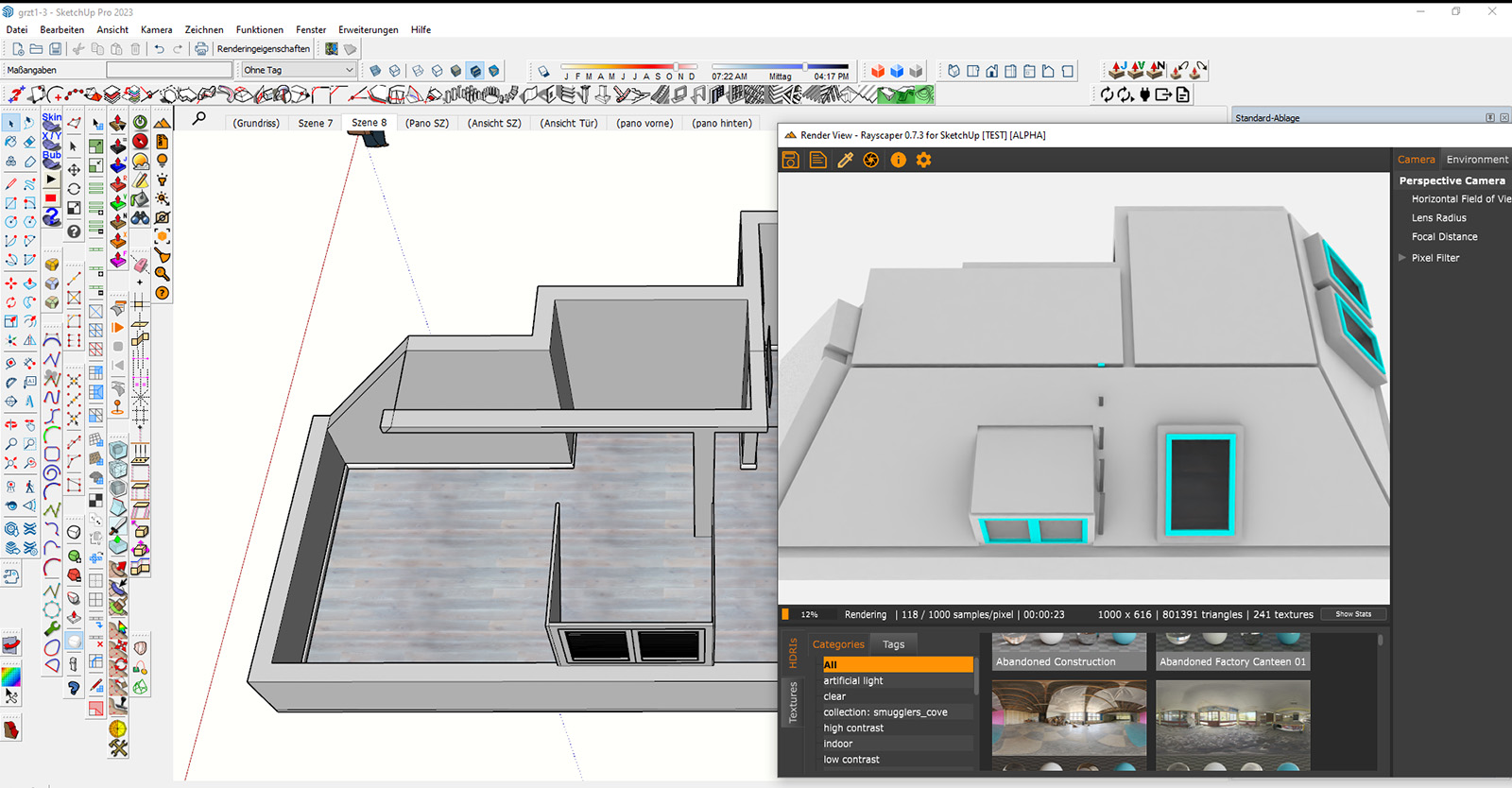
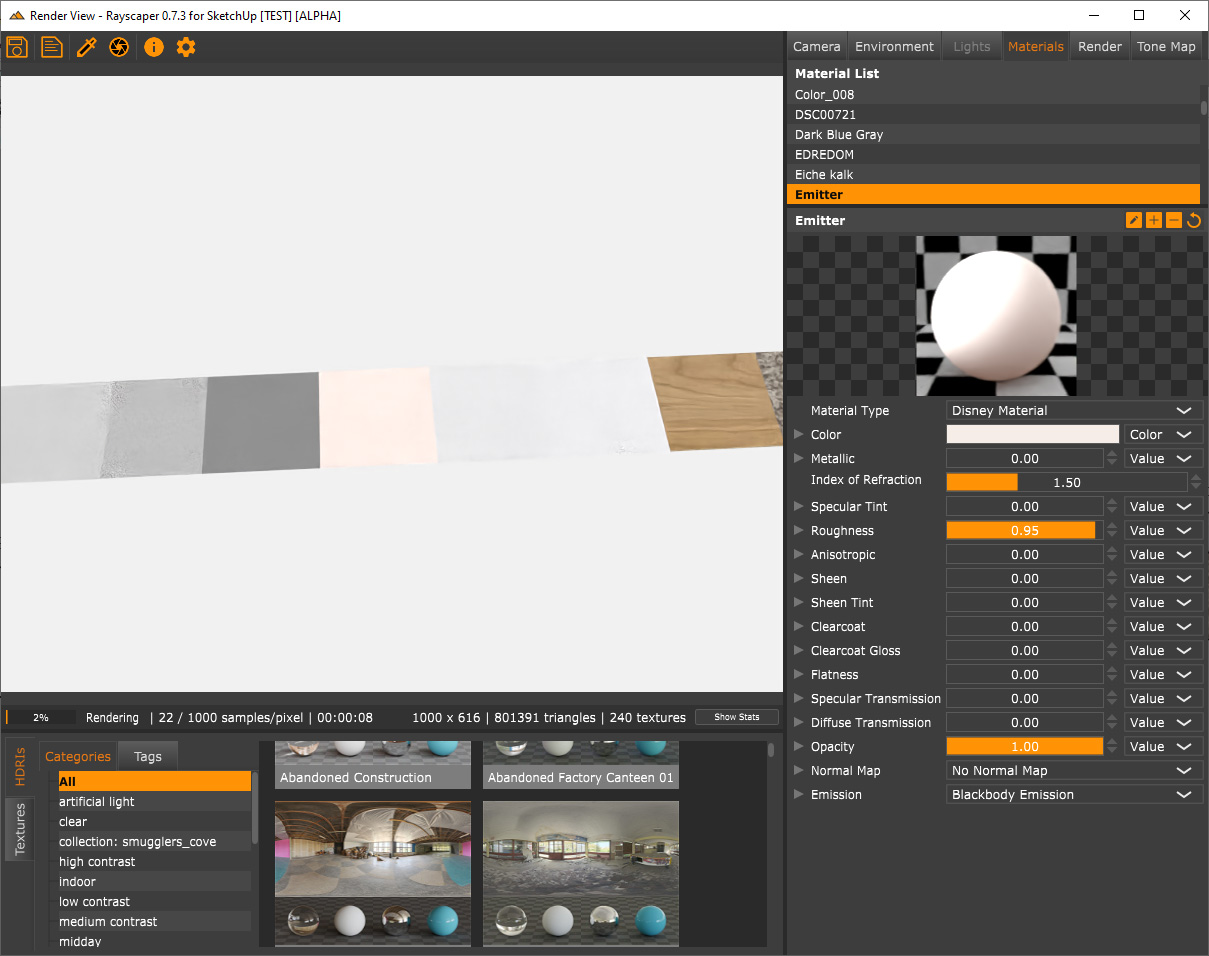
                                        emitter not. with "blackbody emission" I don't get the submenu

                                        also hidden layers are rendered. how can I avoid this?

                                        test.jpg


                                        test2.jpg

                                        http://www.zz7.de

                                        1 條回覆 最後回覆 回覆 引用 0
                                        • P 離線
                                          pixelcruncher Extension Creator
                                          最後由 編輯

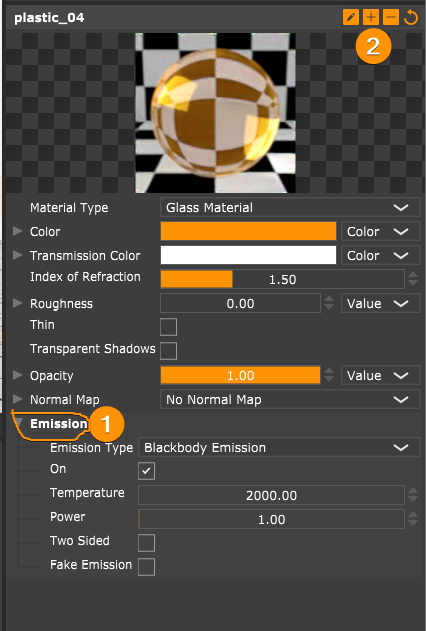
                                          @unknownuser said:

                                          emitter not. with "blackbody emission" I don't get the submenu

                                          You should be able to to open the submenu by clicking the chevron or text (1). You can expand everything by clicking the plus button (2):

                                          SketchUp_1yUTapC1Qw.png

                                          SketchUp_30LNqL5bAd.gif

                                          @unknownuser said:

                                          also hidden layers are rendered. how can I avoid this?
                                          Hidden objects / tags / layers isn't supported yet in the alpha version. It will be there for the 1.0 version.

                                          Cheers,
                                          Thomas

                                          I'm the developer of Rayscaper: https://rayscaper.com/ - Fast and easy rendering for SketchUp.

                                          1 條回覆 最後回覆 回覆 引用 0
                                          • jo-keJ 離線
                                            jo-ke
                                            最後由 編輯

                                            thank you. I didn't see this. solutions are so simple....

                                            next problems:

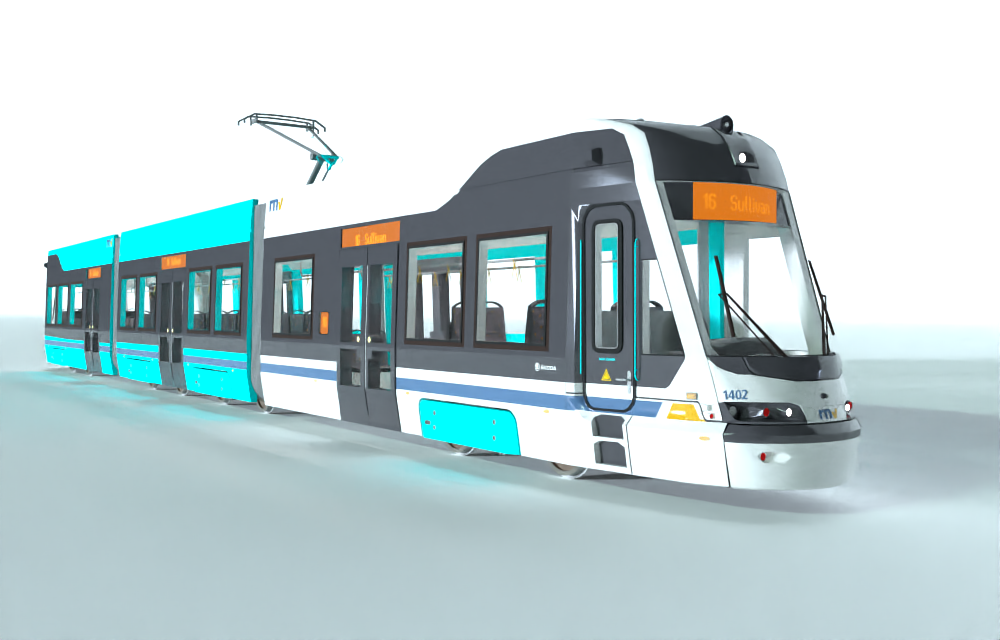
                                            is it possible to do an emitter with textures? like in my example the sign of the tramway?

                                            why can't I get rid of the blue textures? they are textured in SU and all faces are frontfaces

                                            test4.png

                                            http://www.zz7.de

                                            1 條回覆 最後回覆 回覆 引用 0
                                            • 1
                                            • 2
                                            • 3
                                            • 4
                                            • 5
                                            • 6
                                            • 2 / 6
                                            • 第一個貼文
                                              最後的貼文
                                            Buy SketchPlus
                                            Buy SUbD
                                            Buy WrapR
                                            Buy eBook
                                            Buy Modelur
                                            Buy Vertex Tools
                                            Buy SketchCuisine
                                            Buy FormFonts

                                            Advertisement