sketchucation logo sketchucation
    • 登入
    Oops, your profile's looking a bit empty! To help us tailor your experience, please fill in key details like your SketchUp version, skill level, operating system, and more. Update and save your info on your profile page today!
    🔌 Smart Spline | Fluid way to handle splines for furniture design and complex structures. Download

    SubD examples and models

    已排程 已置頂 已鎖定 已移動 SUbD
    renderpluginsextensions
    1.7k 貼文 81 Posters 1.1m 瀏覽 79 Watching
    正在載入更多貼文
    • 從舊到新
    • 從新到舊
    • 最多點贊
    回覆
    • 在新貼文中回覆
    登入後回覆
    此主題已被刪除。只有擁有主題管理權限的使用者可以查看。
    • HornOxxH 離線
      HornOxx
      最後由 編輯

      @thomthom said:

      I don't doubt it's of German origin. But I found it amusing that the titles were so different 😄 Though... I don't quite "get" the German name...
      there is always something to learn 😄 actually, Ludo found its way to here over England (named "Ludo" there as well) and came from India original. Our tiltle "Mensch ärgere Dich nicht" means slomething like ""People don't tease you" or "Man, don´t get annoyed/enraged" which is a funny title because the man on the box cover is very annoyed obviously 😄

      @faust07 said:

      Again a very nice illustration! The virtual representation makes me want to play the game "brett"-hard and real again.
      Thank you Faust and yes you're right - now the right season for this kind of games is starting! - very real, analog "Brett" hard
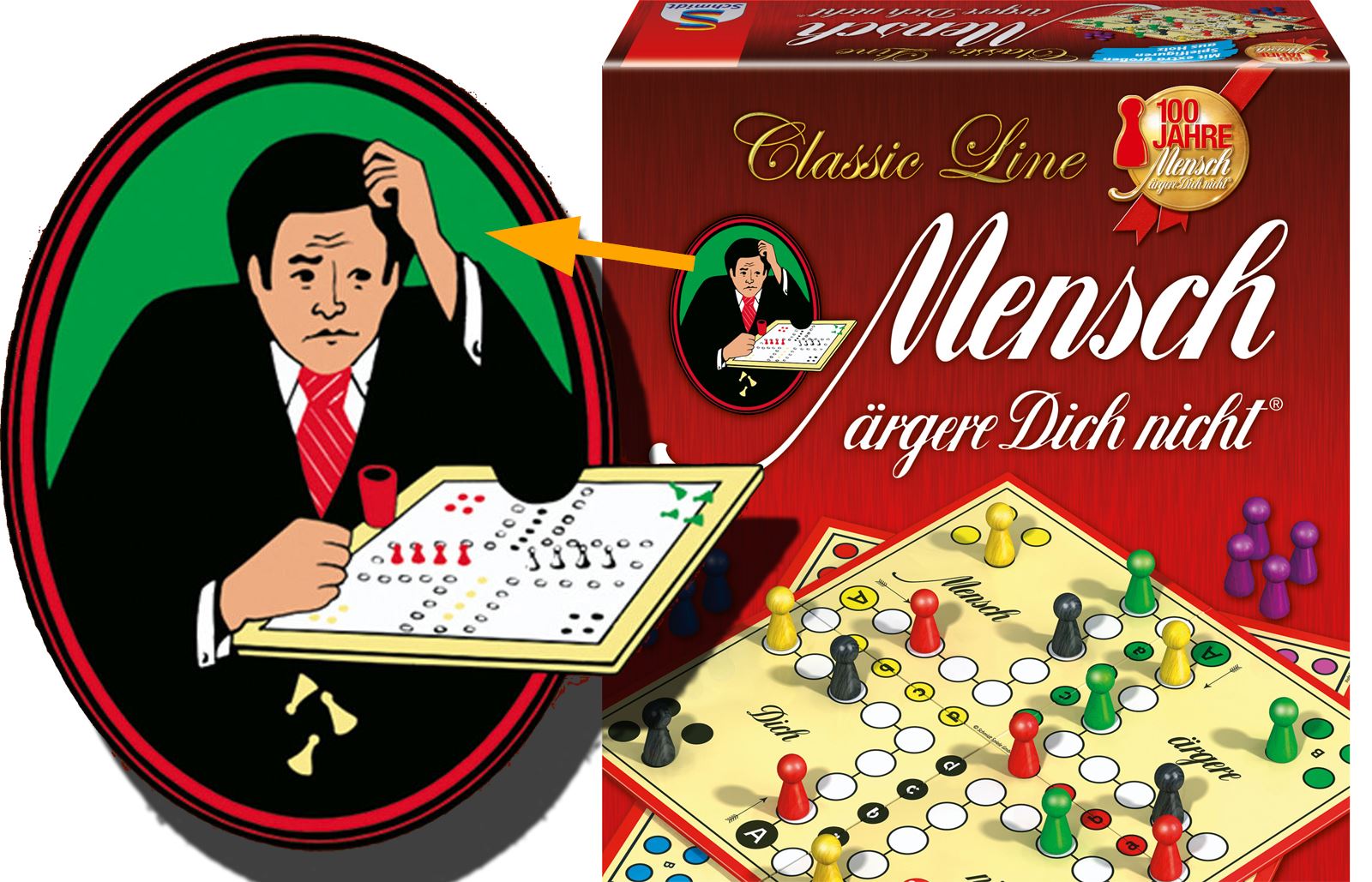

      GameBox.jpg

      never trust a skinny cook

      1 條回覆 最後回覆 回覆 引用 0
      • boofredlayB 離線
        boofredlay
        最後由 編輯

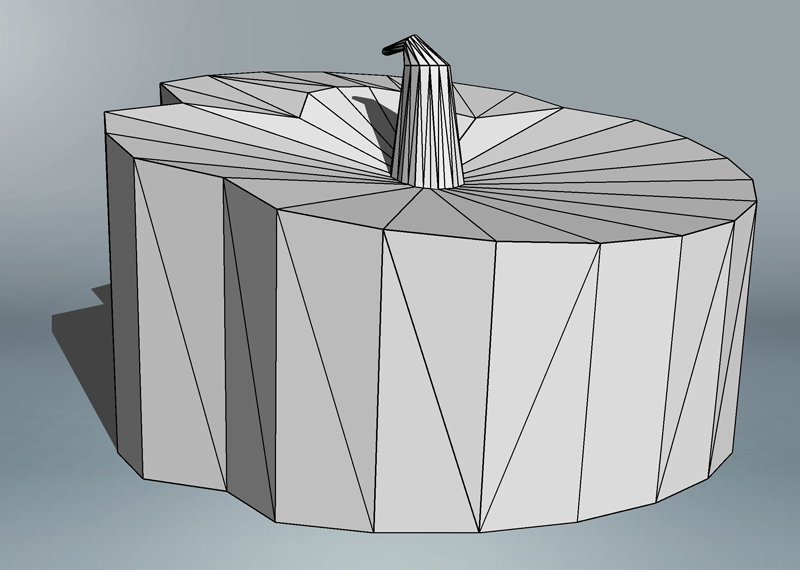
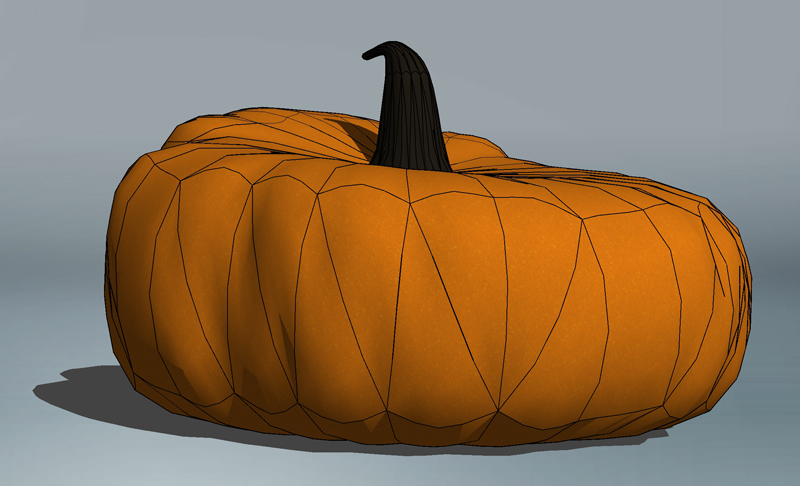
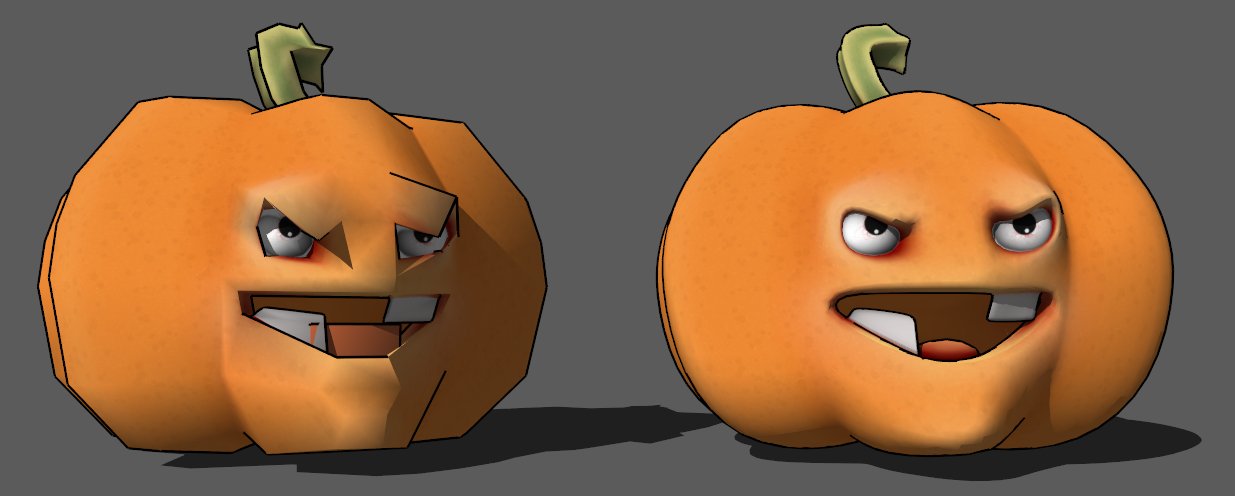
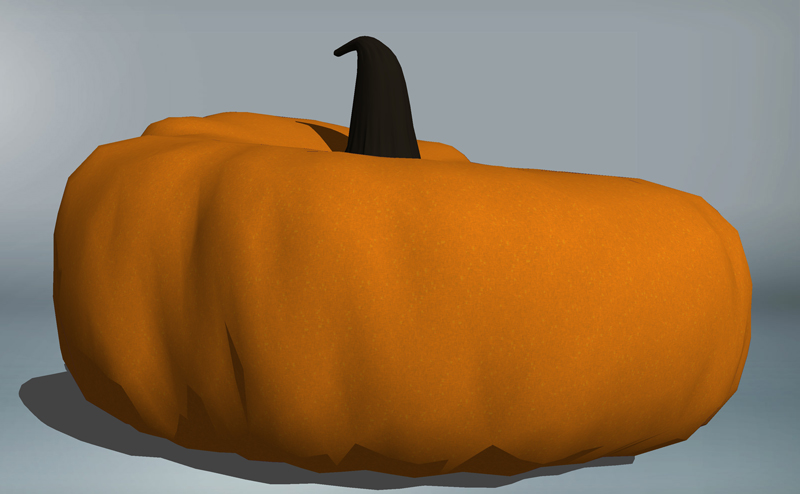
        A quickie SubD pumpkin on Halloween.

        Pumpkin 1.jpg


        Pumpkin 2.jpg


        Pumpkin 3.jpg

        http://www.coroflot.com/boofredlay

        1 條回覆 最後回覆 回覆 引用 0
        • HornOxxH 離線
          HornOxx
          最後由 編輯

          😛 Great SubD-scetch Eric - and just in time !!

          http://www.freeclipartpics.com/images/pumpkin-smile.gif

          never trust a skinny cook

          1 條回覆 最後回覆 回覆 引用 0
          • alsomarA 離線
            alsomar Extension Creator
            最後由 編輯

            Hello pals 😄
            I've modeled an abstract shape made with SUbD and Vertex Tools. Then I've played a little with that shape to get a tunnel. Here's the process:

            Here you can see some standart views of the original shape.

            https://alejandrosoriano.xyz/wp-content/uploads/2017/11/QL_01.jpg

            Then I've copied and rotated the shape. That's how I get the first ring of the tunnel.

            https://alejandrosoriano.xyz/wp-content/uploads/2017/11/QL_02.jpg

            Here's a couple of iso views of the first ring.

            https://alejandrosoriano.xyz/wp-content/uploads/2017/11/QL_03.jpg

            https://alejandrosoriano.xyz/wp-content/uploads/2017/11/QL_04.jpg

            I've copied the ring several times using symmetries to create the tunnel.

            https://alejandrosoriano.xyz/wp-content/uploads/2017/11/QL_05.jpg

            https://alejandrosoriano.xyz/wp-content/uploads/2017/11/QL_06.jpg

            Once the tunnel is created, the space generated is pretty nice. These two pics were taken inside the tunnel. The second one is subdivided with SUbD.

            https://alejandrosoriano.xyz/wp-content/uploads/2017/11/QL_11.jpg

            https://alejandrosoriano.xyz/wp-content/uploads/2017/11/QL_12.jpg

            Finally, here's an animation through the tunnel.

            Alejandro Soriano Visuals · All my links

            1 條回覆 最後回覆 回覆 引用 0
            • HornOxxH 離線
              HornOxx
              最後由 編輯

              👍 😲 - this is a most impressive geometry exercise and the fly-through effect in the video: just overwhelming! Thanks for this wonderful contribution!
              (no idea how you made the curved origin geometry, so this fits together as a loop ? 😄 )

              never trust a skinny cook

              1 條回覆 最後回覆 回覆 引用 0
              • alsomarA 離線
                alsomar Extension Creator
                最後由 編輯

                @hornoxx said:

                :thumb: 😲 - this is a most impressive geometry exercise and the fly-through effect in the video: just overwhelming! Thanks for this wonderful contribution!
                (no idea how you made the curved origin geometry, so this fits together as a loop ? 😄 )

                Thank you for your kind words 😄
                I'm attaching some pics of how I made the curved geometry.

                https://alejandrosoriano.xyz/wp-content/uploads/2017/11/QL_31.jpg

                https://alejandrosoriano.xyz/wp-content/uploads/2017/11/QL_32.jpg

                https://alejandrosoriano.xyz/wp-content/uploads/2017/11/QL_33.jpg

                https://alejandrosoriano.xyz/wp-content/uploads/2017/11/QL_34.jpg

                Here's a gif of how I twisted the curved shape using Vertex Tools.

                https://alejandrosoriano.xyz/wp-content/uploads/2017/11/QL_41.gif

                Once I got the shape, I made a symmetry, so the beginning and the end of the shape can fit in. If you need any other explanation, please ask 😄

                Alejandro Soriano Visuals · All my links

                1 條回覆 最後回覆 回覆 引用 0
                • HornOxxH 離線
                  HornOxx
                  最後由 編輯

                  AUAAA ! 😄 So much "simplicity" is too complicated for me 😉
                  I always forget that the effect of vertex tools can be extended to any range
                  Thanks !!

                  never trust a skinny cook

                  1 條回覆 最後回覆 回覆 引用 0
                  • thomthomT 離線
                    thomthom
                    最後由 編輯

                    Thank you very much for this detailed breakdown of your workflow.

                    Thomas Thomassen — SketchUp Monkey & Coding addict
                    List of my plugins and link to the CookieWare fund

                    1 條回覆 最後回覆 回覆 引用 0
                    • alsomarA 離線
                      alsomar Extension Creator
                      最後由 編輯

                      @thomthom said:

                      Thank you very much for this detailed breakdown of your workflow.

                      It's my pleasure! Thank you for your kind words 😄

                      Alejandro Soriano Visuals · All my links

                      1 條回覆 最後回覆 回覆 引用 0
                      • Rich O BrienR 線上
                        Rich O Brien Moderator
                        最後由 編輯

                        DNeFEg5XkAY2JlT.jpg

                        Forgot to post this doodle

                        Download the free D'oh Book for SketchUp 📖

                        1 條回覆 最後回覆 回覆 引用 0
                        • HornOxxH 離線
                          HornOxx
                          最後由 編輯

                          @rich o brien said:

                          ...forgot to post this doodle
                          🤢 I love these nasty doodle guys - but you better change the street side 😄

                          never trust a skinny cook

                          1 條回覆 最後回覆 回覆 引用 0
                          • C 離線
                            cuttingedge
                            最後由 編輯

                            @alsomar said:

                            Here's a gif of how I twisted the curved shape using Vertex Tools.

                            https://alejandrosoriano.xyz/wp-content/uploads/2017/11/QL_41.gif

                            really impressive! but did the quads break-up after twisting / deformation?

                            1 條回覆 最後回覆 回覆 引用 0
                            • alsomarA 離線
                              alsomar Extension Creator
                              最後由 編輯

                              @cuttingedge said:

                              did the quads break-up after twisting / deformation?

                              Vertex Tools is a quad-friendly extension so it keeps the quads after the twist or any other further operation. It's a great tool!

                              Alejandro Soriano Visuals · All my links

                              1 條回覆 最後回覆 回覆 引用 0
                              • BoxB 離線
                                Box
                                最後由 編輯

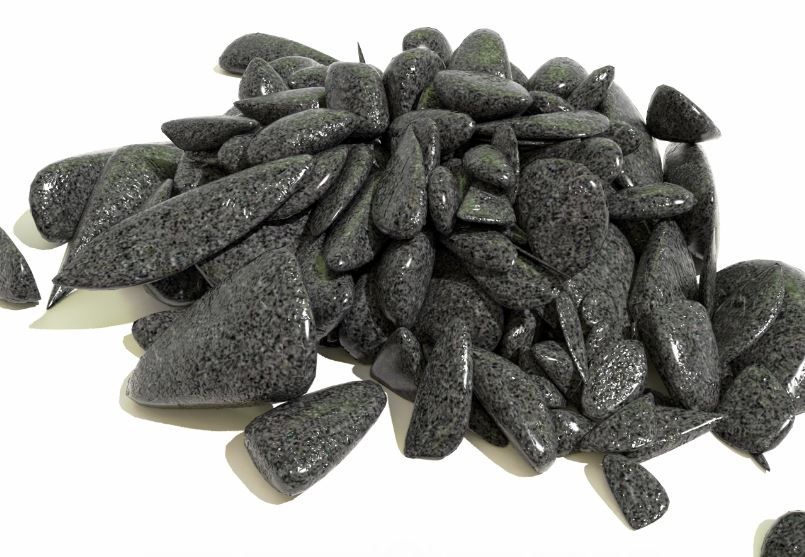
                                Just for fun. About 10 minutes including the render.
                                Tig's Fracture, SUbD and MSPhysics, Twilght2.

                                Gravel.JPG

                                1 條回覆 最後回覆 回覆 引用 0
                                • HornOxxH 離線
                                  HornOxx
                                  最後由 編輯

                                  WOW !! 👍 ... and even if it would have taken a 100 minutes, such a great result!!
                                  (you are using a great tool chain - is Tig´s Fracture creating "SubDable" parts out of the box ( 😛 ) instantly or is there still some fine tuning necessary?)

                                  never trust a skinny cook

                                  1 條回覆 最後回覆 回覆 引用 0
                                  • BoxB 離線
                                    Box
                                    最後由 編輯

                                    Thanks HornOxx.
                                    No tweaking necessary, not for this at least.
                                    It doesn't form quads but they aren't needed for something this random.

                                    1 條回覆 最後回覆 回覆 引用 0
                                    • BoxB 離線
                                      Box
                                      最後由 編輯

                                      Here's a quick simple one.
                                      You can use more blocks with different materials to get a mixture of stones.

                                      https://i.imgur.com/uIZCUgT.gif

                                      1 條回覆 最後回覆 回覆 引用 0
                                      • HornOxxH 離線
                                        HornOxx
                                        最後由 編輯

                                        ... a great example and thank you for this short making of demo which suggests so many possible uses!
                                        (and it's a shame that I have never tried MSPhysics so far 😉 )

                                        never trust a skinny cook

                                        1 條回覆 最後回覆 回覆 引用 0
                                        • boofredlayB 離線
                                          boofredlay
                                          最後由 編輯

                                          @box said:

                                          Here's a quick simple one.

                                          Such a simple tutorial as well. 👍

                                          http://www.coroflot.com/boofredlay

                                          1 條回覆 最後回覆 回覆 引用 0
                                          • F 離線
                                            faust07
                                            最後由 編輯

                                            @HornOxx:
                                            Don't try MSPhysics as it can be addictive.... Using gravity is the beginning of the end... Devil's work! You will neglect your job and your family, ultimately become lonely, impoverished and physically stunted. And yet you can't stop and you will always want to achieve more... And you will get it... 😎
                                            @Box:
                                            Thank you for the playful application and convincing demonstration of some powerful plugins for creating a seemingly simple heap of stones! The hard part, which is now easy to do... 👍

                                            1 條回覆 最後回覆 回覆 引用 0
                                            • 1
                                            • 2
                                            • 78
                                            • 79
                                            • 80
                                            • 81
                                            • 82
                                            • 83
                                            • 80 / 83
                                            • 第一個貼文
                                              最後的貼文
                                            Buy SketchPlus
                                            Buy SUbD
                                            Buy WrapR
                                            Buy eBook
                                            Buy Modelur
                                            Buy Vertex Tools
                                            Buy SketchCuisine
                                            Buy FormFonts

                                            Advertisement