sketchucation logo sketchucation
    • Login
    Oops, your profile's looking a bit empty! To help us tailor your experience, please fill in key details like your SketchUp version, skill level, operating system, and more. Update and save your info on your profile page today!
    Mac User? | Join the Rayscaper Beta for Mac Learn More

    [Plugin][$] Curviloft 2.0a - 31 Mar 24 (Loft & Skinning)


    Scheduled Pinned Locked Moved Plugins
    1.3k Posts 300 Posters 3.2m Views 298 Watching
    Loading More Posts
    • Oldest to Newest
    • Newest to Oldest
    • Most Votes
    Reply
    • Reply as topic
    Log in to reply
    This topic has been deleted. Only users with topic management privileges can see it.
    • D
      dolphus
      last edited by

      Thank you for the quick reply, I thought i had put the folder in i have now and it works
      Thank you very much

      1 Reply Last reply
      Reply Quote 0
      • fredo6F
        fredo6
        last edited by

        @daniel s said:

        Here I make another quick test for loft feature. It´s simple but y really want to know if it would work in this cases.

        Daniel S

        I missed this one.
        Here is the result, with Loft by Spline
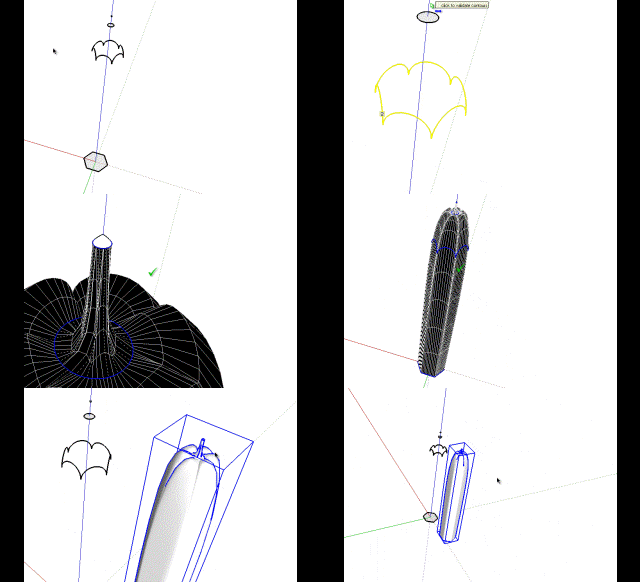
        Pencil for Loft - Daniel S.gif

        Fredo


        Pencil for loft.skp

        1 Reply Last reply
        Reply Quote 0
        • G
          grim
          last edited by

          danial

          tried you shape file and came up with very different results see attached file

          can you enlighten me as to where i am going wrong as i followed your instructions as well as trying one of my own

          regards

          david


          grimshape.skp

          1 Reply Last reply
          Reply Quote 0
          • D
            Daniel S
            last edited by

            You can select all the contours to make the loft:
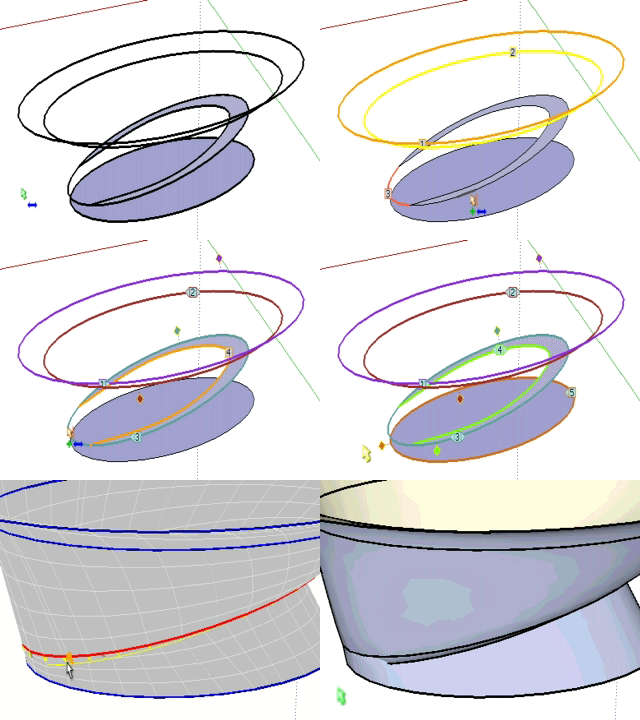
            1.gif
            You will see that there is a problem with the default method.. try to change it with the toolbar for different results:

            Captura.JPG

            Or you can make it in two parts (for this model I wanted this result):
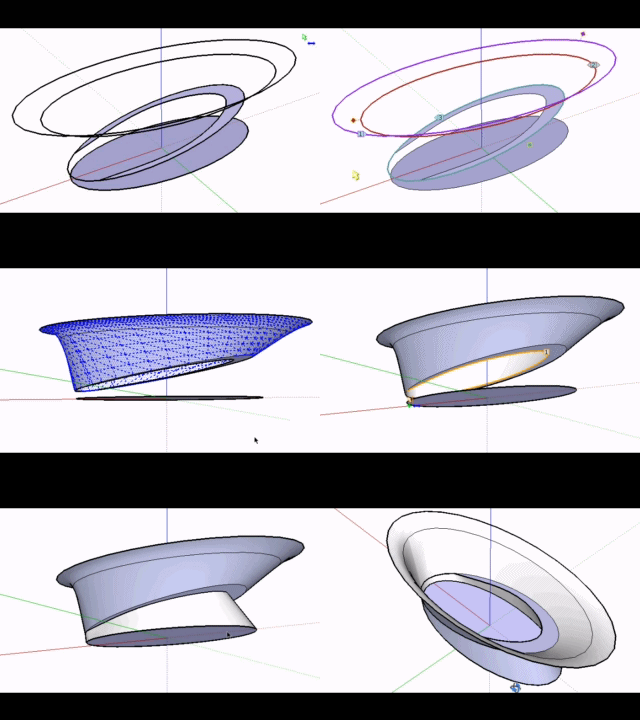
            2.gif

            Daniel S

            1 Reply Last reply
            Reply Quote 0
            • D
              Daniel S
              last edited by

              The idea was a result like this for that model:
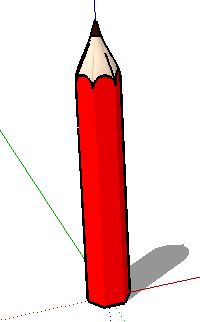
              pencil.JPG
              Is better to make the loft in parts and not all togheter in a lot of cases.
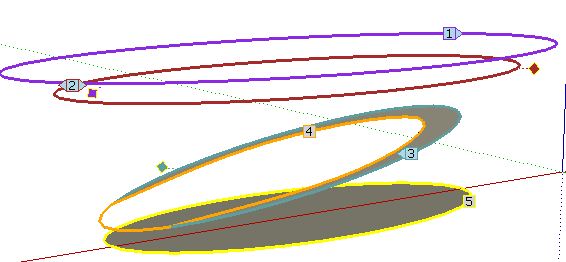
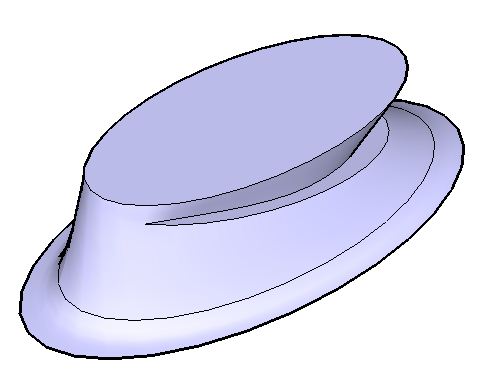
              For example, I´m making a shape where two contours share edges.
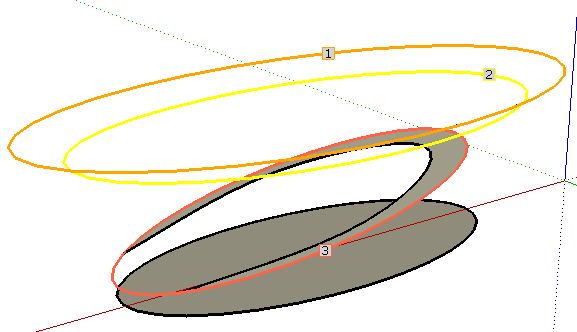
              1.JPG
              2.JPG
              it is better to make a loft between 1-2-3, then explode and after that make the loft 4-5 for better results:
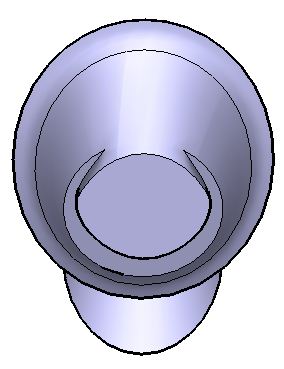
              3.JPG
              4.JPG

              I attach the skp to show that if you make a loft of 1-2-3-4-5 the results are not good in this case.

              Daniel S


              shape.skp

              1 Reply Last reply
              Reply Quote 0
              • fredo6F
                fredo6
                last edited by

                @daniel s said:

                The idea was a result like this for that model:
                [attachment=6:fuxjwvvf]<!-- ia6 -->pencil.JPG<!-- ia6 -->[/attachment:fuxjwvvf]Daniel S

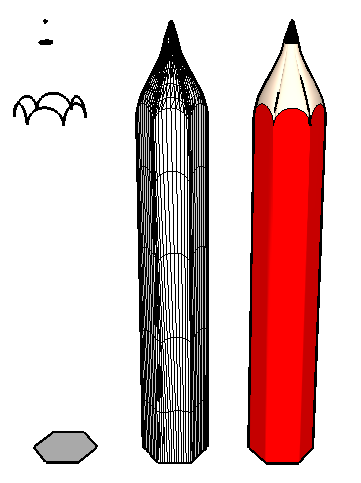
                For the pencil, use the regular Bezier method (first method) instead of Cubic Bezier (default method).
                [attachment=0:fuxjwvvf]<!-- ia0 -->Pencil Loft Daniel S.png<!-- ia0 -->[/attachment:fuxjwvvf]
                Fredo

                PS: for the other shape, there are still some issues when curves are partially overlapping. But it is a good example I can work from.

                Pencil Loft Daniel S.png

                1 Reply Last reply
                Reply Quote 0
                • thomthomT
                  thomthom
                  last edited by

                  I've yet to try out this plugin for myself - but is there a linear option as well? Or is it just beziers? It seems to be that the pencil would require a linear morphing to get the shape of the tip.

                  Thomas Thomassen — SketchUp Monkey & Coding addict
                  List of my plugins and link to the CookieWare fund

                  1 Reply Last reply
                  Reply Quote 0
                  • fredo6F
                    fredo6
                    last edited by

                    @thomthom said:

                    I've yet to try out this plugin for myself - but is there a linear option as well? Or is it just beziers? It seems to be that the pencil would require a linear morphing to get the shape of the tip.

                    The Linear option will be available in the next release (along with other spline methods). I came to that conclusion too.
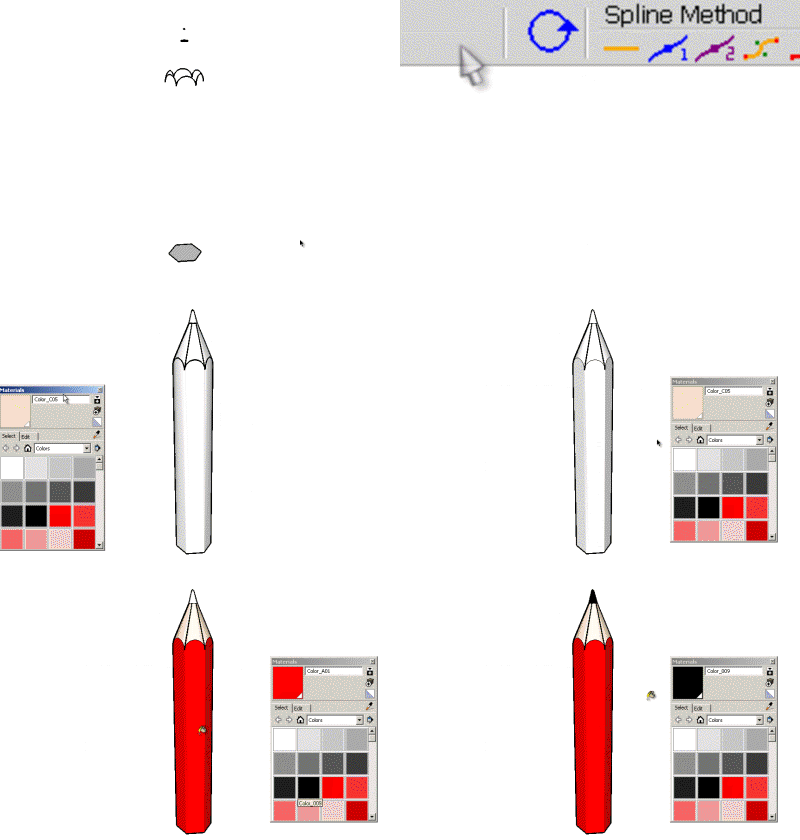
                    Pencil for Loft - Daniel S - linear.gif
                    Fredo

                    1 Reply Last reply
                    Reply Quote 0
                    • Bob JamesB
                      Bob James
                      last edited by

                      Just came across this wonderful and amazing new tool.
                      I'm pretty much speechless: incredible 🎉

                      This opens up soooo many possibilities. Thank you for this great tool

                      i7-4930K 3.4Ghz, 2x GTX780 6GB, 32GB DDR3-1600 ECC, OCZ Vertex 4 500GB, WD Black 3TB, 32TB NAS, 4x 27" Monitors, SpaceMouse Pro, X-keys XK-60

                      1 Reply Last reply
                      Reply Quote 0
                      • K
                        KarinaGM
                        last edited by

                        I haven't even had time to use it and I am already in love with this plugin.
                        Thanks Fredo

                        **"Aquel que sacrifica un poco de libertad por seguridad, no se merece ninguna y terminará perdiendo ambas"

                        -Benjamín Franklin.**

                        1 Reply Last reply
                        Reply Quote 0
                        • pilouP
                          pilou
                          last edited by

                          A little use of it 😉
                          Grow by Tig
                          Curviloft by Fredo6
                          FredoScale by Fredo6

                          http://forums.polyloop.net/picture.php?albumid=23&pictureid=803

                          http://forums.polyloop.net/picture.php?albumid=23&pictureid=804

                          Frenchy Pilou
                          Is beautiful that please without concept!
                          My Little site :)

                          1 Reply Last reply
                          Reply Quote 0
                          • charly2008C
                            charly2008
                            last edited by

                            Hi,

                            I tried with Curviloft the to make the ornaments in this historic door . But it does not look good. I have to try other shapes. In the rendered image it looks like a Crab.
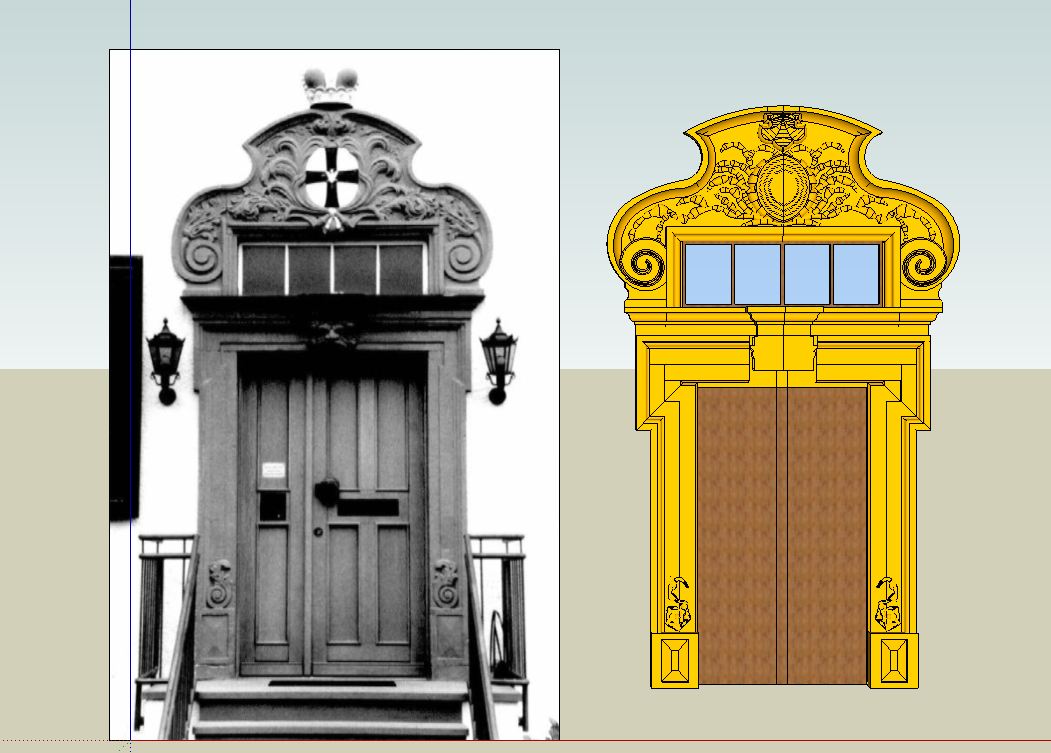
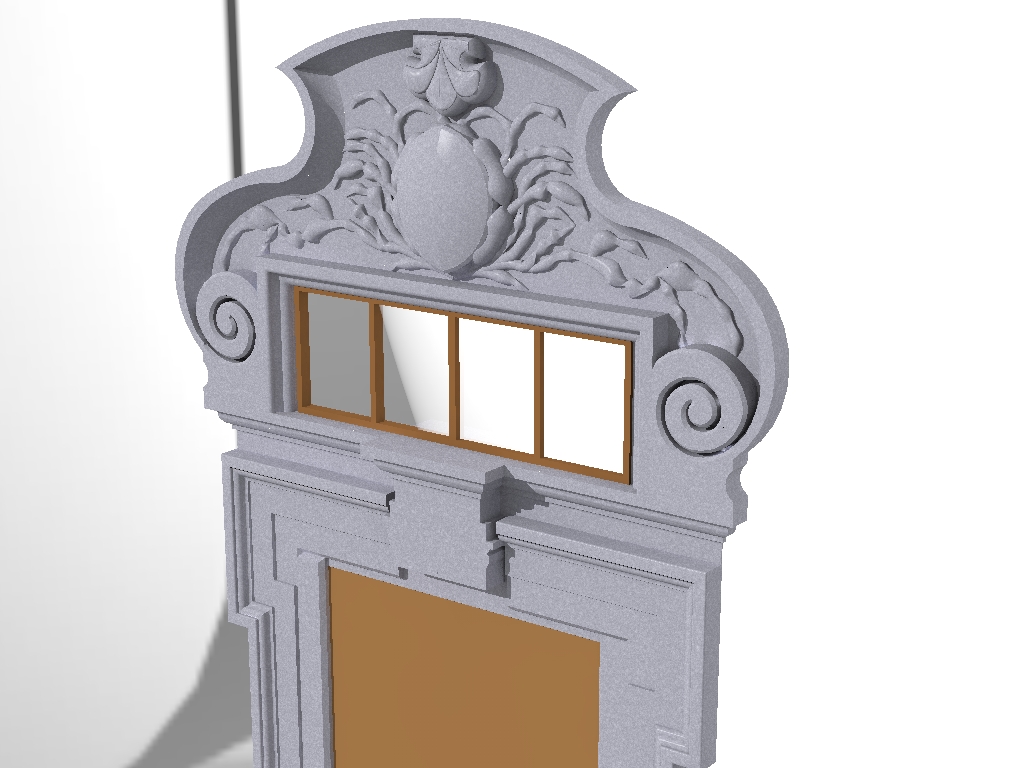
                            Portal 1.JPG


                            Portal.jpg

                            He who makes no mistakes, makes nothing

                            1 Reply Last reply
                            Reply Quote 0
                            • N
                              notareal
                              last edited by

                              @unknownuser said:

                              @thomthom said:

                              I've yet to try out this plugin for myself - but is there a linear option as well? Or is it just beziers? It seems to be that the pencil would require a linear morphing to get the shape of the tip.

                              The Linear option will be available in the next release (along with other spline methods). I came to that conclusion too.
                              [attachment=0:12mbvobp]<!-- ia0 -->Pencil for Loft - Daniel S - linear.gif<!-- ia0 -->[/attachment:12mbvobp]
                              Fredo

                              You cannot stop amaze! This already is a true gem. Wonder to what it will grow...

                              Welcome to try Thea Render, Thea support | kerkythea.net -team member

                              1 Reply Last reply
                              Reply Quote 0
                              • D
                                Daniel S
                                last edited by

                                I just see:

                                404 Not Found

                                favicon

                                (forums.sketchucation.com)

                                And made me wonder... would be possible something like this?
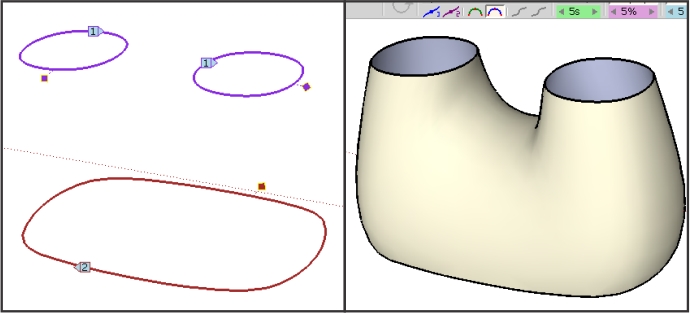
                                strangeloft.jpg
                                Daniel S

                                1 Reply Last reply
                                Reply Quote 0
                                • charly2008C
                                  charly2008
                                  last edited by

                                  I have further experimented with Curivloft. But for those stone sculptures, it seems to be less suitable. The current forms I have generated by the standard tools, the Freehand tool, Push Pull and Subdivide and Smooth.
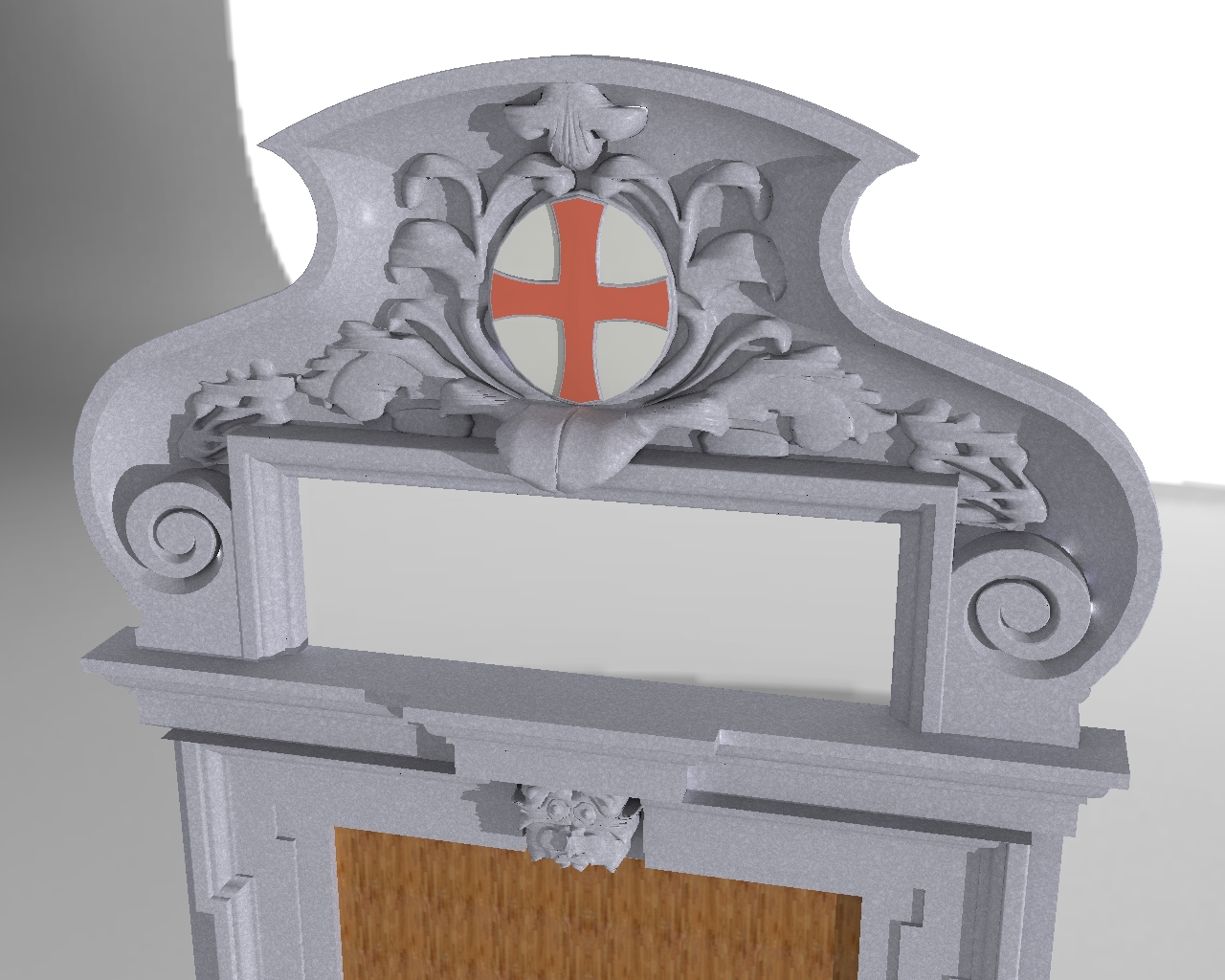
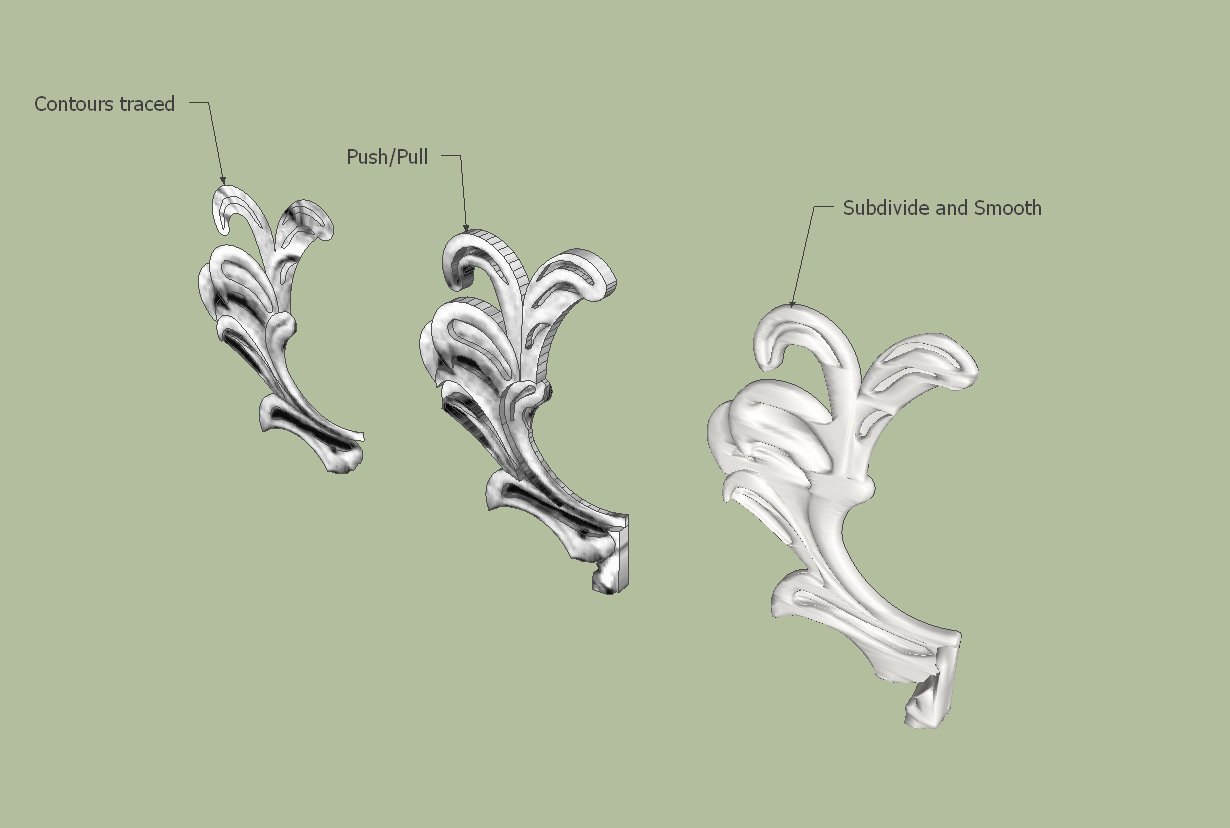
                                  Portal.jpg


                                  Portal1.png

                                  He who makes no mistakes, makes nothing

                                  1 Reply Last reply
                                  Reply Quote 0
                                  • thomthomT
                                    thomthom
                                    last edited by

                                    Notice that the numbers for each profile alternates throughout your pre-selecting.

                                    Thomas Thomassen — SketchUp Monkey & Coding addict
                                    List of my plugins and link to the CookieWare fund

                                    1 Reply Last reply
                                    Reply Quote 0
                                    • TIGT
                                      TIG Moderator
                                      last edited by

                                      I would think Fredo's tool superior to my EEbyLoft... BUT mine works with some componentizing and exploding etc !
                                      Fredo, please borrow whatever ideas work in my tool for yours !
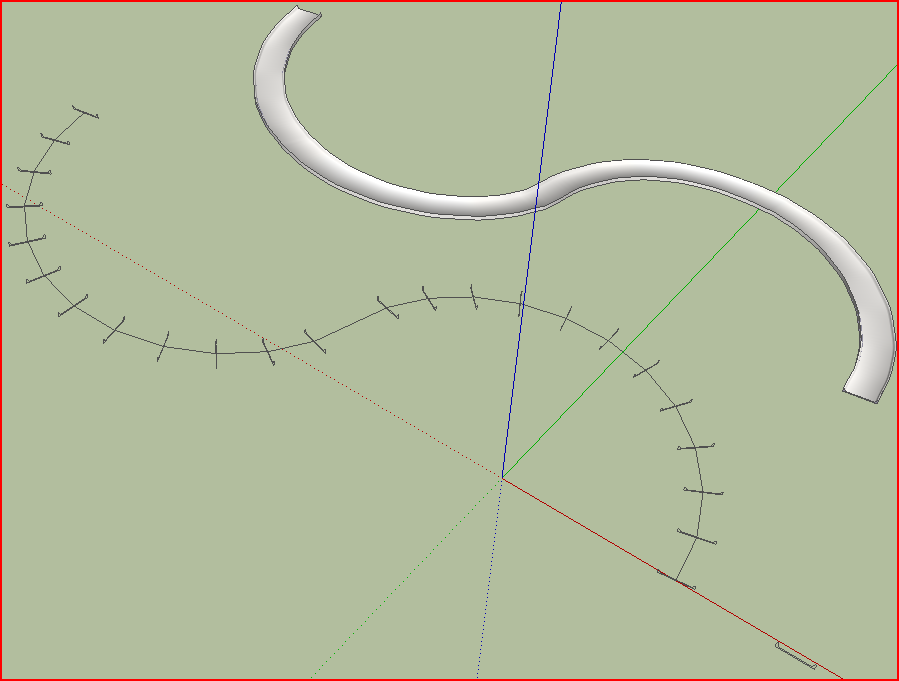
                                      Capture.PNGcurviloft5.skp

                                      TIG

                                      1 Reply Last reply
                                      Reply Quote 0
                                      • massimoM
                                        massimo Moderator
                                        last edited by

                                        Charly, try like this:
                                        -Select, lets say, four profiles. Explode them and press the loft button;
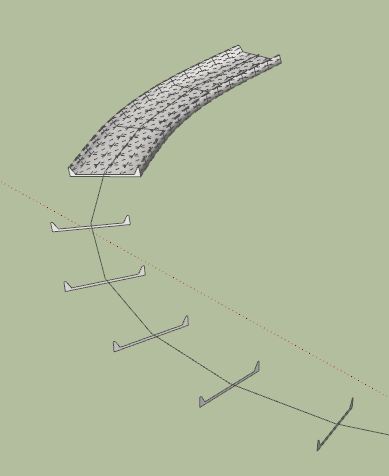
                                        Cattura_1.JPG
                                        -Do the same with other four and so on;Cattura_2.JPG
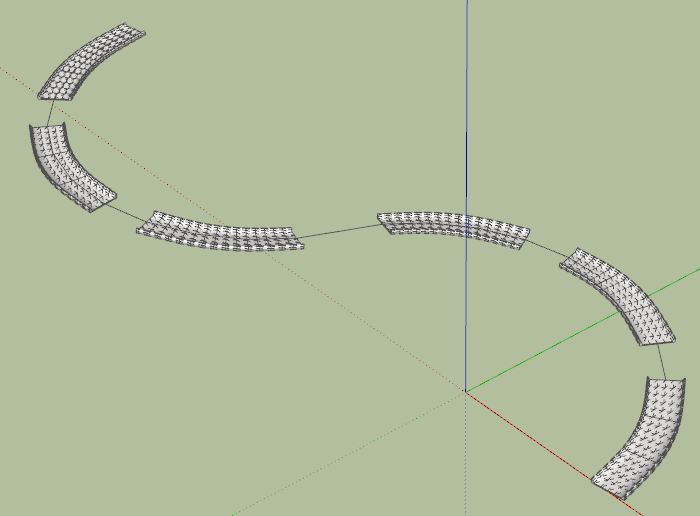
                                        -Select the two profiles on the ends of two stumps and press loft. Do that for all the stumps;
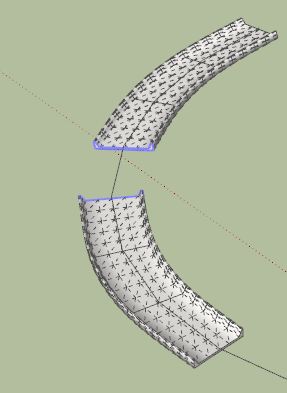
                                        Cattura_3.JPGCattura_4.JPG
                                        -Delete the unwanted original profiles.
                                        That's all. 😉Cattura.JPG
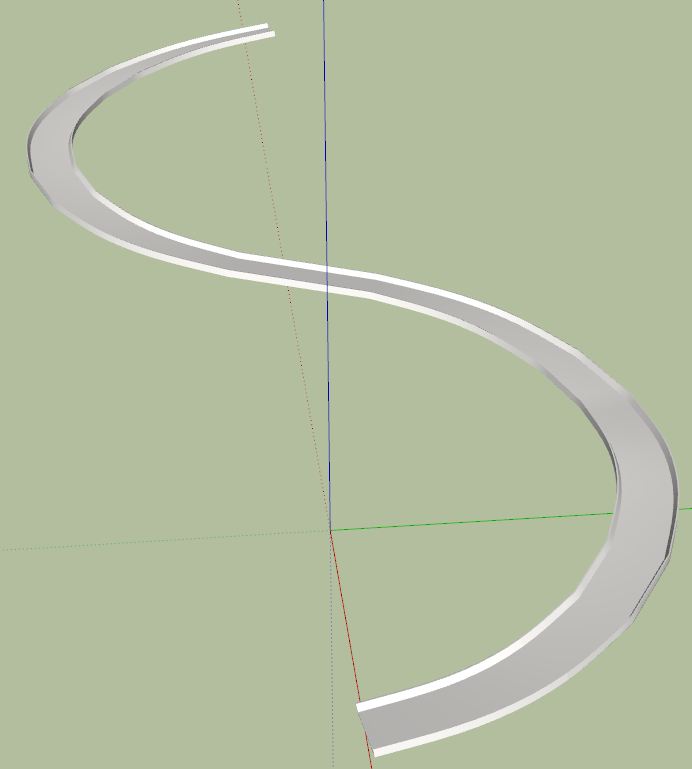

                                        curviloft5-2_street.skp

                                        1 Reply Last reply
                                        Reply Quote 0
                                        • charly2008C
                                          charly2008
                                          last edited by

                                          Hi,

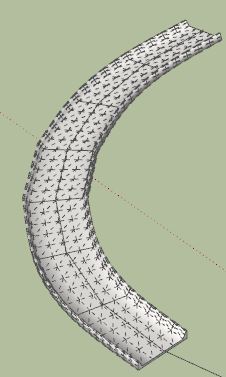
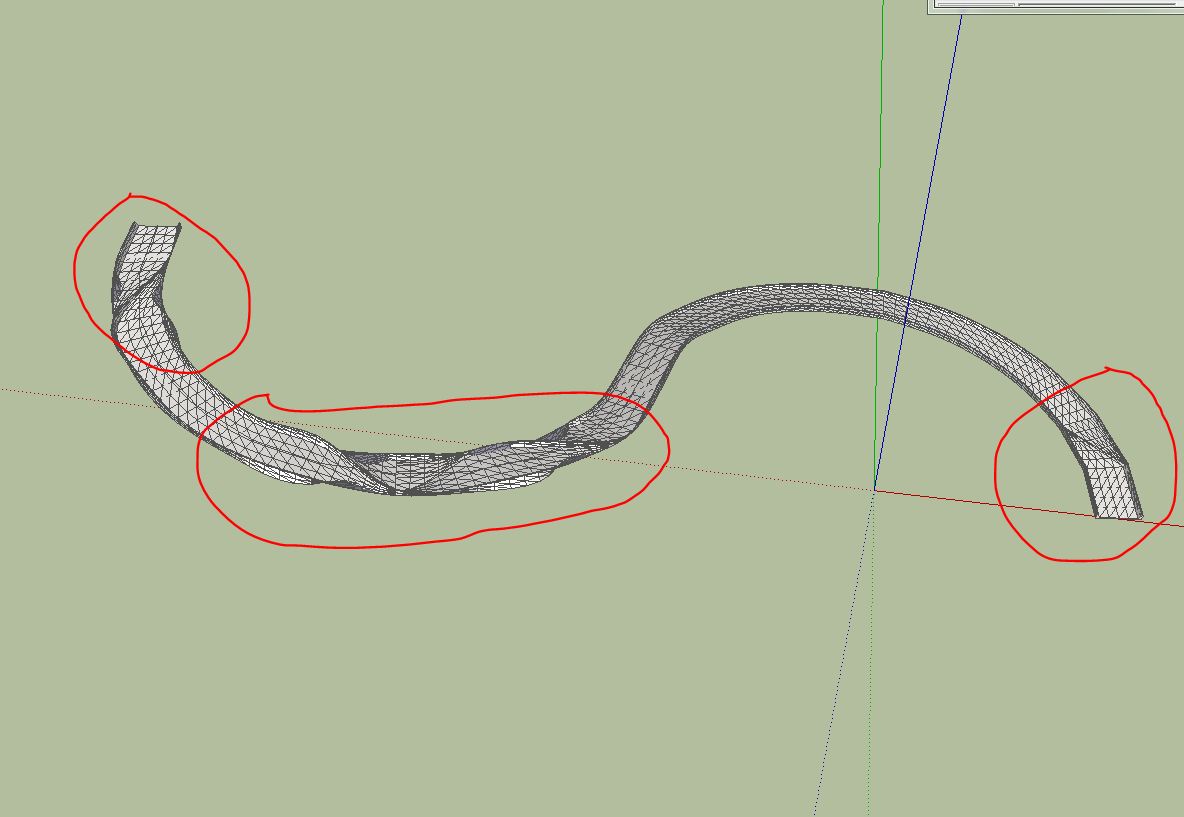
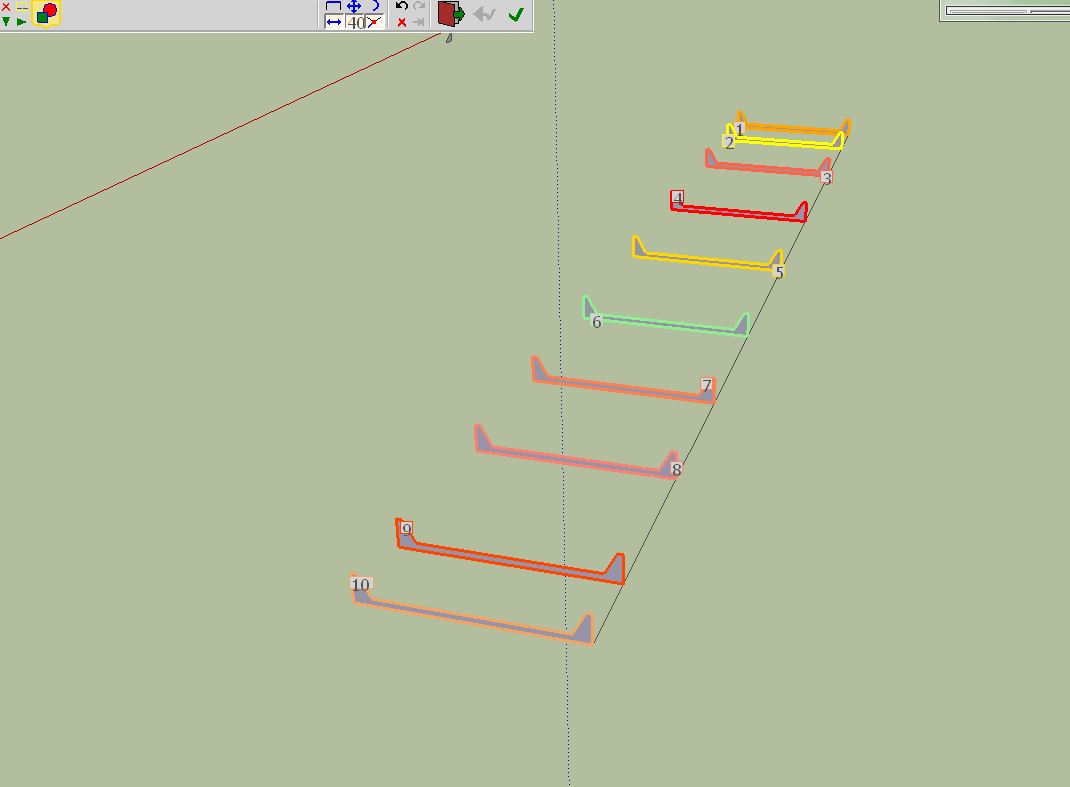
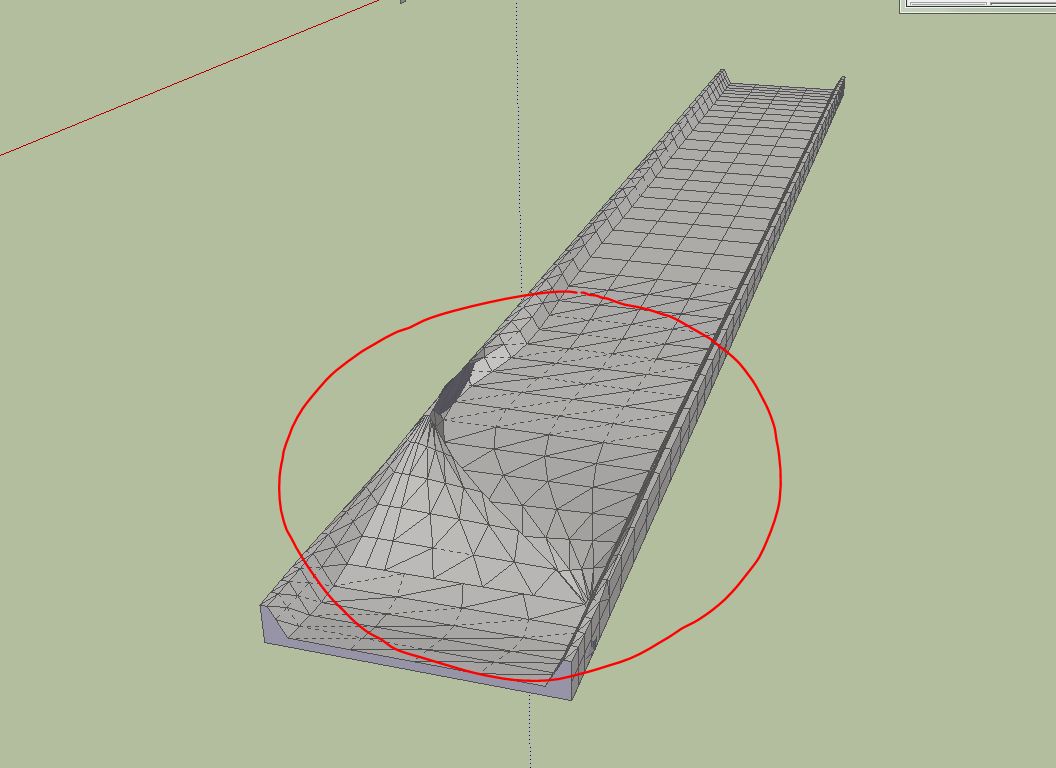
                                          In this design I get some errors. The idea was to create a road profile. I have selected the faces one by one. Maybe Fredo can find the error. Even in a straight line this error will appear.

                                          Charly
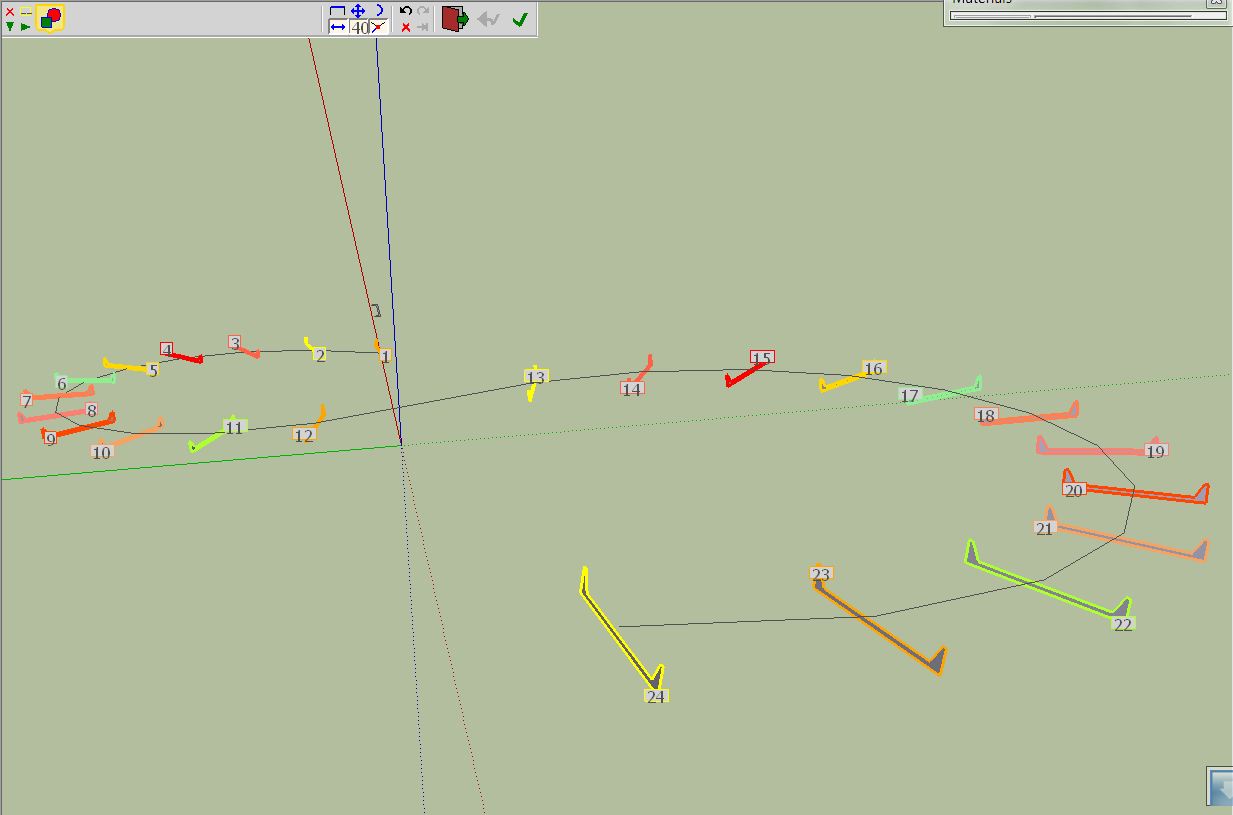

                                          Curve1.JPG


                                          Curve2.JPG


                                          curviloft5.skp


                                          Curve1.JPG


                                          Curve2.JPG

                                          He who makes no mistakes, makes nothing

                                          1 Reply Last reply
                                          Reply Quote 0
                                          • mitcorbM
                                            mitcorb
                                            last edited by

                                            In Fredo6's discussion in the first post, I saw something that suggested to leave open a tiny segment in the profile to be lofted. Perhaps to prevent the twisting?


                                            I take the slow, deliberate approach in my aimless wandering.

                                            1 Reply Last reply
                                            Reply Quote 0

                                            Hello! It looks like you're interested in this conversation, but you don't have an account yet.

                                            Getting fed up of having to scroll through the same posts each visit? When you register for an account, you'll always come back to exactly where you were before, and choose to be notified of new replies (either via email, or push notification). You'll also be able to save bookmarks and upvote posts to show your appreciation to other community members.

                                            With your input, this post could be even better 💗

                                            Register Login
                                            • 1
                                            • 2
                                            • 37
                                            • 38
                                            • 39
                                            • 40
                                            • 41
                                            • 65
                                            • 66
                                            • 39 / 66
                                            • First post
                                              Last post
                                            Buy SketchPlus
                                            Buy SUbD
                                            Buy WrapR
                                            Buy eBook
                                            Buy Modelur
                                            Buy Vertex Tools
                                            Buy SketchCuisine
                                            Buy FormFonts

                                            Advertisement