sketchucation logo sketchucation
    • 登入
    Oops, your profile's looking a bit empty! To help us tailor your experience, please fill in key details like your SketchUp version, skill level, operating system, and more. Update and save your info on your profile page today!
    🔌 Smart Spline | Fluid way to handle splines for furniture design and complex structures. Download

    [Plugin][$] Curviloft 2.0a - 31 Mar 24 (Loft & Skinning)


    已排程 已置頂 已鎖定 已移動 Plugins
    1.3k 貼文 299 Posters 2.5m 瀏覽 297 Watching
    正在載入更多貼文
    • 從舊到新
    • 從新到舊
    • 最多點贊
    回覆
    • 在新貼文中回覆
    登入後回覆
    此主題已被刪除。只有擁有主題管理權限的使用者可以查看。
    • H 離線
      helpandtrouble
      最後由 編輯

      @dave r said:

      It would appear that you are using the wrong tool. Try the third tool on the toolbar instead.
      [attachment=0:fwubhjnj]<!-- ia0 -->Screenshot - 2_26_2017 , 7_07_23 AM.png<!-- ia0 -->[/attachment:fwubhjnj]

      Hm, It can't seems like you are right, but I could swear that I used the same tools previously. Maybe I just had a brain fart. Rather embarrassing. 💚

      1 條回覆 最後回覆 回覆 引用 0
      • A 離線
        Azeemuddin
        最後由 編輯

        Hi everyone.
        Can anyone help me for this problem with sketchup curviloft.
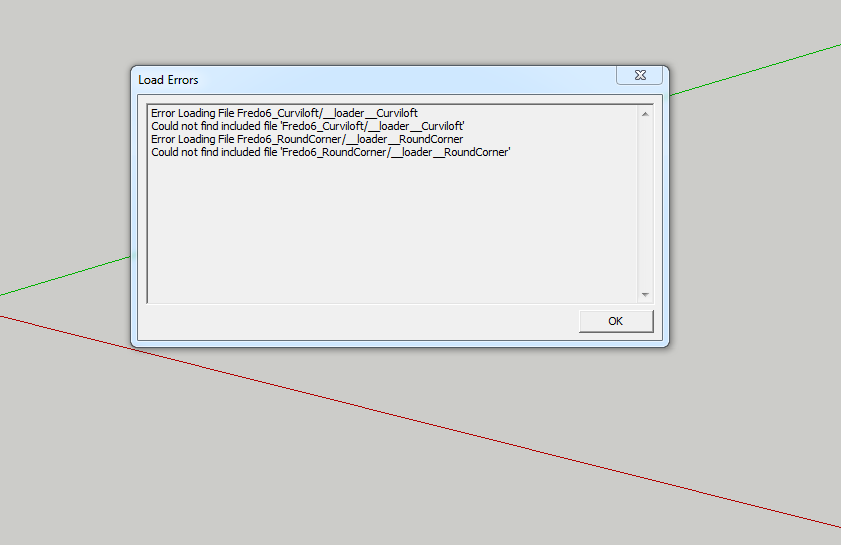

        This is problem I am having

        1 條回覆 最後回覆 回覆 引用 0
        • Dave RD 離線
          Dave R
          最後由 編輯

          How did you install Curviloft and Round Corner? Did you also install LibFredo6?

          Etaoin Shrdlu

          %

          (THERE'S NO PLACE LIKE)

          G28 X0.0 Y0.0 Z0.0

          M30

          %

          1 條回覆 最後回覆 回覆 引用 0
          • T 離線
            toy52372
            最後由 編輯

            感謝大大

            [mod=:nzf08c63]Thank you greatly[/mod:nzf08c63]

            1 條回覆 最後回覆 回覆 引用 0
            • D 離線
              Doopy
              最後由 編輯

              @azeemuddin said:

              Hi everyone.
              Can anyone help me for this problem with sketchup curviloft.

              Not sure where my first post went...

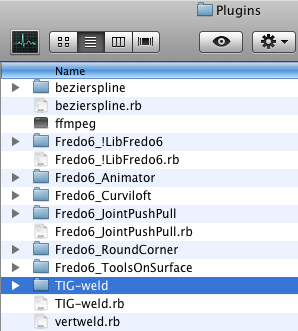
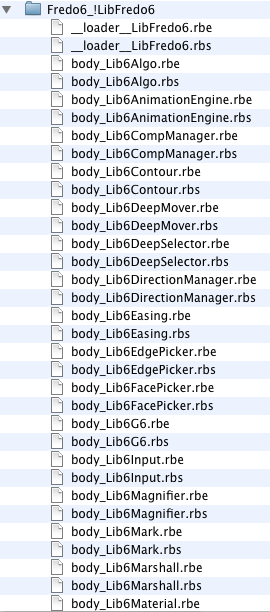
              Having a similar problem on a mac (OS 10.5.8) running SU7. Here is are pictures of the error dialogue, the Plugins folder, and the first several entries in the libFredo6 folder.Picture 2.pngPicture 3.pngPicture 4.png

              1 條回覆 最後回覆 回覆 引用 0
              • CadFatherC 離線
                CadFather
                最後由 編輯

                Hi Fredo, Is there anyway to override the default settings in the toolbar? (even hardcoded!)

                like this?

                edition.jpg

                1 條回覆 最後回覆 回覆 引用 0
                • TIGT 離線
                  TIG Moderator
                  最後由 編輯

                  @Doopy

                  Have you installed the latest versions of the RBZ files for the various Fredo Plugins and his LibFredo ?
                  Restart SketchUp after installation to ensure everything is getting meshed together properly...

                  BUT...
                  I suspect that it's because although your profile lists SUp v8, your post says that are using SUp v7 which is the issue.
                  Even v8 is no longer supported by Trimble - there are many changes in the way Ruby code now works !

                  Why haven't you upgraded to a newer version ?

                  More than one Sketchup version can be installed coexist on the same computer, and you can always save_as from v2017 into any earlier version compatible format...

                  TIG

                  1 條回覆 最後回覆 回覆 引用 0
                  • V 離線
                    Vulfgangavi
                    最後由 編輯

                    @cadfather said:

                    Hi Fredo, Is there anyway to override the default settings in the toolbar? (even hardcoded!)

                    like this?

                    [attachment=0:1jid7v16]<!-- ia0 -->edition.jpg<!-- ia0 -->[/attachment:1jid7v16]

                    And while we are on the note of modifications, any chance for a tutorial on how to use this plug-in on our Linux based systems? I see that some of the libraries that it requires are already part of Linux but all instructions are reserved to Windows and Mac so far. I need to start creating new renders for http://promocodius.com/tr/magazalar/trendyol-indirim-kuponu soon to avoid fines for copyright reasons but if I will not be able to find a way of installing this plug-in on the office laptop, I will be restricted to the stupid old Inkscape and its plug-ins. Since you are all here, you should already know that the two bears no comparison...

                    1 條回覆 最後回覆 回覆 引用 0
                    • fredo6F 離線
                      fredo6
                      最後由 編輯

                      NEW RELEASE: Curviloft v1.5b - 12 Aug 17

                      Curviloft 1.5b is required for the support of usernames with non-ascii characters in Sketchup 2017.

                      IMPORTANT: It requires LibFredo6 v7.7 or above.

                      See main post of this thread for Download.

                      Fredo

                      1 條回覆 最後回覆 回覆 引用 0
                      • jgbJ 離線
                        jgb
                        最後由 編輯

                        @azeemuddin said:

                        Hi everyone.
                        Can anyone help me for this problem with sketchup curviloft.

                        I had the same problem.

                        The solution is to reinstall the latest version of Curviloft or any other Fredo6 tools, but ONLY AFTER the latest LibFredo is installed.


                        jgb

                        1 條回覆 最後回覆 回覆 引用 0
                        • S 離線
                          SWills
                          最後由 編輯

                          Not working for me 😞(( comes up highlighting my shapes with numbers and then never shows the preview once I press enter. Could anyone help me out?
                          Thanks

                          1 條回覆 最後回覆 回覆 引用 0
                          • Dave RD 離線
                            Dave R
                            最後由 編輯

                            @swills said:

                            Not working for me 😞(( comes up highlighting my shapes with numbers and then never shows the preview once I press enter. Could anyone help me out?
                            Thanks

                            Upload your model so we can see what you've got.

                            Etaoin Shrdlu

                            %

                            (THERE'S NO PLACE LIKE)

                            G28 X0.0 Y0.0 Z0.0

                            M30

                            %

                            1 條回覆 最後回覆 回覆 引用 0
                            • fredo6F 離線
                              fredo6
                              最後由 編輯

                              NEW RELEASE: Curviloft v1.6a - 13 Aug 17

                              Curviloft 1.6a is a maintenance release with the following additions:

                              • Support of usernames with non-ascii characters
                              • Certified for Sketchup 2017.
                              • Compatible with high-resolution screens (simulation below)
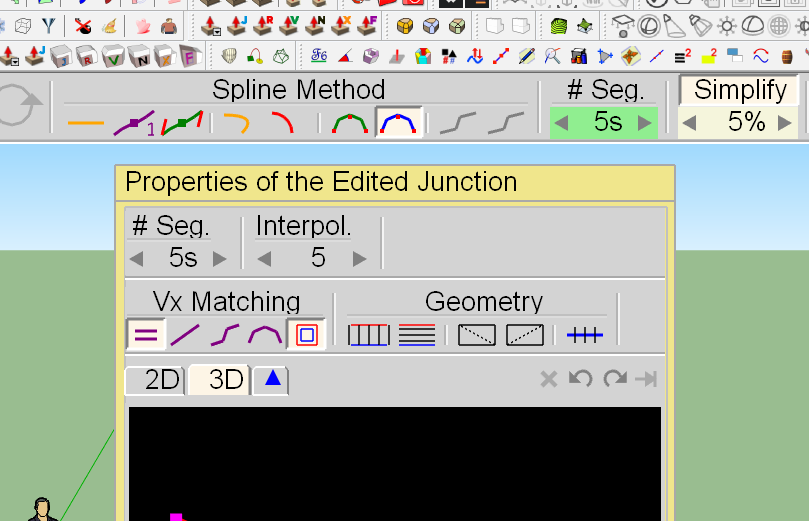
                              Curviloft - hi-res screens.png

                              IMPORTANT: It requires LibFredo6 v7.7 or above.


                              See Plugin Page of Curviloft for Download (or use the Sketchup PluginStore plugin for auto-installation.

                              Main post of this thread

                              Fredo

                              1 條回覆 最後回覆 回覆 引用 0
                              • jgbJ 離線
                                jgb
                                最後由 編輯

                                NEW RELEASE: Curviloft v1.6a - 13 Aug 17

                                This is Sunday. Don't you ever take a day off???


                                jgb

                                1 條回覆 最後回覆 回覆 引用 0
                                • fredo6F 離線
                                  fredo6
                                  最後由 編輯

                                  @jgb said:

                                  NEW RELEASE: Curviloft v1.6a - 13 Aug 17

                                  This is Sunday. Don't you ever take a day off???

                                  Precisely, ...I work on the other days...

                                  Fredo

                                  1 條回覆 最後回覆 回覆 引用 0
                                  • TIGT 離線
                                    TIG Moderator
                                    最後由 編輯

                                    @SWills

                                    Please upload a SKP displaying this issue.
                                    It need not be a big file, just the part with the problem...

                                    TIG

                                    1 條回覆 最後回覆 回覆 引用 0
                                    • D 離線
                                      deezprez
                                      最後由 編輯

                                      I recently started to have a problem with curviloft lofting along a path. When I choose the two shapes and path it doesnt work, the part outlines change color and nothing happens. This just started two days ago but I have been having issues for a while were it waits for a path to be made and never finishes. I could fix this by closing and reopening sketchup. I really dont know what is happening. I will post the file were im triying to loft the specific shape that just wont work.


                                      lofting test.skp

                                      1 條回覆 最後回覆 回覆 引用 0
                                      • Dave RD 離線
                                        Dave R
                                        最後由 編輯

                                        @deezprez said:

                                        I recently started to have a problem with curviloft lofting along a path. When I choose the two shapes and path it doesnt work, the part outlines change color and nothing happens. This just started two days ago but I have been having issues for a while were it waits for a path to be made and never finishes. I could fix this by closing and reopening sketchup. I really dont know what is happening. I will post the file were im triying to loft the specific shape that just wont work.

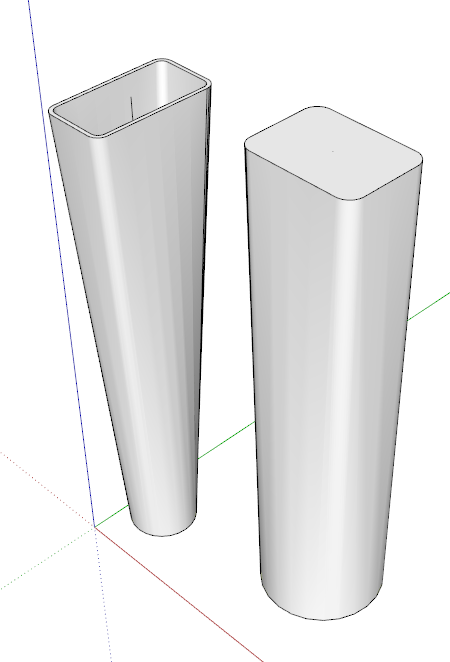
                                        I expect it has to do with the small size of your geometry. SketchUp won't create the faces needed at the size of your model. Try scaling it up before running Curviloft. You can scale up and back down or use the method shown by Box here.
                                        Screenshot - 8_28_2017 , 4_31_30 AM.png

                                        Etaoin Shrdlu

                                        %

                                        (THERE'S NO PLACE LIKE)

                                        G28 X0.0 Y0.0 Z0.0

                                        M30

                                        %

                                        1 條回覆 最後回覆 回覆 引用 0
                                        • jgbJ 離線
                                          jgb
                                          最後由 編輯

                                          Part of your problem, and one that is difficult to control, is the number of segments in the top to bottom and left to right curves are not equal. Curviloft will create extra vertices on opposing curves to line up with vertices on the other side. Therefore you get extra segments on both sides.

                                          You can minimize the problem if both opposing sides are true curves, not segmented lines, by making both curves contain the same number of segments. Select each curve and use Entity Info to adjust the number of segments.

                                          But be aware, 3 sided perimeters will not loft smoothly to adjacent 4 side curves.
                                          Your top drawing has a 3 sided perimeter (on the left) adjacent to a 4 sided perimeter, the way Curviloft will see it.

                                          Even after I do this, I still usually have a lot of cleaning up to do by pulling intersection end points in the mesh to adjacent intersections to reduce the close spaced curves and other errors that creep in.

                                          But Curviloft does 95++% of the work. 👍 👍 👍 Can't live without it.


                                          jgb

                                          1 條回覆 最後回覆 回覆 引用 0
                                          • E 離線
                                            Einstein
                                            最後由 編輯

                                            Yes, tkanks, I'm aware that the numbers of segments should match. But actually my problem is different. I still don't know why I cannot UNDO (in the second case) and why I cannot MATCH VERTICES (in the first case). Looks like something's missing in the plugin's core, with all the respect to Fredo.


                                            1 條回覆 最後回覆 回覆 引用 0
                                            • 1
                                            • 2
                                            • 9
                                            • 10
                                            • 11
                                            • 12
                                            • 13
                                            • 65
                                            • 66
                                            • 11 / 66
                                            • 第一個貼文
                                              最後的貼文
                                            Buy SketchPlus
                                            Buy SUbD
                                            Buy WrapR
                                            Buy eBook
                                            Buy Modelur
                                            Buy Vertex Tools
                                            Buy SketchCuisine
                                            Buy FormFonts

                                            Advertisement