sketchucation logo sketchucation
    • 登入
    Oops, your profile's looking a bit empty! To help us tailor your experience, please fill in key details like your SketchUp version, skill level, operating system, and more. Update and save your info on your profile page today!
    🔌 Smart Spline | Fluid way to handle splines for furniture design and complex structures. Download

    [Plugin][$] RoundCorner - v3.4a - 31 Mar 24


    已排程 已置頂 已鎖定 已移動 Plugins
    1.5k 貼文 473 Posters 3.4m 瀏覽 472 Watching
    正在載入更多貼文
    • 從舊到新
    • 從新到舊
    • 最多點贊
    回覆
    • 在新貼文中回覆
    登入後回覆
    此主題已被刪除。只有擁有主題管理權限的使用者可以查看。
    • GaieusG 離線
      Gaieus
      最後由 編輯

      If that's the plugin toolbar you closed, you can reactivate it from the View > Toolbars menu.

      Gai...

      1 條回覆 最後回覆 回覆 引用 0
      • G 離線
        greatoe
        最後由 編輯

        I have problem running RoundCorner on my mac with OSX 10.7.2.

        Everything was fine on OSX 10.6.x, but after I "upgrade" to 10.7, RoundCorner hangs on processing. I have to force quit Sketchup.

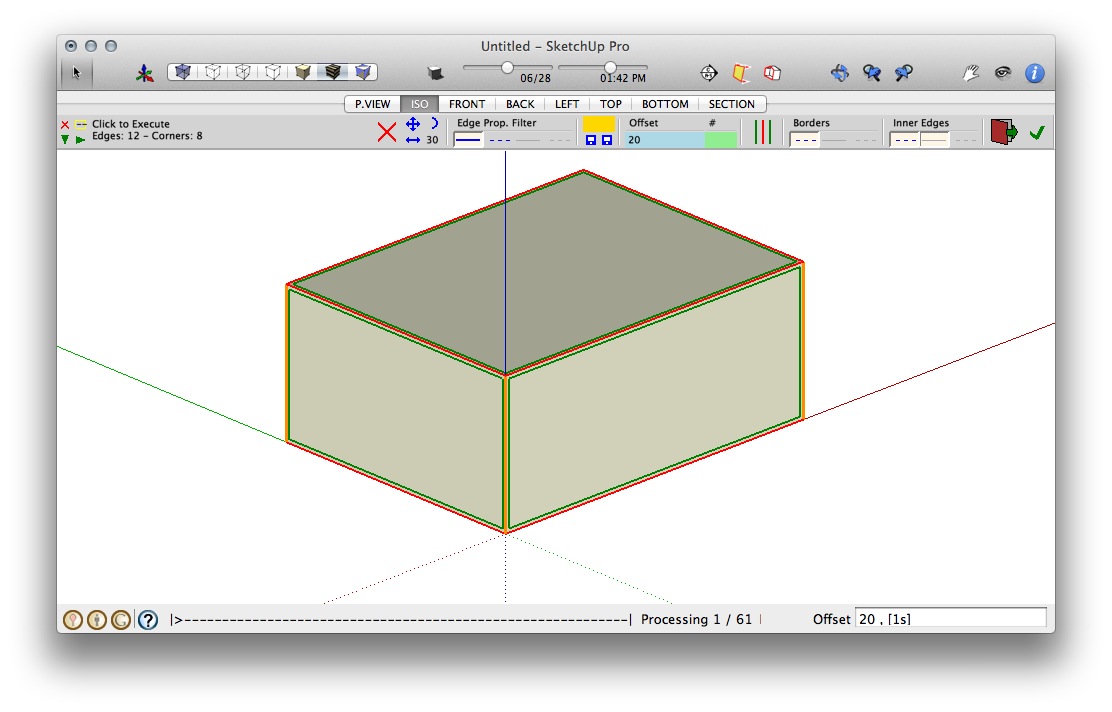
        The following images are screen shots when RoundCorner hangs.
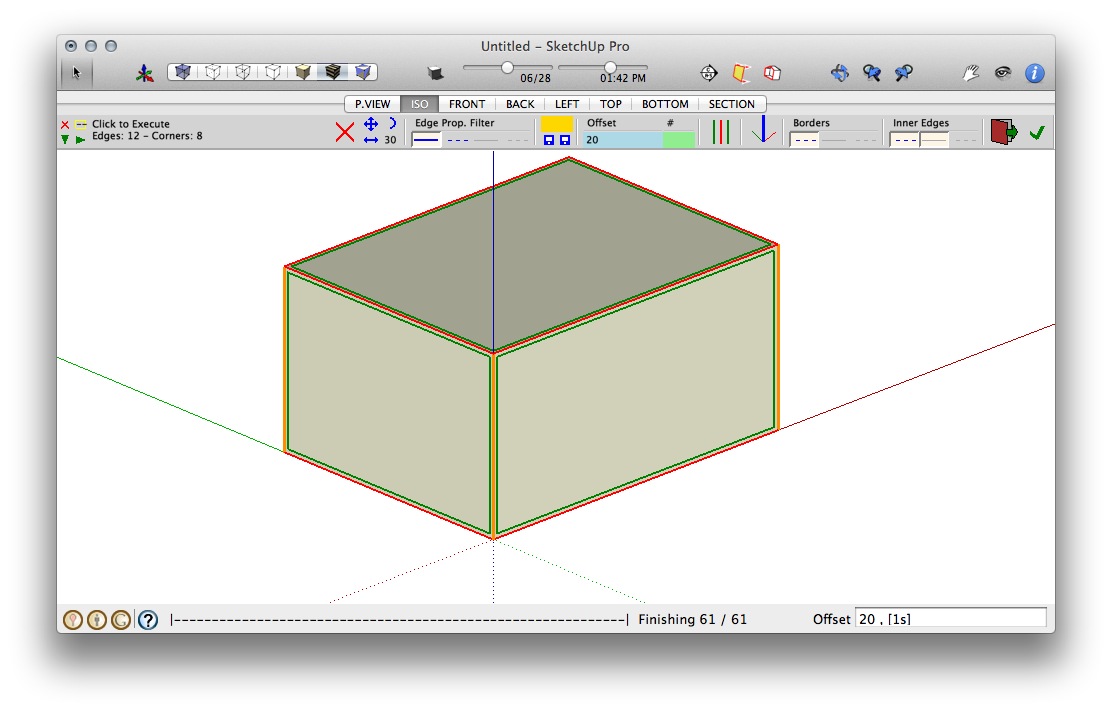
        RoundCorner v2.2, LibFredo6 v3.6, Sketchup Pro 8, Mac OSX Lion 10.7.2

        RoundCorner v2.3, LibFredo6 v3.7 or v4.2 (both act same), Sketchup Pro 8, Mac OSX Lion 10.7.2

        1 條回覆 最後回覆 回覆 引用 0
        • fredo6F 離線
          fredo6
          最後由 編輯

          greatoe

          I'll have to count on Mac users to tell if they have this problem too (I don't have OSX Lion).
          Just in case, can you open the Ruby Console before launching RoundCorner, in case you see some messages before Sketchup hangs.

          Fredo

          1 條回覆 最後回覆 回覆 引用 0
          • G 離線
            greatoe
            最後由 編輯

            @unknownuser said:

            greatoe

            I'll have to count on Mac users to tell if they have this problem too (I don't have OSX Lion).
            Just in case, can you open the Ruby Console before launching RoundCorner, in case you see some messages before Sketchup hangs.

            Fredo

            Hi Fredo,

            Thanks for the reply.

            Nothing show up in the Ruby Console.

            greatoe

            1 條回覆 最後回覆 回覆 引用 0
            • A 離線
              aea
              最後由 編輯

              hay


              air b.jpg

              1 條回覆 最後回覆 回覆 引用 0
              • massimoM 離線
                massimo Moderator
                最後由 編輯

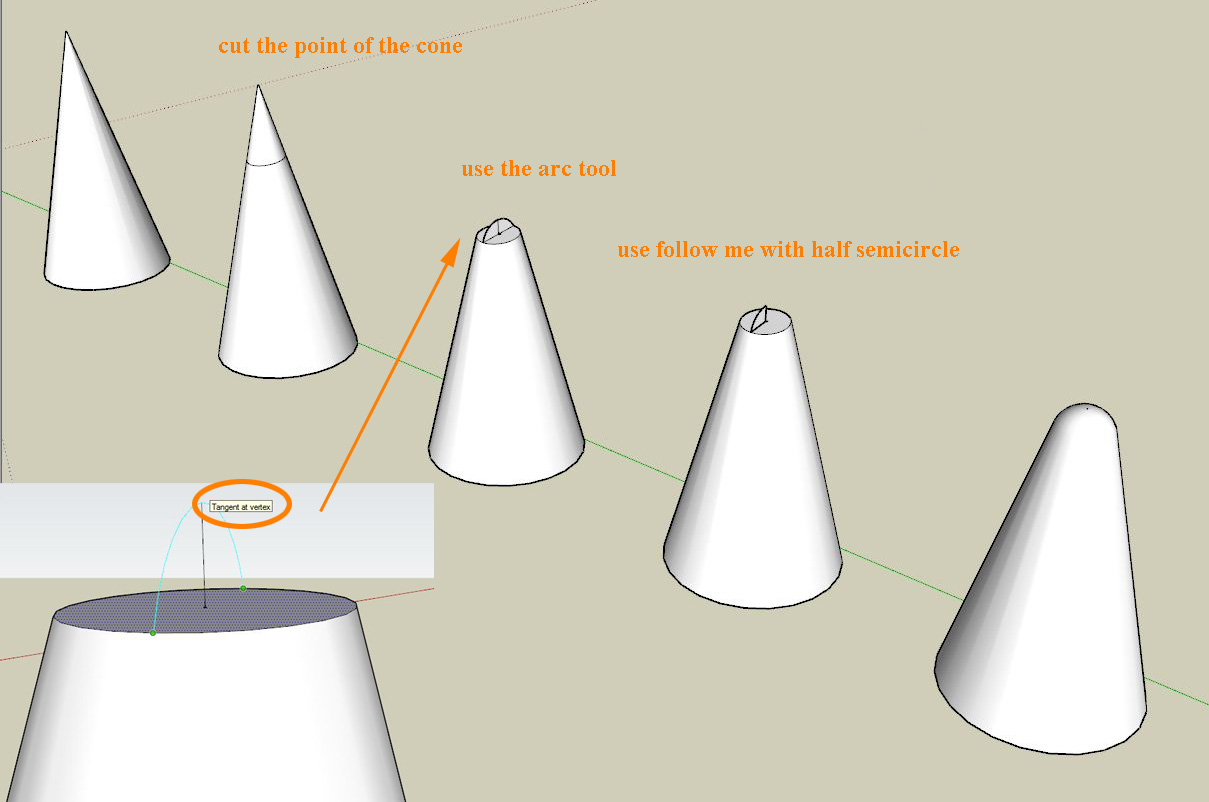
                This is a possible workflow with SU's native tools supposing you already have a cone as a start.

                Cattura_2.JPG

                1 條回覆 最後回覆 回覆 引用 0
                • A 離線
                  aea
                  最後由 編輯

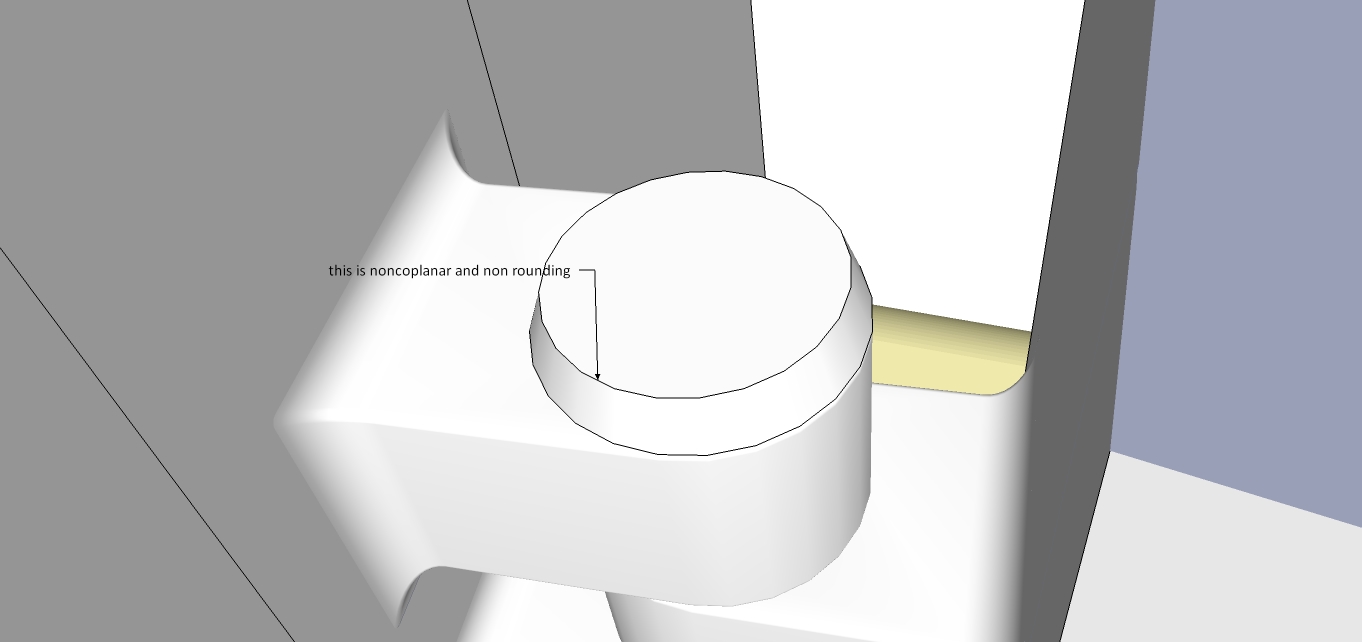
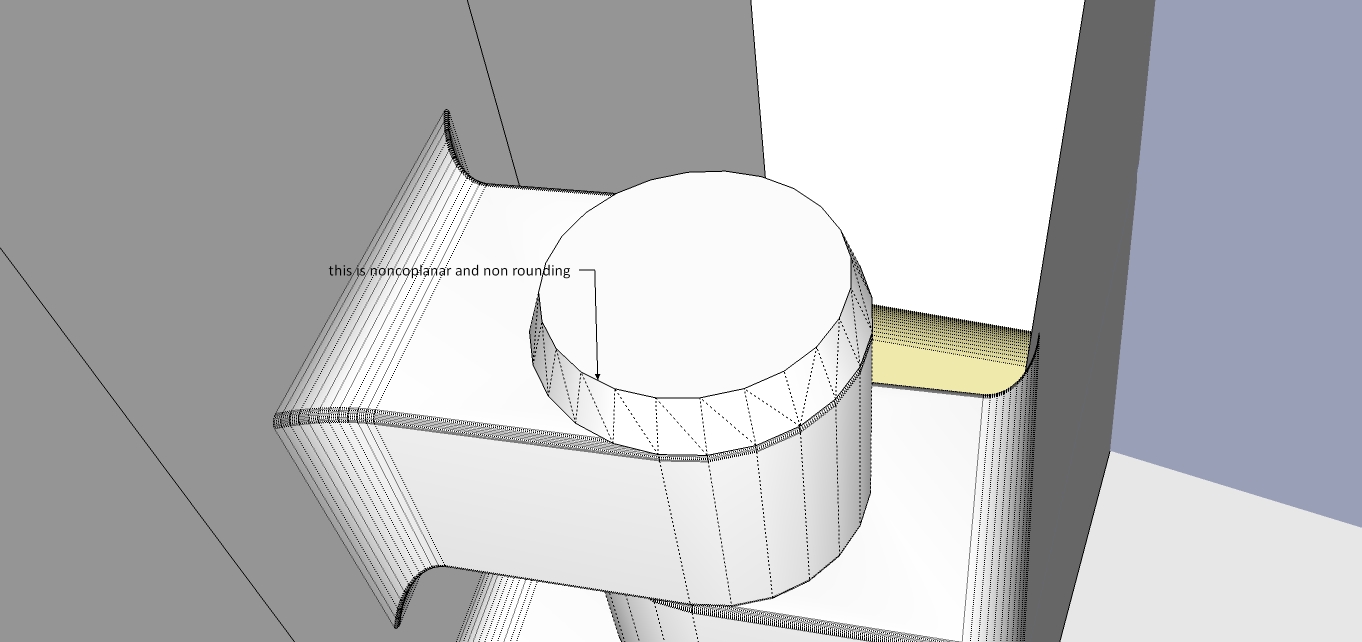
                  thanks , Another problem I found here

                  gg.jpg


                  hh.jpg

                  1 條回覆 最後回覆 回覆 引用 0
                  • GaieusG 離線
                    Gaieus
                    最後由 編輯

                    From the picture it seems that those diagonals could be safely deleted. Try to run the plugin after that.

                    Gai...

                    1 條回覆 最後回覆 回覆 引用 0
                    • fredo6F 離線
                      fredo6
                      最後由 編輯

                      @aea said:

                      hay

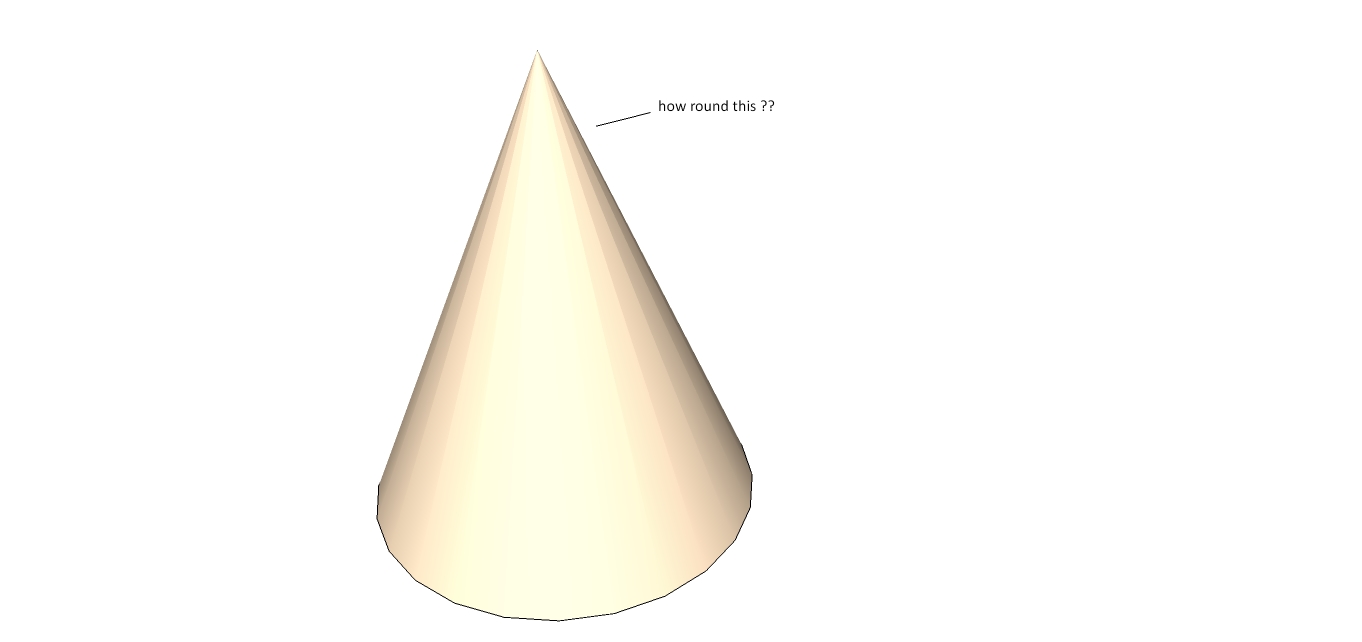
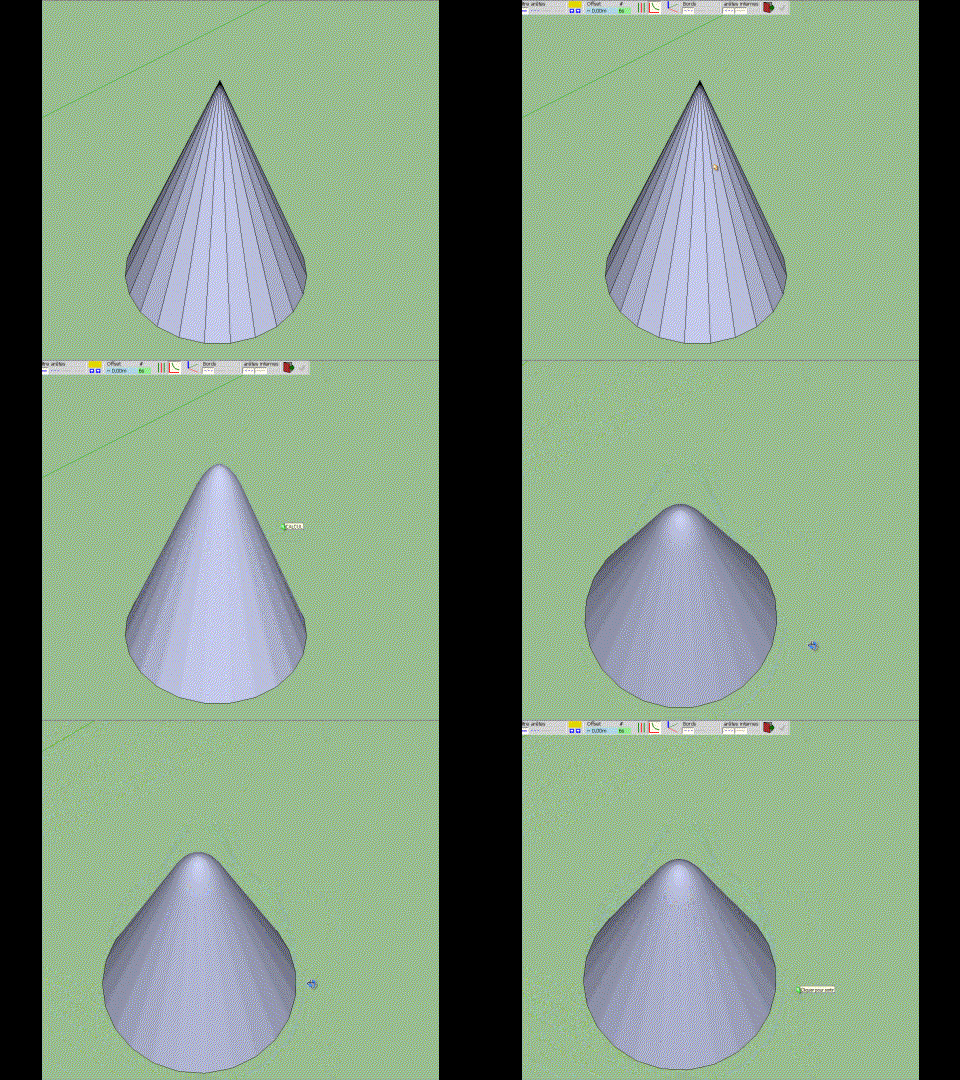
                      For rounding the tip of a cone, I suggest you use Massimo's method.

                      With RoundCorner, you can do the rounding, but:

                      1. you need to make the edges plain (i.e. non soft, non smooth)
                      2. the edges will be themselves rounded, which won't leave the surface of the cone smooth.
                      RoundCorner_Cone.gif]

                      Fredo

                      1 條回覆 最後回覆 回覆 引用 0
                      • GaieusG 離線
                        Gaieus
                        最後由 編輯

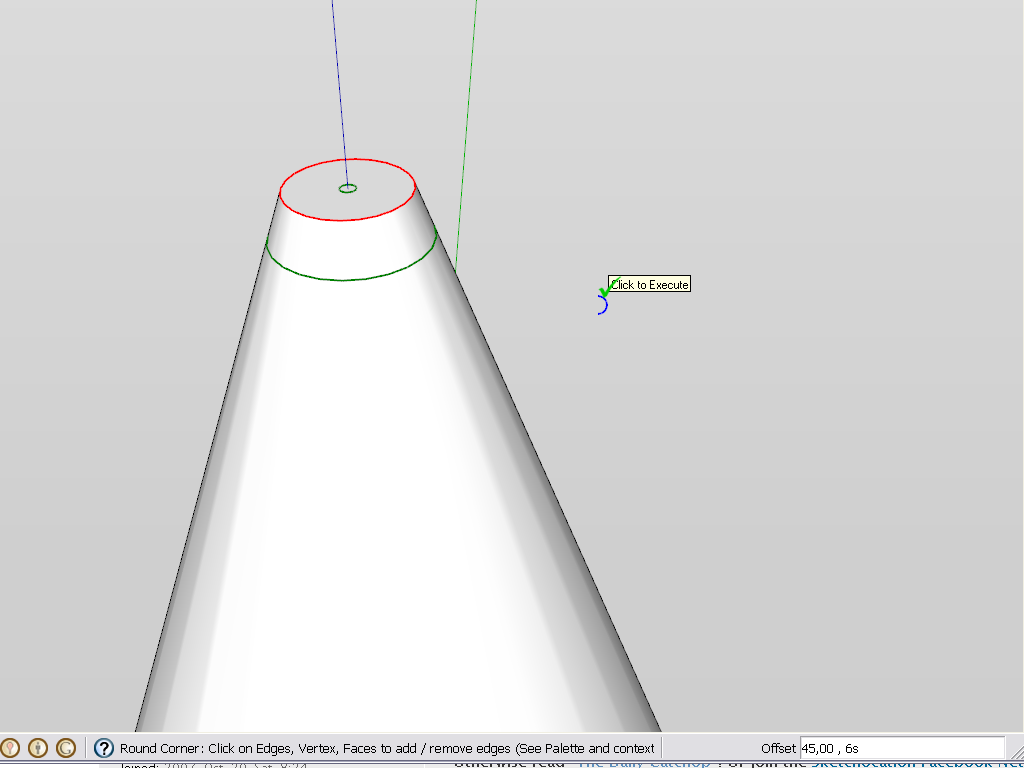
                        Also, for the cone, you can truncate the tip and apply round corner only on the top circle. It's a bit of a fiddling around what settings to use but the result will be fine.
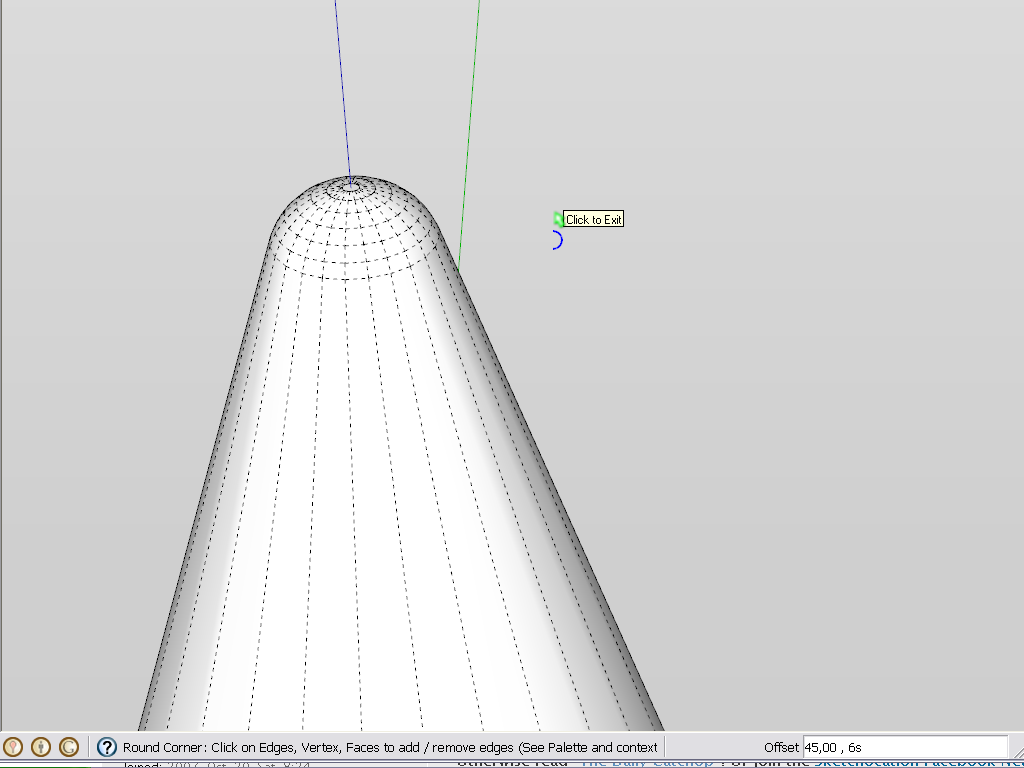
                        before


                        after (hidden edges displayed)

                        Gai...

                        1 條回覆 最後回覆 回覆 引用 0
                        • W 離線
                          WRipley
                          最後由 編輯

                          Hi,
                          thanks for this great Plugin.
                          But i have a problem.
                          I have a structure buil also with holes.
                          When i round the corners of the whole structure it closes
                          my holes on the side where i pushed the form thru the material.
                          I hope you know what i mean.
                          When i make a hole i start makin a circle on the Material.
                          Then i push the Circle thru the material that i get a hole.
                          Wehen i then try to round the corners the hole is on one side closed.
                          On the other side not.
                          Maybe it depends on me.
                          Or do you know that problem.
                          Thanks in advance
                          Best
                          Walter

                          1 條回覆 最後回覆 回覆 引用 0
                          • fredo6F 離線
                            fredo6
                            最後由 編輯

                            Problem of closed holes is known but difficult to handle because it is Sketchup closing the hole automatically.

                            Just select the face over the hole and erase it. You should see the round corners underneath.

                            Fredo

                            1 條回覆 最後回覆 回覆 引用 0
                            • W 離線
                              WRipley
                              最後由 編輯

                              Hi,
                              Thanks for you fast answer.
                              But i dont know how to erase it. The Eraser tool dont function.
                              Im new in SU .... maybe its easy (think so)
                              What is an easy way to do it ?
                              atb
                              Walter

                              1 條回覆 最後回覆 回覆 引用 0
                              • fredo6F 離線
                                fredo6
                                最後由 編輯

                                @wripley said:

                                Hi,
                                But i don`t know how to erase it.

                                Normally, just select the face closing the hole and press Delete.

                                Fredo

                                1 條回覆 最後回覆 回覆 引用 0
                                • E 離線
                                  eastspringdt
                                  最後由 編輯

                                  Thanks! it works great!

                                  1 條回覆 最後回覆 回覆 引用 0
                                  • M 離線
                                    martosurf
                                    最後由 編輯

                                    Is great thanks

                                    1 條回覆 最後回覆 回覆 引用 0
                                    • A 離線
                                      arcitek
                                      最後由 編輯

                                      Someone may want to check into this but I found a conflict with podium 2 plugin and round corners. I had to work through almost 30 plugins to find this. It was on a friend's machine and we noticed he kept getting bugsplats as soon as he would activate round corners. I removed every plugin and started reinstalling every one of them and it crashed when I inserted the Podium 2 folder. Took the folder out, things were fine. Bummer.

                                      1 條回覆 最後回覆 回覆 引用 0
                                      • F 離線
                                        flycase
                                        最後由 編輯

                                        Hi Fredo,
                                        I'm trying to use Round Corner in SU8, but any time I will define a corner to round, for example a corner of a cube of 2000x2000x2000mm, Sketchup crashes and switch off..

                                        is there a solution for this?
                                        Tahnk You very much.
                                        Paolo.

                                        1 條回覆 最後回覆 回覆 引用 0
                                        • TIGT 線上
                                          TIG Moderator
                                          最後由 編輯

                                          A cube that size [2m] should be OK... BUT if you then specify a very small radius or excessively large numbers of segments Sketchup/OpenGL can't cope with the tiny faces [<~1mm/0.01sq"] and it fails - sometimes catastrophically. It occurs with many tools - even FollowMe...
                                          This tininess is exacerbated when already small rounded edges meet at corners and some 'quarter-hemispheres' are made to join them together, because they will probably have very small triangular facets at their apexes, which might then be 'too tiny' to be created !

                                          So I'm guessing that this could be the issue...

                                          Try it with a bigger radius and/or fewer segments and see if that works.
                                          If so, and you really must have such a tiny radius and/or many segments, you can get around it thus:
                                          Scale up the whole cube x10.
                                          Apply the edge-rounding [x10 bigger] to it, so this time the tiny face issue is avoided.
                                          When you are done you just Scale the cube with it's rounded edges down x0.1.
                                          Tiny edges can exist quite happily: it is just the creation of them that causes these issues...
                                          🤓

                                          TIG

                                          1 條回覆 最後回覆 回覆 引用 0
                                          • F 離線
                                            flycase
                                            最後由 編輯

                                            I tried to reduce corners, and tried do use an offset of 40mm on that cube, but no combination of parameters seems to work.. everytime I will try round corner to work sketcup closes down.
                                            Fredo scale works poerfectly.. but I'm starting to think that something is not installed in the right way.. is there a way to remove everything and to re-install?


                                            1 條回覆 最後回覆 回覆 引用 0
                                            • 1
                                            • 2
                                            • 12
                                            • 13
                                            • 14
                                            • 15
                                            • 16
                                            • 73
                                            • 74
                                            • 14 / 74
                                            • 第一個貼文
                                              最後的貼文
                                            Buy SketchPlus
                                            Buy SUbD
                                            Buy WrapR
                                            Buy eBook
                                            Buy Modelur
                                            Buy Vertex Tools
                                            Buy SketchCuisine
                                            Buy FormFonts

                                            Advertisement