The "Duh!" thread (aka the Doh! thread)
-
@tig said:
That's where FollowMeAndKeep steps in... No twisting !
Also 'EEbyLathe' sorts the FollowMe around and Arc issues too...right.. i was just trying to point out a case where autofolding doesn't (and can't) happen so that jgb understands when/where it's needed..
maybe the follow me example just confuses the matter even more unless you already understand the inherent problems of that tool.. ??
-
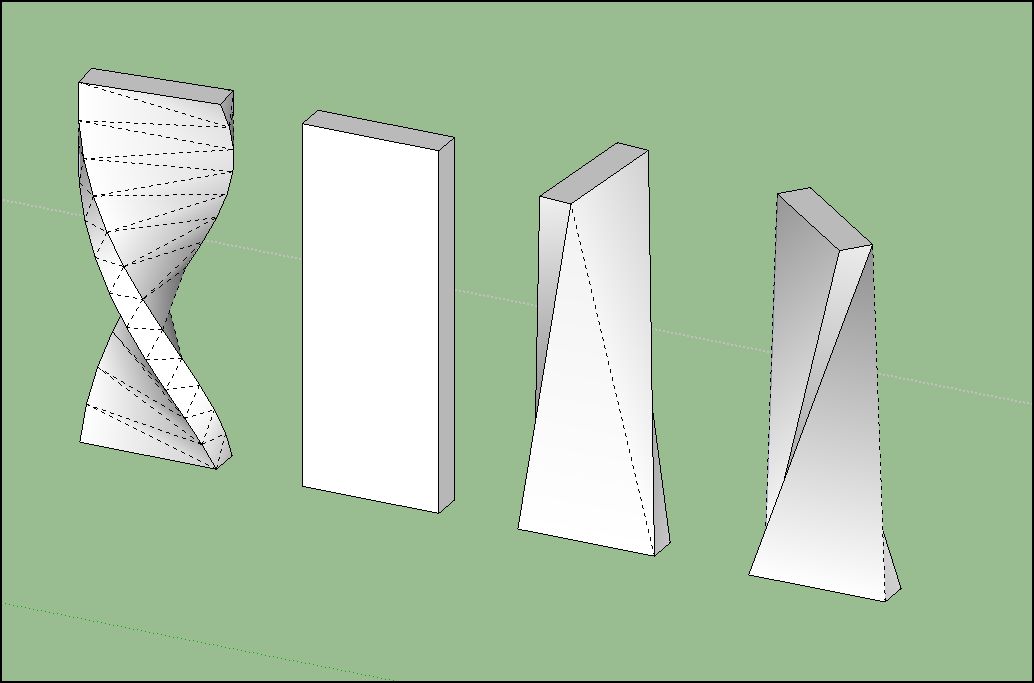
I refuse to apologize for being ignorant... I couldn't figure out for the life of me why when twisting with fredo scale, etc., I got nothing much. I had neglected to learn about auto-slicing in the parameters settings menus, or of enabling it with F4. I thought that some form of slicing had to occur, and tried slicing before executing and saw that worked as I thought the routine was supposed to work. In my defense, since I seem to need some, I think it should be more prominently mentioned. Or did I miss it?
-
@jgb said:
@gaieus said:
And here is the autofold description:
http://support.google.com/sketchup/bin/answer.py?hl=en&answer=94865Read it, tried it and I still don't see any advantage.
 ...
...Autofold (as the name implies) is mostly an automatic feature of SU when you force it not to maintain co-planar geometry. But you need to force it somehow. In your case, by pressing the up/down arrow. Some other cases (when axis alignment is not that obvious), you press the Alt key letting SU know that now you do not mind if it breaks a face or not.
This is just like inferencing: you can always "encourage" SU to infer to certain things like parallel / perpendicular to something instead of axes etc.
-
I C

-
I hadn't realised until recently that if you set Model Info>Components>Fade rest of model to hide you can still edit a group/component, triple click to select all faces and then (rt-clk) "intersect with model" which you can then edit as required.
In some ways I prefer this over solid ops as it avoids creating a new group on layer zero
 .
. -
@arcad-uk said:
I hadn't realised until recently that if you set Model Info>Components>Fade rest of model to hide you can still edit a group/component, triple click to select all faces and then (rt-clk) "intersect with model" which you can then edit as required.
In some ways I prefer this over solid ops as it avoids creating a new group on layer zero
.A cupala tips on this.....
- Use layers as well for each group/comp that you are working on, even if you assign them to temp layers. Assign the temp layer ONLY to the comp/group envelope, NOT to the entities inside which best remain on layer0.
Intersect with model intersects with visible layers (on) even if they are "hidden" within the edit mode. That way you avoid unwanted intersections with other groups/comps by simply turning ON only the layer(s) as appropriate. You can then turn on/off layers while in edit mode to better see what you are doing.
-
If there is too much stuff around the group/comp you are working on, then make it a comp (even if temporarily) and pull a copy of it into free space. Do the edits on the copy, then delete it when finished. You can also pull copies of stuff surrounding the prime comp over to the working copy as needed for edit or intersect reference.
-
You can also hide (in edit mode) other copies of the same comp so they do not distract when editing. Sometimes you may have multiple copies quite close together and you cannot see what you are doing.
-
If you have a comp that intersects with stuff on multiple faces that are not involved with the actual "intersect w/Model" then only select the involved faces, rather than a triple click. And that is faster as well.
-
Some good tips there Joel!
-
Doh of the day! we can make "12" or "12" in the VCB after the first copy move !

@unknownuser said:
Or "x12" or "12x" if you wish.
Super DOH


-
Really Pilou - a veteran like you didn't know that?
It also works with/12and12/. -
I allways use the "*" against the "x"

Because I have a numeric keyboard so no movement and can be pressed with the same hand!
-
@thomthom said:
Really Pilou - a veteran like you didn't know that?
It also works with/12and12/.In my experience you should put the numbers before the function. I have had problems with defining arc/circle segments and rotation multiples putting the function 'S' or 'X' first. So to be consistent, and remember it, for all these moves, rotates, arc and circles I put the numbers first.
-
Putting these numbers 'first' IS only necessary... IF you have set shortcuts that clash with those characters.
It's recommend that you avoid 'raw' shortcuts of numerals / X * S AND 0-9 - . , ; [ and <.
Then the position of that 'modifier' character becomes unimportant.
You are ready prevented form specifying 'raw' Ctrl/Shift/Alt key presses; and 'Tab' is flaky anyway - help yourself...
However, the use of " ' m c i f etc are all OK to use as shortcuts, because these will always occur after numerals in any dimensional inputs anyway.
Also remember - many 3rd party tools now use the four 'raw' arrow-keys [for example to 'nudge' textures], so it's also best to avoid shortcutting to those.

-
@tig said:
Putting these numbers 'first' IS only necessary... IF you have set shortcuts that clash with those characters.
It's recommend that you avoid 'raw' shortcuts of numerals / X * S AND 0-9 - . , ; [ and <.
Then the position of that 'modifier' character becomes unimportant.
You are ready prevented form specifying 'raw' Ctrl/Shift/Alt key presses; and 'Tab' is flaky anyway - help yourself...
However, the use of " ' m c i f etc are all OK to use as shortcuts, because these will always occur after numerals in any dimensional inputs anyway.
Also remember - many 3rd party tools now use the four 'raw' arrow-keys [for example to 'nudge' textures], so it's also best to avoid shortcutting to those.
Good point; I never even thought about that.
In fact in reviewing what you said, the 'S' key is the only one of those mentioned I use as a direct shortcut (Solid Inspector), and that is the only one I recall having to put the ### first.I use the 'X' as well, but right now, can't remember what for....
-
Don't know if this one has been mentioned at all, but I frequently hit the window maximise button by accident when intending to mininimise or close a file. If you have many toolbars open and laid out how you want them, when you re-maximise the window, they will not return to the positions you had set up. Frustrating!
The solution is once you have your toolbars how you like them, go to "view" menu, then "toolbars", scroll down until you see "save toolbar positions", click this. Once this is done, you can return to the same menu at any time to click "restore toolbar positions" if they become disordered.
Tip. remember to resave your toolbar positions if you change the layout / get new plugins.
-
@seven.sides said:
The solution is once you have your toolbars how you like them, go to "view" menu, then "toolbars", scroll down until you see "save toolbar positions", click this. Once this is done, you can return to the same menu at any time to click "restore toolbar positions" if they become disordered.
Alas, it does not always work, especially after an SU crash that blows your toolboxes out of the water.
While I have not had it happen (a total blowup) since the SU8 update, it did a few times before.So, after I do a major toolbar location revamp (usually after a pluggin that has an extensive toolbar layout) I commit to paper the locations. And I hit "save toolbars" on occasion, just in case, even with no changes.
-
[mac only duh but still worth pointing out]
export a colloda version of your model to your desktop (or wherever)
select the .dae
push the space bar (which will bring up a quicklook panel)
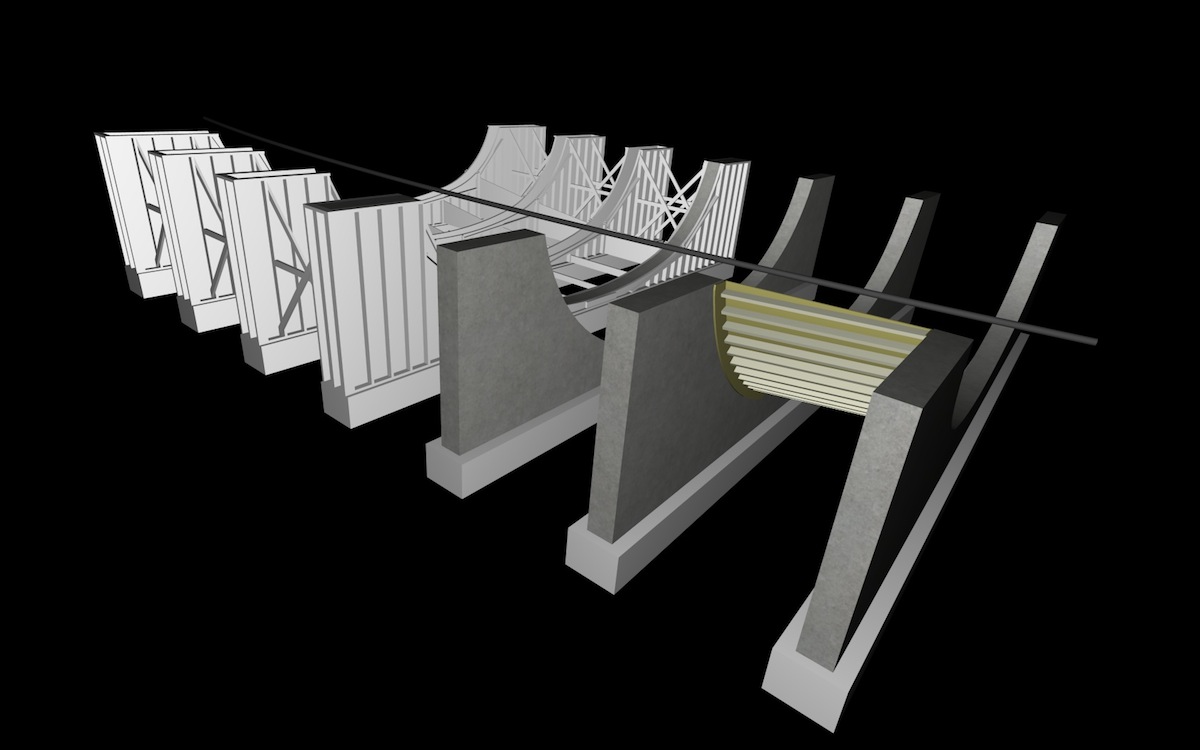
orbit/pan etc or, click on the 'open in preview' button via the quicklook panel.. preview can go full screen on lion.. looks super sweet seeing your model 100% full screen with not even a hint of a menu bar or anything else.. this could be a great way to show/present models on your laptop with barely any effort..
i don't think you can zoom though
[EDIT] -- here's an example of a model being viewed full screen (well, downsized for this forum but…)..
-
@unknownuser said:
For both scenes, I unchecked the memorisation of the camera location to avoid loosing a carefully orbited, panned and zoomed view when switching from one mode to another.
Just ideas.
doh!
didn't realize you could do that...
-
Expand revelation!
I had always believed that was reserved to Mac users to have pile of windows like that!
So never try to click on the blue title and have full windows if needed
by Right Click on the object or moving from the Menu!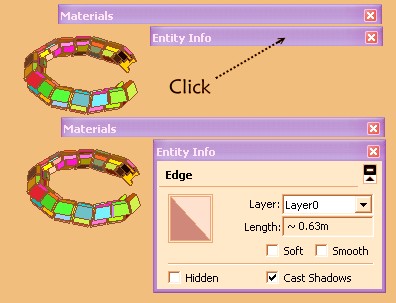
-
Yay! I came upon a huge doh moment, thanks to Taff (he who "makes you think") from this recent thread which sent me to this thread which links to a sketchup sage article
and long story short, I found that by holding down the "primary mouse button" while using the rotate (protractor) tool, it will inference to the perpendicular of a line. Simply Brilliant!! I've always wondered how to rotate about an axis without constructing a bunch of lines and faces

-
@andybot said:
Yay! I came upon a huge doh moment, thanks to Taff ...
...and long story short, I found that by holding down the "primary mouse button" while using the rotate (protractor) tool, it will inference to the perpendicular of a line. Simply Brilliant!! I've always wondered how to rotate about an axis without constructing a bunch of lines and facesMy primary tip, for any beginning (and, it seems, experienced) SketchUp user!
-Taff











Advertisement