sketchucation logo sketchucation
    • 登入
    Oops, your profile's looking a bit empty! To help us tailor your experience, please fill in key details like your SketchUp version, skill level, operating system, and more. Update and save your info on your profile page today!
    🔌 Smart Spline | Fluid way to handle splines for furniture design and complex structures. Download

    [Plugin] BezierSpline - v2.2a - 22 Apr 21

    已排程 已置頂 已鎖定 已移動 Plugins
    460 貼文 183 Posters 2.0m 瀏覽 183 Watching
    正在載入更多貼文
    • 從舊到新
    • 從新到舊
    • 最多點贊
    回覆
    • 在新貼文中回覆
    登入後回覆
    此主題已被刪除。只有擁有主題管理權限的使用者可以查看。
    • J 離線
      junoswayam
      最後由 編輯

      Thanks a lot man..... This is amazing!!

      1 條回覆 最後回覆 回覆 引用 0
      • S 離線
        spruzza
        最後由 編輯

        Great!!! Really usefull!!
        Thanks

        1 條回覆 最後回覆 回覆 引用 0
        • U 離線
          unclex
          最後由 編輯

          IF remove cadfather's icon catalog
          the BS icon @ SU vanished...

          when cadfather's and default catalog together,
          the icon @ SU can work

          1 條回覆 最後回覆 回覆 引用 0
          • B 離線
            bentleykfrog
            最後由 編輯

            cool tool, just one suggestion. It would be helpful to reverse the direction of the polyline divide function so you can choose which end the dividing starts at. Currently, for curves that have an incorrect start and end, I have to explode my curve, then recreate the curve using the classic bezier curve tool, then use polyline divide.

            Sorry for my ignorance if this feature already exists.

            1 條回覆 最後回覆 回覆 引用 0
            • B 離線
              bentleykfrog
              最後由 編輯

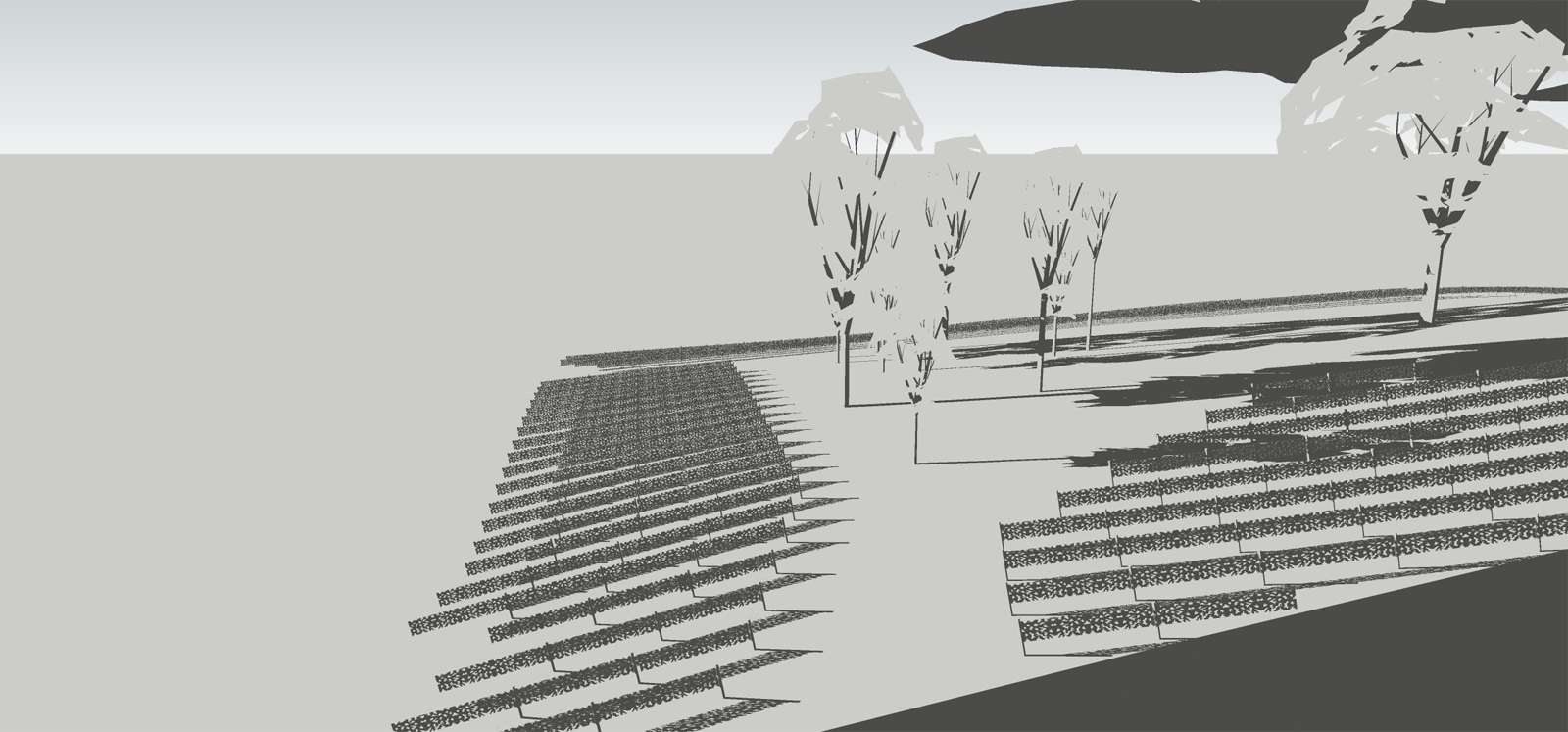
              Ohh, I forgot to post an example of how I've used the tool. I used Polyline divide in the image below on the lines that set out the rows of vines, then I used Chris Fullmer's Component Stringer to set out the vine components along these paths. Very happy with the result ☀
              Polyline Divide usage example

              1 條回覆 最後回覆 回覆 引用 0
              • fredo6F 離線
                fredo6
                最後由 編輯

                @bentleykfrog said:

                cool tool, just one suggestion. It would be helpful to reverse the direction of the polyline divide function so you can choose which end the dividing starts at. Currently, for curves that have an incorrect start and end, I have to explode my curve, then recreate the curve using the classic bezier curve tool, then use polyline divide.

                Sorry for my ignorance if this feature already exists.

                The feature does not exist in BezierSpline, but you can use the plugin RevertCurve to inverse the direction of the curve.

                Fredo

                1 條回覆 最後回覆 回覆 引用 0
                • B 離線
                  bentleykfrog
                  最後由 編輯

                  @unknownuser said:

                  @bentleykfrog said:

                  cool tool, just one suggestion. It would be helpful to reverse the direction of the polyline divide function so you can choose which end the dividing starts at. Currently, for curves that have an incorrect start and end, I have to explode my curve, then recreate the curve using the classic bezier curve tool, then use polyline divide.

                  Sorry for my ignorance if this feature already exists.

                  The feature does not exist in BezierSpline, but you can use the plugin RevertCurve to inverse the direction of the curve.

                  Fredo

                  Ahh! awesome, thanks again Fredo6

                  1 條回覆 最後回覆 回覆 引用 0
                  • M 離線
                    mimarhamza
                    最後由 編輯

                    Hi Fredo This toolbar is great.My question is that I couldnt find out how to snap x y z axes like hold the shift key down draw line and also hard to snap endpoint when creating or editing curves?

                    1 條回覆 最後回覆 回覆 引用 0
                    • F 離線
                      function
                      最後由 編輯

                      hi - I had a feature request for the Courbette tool.: can we have an option to specify a uniform division of vertexes over the whole curve while retaining the same control points? or possibly even better, to modify the S value between control points. As far as I have been able to understand, the S value affects the whole curve which causes facets with shallow slopes and over-division with high slopes (see image). Trying to up the S value to compensate for the faceting then simultaneously overpopulates higher slopes with far too many vertexes. This tool is very intuitive and great to work with, however I find myself attempting workarounds to create a more uniform distribution.
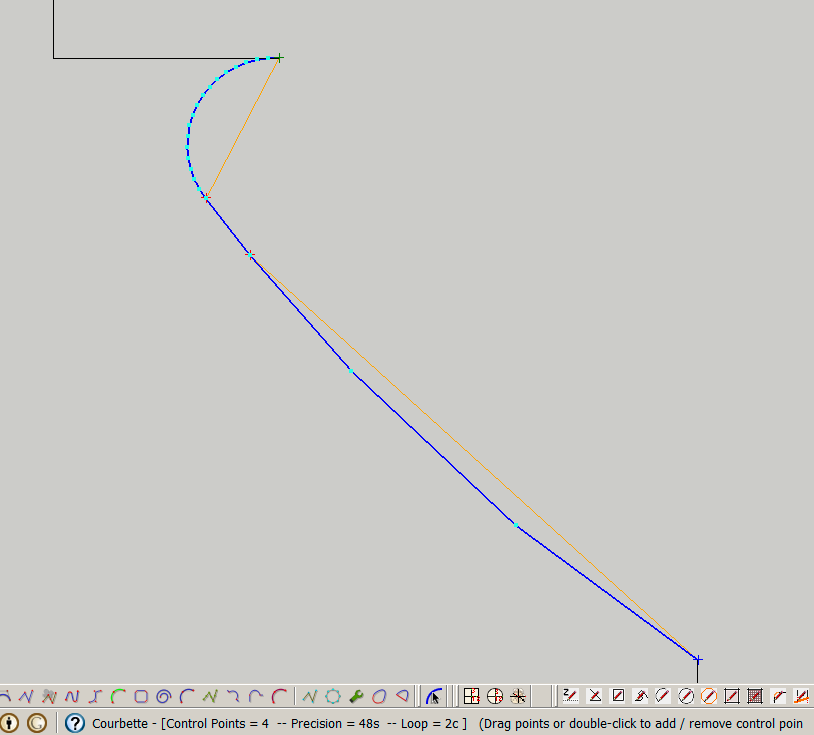

                      courb.png

                      1 條回覆 最後回覆 回覆 引用 0
                      • fredo6F 離線
                        fredo6
                        最後由 編輯

                        @function said:

                        hi - I had a feature request for the Courbette tool.: can we have an option to specify a uniform division of vertexes over the whole curve while retaining the same control points? or possibly even better, to modify the S value between control points. As far as I have been able to understand, the S value affects the whole curve which causes facets with shallow slopes and over-division with high slopes (see image). Trying to up the S value to compensate for the faceting then simultaneously overpopulates higher slopes with far too many vertexes. This tool is very intuitive and great to work with, however I find myself attempting workarounds to create a more uniform distribution.

                        If the plugin created equal divisions, then it would adjust on the minimum ones, which would make the curve divided into a possibly big number of segments (in your exmaple you would have probably over 100).

                        I think the best is that you resample the curve (or portions of the curve) with Polyline Divider or Polyline Segmentor (also included in BezierSpline) in order to have even segmentation and better control the result depending on the situation.

                        Fredo

                        1 條回覆 最後回覆 回覆 引用 0
                        • F 離線
                          function
                          最後由 編輯

                          👍 thanks for the quick response

                          1 條回覆 最後回覆 回覆 引用 0
                          • H 離線
                            herbert2000
                            最後由 編輯

                            i have a probleme, I have install this version an still impossible to edit polylign. help !

                            1 條回覆 最後回覆 回覆 引用 0
                            • Dave RD 離線
                              Dave R
                              最後由 編輯

                              Was the polyline created with this plugin?

                              Etaoin Shrdlu

                              %

                              (THERE'S NO PLACE LIKE)

                              G28 X0.0 Y0.0 Z0.0

                              M30

                              %

                              1 條回覆 最後回覆 回覆 引用 0
                              • K 離線
                                khanhvu86
                                最後由 編輯

                                thanks

                                1 條回覆 最後回覆 回覆 引用 0
                                • H 離線
                                  herbert2000
                                  最後由 編輯

                                  yes, i draw it with the plugin,...and sketchup pro ! i have XP PRO and an old PC, may be my config is too old . I will try with an old version of sketchup ! thanks for the response !

                                  1 條回覆 最後回覆 回覆 引用 0
                                  • Dave RD 離線
                                    Dave R
                                    最後由 編輯

                                    Once you've drawn your polyline and finished it, right click on it and choose Edit Polyline. Then you should be able to move the points of the line around. If you can't do this, please describe what part of it you can't do.

                                    Etaoin Shrdlu

                                    %

                                    (THERE'S NO PLACE LIKE)

                                    G28 X0.0 Y0.0 Z0.0

                                    M30

                                    %

                                    1 條回覆 最後回覆 回覆 引用 0
                                    • I 離線
                                      ivreich
                                      最後由 編輯

                                      New feature Suggestion

                                      Dear Fredo

                                      Do you think it would be useful/possible to have bezierspline incorporate a function to blend 2 bsplines by curvature/tangents in the same way that the "blend" command in rhino does?

                                      currently it's possible to do it manually by placing construction lines along the end segments of each bspline to simulate tangent guides, so i'm assuming it could be automated?

                                      Cheers,

                                      Joel

                                      1 條回覆 最後回覆 回覆 引用 0
                                      • jeff hammondJ 離線
                                        jeff hammond
                                        最後由 編輯

                                        Hey Joel
                                        Yeah, I think that would be very useful. (blend curve by bezier -- or whatever it may be called)

                                        It be sweet if the first control point in on each end of the line were subsequently locked to the direction of the line being blended to. (ie- the construction line or guide if doing the blend manually)

                                        dotdotdot

                                        1 條回覆 最後回覆 回覆 引用 0
                                        • fredo6F 離線
                                          fredo6
                                          最後由 編輯

                                          @unknownuser said:

                                          Hey Joel
                                          Yeah, I think that would be very useful. (blend curve by bezier -- or whatever it may be called)

                                          It be sweet if the first control point in on each end of the line were subsequently locked to the direction of the line being blended to. (ie- the construction line or guide if doing the blend manually)

                                          Jeff and Joel,

                                          Very good idea. I will do something in a frefresh of BezierSpline.

                                          Fredo

                                          1 條回覆 最後回覆 回覆 引用 0
                                          • jeff hammondJ 離線
                                            jeff hammond
                                            最後由 編輯

                                            nice! i'm glad you're into the idea.
                                            i think it will be great and i'm sure a bunch of other people will be into it once they see what it does.


                                            dotdotdot

                                            1 條回覆 最後回覆 回覆 引用 0
                                            • 1
                                            • 2
                                            • 19
                                            • 20
                                            • 21
                                            • 22
                                            • 23
                                            • 22 / 23
                                            • 第一個貼文
                                              最後的貼文
                                            Buy SketchPlus
                                            Buy SUbD
                                            Buy WrapR
                                            Buy eBook
                                            Buy Modelur
                                            Buy Vertex Tools
                                            Buy SketchCuisine
                                            Buy FormFonts

                                            Advertisement