[Plugin] Normal Map Maker
-
@thomthom said:
ah...

But a skewed texture only needs tree co-ordinates - why are these troublesome for triangles?Maybe I use the wrong wording... it's textures that are somehow rotated/skewed/sheared that need four UVs ?
-
Only distorted textures needs four points.
Normal size (based on material width and height): 1 point
Uniformly scaled: 2 points
Non-uniformly scaled: 3 points
Skewed - sheared: 3 points
Distorted: 4 points -
It's
distortedthen - do you mean that we CAN export these already using a TW and the material's actual face front-material?
If so, how do we 'know' a face has a 'distorted' texture as opposed to a 'skewed' or 'rotated' one ?
Let's say I have a face with a material that has its texture distorted and some other faces use that material 'undistorted'.
The material is exported 'undistorted' and used with most faces with the simple 3-point UV-mapping...
I need to know how to find which face has which type of texture, then if it's distorted then export that texture as a 'variant' using the TW with the very face, and then use that image-file for that face in the exported data.
Is this what the built-in OBJ-Exporter does when it makes distorted texture files for some faces...The main issue is how do I tell if a face's material's texture is 'distorted' and needs this extra step...

It would greatly improve my OBJexporter and some 3rd party tools I am involved with... -
sorry for the stupid question but...
1 - whats the advantage of normal map over bump and displacement maps (both of which can use the same grayscale bitmap)?
2 - VRAY doesnt use normal maps, does it?
-
@aceshigh said:
1 - whats the advantage of normal map over bump and displacement maps (both of which can use the same grayscale bitmap)?

a) is a bump map
b) is a parallax/normal map
c) is a relief map (normal map with self shadowing)@aceshigh said:
2 - VRAY doesnt use normal maps, does it?
Not sure what V-Ray 2 does - but the version V-Ray for SketchUp currently use doesn't.
-
@tig said:
The main issue is how do I tell if a face's material's texture is 'distorted' and needs this extra step...
It would greatly improve my OBJexporter and some 3rd party tools I am involved with... -
@aceshigh said:
1 - whats the advantage of normal map over bump and displacement maps (both of which can use the same grayscale bitmap)?
A bumpmap is like: Hey, change your normal (surface direction) by this grayscale amount!
A normal map is more like: Yo, use this normal instead of your old one! -
I just downloaded and installed this plugin, but it doesn't seem to work, I am sure I missed something, nothing shows up in the plugins menu. Anybody have a step by step?
-
@tspco said:
I just downloaded and installed this plugin, but it doesn't seem to work, I am sure I missed something, nothing shows up in the plugins menu. Anybody have a step by step?
It doesn't work for me either

-
hi, did you look in the right place?
UI.menu("File").add_item("Export normal map")
john -
Didier's version says this quite clearly
@unknownuser said:You'll find the command under the
**File** menu -> Export normal map

-
Great to find this Normal Map script. Thanks.
I found that slows down if you have the Materials Windows open to "In Model" textures. So remember to have that closed.
Was there any way to get a bump map from this ruby? I found some threads relating to bump mapping in Sketchup, but nothing conclusive, unless I missed it
http://forums.sketchucation.com/viewtopic.php?f=180&t=18024&start=15
http://forums.sketchucation.com/viewtopic.php?f=180&t=16660&hilit=plugin -
You can quite easily create bump maps from (raw) geometry if you project a greyscale image from one side and then export an image from the other side.
-
Just browsing through, got interested, and don't understand your reply.
@gaieus said:
You can quite easily create bump maps from (raw) geometry if you project a greyscale image from one side and then export an image from the other side.
project (from what onto to what?) a greyscale image from one side (of what?)
export an image from the other side (of what?)
-
I believe this is the procedure:
-
Make a rectangle with a greyscale texture in the z direction, scale it to 1.001 to ensure the top face is white
-
Make the texture a projection
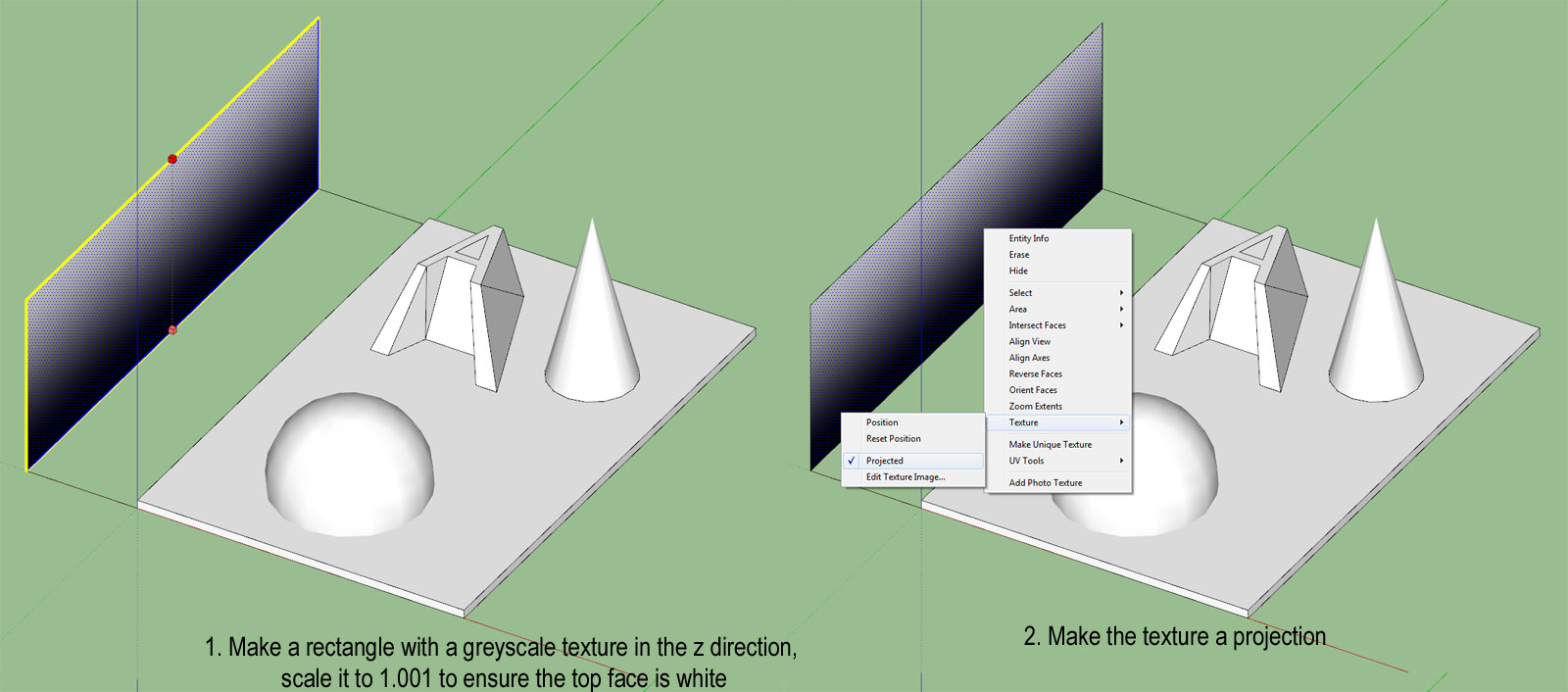
-
Select and apply the texture to the model
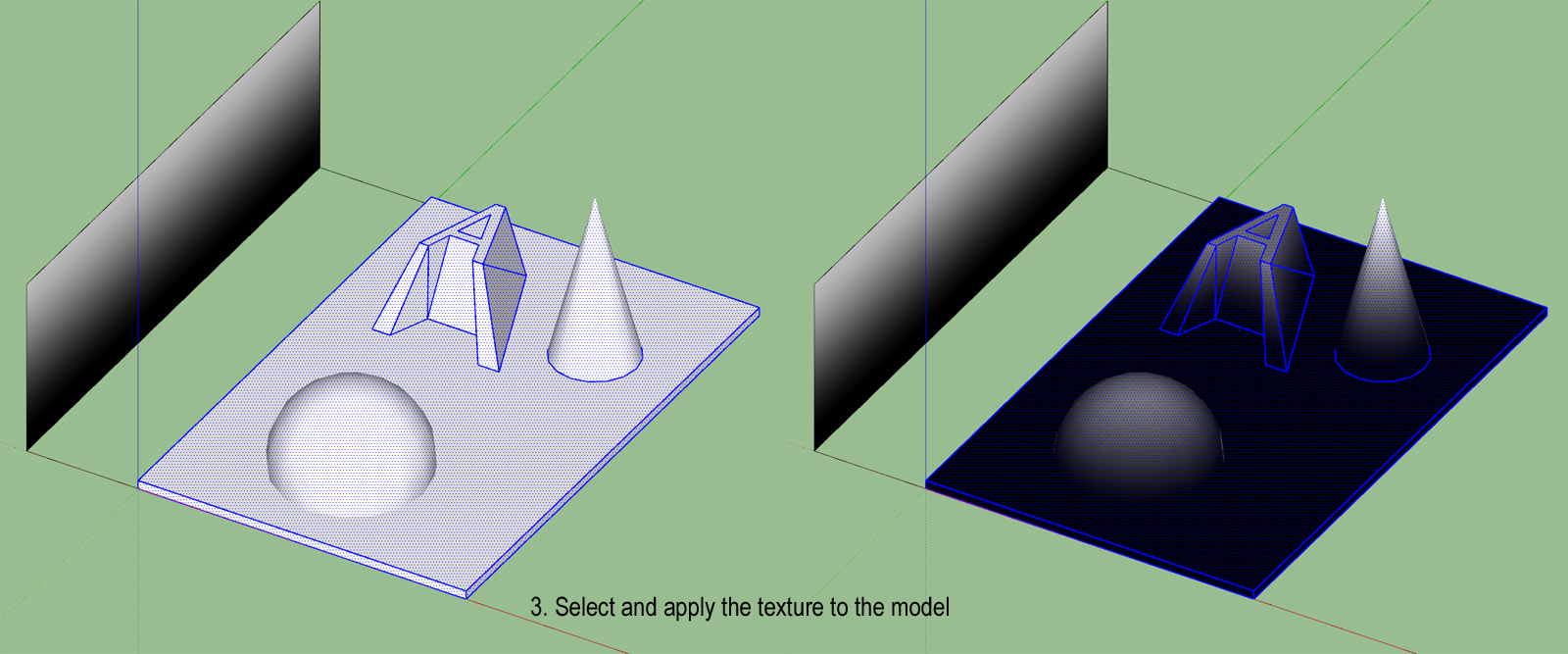
-
Set the time to noon, date to 3/21, location to near the equator (in File, Geo-location). Set light & dark to 100
-
With a parallel projection and no edges, the top view is your bump map
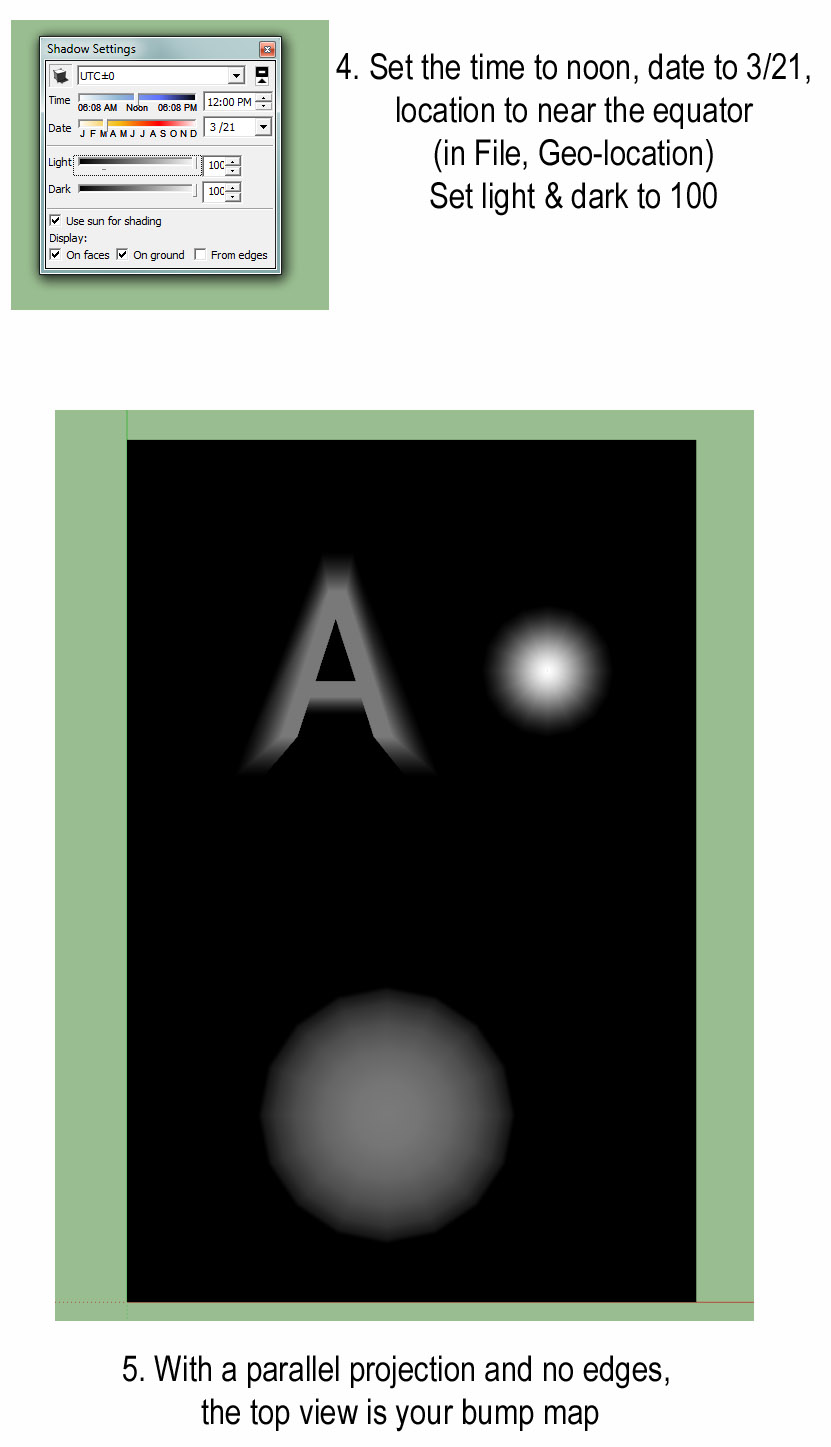
-
-
You can do the same without a texture, use white Fog on black geometry.
-
@thomthom said:
You can do the same without a texture, use white Fog on black geometry.
Hey, that's even easier. Thanks.
But aren't white areas usually interpreted as higher than black. I seem to get the right result with black fog on white geometry.
-
@tuttlet said:
@thomthom said:
You can do the same without a texture, use white Fog on black geometry.
Hey, that's even easier. Thanks.
But aren't white areas usually interpreted as higher than black. I seem to get the right result with black fog on white geometry.
Ah, yea - my logic is inverted this morning!

-
great plugin and real deserves to update :]
ideas ;]
-read well smoothing groups!
-Z-grab [without the need of the selection of the polygons; works with components and groups]- AO version hehe [dream:p]
-
May i ask if this works on Sketchup 2015(i am using window 10)?
I'm a total noob to sketchup , I've tried putting the rb file into sketchup tool folder, and it shows some error when i start up my sketchup ,so i downloaded the rbz file at extension warehouse.I try to test the plugin with a simple cube.
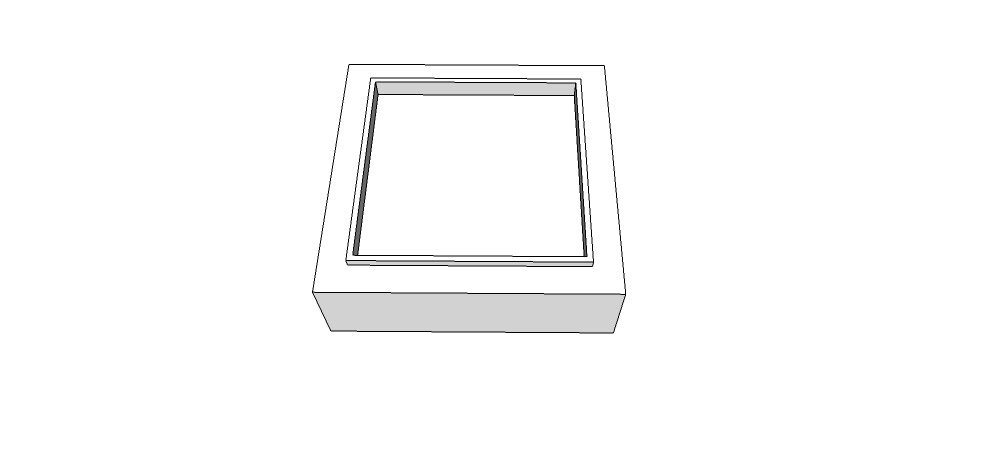
Then i select everything?->extension->Normal map maker-> export
After its done , i went check the file , it only shows a purple square cube without the depths of other colors like the youtube tutorial shown.

I did everything i can , things like : changing to parallel view/ top view first before activiating the normal map maker or applying material and then try again.
It didn't work. did i do anything wrong or ?Please help /_\ ....
Thanks all..
Vic.






Hello! It looks like you're interested in this conversation, but you don't have an account yet.
Getting fed up of having to scroll through the same posts each visit? When you register for an account, you'll always come back to exactly where you were before, and choose to be notified of new replies (either via email, or push notification). You'll also be able to save bookmarks and upvote posts to show your appreciation to other community members.
With your input, this post could be even better 💗
Register Login


Advertisement