sketchucation logo sketchucation
    • Login
    Oops, your profile's looking a bit empty! To help us tailor your experience, please fill in key details like your SketchUp version, skill level, operating system, and more. Update and save your info on your profile page today!
    Mac User? | Join the Rayscaper Beta for Mac Learn More

    How to make this?

    Scheduled Pinned Locked Moved SketchUp Discussions
    sketchup
    24 Posts 9 Posters 2.5k Views 9 Watching
    Loading More Posts
    • Oldest to Newest
    • Newest to Oldest
    • Most Votes
    Reply
    • Reply as topic
    Log in to reply
    This topic has been deleted. Only users with topic management privileges can see it.
    • C
      cupko
      last edited by

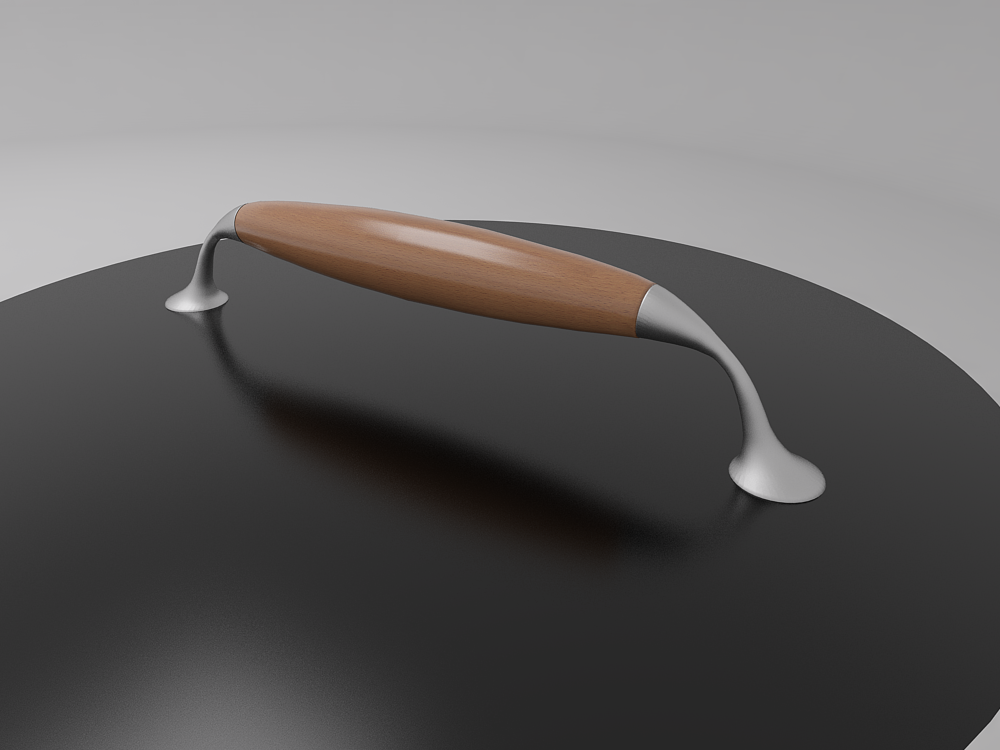
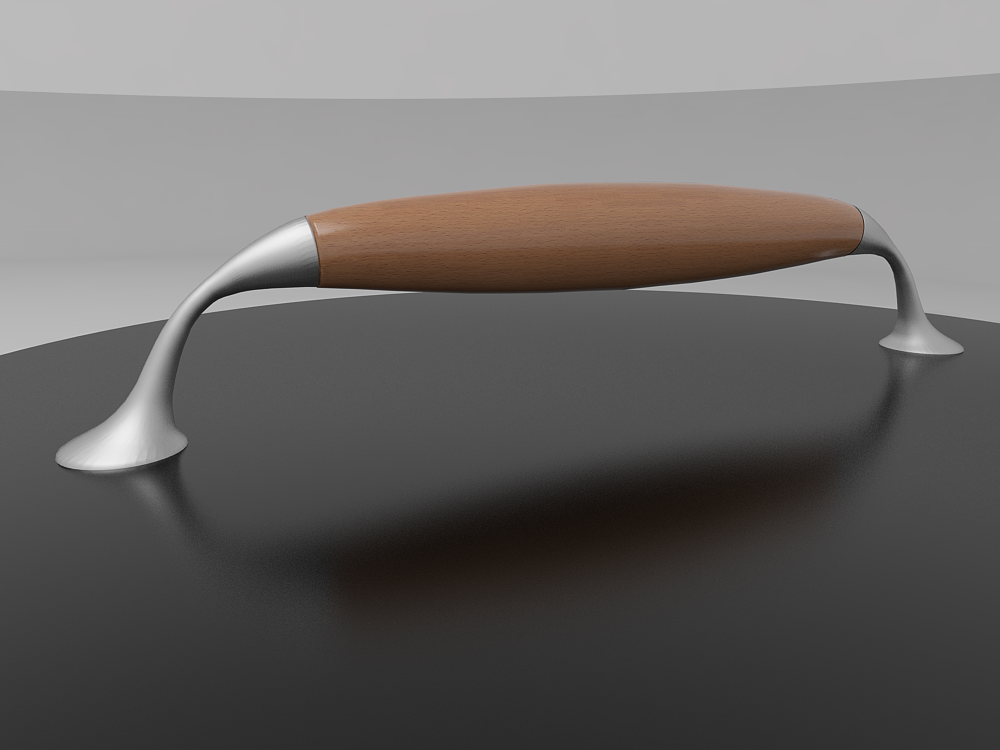
      Excellent tool for objects like this. You'll see some geometry distortion because I rotated few cross-sections πŸ˜’.
      Sketchup is became very powerfull software 😍.


      1


      2

      1 Reply Last reply
      Reply Quote 0
      • G
        gulcanocali
        last edited by

        Glad you liked it. Cross-section tool is one of the most favorite among the many features of Tgi3D SU Amorph.

        Nice renders. And your model looks way better than mine too πŸ˜„

        Gulcan Ocali
        Product Manager
        http://www.Tgi3D.com

        1 Reply Last reply
        Reply Quote 0
        • C
          cupko
          last edited by

          Heh, but you did it in 1 min. πŸ˜„.
          Thanks again.

          1 Reply Last reply
          Reply Quote 0
          • G
            gulcanocali
            last edited by

            Oops, I forgot to mention that the video was sped up. 😳 It was more like 4+ mins. I sped up the video so that people would not get bored. That is how slow I model πŸ˜’

            Gulcan Ocali
            Product Manager
            http://www.Tgi3D.com

            1 Reply Last reply
            Reply Quote 0
            • GaieusG
              Gaieus
              last edited by

              @gulcanocali said:

              ...It was more like 4+ mins... That is how slow I model πŸ˜’

              Still very impressive. I have had this tool for a while but still exploring and am amazed what one can do with it. πŸ‘

              Gai...

              1 Reply Last reply
              Reply Quote 0
              • C
                cupko
                last edited by

                Ok, new challenge πŸ˜„.

                Is there any plugin which works like ChamferAlongPath, but to preserve original edges (I don't need bevel). I just want to add some geometry which will be parallel with original edges from both sides.

                1 Reply Last reply
                Reply Quote 0
                • TIGT
                  TIG Moderator
                  last edited by

                  @cupko said:

                  Ok, new challenge πŸ˜„.

                  Is there any plugin which works like ChamferAlongPath, but to preserve original edges (I don't need bevel). I just want to add some geometry which will be parallel with original edges from both sides.

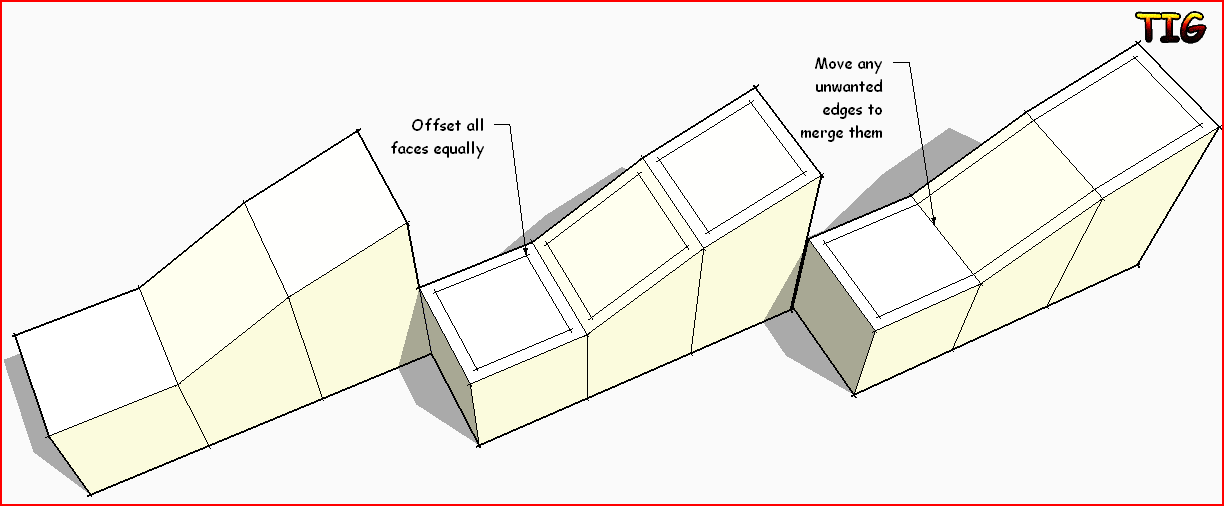
                  Try the native Offset tool - perhaps with some Move used on specific vertices/edges if required... πŸ˜•

                  TIG

                  1 Reply Last reply
                  Reply Quote 0
                  • C
                    cupko
                    last edited by

                    Native Offset requires selected face. I have something like in attach, but much more complex.
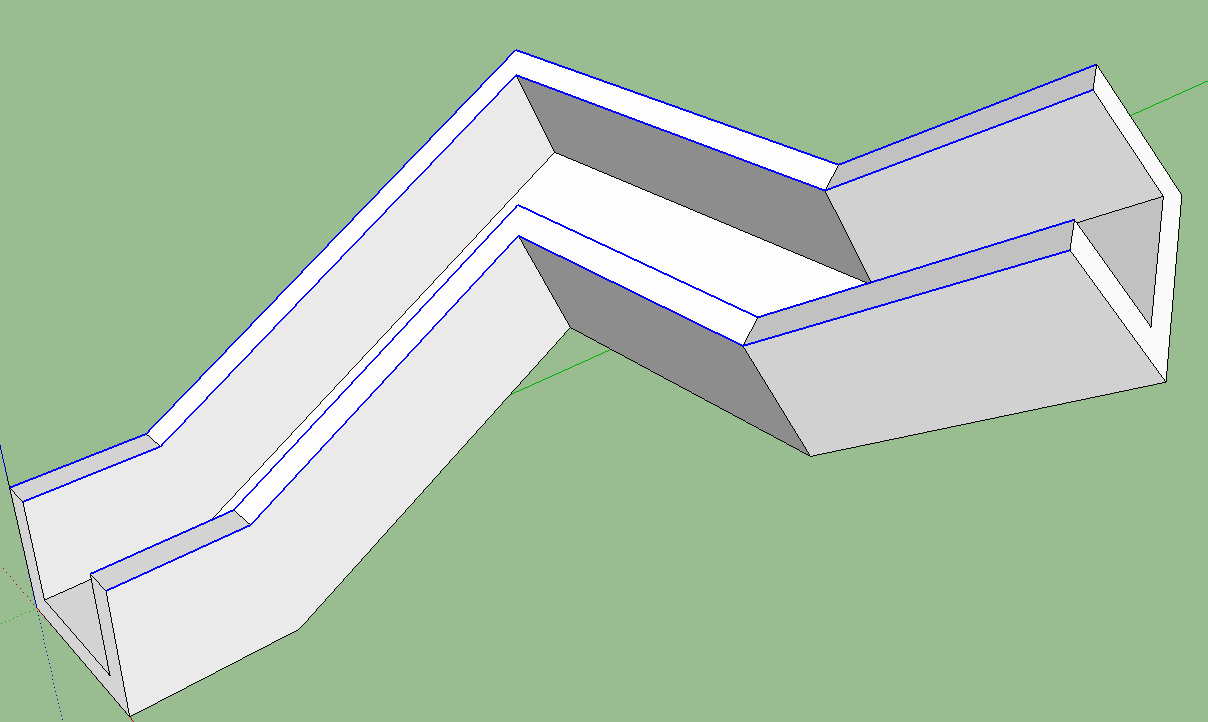

                    chamfer.png

                    1 Reply Last reply
                    Reply Quote 0
                    • TIGT
                      TIG Moderator
                      last edited by

                      Perhaps my ExtendEdgesByOffset ?
                      Part of the Extrusion Tools zipped set - search for it...
                      Although it only works on any set of coplanar edges... πŸ˜•

                      TIG

                      1 Reply Last reply
                      Reply Quote 0
                      • C
                        cupko
                        last edited by

                        As you said, edges must be coplanar. One more thing, angles between faces aren't exactly 90Β°.

                        TIG, can we expect some plugin maybe? πŸ˜„

                        1 Reply Last reply
                        Reply Quote 0
                        • TIGT
                          TIG Moderator
                          last edited by

                          EEbyOffset will accommodate non-right-angle corners BUT all edges must be coplanar for it to work...

                          A relatively easy way is using the native Offset tool on each face [double-click to repeat last use offset dim], with some subsequent Move tool use on edges/vertices IF the offset isn't needed to be 'all round'...Capture.PNG

                          TIG

                          1 Reply Last reply
                          Reply Quote 0
                          • C
                            cupko
                            last edited by

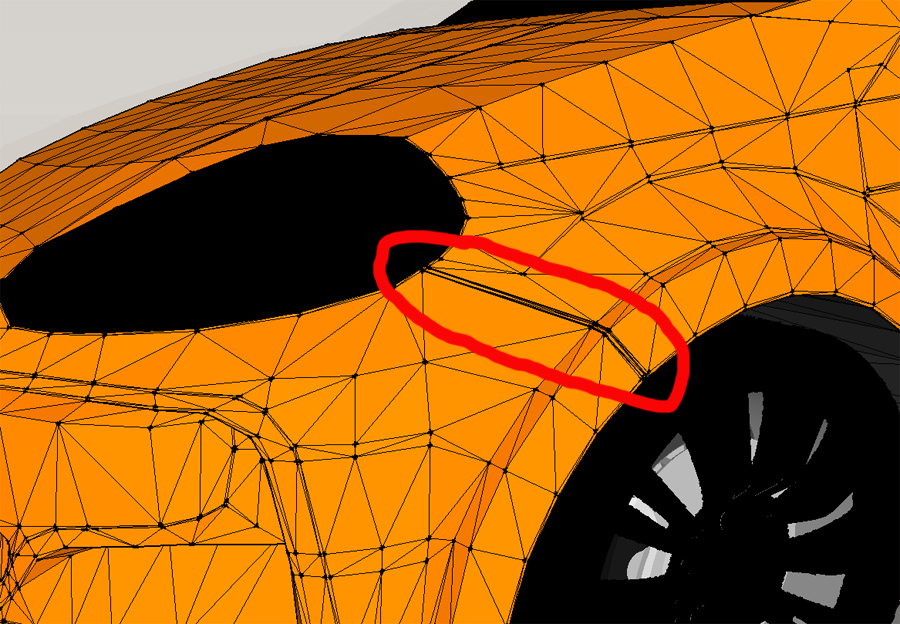
                            I should emphases that geometry is complex. I am practicing making a car from blueprint and there's a lot of triangles.
                            Easiest way to do this would be to select edges and then chamfer. This is not the only place where I need to do this 😞 .


                            1


                            2


                            3

                            1 Reply Last reply
                            Reply Quote 0
                            • B
                              bjornkn
                              last edited by

                              Take a look at Tools On Surface and Joint Push Pull (JPP)

                              1 Reply Last reply
                              Reply Quote 0
                              • C
                                cupko
                                last edited by

                                I've made this with those tools, but it's slow and unprecise.

                                1 Reply Last reply
                                Reply Quote 0

                                Hello! It looks like you're interested in this conversation, but you don't have an account yet.

                                Getting fed up of having to scroll through the same posts each visit? When you register for an account, you'll always come back to exactly where you were before, and choose to be notified of new replies (either via email, or push notification). You'll also be able to save bookmarks and upvote posts to show your appreciation to other community members.

                                With your input, this post could be even better πŸ’—

                                Register Login
                                • 1
                                • 2
                                • 1 / 2
                                • First post
                                  Last post
                                Buy SketchPlus
                                Buy SUbD
                                Buy WrapR
                                Buy eBook
                                Buy Modelur
                                Buy Vertex Tools
                                Buy SketchCuisine
                                Buy FormFonts

                                Advertisement