How to make this?
-
Hi Gulcan,
That looks quite easy, I'll try it, thanks
 .
. -
Excellent tool for objects like this. You'll see some geometry distortion because I rotated few cross-sections
 .
.
Sketchup is became very powerfull software .
.
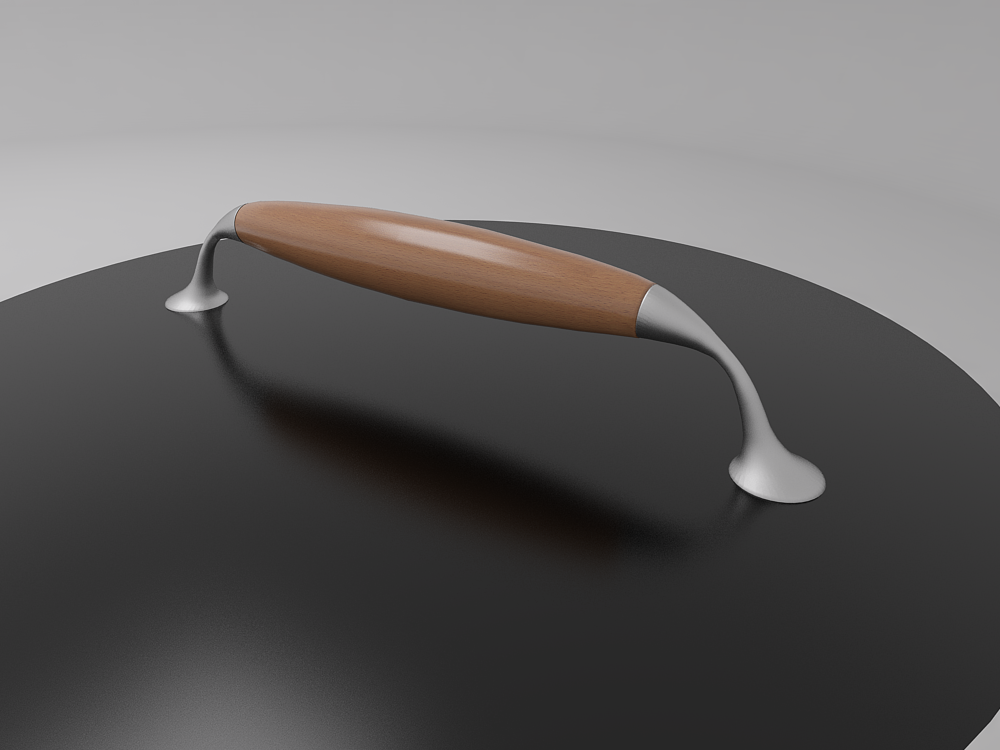
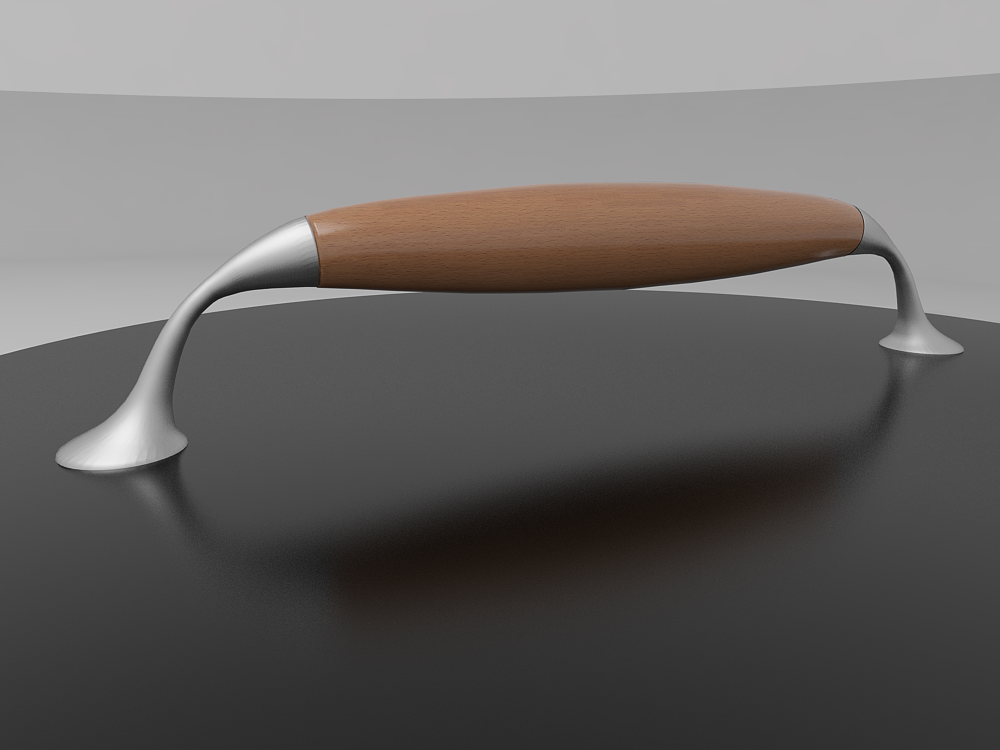
-
Glad you liked it. Cross-section tool is one of the most favorite among the many features of Tgi3D SU Amorph.
Nice renders. And your model looks way better than mine too
-
Heh, but you did it in 1 min.
.
Thanks again. -
Oops, I forgot to mention that the video was sped up.
 It was more like 4+ mins. I sped up the video so that people would not get bored. That is how slow I model
 -
@gulcanocali said:
...It was more like 4+ mins... That is how slow I model
Still very impressive. I have had this tool for a while but still exploring and am amazed what one can do with it.

-
Ok, new challenge
.Is there any plugin which works like ChamferAlongPath, but to preserve original edges (I don't need bevel). I just want to add some geometry which will be parallel with original edges from both sides.
-
@cupko said:
Ok, new challenge
.Is there any plugin which works like ChamferAlongPath, but to preserve original edges (I don't need bevel). I just want to add some geometry which will be parallel with original edges from both sides.
Try the native Offset tool - perhaps with some Move used on specific vertices/edges if required...

-
Native Offset requires selected face. I have something like in attach, but much more complex.
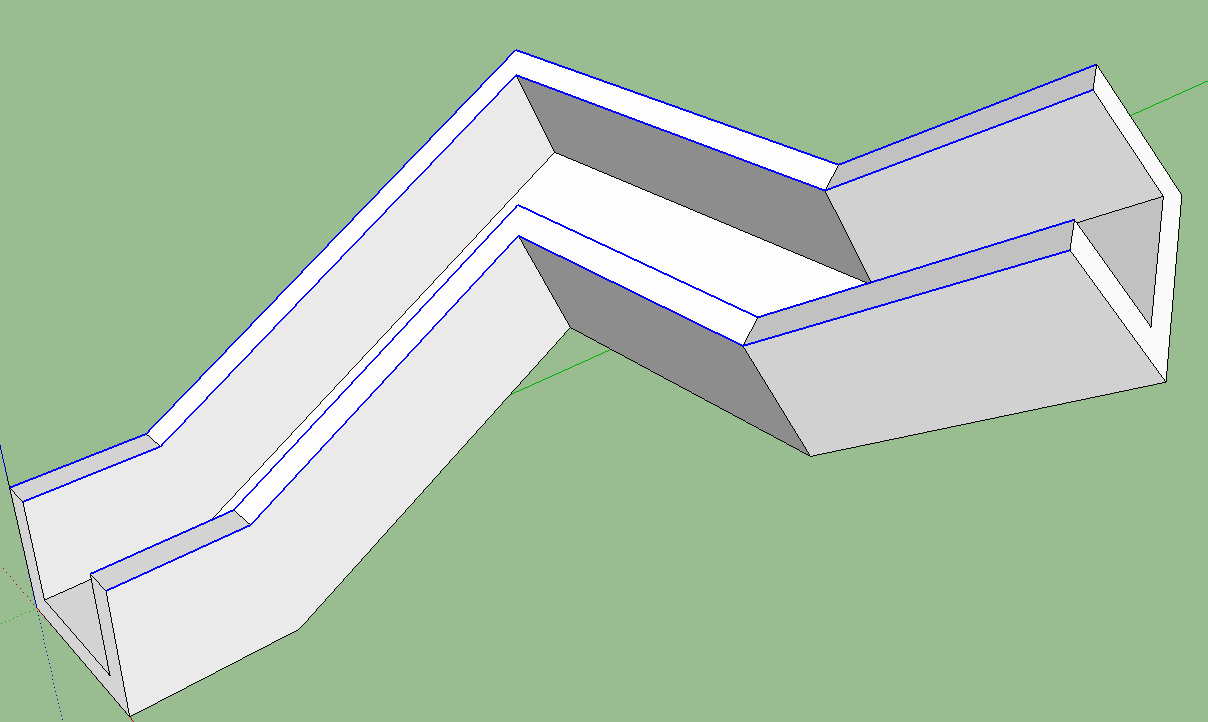
-
Perhaps my ExtendEdgesByOffset ?
Part of the Extrusion Tools zipped set - search for it...
Although it only works on any set of coplanar edges... -
As you said, edges must be coplanar. One more thing, angles between faces aren't exactly 90°.
TIG, can we expect some plugin maybe?
-
EEbyOffset will accommodate non-right-angle corners BUT all edges must be coplanar for it to work...
A relatively easy way is using the native Offset tool on each face [double-click to repeat last use offset dim], with some subsequent Move tool use on edges/vertices IF the offset isn't needed to be 'all round'...
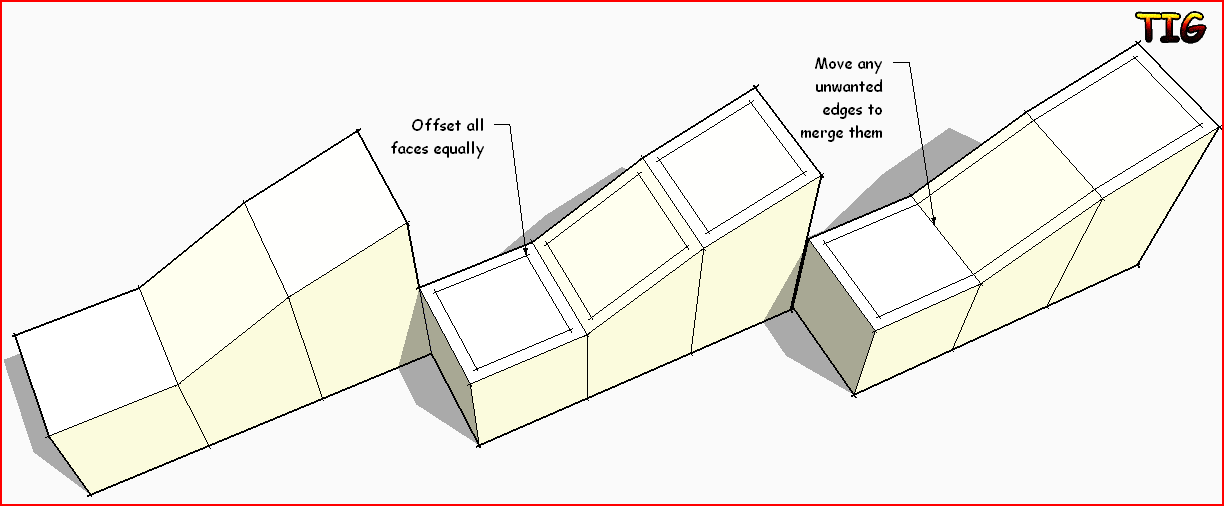
-
I should emphases that geometry is complex. I am practicing making a car from blueprint and there's a lot of triangles.
Easiest way to do this would be to select edges and then chamfer. This is not the only place where I need to do this .
.
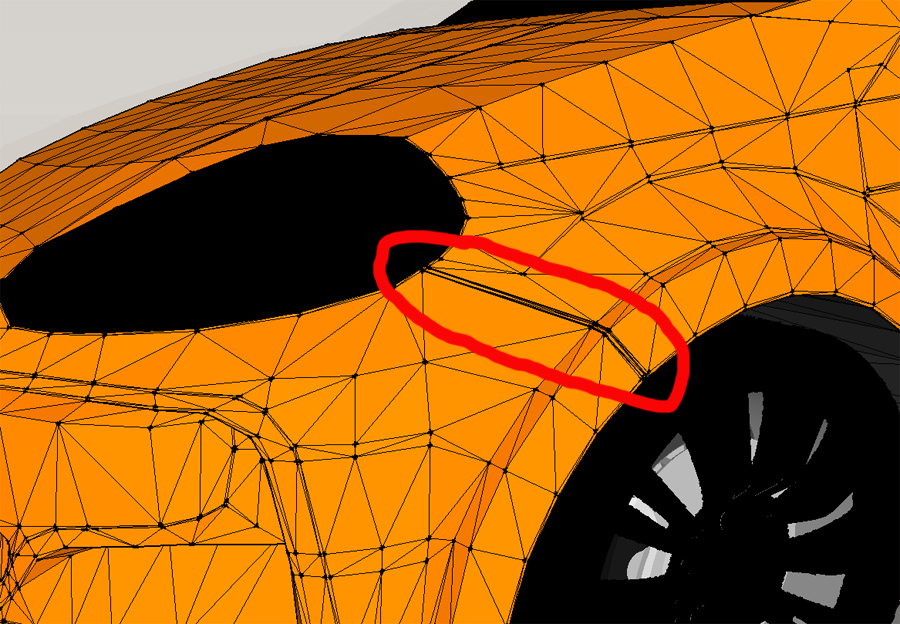
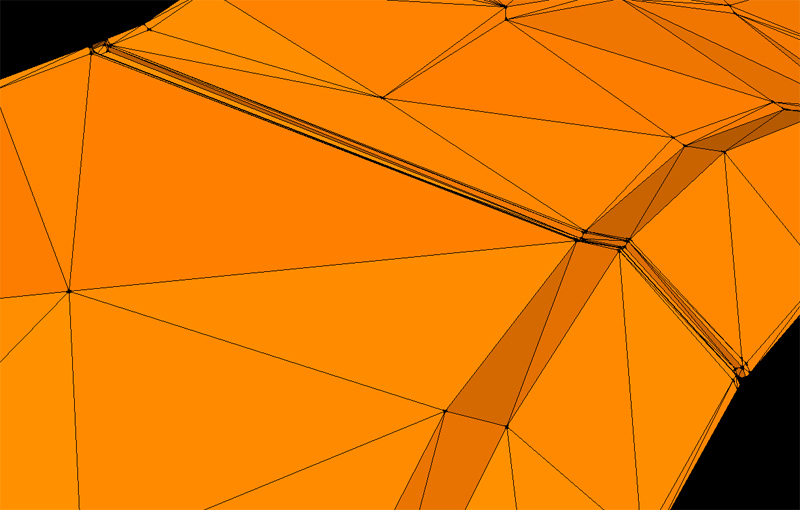
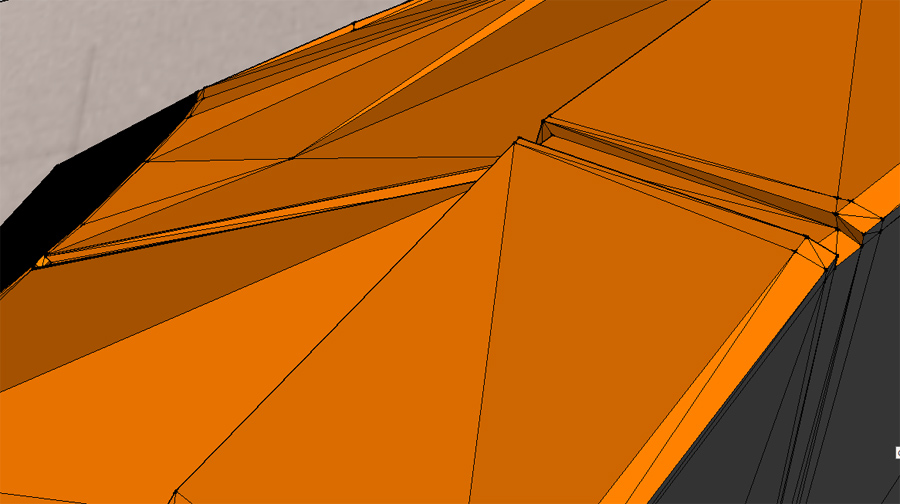
-
Take a look at Tools On Surface and Joint Push Pull (JPP)
-
I've made this with those tools, but it's slow and unprecise.


Hello! It looks like you're interested in this conversation, but you don't have an account yet.
Getting fed up of having to scroll through the same posts each visit? When you register for an account, you'll always come back to exactly where you were before, and choose to be notified of new replies (either via email, or push notification). You'll also be able to save bookmarks and upvote posts to show your appreciation to other community members.
With your input, this post could be even better 💗
Register Login


Advertisement