[Plugin][$] Curviloft 2.0a - 31 Mar 24 (Loft & Skinning)


-
As always, BEAUTIFUL work, Charly!
-
SpookyChick1013
1) Error with Matchbox
I have no clue what the matchbox plugin has to do here (especially if it is not present on your disk), but you seems to get an error from CurviloftPalette which is rather strange. Did you download Curviloft from Sketchucation?- Error on model
I don't see exactly what is the problem. Maybe it could be a good idea to post the model, so that I can have a look. There are still plenty of issues with all functions, and some simply depend on the order of selection, or orientation of curves, which may explain why it works one day and not the other.
By the way, did you get a crash (bugsplat) in Curviloft the night before you start having problems?
Fredo
- Error on model
-
@unknownuser said:
SpookyChick1013
1) Error with Matchbox
I have no clue what the matchbox plugin has to do here (especially if it is not present on your disk)
Neither do I. For some reason SU just refuses to acknowledge that the darn thing is gone, but it has never been a problem,so I haven't worried about it.
, but you seems to get an error from CurviloftPalette which is rather strange. Did you download Curviloft from Sketchucation?
Yes. Latest versions from right there on the first post of this thread. Oh, and I also DID go ahead and redownload and reinstall the whole thing today. Still getting the error.
2) Error on model
I don't see exactly what is the problem.
Sorry, Fredo, I forgot to circle the problem area.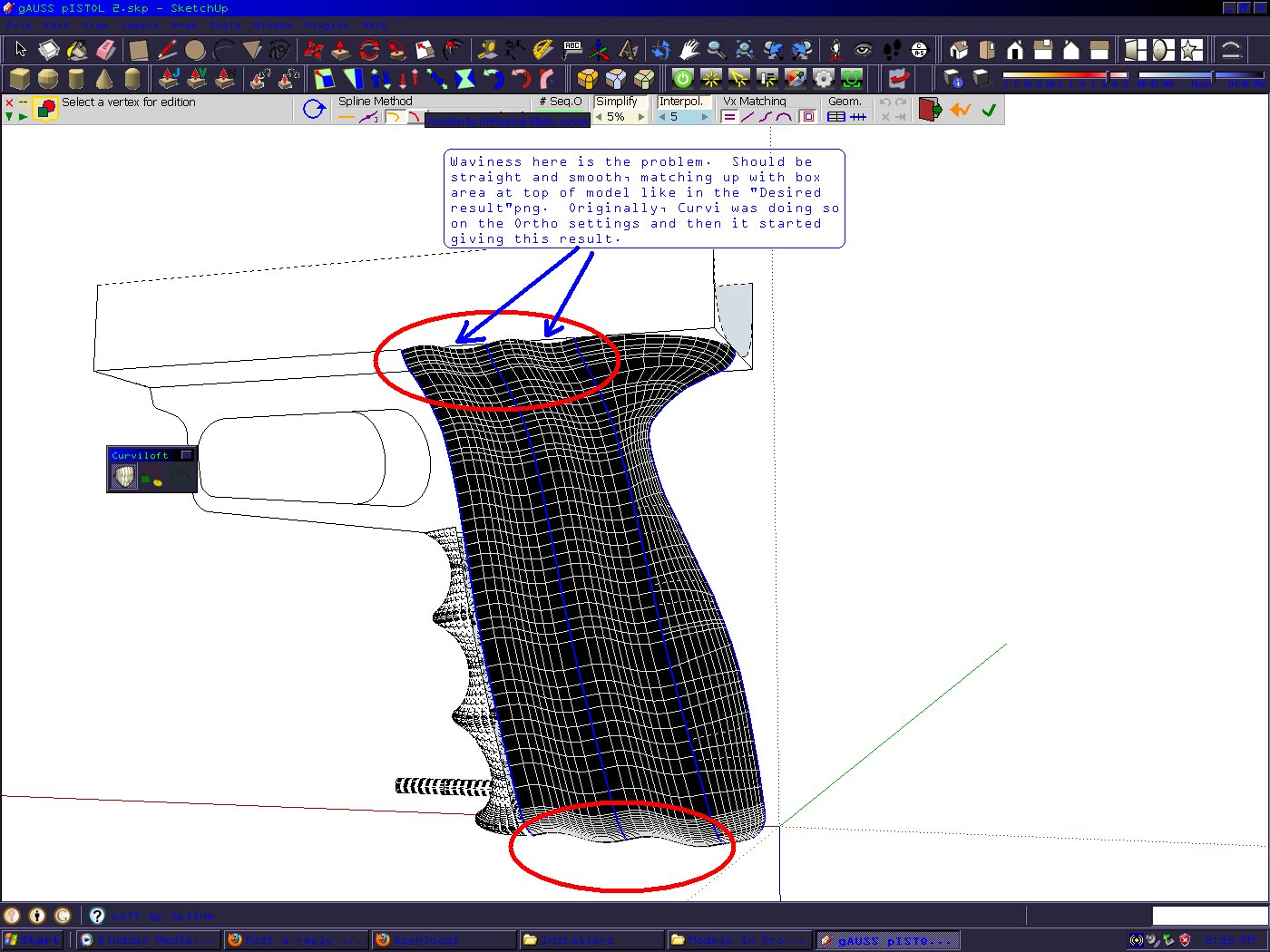
Maybe it could be a good idea to post the model, so that I can have a look. Here you go.gAUSS pISTOL 2copy.skp
There are still plenty of issues with all functions, and some simply depend on the order of selection, or orientation of curves, which may explain why it works one day and not the other.
By the way, did you get a crash (bugsplat) in Curviloft the night before you start having problems? No. Curvi just started doing this after I had been modelling for 2-3 hours. I'm not sure exactly why, either. Of course, I don't know much about writing plugins, just quite a bit about breaking them (self-deprecating humor)Fredo
Thanks for being willing to take a look at this Fredo. I admit I don't know much at all about coding. I'm an enduser not a developer, so ruby script might as well be ancient Sumerian to my eyes.

-
hey spooky,
if your loft lines were vertical then ortho would do what you're asking it to.. as it is, the splines are perpendicular to your profiles.. curviloft lets you make global adjustments to the segments etc (in the main curviloft display) as well as individual sections (while in edit mode, click in one of the sections which will highlight yellow then adjust segmentation in there)..
that aside, i think you'd be better off using a different approach as you'll see in pics 3&4 + in the attached skp


i made a few changes to your profile lines but that's a different story..
[i hope this makes enough sense.. i posted this with a 1am vino filter
 ]
] -
@unknownuser said:
hey spooky,
if your loft lines were vertical then ortho would do what you're asking it to..%(#0000BF)[Thanks, I actually was unaware that that can make a difference. I definitely will be keeping it in mind for the future, although my question to Fredo about this still stands, because either the program was operating wrong before, and started working the way it's supposed to, or it originally was working right and something went wrong. Either way, it seems odd that a plugin would change behavior midsession like that. Then again, I do have a talent for breaking things, so who knows.....
]@unknownuser said:
as it is, the splines are perpendicular to your profiles..
I guess I'm a bit dense, but perpendicular in what way? No sarcasm, I just don't exactly understand what you mean.
@unknownuser said:
curviloft lets you make global adjustments to the segments etc (in the main curviloft display) as well as individual sections (while in edit mode, click in one of the sections which will highlight yellow then adjust segmentation in there)..
Right. That I was aware of. One of the many things I love about Curviloft.
@unknownuser said:
that aside, i think you'd be better off using a different approach as you'll see in pics 3&4 + in the attached skp
[attachment=4:obxht400]<!-- ia4 -->1.jpg<!-- ia4 -->[/attachment:obxht400]
[attachment=3:obxht400]<!-- ia3 -->2.jpg<!-- ia3 -->[/attachment:obxht400]
[attachment=2:obxht400]<!-- ia2 -->3.jpg<!-- ia2 -->[/attachment:obxht400]
[attachment=1:obxht400]<!-- ia1 -->4.jpg<!-- ia1 -->[/attachment:obxht400]
[attachment=0:obxht400]<!-- ia0 -->handle.skp<!-- ia0 -->[/attachment:obxht400]
@unknownuser said:
i hope this makes enough sense.. i posted this with a 1am vino filter
No worries about the vino filter Jeff. You're speaking clearly enough, and 1 am is the perfect time for that... The model you sent back looks great. I had not even considered using the skinning function as you did. I definitely should have tried that. Whatever changes you made to the profile curves certainly worked out well, and I most certainlydont mind in the slightest. Although, so I can learn from this, what changes did you make and how did you do it?
-
@spookychick1013 said:
]
I guess I'm a bit dense, but perpendicular in what way? No sarcasm, I just don't exactly understand what you mean.it's not that they need to be vertical per se but the profile splines should be parallel to get your desired results.. it's just something i noticed with curviloft and the orthogonal settings.. (fwiw, in rhino, the profiles can be tilted like you have them and the lofted surface remains straight on the bottom/top_

@unknownuser said:
Whatever changes you made to the profile curves certainly worked out well, and I most certainlydont mind in the slightest. Although, so I can learn from this, what changes did you make and how did you do it?
i redrew all the profiles using fredo's BezierSpline plugin.. it makes a smoother curve and evens out the segmentation..
here's a video showing the whole process.. i did this on a laptop using the trackpad so i apologize about the jumpy navigation etc..
[flash=660,405:3u6imqlr]http://www.youtube.com/v/Ai8ggH9NfIs?fs=1&hl=en_US&color1=0x2b405b&color2=0x6b8ab6&border=1[/flash:3u6imqlr]
[also - i copy/pasted your lines into my own template.. i noticed with yours that they are drawn upside down.. the solid blue axis line should be pointing up instead of down.. if you turn on sky or ground, you'll see what i'm saying + the navigation is weird (for me) in your file]
-
curviloft is not working for me.
other plug-ins works fine except this oneis there anyone can help?
-
@olbapxpablo said:
curviloft is not working for me.
other plug-ins works fine except this oneis there anyone can help?
Can you be more specific please?
No menus/toolbars?
Error messages?
Unexpected results? -
@unknownuser said:
it's not that they need to be vertical per se but the profile splines should be parallel to get your desired results.. it's just something i noticed with curviloft and the orthogonal settings.. (fwiw, in rhino, the profiles can be tilted like you have them and the lofted surface remains straight on the bottom/top_
Ooooohhh-k...Now I get it. Still having my morning coffee, so it took a moment to get it. Thanks, now I understand what you meant.
@unknownuser said:
i redrew all the profiles using fredo's BezierSpline plugin.. it makes a smoother curve and evens out the segmentation..
Downloading that plugin today! Looks like more options and less of a PITA than the native bezier stuff.
@unknownuser said:
here's a video showing the whole process.. i did this on a laptop using the trackpad so i apologize about the jumpy navigation etc..
Excellent! Thank you for the tutorial and the time you spent on this.
@unknownuser said:
also - i copy/pasted your lines into my own template.. i noticed with yours that they are drawn upside down.. the solid blue axis line should be pointing up instead of down.. if you turn on sky or ground, you'll see what i'm saying + the navigation is weird (for me) in your file
%(#0000BF)[OOOOOps! um, yeah...There was a reason I set it up like that. I was aware of that, but I just forgot to put it back the normal way way before copying the file. I guess I need to take better process notes as I'm working, and reread them occasionally. My apologies for that, Jeff; and also you Fredo, if you have taken a look at this model.
Anyway, once again, thanks very much for your time and effort explaining things and helping me on this Jeff. It is greatly appreciated.] -
@thomthom said:
@olbapxpablo said:
curviloft is not working for me.
other plug-ins works fine except this oneis there anyone can help?
Can you be more specific please?
No menus/toolbars?
Error messages?
Unexpected results?thanks sir
theres menu and i can do the steps but theres no result or looks like nothing happen still on its original form
and sometimes after i click on the shape 1,2 & 3 then click outside or anywhere to finalize the steps my SU8 turn to notresponding state -
@charly2008 said:
Hi Thomas,
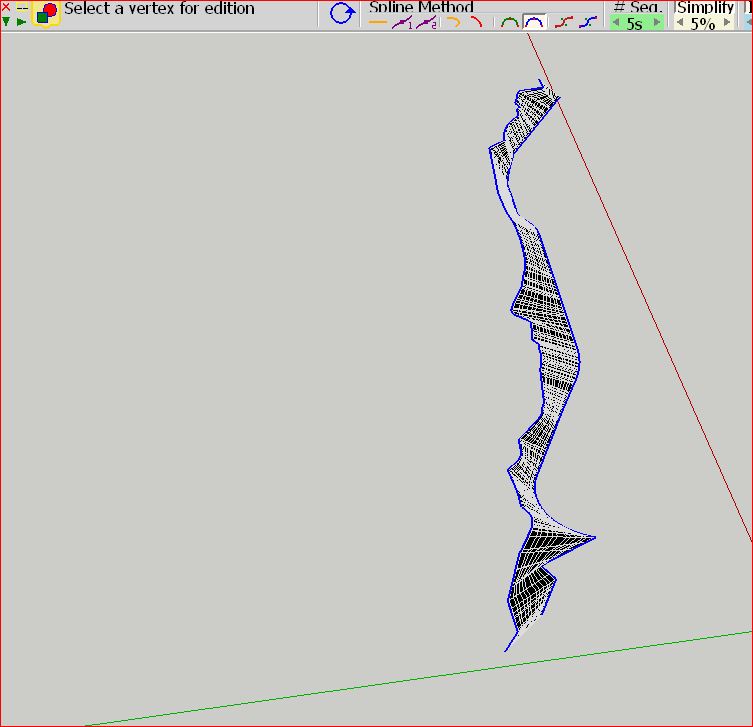
i welded each line and below the result in Sketchup 8.
Charly
I just tried to weld - and I could not get it working.
-
Hi Thomas,
I tried it again (Without welding). Select the lines, each with double click and activate Curviloft. If the lines have changed the color, select the lines again and re-enable Curviloft. Then it works. I don't know why. Maybe Fredo can answer the question.
Charly
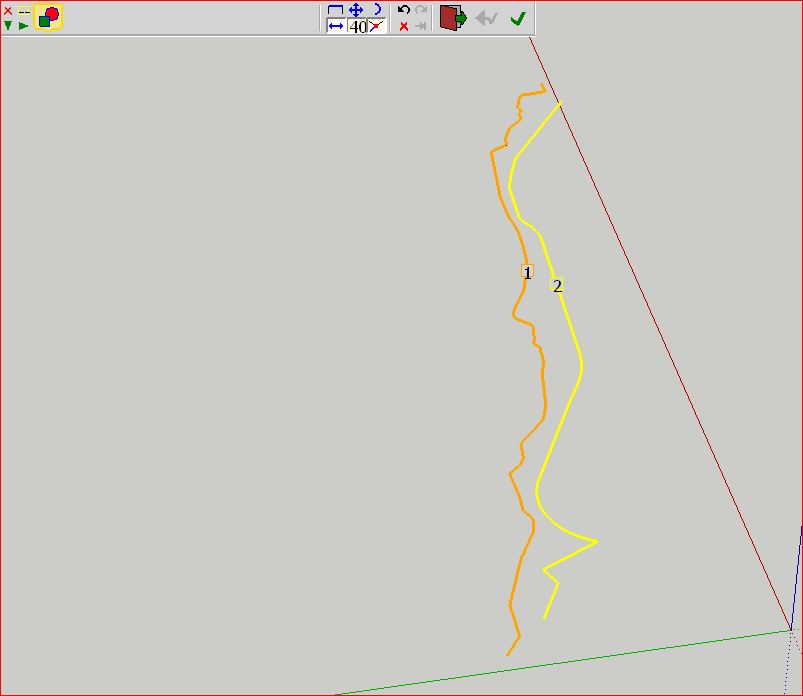
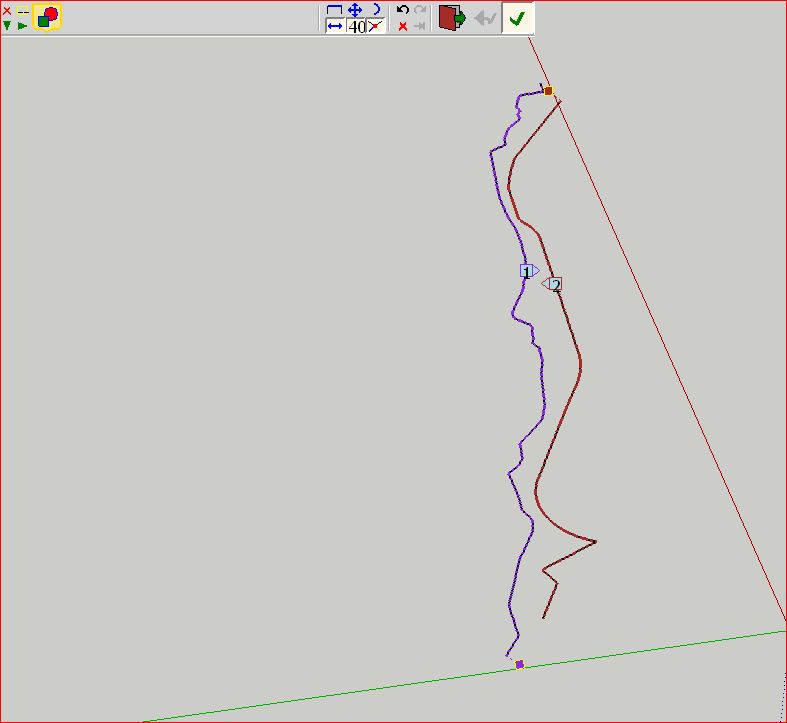
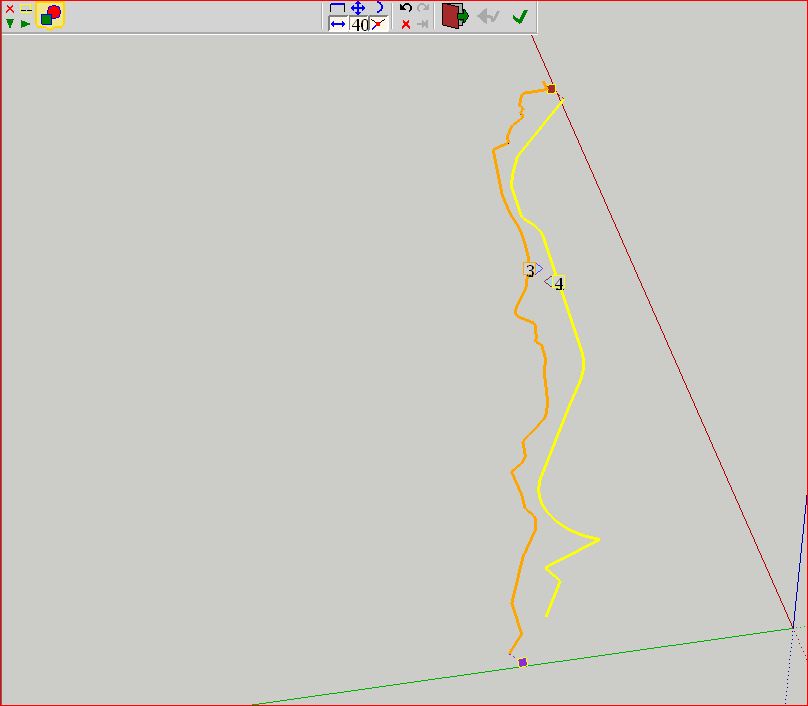
-
aaaaah!
I so very nearly had it there. selecting the curves and extra time so it said 3 and 4 made it computer - but as it generated I got a BugSplat.Would you mind upload the mesh you got from that loft? I really need that patch.
-
-
cheers!
-
Is there a way to make a contribution to Fredo through PayPAL or something?
-
@blair said:
Is there a way to make a contribution to Fredo through PayPal or something?
Of course!
..\Plugins\CURVILOFT_Dir_10\Curviloft_donation.html >>> PayPal.com >> fredosix @ hotmail.com -
Please some advice,I was triying to reproduce the MOEBIUS thah Fredo did before ,but every time i got bugplash.
what am i doing wrong? -
thanks
-
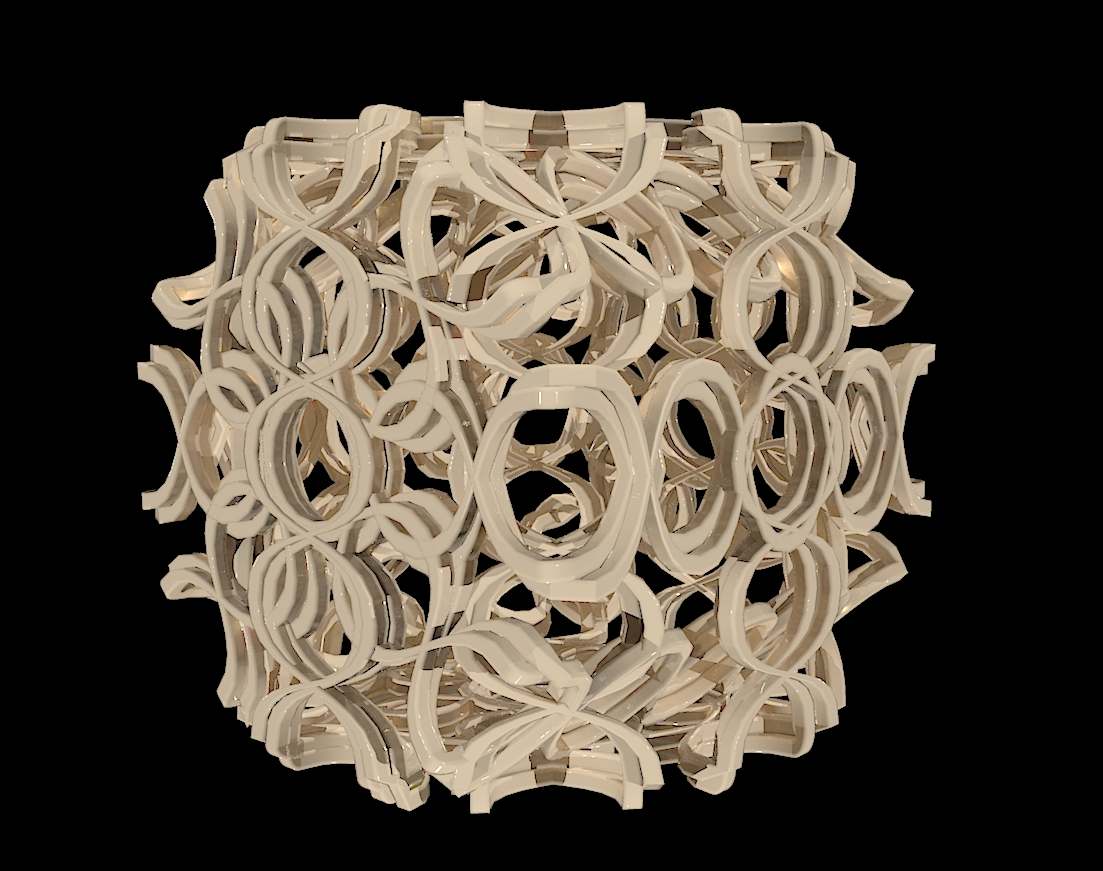
Hello community,
please show your ideas, everything what you can do with Curviloft.
Charly








Hello! It looks like you're interested in this conversation, but you don't have an account yet.
Getting fed up of having to scroll through the same posts each visit? When you register for an account, you'll always come back to exactly where you were before, and choose to be notified of new replies (either via email, or push notification). You'll also be able to save bookmarks and upvote posts to show your appreciation to other community members.
With your input, this post could be even better 💗
Register Login


Advertisement