Price drop - now just $5. Get it here:
http://www.smustard.com/script/SketchUV
Oops, your profile's looking a bit empty! To help us tailor your experience, please fill in key details like your SketchUp version, skill level, operating system, and more. Update and save your info on your profile page today!
FredoBend | Powerful new bending tool for SketchUp Download
W
Offline
Posts
-
RE: [Plugin] SketchUV - now free
-
RE: Fix for Profile Builder Previews in SU2013
@krisidious said:
If we've already fixed it do we need to update Dale?
No, you don't need to update if you have already fixed it. However, Mac users may want to upgrade because there was a small fix done to drastically reduce the time it takes to smooth the edges. Windows users are not affected.
-
RE: Fix for Profile Builder Previews in SU2013
Hi everyone,
An update has been released on Smustard.com (which fixes the preview issue). I think if you can find the original email with the download link, you should be able to upgrade. Alternatively, you should be able to access upgrades using the MySmustard toolbar.
-
RE: Fix for Profile Builder Previews in SU2013
Thanks guys. Yes, I was working on the fix last night. I've need to make a couple of other changes to the code so that it is compliant with the new SU2013 extension warehouse so I need a bit more time to test. Hopefully, I can release the update within a week or so.
Thanks for your patience.
BTW, another way to fix the issue is to add this line to the HTML files inside the ProfileBuilder folder (within your plugins folder). It must be added to the <head> section.
<meta http-equiv="x-ua-compatible" content="IE=7">
-
RE: [Plugin][$] TopoShaper - v2.7b - 30 Jan 26
Just seeing this now for the first time. Pure brilliance!
 Another incredible addition!
 -
RE: [Plugin] SketchUV - now free
@blaar75 said:
Thanks. I will most def buy this once I can get the hang of Roadkill. I was wondering, any future plans on having a add on that will pack the shells on a 2D surface so that the UV map can be exported to be painted in Gimp etc ?
Sorry, nothing like that planned right now. Thanks for the suggestion.
-
RE: [Plugin] [$] Artisan (1.2.3) - Feb 28, 2014
@pixero said:
My one wish for Artisan is that it kept UV coordinates when subdividing and sculpting.
Thomthoms Quads perhaps?Sculpting...no
Subdividing...yes - is this not working for you? -
RE: [Plugin] SketchUV - now free
I agree that proper scaling should be done by default in SketchUV. Hopefully, in the future I can implement this. You might want to try ThruPaint by Fredo. I think it might do what you want.
-
RE: [Plugin] SketchUV - now free
Yeah, a screenshot might help. Can you fix the scaling by adjusting the length and width values in the SketchUp material editor window?
-
RE: [Plugin] SketchUV - now free
@unknownuser said:
HI
Looks like a great plugin. I am considering buying the plugin.
I am the user of Sketchup and Octane render, have any one tested if the UV mapping created with sketchuv are correctly exported with the octane render exporter (made by TIG).
I mean both normal faces and triangulated faces.
???Brg.
ClausIt should work fine with Octane render. If you are getting unexpected results, try triangulating your faces using the tool in SketchUV. The tutorials on the Smustard website demonstrate the workflow.
Cheers,
Dale -
RE: [Plugin] SketchUV - now free
@smicha said:
First of all - I love the plugin. Thank you so much for your work. This is my major tool for uv mapping.
When I uv map different groups or components of different sizes I get different sized sketchuv texture. What I usually do to normalize them (make their texture sizes equal, see the screenshot) I just use '*' or '/' operations but this is extremely time consuming for hundreds of different groups and in most situations this gives me only approximate results. So my question and big wish is - is it possible to add extra feature to auto normalize sizes of the same sketchuv texture?
Kind regards,
Sebastian
Hi Sebastian,
What you are suggesting should be possible. I will consider it in a future update. Thanks!
Dale -
RE: Simple Artisan examples collection
@unknownuser said:
Chair design by Robert Denton
have a seat, please
Beautiful work! I would like to see more!
-
RE: Simple Artisan examples collection
@cotty said:
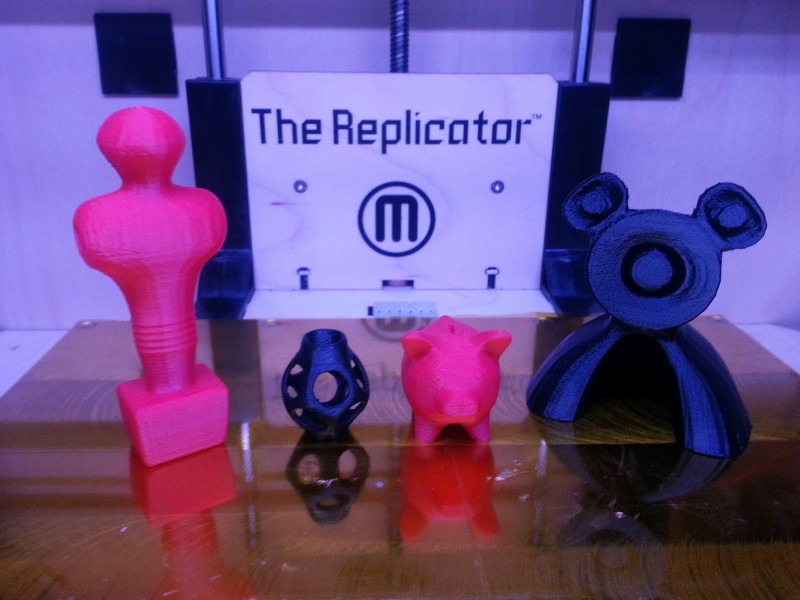
A flower vase out of an octaherdron...
(should be printable, Dale )
)Why yes, it is! Time for a family photo...

Keep 'em coming, this is fun!
-
RE: [PlugIn] 3D Printers G-Code importer/Exporter Ver0.0.9
I could sure use this. Looking forward to trying it out. Thanks!
-
RE: Simple Artisan examples collection
@cotty said:
COOL!

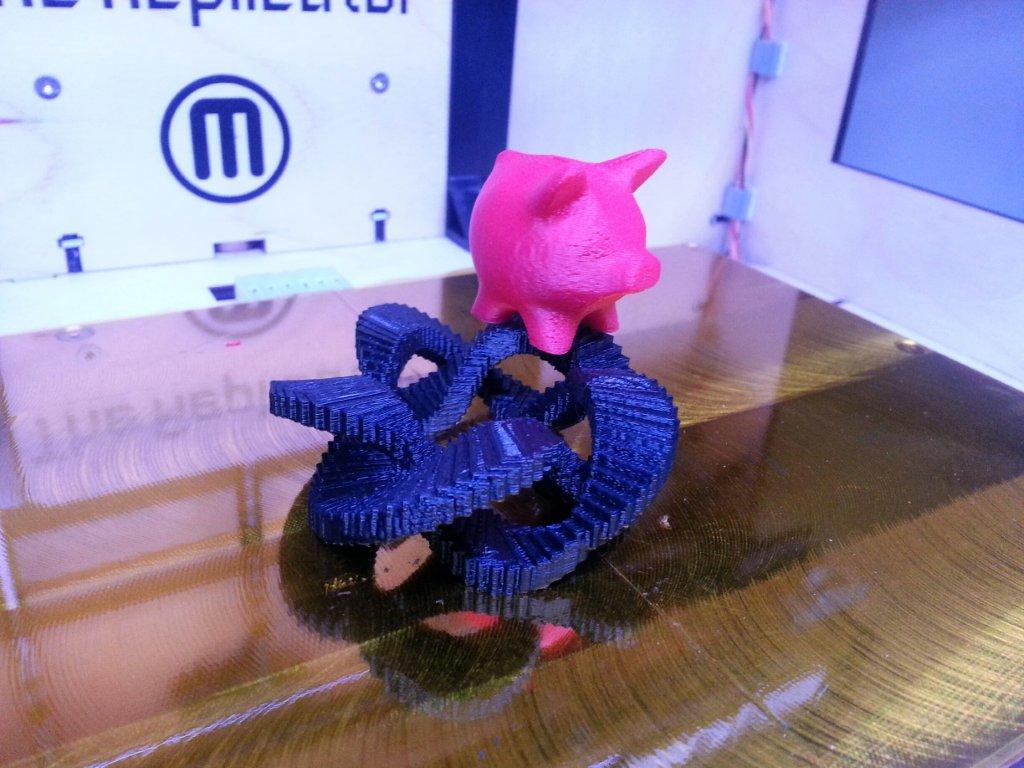
Is it your Replicator (one color)?
Yep! I currently only have red and black to choose from. (The red looks pink in the photo due to the lighting)
I printed a small version of the piggy bank the other day. It turned out nice! I'll probably try more of your models over the course of the next few weeks.
-
RE: Simple Artisan examples collection
hey cotty,
Would you like to see any of your models 3D printed? If so, which one(s)?
(Or share a new one) -
RE: [Plugin] SketchUV - now free
@skibbbi said:
Hi all,
I bought, installed. I learn.
I have read the whole thread. I watched all the movies found on SketchUV but I have not found the answer to my problem.I have a texture with dimensions of 10x10cm. I import it into Sketchup and I set the dimensions 10x10cm. After applying it to the object of its dimensions change. After application can scale the texture. But this is not accurate. How can I get SketchUV to use texture on a 1:1 scale. In this case, 10x10cm.
Regards,
One way is to first create some reference lines using the tape measure tool that correspond to a 10x10cm grid. Then use SketchUV scaling by keying the scale (eg. '*5') or hold down shift and press the arrow keys. You should be able to get it very accurate if you zoom in closely as you press the arrow keys. Try to match the scale to your reference lines.
-
RE: [Plugin] [$] Artisan (1.2.3) - Feb 28, 2014
matsuo:
It might help if you post the file. Also, what other plugins do you have installed?
Try temporarily putting all other plugins in a backup folder so they don't get loaded by SU to see if that fixes things. Then, try to use process of elimination to see if one particular plugin is contributing to the bug-splat.
Thanks.
Dale -
RE: [Plugin] [$] Artisan (1.2.3) - Feb 28, 2014
@pbacot said:
@whaat said:
@pbacot said:
Sometimes I get no results from the sculpt tool at all. However this can change when I close the model or SU and reopen. What might be the things that make this tool work better, or worse?
Hi Peter,
Maybe you have a mask active? If you have any edge or face selected, the sculpt tool will only affect those selected entities. I am not sure why else you would experience this.
Dale
Thank you, Dale, I'll keep that in mind!
BTW is is mathematically impossible to have smooth work in vertical lock mode (like sculpt and flatten)? What do you think about a lock down setting instead of the shift key?
Great tool. Still learning, I guess.
Peter
Good suggestions, thanks! I will add them to the wishlist.