I plan to build the table I posted for the workstation competition, but I live in a very small house, so it won't be for a while or so. Perhaps I'll build it for a friend, or the local school? We'll see. 
Oops, your profile's looking a bit empty! To help us tailor your experience, please fill in key details like your SketchUp version, skill level, operating system, and more. Update and save your info on your profile page today!
⚠️ Important | Libfredo 15.6b introduces important bugfixes for Fredo's Extensions Update
T
Offline
Posts
-
RE: Have you built what you design in sketchup?
-
RE: Be or not to be (with a mac)?
@veneto said:
For tfdesign (tom):
then , for you mac mini is a good choice and with more ram is a investment for more years? ps. your work on you tube is very very goodDon't bother getting extra ram from Apple, they will charge, because they don't actually make ram, but get it from Crucial because they are really good, and cheap. Buy the base model- it is fine, and upgrade yourself.
FWIW, I've got an older 5 year old Macbook Pro, with an ATI1600X card. This works fine with SketchUp too. SketchUp 7.1 and 8 have been fully optimised for OSX. You will have very few problems with both cards (Jeff has ATI, I think, I have an NVidia, which shares ram with the main processor. It's fine, and works really well!).
PS, thanks for the compliments about my work. Proof I think?
-
RE: Be or not to be (with a mac)?
@unknownuser said:
tfdesign
DacaD,
@unknownuser said:
I'm not trying to stard a mac vs pc debate and atract all fanboys here.
Erm.. yes you are.
 Does he have to give you a reason? Why can't you just let Mirko make up his own mind, and buy what he has chosen?
@unknownuser said:
I'm really just trying to understand why changing? normally i just see 3 reasons to change for mac: you have a pipeline of work that uses mac or have software that specifically run on mac; you're a experienced mac user and feel more confortable with it and so making work on it better for you; or just because it's a mac and it's a beauty.
The first two reasons I can see good valid points in, but the third, who buys a computer because it is pretty? Most MacPro's sit under the table. That hackintosh is in, well a cardboard box! My MacMini sits under my NEC monitor, and is hidden. Possibly the only problem I have is that I can run x-amount of applications, which means spending too much time replying to silly remarks like this!
@unknownuser said:
I'm just saying
"I'm just", "I'm just"!
Come on. How many sentences start with a denial, then go into a the "I'm just" statement?....@unknownuser said:
this because veneto seem to have doubts about this and he's about to pay 50% more for a 50% slower and weaker machine ($1899 for a dual core and 4Gg?!?), without really saying much that justifies the change.
Err...cheap PC price good... Mac bad..... I thought you weren't trying to start another debate?
@unknownuser said:
And it's strange that, reading his initial post and see his doubts, no one seems to care or advice him about beeing a good or bad choice for his situation before he spents the money.
Oh come on. cut the ***p! No one seems to care? Like who? There are three options on the table. A nice iMac, suggested by Jeff my MacMini (hardly expensive) or a Hackintosh in a cardboard box, from Mike. I mean how little do you want to go?
 If someone wants to spend his or money, why can't you just let them do so? On what he wants? Yes stick to a PeeCee if you want, (and point taken), but don't play this 50% more for 50% lower rubbish nonsense. Please? That would be like trying to talk me out of purchasing a lifelong dream of owning a Porsche 911 after being in possession of a Vauxhall Cavalier TD for the last 20 years!
By all means suggest sticking to a PC, but please don't play this nonsense about throwing your hard earned money away on something that simply looks flash, because it's simply not true. I tend to have more time to chat on the internet, because I'm not having to tend to my PC all the time (I sold my HP workstation running XP, last year, after getting really fed up with all the tinkering I had to do to it every time I turned the thing on. Now I just have Macs. Three of them). OSX is a great system, whatever you choose to run it on.
Peace
-
RE: Be or not to be (with a mac)?
@unknownuser said:
i'm really failling to understand why would you want to pay more for less performance wise.
Please, not another Mac/PC debate.
-
RE: Be or not to be (with a mac)?
Hi Mirko.
I have a basic spec 2009 Mac Mini. It's great! I could perhaps upgrade to 4 gigs of ram, but the present two is enough for now. I've used the mini for the latest table design competition. SketchUp runs really well, and I am running two (yes two) 20" NEC 2070NX monitors at full resolution with no ill effects whatsoever.
The latest Mac Mini has an even better video card in it, but you could just get a secondhand late 2009 model like this one for a lot less. I can't recommend this MacMini more!
One top tip for getting a cheaper Mac, is to find a friend or colleague who has connections to a university, then you can get a much cheaper Mac!

here's a link to the desktop/workstation compo, and if you do a search on YouTube for "tomfenndesign", you will find the visualisation I did for a local architect- also made with this Mini (the video too- on iMovie)
Good luck and do tell us what you eventually ended up with, as that cardboard box one that Mike suggests looks great too!

Tom
-
RE: [Plugin] exportgroups2objs v1.1 20101010
@unknownuser said:
Thanks tfdesign
Just call me Tom.
Do you have to export using OBJ? Could you not export using COLLADA? I think dae/fbx is a far superior format. Okay, people have found some issues, but I'm confident if more people adopt dae, things will improve more quickly. As long as your model isn't too big, you shouldn't really have any issues.
Sket2fbx only costs a quid, and it works very well.
-
RE: [Plugin] exportgroups2objs v1.1 20101010
@unknownuser said:
I take it then that this will not work in the free version of SU6 or any version that the exporters have "timed out" in?
@tig said:
Tips:
Your Sketchup version needs to support OBJ export.I would imagine so?
I know there is an OBJ exporter plugin (for the free version), so perhaps it can be done?
-
RE: [Plugin] exportgroups2objs v1.1 20101010
@tig said:
That should be easy - give a bit more of an outline of what you want it to do and I could see what's possible...
TIG, sorry for the late reply.
I suppose to start, in a nutshell (!), the plugin should be able to handle both COLLADA/dae files as well as FBX (pro SU version)?
Once collections of groups (all also containing textures) are split into their own layers, each layer is saved, along with the layer's name, and the associated materials into their own folders. So for example if there are seven layers, then seven layers, each with their associated layer names are placed into a folder within a pre designated area (possibly a folder within the SketchUp skp documents, in the documents folder. I hope that last bit makes sense? I don't use Vista or Windows 7, so I don't know how Microsoft have structured the filing system). ie;
home/documents/sketchup/current project/layer name 1, layer name 2, layer name...n
There should also be an option present that allows for each group from each layer also to be placed into its own subfolder within the layer folder. ie;
home/documents/sketchup/current project/layer name a/group 1, group 2, group...n
This would be very useful for anyone using SU with say Unity for eg. who want to create entire sets in SketchUp, then transfer them to Unity (for 'ArchVis' or game development purposes).
Presently I'm only using the free version of SketchUp, so I don't have access to fbx export, but I have got Caffeinatedbits Sket2FBX converter, which works pretty well. I know currently that SketchUp's current COLLADA export can get a tad messy, i.e., it SU makes a dae file and a folder. It would be better if the dae file was also in the image/texture folder.
I think that kind of sums it up? If I have any other thoughts, I'll post them here in the week. Of course if anyone else who is also thinking along the same idea, please don't hesitate to add suggestions too.
regards,
Tom
-
RE: [Plugin] exportgroups2objs v1.1 20101010
Heck TIG! You don't hang about!? What's your favourite blend of coffee??


Now we need a similar plug in for export of COLLADA files from different layers
regards,
Tom
-
RE: Happy Birthday Mike Lucey
Hey, happy birthday Mike!
A birthday pressie from Birmingham's finest!
[flash=425,344:3p5kzxnx]http://www.youtube.com/v/wlW9s_QGyJc?fs=1&hl=en_GB&fs=1&&[/flash:3p5kzxnx]
Tom
-
RE: Twilight Interview
That was a really good read Eric.
That chair is enlightening!
 Great work.
 -
RE: HOW CAN I SEE THUMBNAIL .SKP ICON in MAC OS X??
You're gonna love this one.....
Can U guess??
Nope. I can't either.
-
RE: HOW CAN I SEE THUMBNAIL .SKP ICON in MAC OS X??
Yes of course! Sorry Jeff.

Gotta put it to Google though, for one of the cheesiest skp logo's ever? A curled (not even flat!!) piece of paper with a tiny fuzzy pixelated image within, with a really naff red pin to hold it on my imaginary pinboard/ desktop. Google, I don't need to know that this file needs to be pinned, because I know it is held there in place on the desktop, by some ace programming in the finder- ie it's not going to fall on the floor!!

-
RE: DraftSight
Ken, QCad is far, far faster, but the only problem is that it only works (at present) with R12 dxf files.
-
RE: HOW CAN I SEE THUMBNAIL .SKP ICON in MAC OS X??
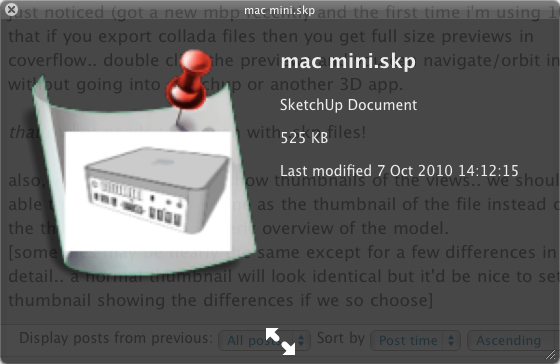
Actually it does kind of work- but just not very well.
see pic....
-
RE: DraftSight
Mike, I'm afraid I'm not yet convinced. I've found Draftsight really clunky so far. I still really like QCad, despite a few ortho snap bugs and it's horrible linux-like filling system. I can rely on QCad, and QCad is also portable, making it really handy at places like libraries, schools and universities who tend to lock their PC's down so much.
QCad also works really well with SketchUp!
-
RE: DWG Importer for 7.1 (free)
Jerry, I also ran into this problem, but reinstalling the importer got it working again. However, I am on a Mac, and that does work differently. Can you use Window's roll back facility? See if that works?
Tom
-
RE: Unity 3 has been released.
I don't know Mansell's. It's the Diwan (Alcester Road, Moseley) or the Jyoti (Stratford Road, Hall Green) for me. Channi's is really good too, on Stratford Road, in Sparkbrook, but I haven't been there for a while. The Plaza on Ladypool Road used to be good also, but it's not as great as it used to be ever since winning restaurant of the year.
-
RE: GIMP

Took the picture right out of my mind!!
I use an image editor called "Pixelmator" for the majority of my work. But it's Mac-only.
You could try "Paint.net", which is very good, and works with Windows only. And it's free. GIMP is okay, but it has a really steep curve (like Blender). The bottom line is though, there is nothing to beat Photoshop really
-
RE: Unity 3 has been released.
Balti's all around you mean!
A "Balti" means literally, "Bucket"!
The real definition of a Balti is a 'Karack'.
Either way, the result is making me hungry! (I live right on the "Balti Belt" in Birmingham's "Balti Triangle", the curry restaurant part of Birmingham)!
