sketchucation logo sketchucation
    • Login
    1. Home
    2. tak2hata
    3. Posts
    Oops, your profile's looking a bit empty! To help us tailor your experience, please fill in key details like your SketchUp version, skill level, operating system, and more. Update and save your info on your profile page today!
    ⚠️ Important | Libfredo 15.6b introduces important bugfixes for Fredo's Extensions Update
    T
    Offline
    • Profile
    • Following 0
    • Followers 1
    • Topics 16
    • Posts 308
    • Groups 2

    Posts

    Recent Best Controversial
    • RE: [Plugin] T2H_2D_DXF_IMPORT 2020+

      @rich o brien said:

      Hi tak2hata,

      Are you able to upload to the plugin store? If not I can set it up shortly

      .

      Hi,Rich.
      I could not upload to SketchUcation Plugin Store. πŸ˜•

      I hope you,please set this up.
      And teach me about how to uploading to plugin store. πŸ˜‰

      Thanks.

      posted in Plugins
      T
      tak2hata
    • RE: [Plugin] T2H_2D_DXF_IMPORT 2020+

      @rich o brien said:

      Hi tak2hata,

      Are you able to upload to the plugin store? If not I can set it up shortly

      .

      Hi,Rich.
      Now I am trying to upload to plugin store.
      Please wait.

      posted in Plugins
      T
      tak2hata
    • [Plugin] T2H_2D_DXF_IMPORT 2020+

      Hi,
      This is 2D-DXF importer plugin.
      vesion4.5.1: I update this plugin for sketchup 2020.

      NOTICE
      Strongly Recommend Sketchup version 8 higher for using this.
      The copyright of this plug-in is in TAK2HATA.
      I MAKES NO GUARANTEE OF VALIDITY about this script.
      Please use this script at your own risk.
      You can use freely.

      Entities are grouped by Layer.
      Text can be imported.
      Not support polymesh.

      Command find From [Menu]->[File]->[2D-DXF-IMPORT]
      Get the latest version from the PluginStore:https://sketchucation.com/pluginstore?pln=t2h_2d_dxf_import2020
      or AutoInstall from within SketchUp using the SketchUcation Tools

      older version:http://sketchucation.com/resources/pluginstore?pln=t2h_2d_dxf_import

      This script uses "win32ole.so" for File access in windows os.
      So The DXF file path includes special character will have no problem....perhaps.

      Thanks.

      posted in Plugins
      T
      tak2hata
    • RE: [Plugin]T2H_Stretch_By_Area v1.2.3(Aug 25,2013)

      Hi,All.
      I update this version to 1.2.2.
      Only Modify the entities in active editting group/components.
      ArcCurve modify as curve.
      Draw Snap points.
      And BugFix.

      My right hand is not completely fixed,yet.
      So,I edited small changes of this script.

      Thanks!

      posted in Plugins
      T
      tak2hata
    • RE: [Plugin]T2H_Stretch_By_Area v1.2.3(Aug 25,2013)

      @jql said:

      Tak2Hata,

      When working inside a component/group if we use your plugin to stretch a small portion of the group, it selects everything inside the group but also outside it. This makes it very prone to create unexpected results. Is it somehow possible to affect only that wich is within the active context?

      Thank you very much and best regards,

      JQL

      Hi,JQL.

      It is possible.
      But now my right hand does not work fine for two weeks.

      Please wait.

      posted in Plugins
      T
      tak2hata
    • RE: [Plugin] Create Section Drawing V1.3(update Dec16.2012.)

      Hi,TIG.
      Thanks for your advice!

      That is the problem of ruby in sketchup.

      Hi,Fatih.
      Please refer to that advice!

      Thanks.

      posted in Plugins
      T
      tak2hata
    • RE: [Plugin]T2H_BuildingStructureTools2.2.4 in20141207

      Hi,thomthom and renderiza.
      My recovering will become soon by your kindly words.
      Thanks very much!

      posted in Plugins
      T
      tak2hata
    • RE: [Plugin]T2H_BuildingStructureTools2.2.4 in20141207

      Hi,all
      The traffic accident was happened to me.
      So I can not edit codes for a while.

      Hi,Victor.
      You can edit csv file with application like excel.
      Or table editor in BST too bar.

      Thanks.

      posted in Plugins
      T
      tak2hata
    • [Plugin]T2H_Stretch_By_Area v1.2.3(Aug 25,2013)

      Hi,Everyone.
      I upload new plugin here.
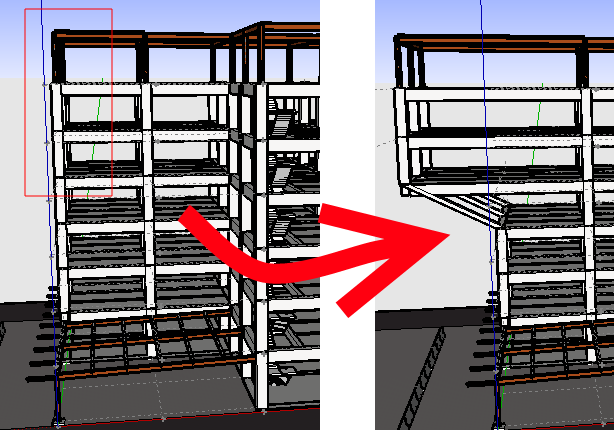
      Tool for Stretching by Area through Group/Component.
      stretch image
      General disclaimer:
      I MAKES NO GUARANTEE OF VALIDITY about this script.
      Please use this script at your own risk.
      Notice:The modified component will be made unique from others

      DONWLOAD:
      Get the latest version from the PluginStore:
      http://sketchucation.com/resources/pluginstore?pln=t2h_stretch_by_area
      or AutoInstall from within SketchUp using the SketchUcation Tools

      @unknownuser said:

      Update in Aug15,2013.Only Modify the entities in active editting group/components.and Improves.
      Update in Aug25,2013.BugFix about selecting vertices in curve.

      Watch Video.

      Enjoy.

      posted in Plugins
      T
      tak2hata
    • RE: [Plugin] Make Fur v.2.1.0(20140323)

      Hi,Walt.
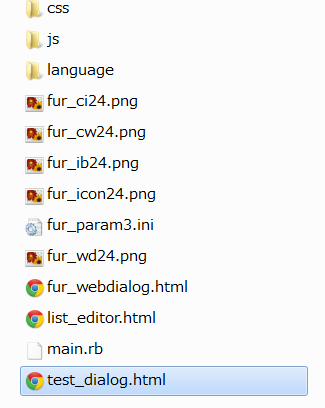
      I create the test_dialog.html
      test_dialog.html.zip
      please copy this file to fur_en folder.
      test_dialog copy to there

      And open the html file on browser.
      I will modify fur_en to create html file if the html file show sliders

      Hi,Davor.
      Nicely rendered image! 😍
      Architecture need the beautiful grass like this.

      Hi,kashkasha.
      Please get install files on the top of this thread.
      And Enjoy fur_en!

      Hi,TIG.
      Thank you very much for your advice.

      Thanks All.

      posted in Plugins
      T
      tak2hata
    • RE: [Plugin] Make Fur v.2.1.0(20140323)

      Hi,Pilou.
      This tool is fur tool.
      To interference solids will make too many raytest checks.
      So it will be too slow to use.
      The purpos of preview is chechking the styles.
      The show full preview will too slowly to use fine.
      I limit the number of fur in previwe to make it fast.
      So preview position is not same to generating.
      Sorry for my poor technology.

      Hi,Walt.
      This is last test.
      Please open Ruby console in sketchup.
      (menu bar -> windows -> ruby console)

      And copy and paste this line.

      
      wdlg=UI;;WebDialog.new( "Fur TEST", true, "T2H_FUR_DIALOG", 300, 680, 150, 150, true);wdlg.set_url("http://jqueryui.com/slider/");wdlg.show_modal


      like this picture.
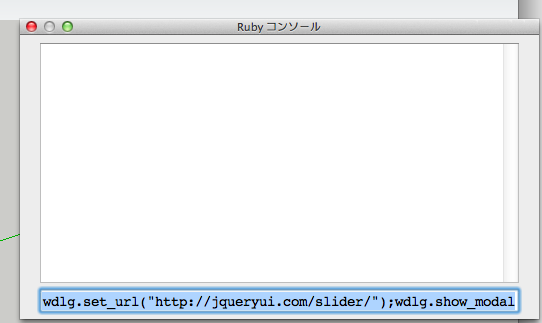
      2013.06.30screenshot1

      And press enter key to run the script.
      Webdialog will be shown.

      The right state of display is here.
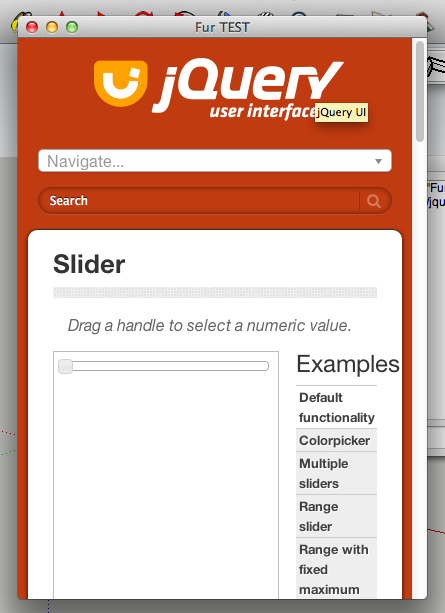
      2013.06.30screenshot2

      I am not able to solve this problem when there is no slider.

      If the slider is shown,I think the prbolem caused to "CSS" folder.

      Thanks.

      posted in Plugins
      T
      tak2hata
    • RE: [Plugin] Make Fur v.2.1.0(20140323)

      @mwm5053 said:

      Here we go still no slider.

      Ummm...
      It is difficult.
      I consider well.
      Please wait.

      Hi,Pilou.
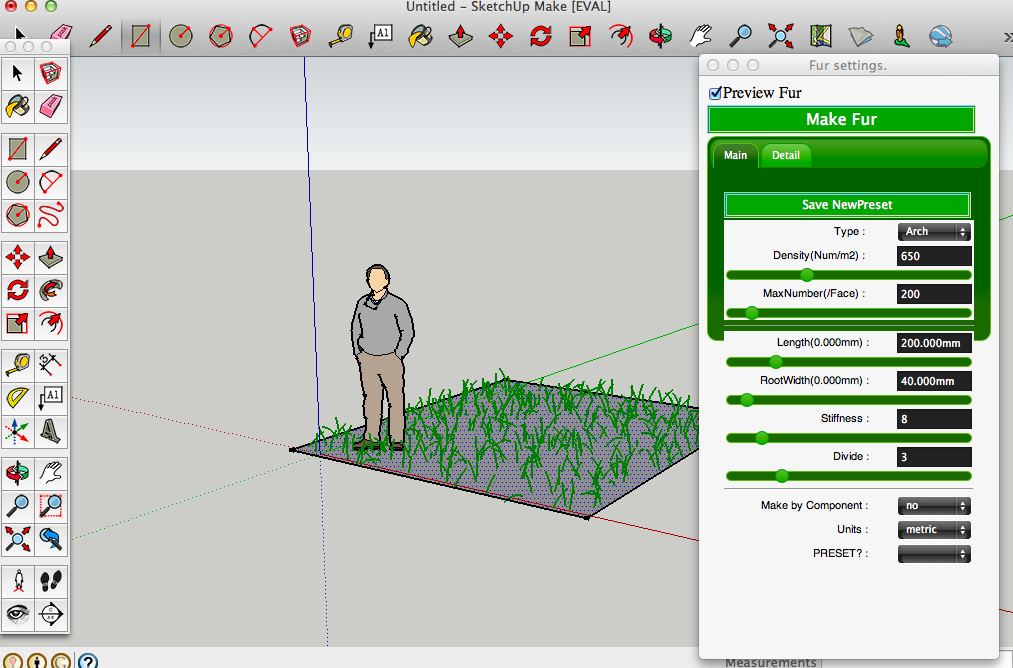
      In Fur webdialog,
      TopJitter(%) will randomize the size of placing component.
      Or Use Crowd Dialog.

      Hi,thkian92.
      I tested on Sketchup13.It works well.
      I have some questions.

      Was the error mesasge show on starting sketchup?
      Does fur Toolbar exits on your sketchup.
      Did you install fur correctly?
      Sketchup V8,too?

      Thanks.

      posted in Plugins
      T
      tak2hata
    • RE: [Plugin] Make Fur v.2.1.0(20140323)

      Hi,Walt.

      I create the test ruby for you.
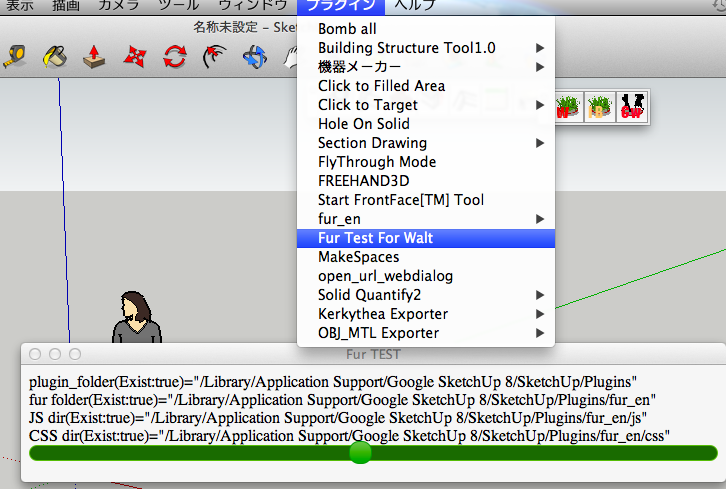
      test ruby
      It shows the folders for fur and Test Slider on Webdialog.

      Select from menu bar.
      Plugins -> Fur Test For Walt

      It will show like this.
      Show like this

      Hi,Zacchia.
      I understand your idea.

      But It will add new many properties.

      They take long time.

      Wait for Fur v3.0.

      Now I must sleep soon for tomorrow.
      Thanks.

      posted in Plugins
      T
      tak2hata
    • RE: [Plugin] Make Fur v.2.1.0(20140323)

      @mwm5053 said:

      Path can be seen at bottom of screen shot.

      I think there is no problem.....

      The problem becomes the mystery.

      I will create test code for you.

      Please wait.

      posted in Plugins
      T
      tak2hata
    • RE: [Plugin] Make Fur v.2.1.0(20140323)

      Hi,Walt.
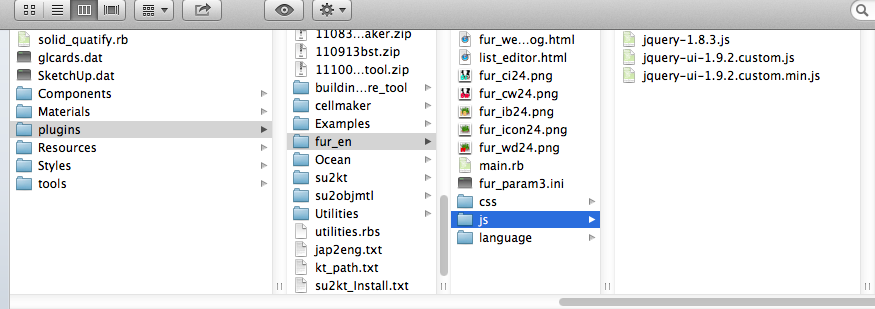
      I tested on mac.
      Screen shots here.
      files in plugin folder
      work fine on mac.

      I think the problem is folder.

      The webdialog lost the sight of "JS" folder or "CSS" folder.

      But I think no problem about the non-alphabetical character file names on mac.

      So please tell me your plugin folder.

      Thanks.

      posted in Plugins
      T
      tak2hata
    • RE: [Plugin] Make Fur v.2.1.0(20140323)

      Hi,Walt.
      I will test it on Mac.

      Please wait.

      Thanks.

      posted in Plugins
      T
      tak2hata
    • RE: [Plugin] Make Fur v.2.1.0(20140323)

      Hi,
      I upload to v2.0.6.
      Include the language file for Serbian by SRX.Thanks!

      Hi,menes.
      I try it!

      finished
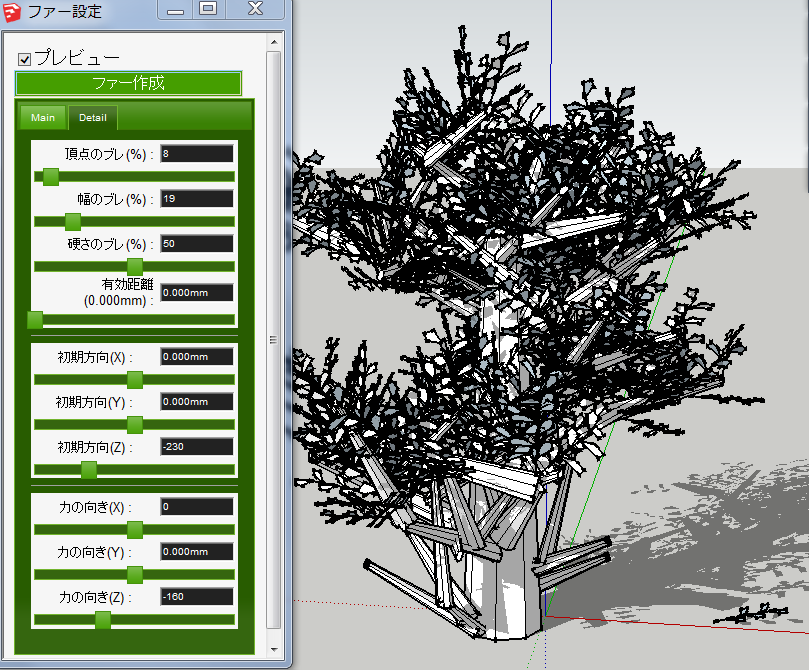
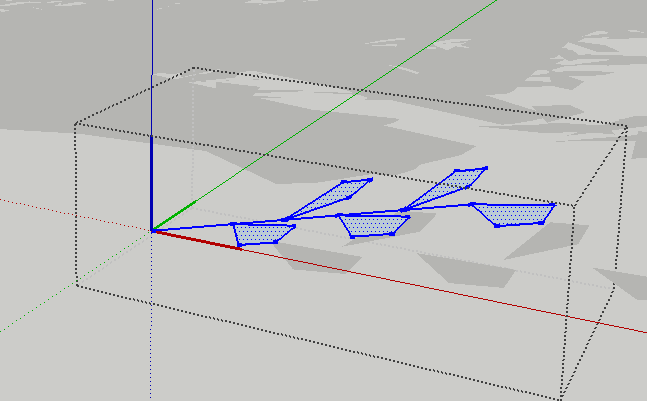
      component for leavs

      Component for leaves lay along to X-Axis(RED) with litte slope.
      And place it with large Z value of "direction" and "force" in fur dialog.
      It make like this placement.

      Thanks.

      posted in Plugins
      T
      tak2hata
    • RE: [Plugin] Make Fur v.2.1.0(20140323)

      @meoa said:

      @tak2hata said:

      Hi,meoa.
      I need more information for your problem.
      I can not know what happened, too.

      Please upload your model and the picture of the fur setting and selected face.

      Thanks.

      Sorry tak2hata, it was my mistake.

      I deleted geometry in a component and for some reason it did not rescale or i may have moved the axes by mistake so the component size was far larger than the content(space when you edit the component). Thus, the make fur moved the components further away than the size of the content which explains why they were off the face.

      Hi,meoa.

      This problem is solved by yourself.

      Thanks!

      posted in Plugins
      T
      tak2hata
    • RE: [Plugin]T2H_BuildingStructureTools2.2.4 in20141207

      @rot said:

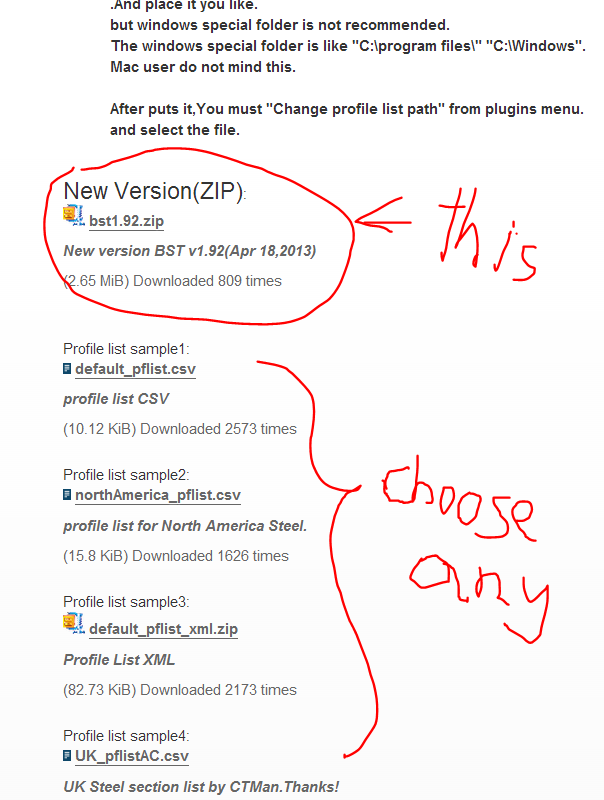
      respected creator of the plugin, posters please tell me how to download, after registration link does not appear.

      Hi,ROT.
      Login to this forum.
      and visit top of this thread.
      http://sketchucation.com/forums/viewtopic.php?f=323&t=35798#p315482

      You will find the download link like this.
      screen capture

      posted in Plugins
      T
      tak2hata
    • RE: [Plugin]Hole on Solid tool v1.6.3 upadate Jan 09, 2012

      I find the fixing method for the problem.

      But it will be performance decrement.

      The Pants's model includes very jaggy faces.

      Intermediate will not do that.

      This script work on the model, when remove the one of adjustment function from my script.

      But It will become lower probability to creating hole.

      So I make it as T2H_Hole_On_Solid2Beta.

      Now I make new icon and adjust to extension class.

      It will be shown future.

      But I can not understand the man says "I no longer see tear_off menu" ,he still intend to keep using tear-off menu.
      It is strange!,isn't it?

      GoodBye.

      posted in Plugins
      T
      tak2hata
    • 1
    • 2
    • 3
    • 4
    • 5
    • 6
    • 7
    • 15
    • 16
    • 5 / 16