sketchucation logo sketchucation
    • Login
    1. Home
    2. tak2hata
    3. Posts
    Oops, your profile's looking a bit empty! To help us tailor your experience, please fill in key details like your SketchUp version, skill level, operating system, and more. Update and save your info on your profile page today!
    โš ๏ธ Important | Libfredo 15.6b introduces important bugfixes for Fredo's Extensions Update
    T
    Offline
    • Profile
    • Following 0
    • Followers 1
    • Topics 16
    • Posts 308
    • Groups 2

    Posts

    Recent Best Controversial
    • RE: [Plugin]T2H_BuildingStructureTools2.2.4 in20141207

      @setyabudi73 said:

      tak2hata , how can i use your newest plugin bst 1.95. when i install in sketchup 2013, it can load data from pflist. what can i do to solve that problem. tks

      Hi,setyabudi.
      Please download pflist csv file from top of this thread.
      http://sketchucation.com/forums/viewtopic.php?f=323&t=35798#p315482

      Hi,Sumaster.

      @sumaster said:

      the html is not load correctly like previous version different Tab in html . . . . .

      This image is difficult for me.

      I need the detail of your problem.
      Please show your ruby console.
      And start BST.
      Copy and paste the error message ,if there is any error message in ruby console.

      When there is no error,Please tell me your installed folder for this plugin.
      And capture the screen shot of the different tab.
      posted in Plugins
      T
      tak2hata
    • RE: [Plugin] Make Fur v.2.1.0(20140323)

      Hi,ikeda and mjursevs.
      Please do as TIG says.

      Please tell me the detail of your problems,When still there were the problem.
      Open "Ruby Console" in sketchup "windows" menu.
      And Start "Fur".
      when there is any message includes "error",
      Please copy the all message and post here.

      I have no materials of the inference for your problems.
      Thanks.

      posted in Plugins
      T
      tak2hata
    • RE: [Plugin]T2H_BuildingStructureTools2.2.4 in20141207

      Hi,Andy and Sumaster and vilcoyote57 and everyone.

      I update this to version 1.9.5.

      I am terribly sorry for keeping you waiting.
      I was too busy,So I can not test the problem.

      I guess the problem about showing dialogs in Sketchup2013.

      So This version is test release.

      Please try this.

      Thanks.

      posted in Plugins
      T
      tak2hata
    • RE: [Plugin] Make Fur v.2.1.0(20140323)

      @superjesus said:

      This was working previously for me but there are certain components that dont seem to want to constrain the surface I select. The preview shows everything in the right place but then they appear randomly spread out in mid air over a huge area when I do it. Its only certain components with the same settings so I don't get it. Has anybody had this issue before?

      Hi,SuperJesus.
      I guess your problem of fur.
      watch video

      Please Check the axis origin of the component.
      Thanks.

      posted in Plugins
      T
      tak2hata
    • RE: [Plugin] Make Fur v.2.1.0(20140323)

      @chillotti said:

      Hi everybody, I have a problem, I canโ€™t install the plugin Fur Maker, I put the file http://sketchucation.com/resources/pluginstore?pln=fur_en
      And also the new icons
      http://sketchucation.com/forums/viewtopic.php?f=323&t=28092&start=480
      in the
      C:\Program Files (x86)\SketchUp\SketchUp 2013\Plugins
      Can you help me? Please

      Thanks
      Carlo

      Hi,chillotti.
      I guess you didn't use autoinstall from sketchupucation store tool.
      You must unzip the rbz file when you manually install it.
      Change the extenstion name "rbz" to "zip".and unzip it.
      "fur_en.rb" and "fur_en" folder will be shown.
      Copy both to plugin folder.
      And New Icon file "fur_en.rar" must unzip ,also.
      Copy the created png file to "fur_en" folder in plugins folder.

      Thanks.

      posted in Plugins
      T
      tak2hata
    • RE: [Plugin]T2H_BuildingStructureTools2.2.4 in20141207

      @karenzkk said:

      hi im a mac user. i cant find the download link for profile list even after i logged in. could you help me with this?

      Hi,karenzkk.
      I edit the first post of this thread.
      http://sketchucation.com/forums/viewtopic.php?f=323&t=35798#p315482
      for increase the discoverability of download links.
      130916_bst_downloadlinks

      Thanks.

      posted in Plugins
      T
      tak2hata
    • RE: [Plugin]SOLID QUANTIFY v2.5.1 (20131215)

      Hi,I updated this to version2.5.0
      Bugfix::Calculate correctly volume of the solid in scaled group.
      Thanks!

      posted in Plugins
      T
      tak2hata
    • RE: [Plugin]T2H_Annotator v1.2.0(20130915)

      Hi,
      I update this to version 1.2.0
      New Option for changing Sketchup Scene Page by clicking Annotater TAB.

      Thanks.

      posted in Plugins
      T
      tak2hata
    • RE: [Plugin]SOLID QUANTIFY v2.5.1 (20131215)

      @bagatelo said:

      I found this plugin simply fantastic! Wonderful!
      But...
      If some component have several copies, with several scales from outside,is presented in the report as if everyone had the same size, and this is not desirable to me.
      Also would like to know if is possible to organize the report by displaying objects by layer, and if we can disable to make report to hidden layers.

      Thank you!

      Hi,bagatelo.
      I will fixe the first problem about scaled component.
      but I'm sorry ,Now I am too busy.So wait this weekend.

      I think the component in hidden layer is not included in report.
      In the case of the faces in component are placed in hidden layer,
      that faces are not included,but the number of that component are counted.
      I think finding that case is difficult.
      Please place the components on hidden layers.

      And I will read your ask topic,
      but I do not know I can create the function for the request.

      Thanks!

      posted in Plugins
      T
      tak2hata
    • RE: [Plugin] Make Fur v.2.1.0(20140323)

      Hi,Sharkyzero.
      Good luck for fiddle around with it.
      Please ask me when you didn't get it working fine.

      Thanks.

      posted in Plugins
      T
      tak2hata
    • RE: [Plugin]T2H_Annotator v1.2.0(20130915)

      @glro said:

      i would like to use your plugin to add a comment on each scene of the model

      now, it is not possible because you can show any tab (comment) on any scene

      Would it be possible to link a tab to one scene, and one scene only?

      And to edit the tab name, so it matches the scene name?

      Hi,glro.
      That's a good idea.

      I will update in few days.
      Thanks.

      posted in Plugins
      T
      tak2hata
    • RE: [Plugin]T2H_Annotator v1.2.0(20130915)

      Hi,mitcorb.
      It is superimposed in the view and you can still navigate- orbit, pan, etc.
      The purpose of this tool is for annotating about flow of the working.

      posted in Plugins
      T
      tak2hata
    • [Plugin]T2H_Annotator v1.2.0(20130915)

      Hi,All.
      This is tool for creating annotations easily.
      #General disclaimer
      #I MAKES NO GUARANTEE OF VALIDITY about this script.
      #Please use this script at your own risk.
      DONWLOAD:
      Get the latest version from the PluginStore:
      http://sketchucation.com/resources/pluginstore?pln=t2h_annotator_v1.1.0
      or AutoInstall from within SketchUp using the SketchUcation Tools

      Update::
      v1.2.0(20130915):New Option for changing Sketchup Scene Page by clicking Annotater TAB.
      Please watch viedo for more infomation.

      New Option for changing Sketchup Scene Page by clicking Annotater TAB.

      Thanks

      posted in Plugins
      T
      tak2hata
    • RE: [Plugin] Make Fur v.2.1.0(20140323)

      @sharkyzero said:

      I don't seem to be getting the results everybody else is. I make a grass square and make it a component, then I try to use the crowd maker and it puts the grass everywhere else other than what I have selected. Anybody else have this problem? Also, how do you get so much grass? My comp is no slouch and it virtually crashes whenever I try to get more than a little bit in view.

      Hi,Sharkyzero.

      I need to know your detail to help the problems.
      Please upload screenshot of your model and crownd maker dialog.
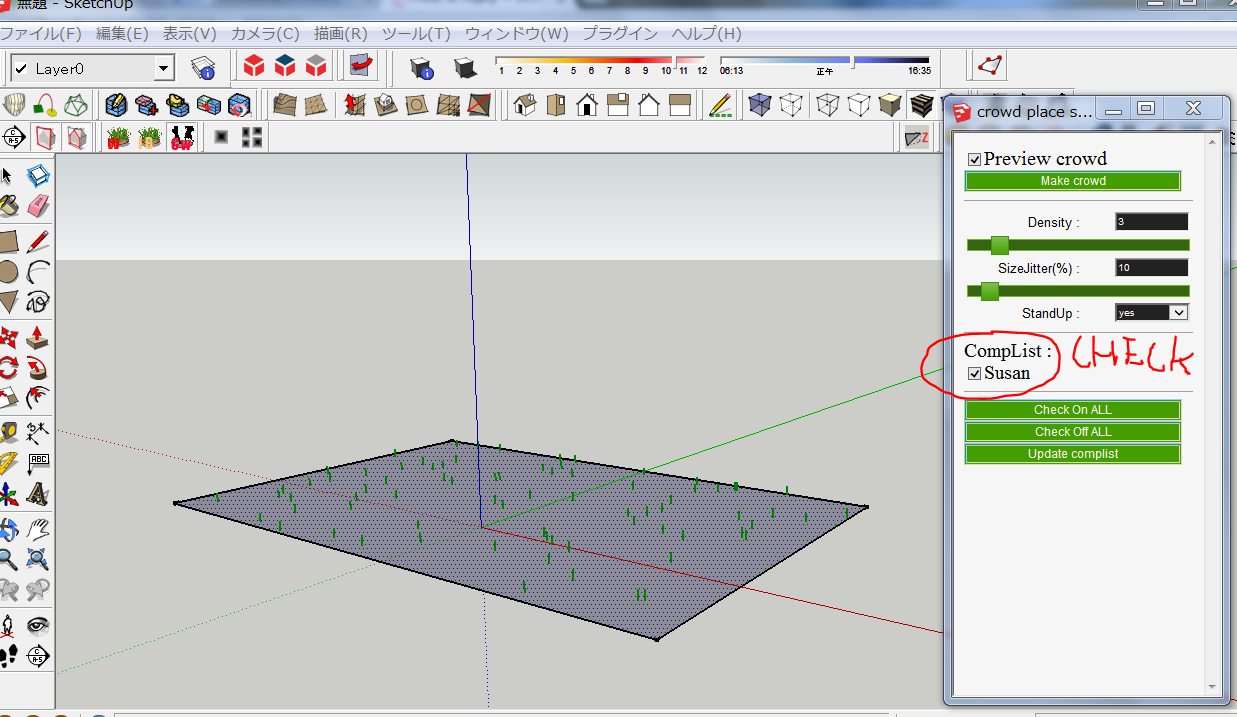
      crowdmaker
      Thanks.

      posted in Plugins
      T
      tak2hata
    • RE: [Plugin]Draw Slope Normals.rb-v1.4-Mar 28,2013.

      Hi,orchard.
      Download plugin zip file and unzip.
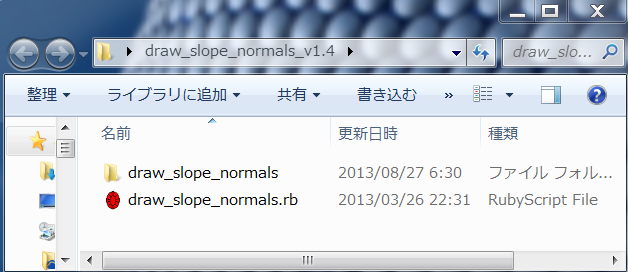
      rb file and the folder include some file will be created.
      unzipped with folders
      Please place all files to plugins folder.

      The command will be shown in [MENUBAR]->[PLUGINS]->{DRAW SLOPE NORMALS]
      and [TOOLBAR]->[Draw Slope NormalsTOOL]

      Thanks.

      posted in Plugins
      T
      tak2hata
    • RE: [Plugin]T2H_Stretch_By_Area v1.2.3(Aug 25,2013)

      Hi,everyone.
      I update this version to 1.2.3 in Aug25,2013.
      Bugfix abot selecting vertices in curve.
      Thanks

      posted in Plugins
      T
      tak2hata
    • RE: [Plugin]Draw Slope Normals.rb-v1.4-Mar 28,2013.

      @orchard collie said:

      Hi TAK2HATA
      I'm using SketchUp 2013 Pro on Mac OSX 10.8.4 - downloaded the plugin and unzipped it into the Plugins Folder.
      Opened SketchUp went to Preferences - Extensions - Install extension - located the folder', opened it but could not select the draw slope normals.rb file to install it.
      Any ideas what my problem is, apart from stupidity?
      Cheers

      Hi,orchard.

      Installing plugin was completed when you unzipped it into the Plugins Folder.

      In case of installing from "*.rbz" file,
      "Install Extension" in Preference menu works.

      Thanks.

      posted in Plugins
      T
      tak2hata
    • RE: [Plugin]T2H_Stretch_By_Area v1.2.3(Aug 25,2013)

      Hi,rv1974.
      I will correct this bug.
      I think that adding function multiple stretch is difficult.
      So it takes long time.Please wait.

      Hi,lmfboy.
      I agree with Dave.
      Thanks Dave.

      Hi,Ben.
      Enjoy it.

      Thanks!

      posted in Plugins
      T
      tak2hata
    • RE: [Plugin] T2H_2D_DXF_IMPORT 2020+

      @tig said:

      You now have a listing in the PluginStore, but it seems that you have not uploaded the necessary files...
      I have done this for you...

      Please read the links that Rich provided, so you can manage your Plugins yourself in the future ๐Ÿ˜„

      Also note how to link the 'Move Info' button to the main page itself and not the general thread...
      I have changed the link - yours simply went to the latest post of the thread, not the main-page...

      Sorry..TIG.
      Thanks for your revision.
      I was in a hurry,and mistook.

      I will learn more about upoloading to plugin store.

      Thanks!

      posted in Plugins
      T
      tak2hata
    • RE: [Plugin] T2H_2D_DXF_IMPORT 2020+

      @rich o brien said:

      Logout and then login.

      Can you see this area?

      favicon

      (sketchucation.com)

      Can you read this thread?

      http://sketchucation.com/forums/viewtopic.php?f=382&t=52516

      Any problems let me know...

      But give it a go and see what happens.

      Thank you very much!! ๐Ÿ˜
      Now I upload the plugin to store for the first time.

      Thanks!

      posted in Plugins
      T
      tak2hata
    • 1
    • 2
    • 3
    • 4
    • 5
    • 6
    • 15
    • 16
    • 4 / 16