Sketchucation Tools 5.0.2 released
- Bugfixing and improvements
- SketchUp 2026 compatibility
 Offline
Sketchucation Tools 5.0.2 released
I lied....6 times
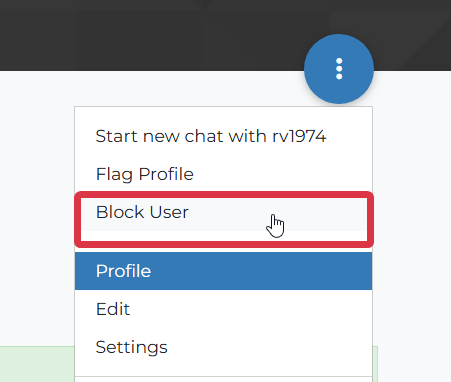
Also, this forum has a Block User feature so you don't see posts from 'enemies'.
Just click a user to see their profile and there's a dropdown with Block User.
@rv1974 said in Rework of 12 year old model.:
TS calls to ban a user just for being negative to his his work ( note: not him personally). Isn't it pathetic?
Could you also post what TS posted and later deleted in my address?

What's TS?
Powerbar is a collection of already independently available tools packaged into one toolbar by Max for convenience.
You can grab them as standalone and use something like Lord of the Toolbars to configure your own setup.
What exactly doesn't work?
@rv1974 said in Rework of 12 year old model.:
TS calls to ban a user just for being negative to his his work ( note: not him personally). Isn't it pathetic?
Could you also post what TS posted and later deleted in my address?
Topic Starter
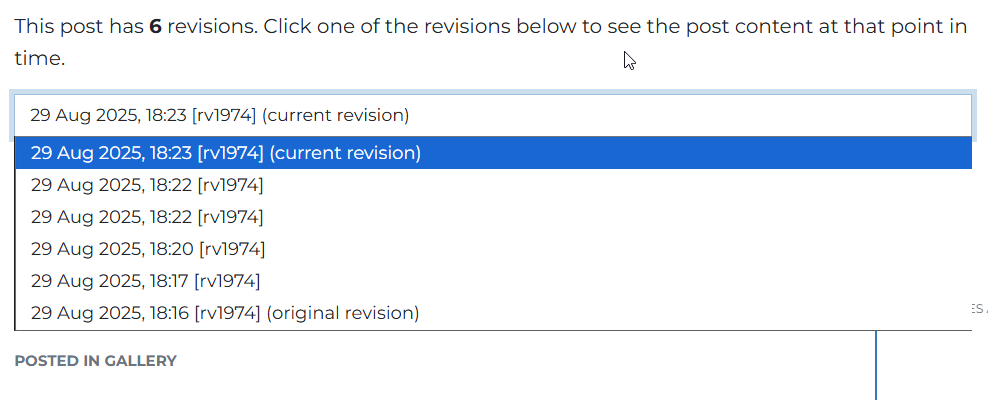
There's no edit history from Gus where he called for a ban for you. I don't think what you said warrants a ban.
Gus also didn't delete any posts. Deleted posts remain visible to use until we purge them and there's no deleted posts.
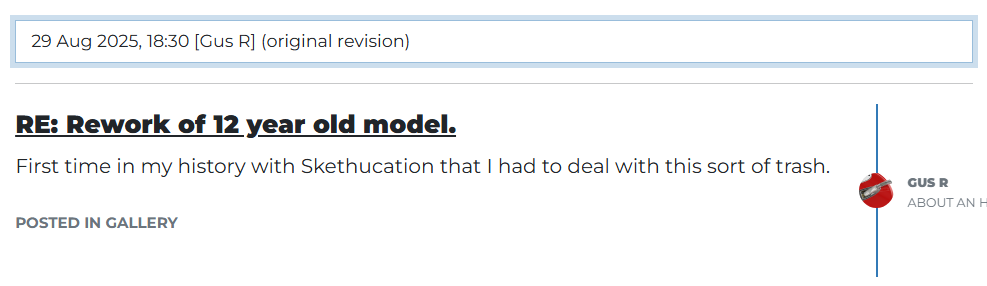
There's no mention of bans.
How about this....can we go enjoy our weekends? You've made your point. As has Gus....
And now Big Mike has been tagged in. For what? No one is winning here.
How about we stop so I can finish getting Sketchucation Tools 5.0 finished for Monday.....?
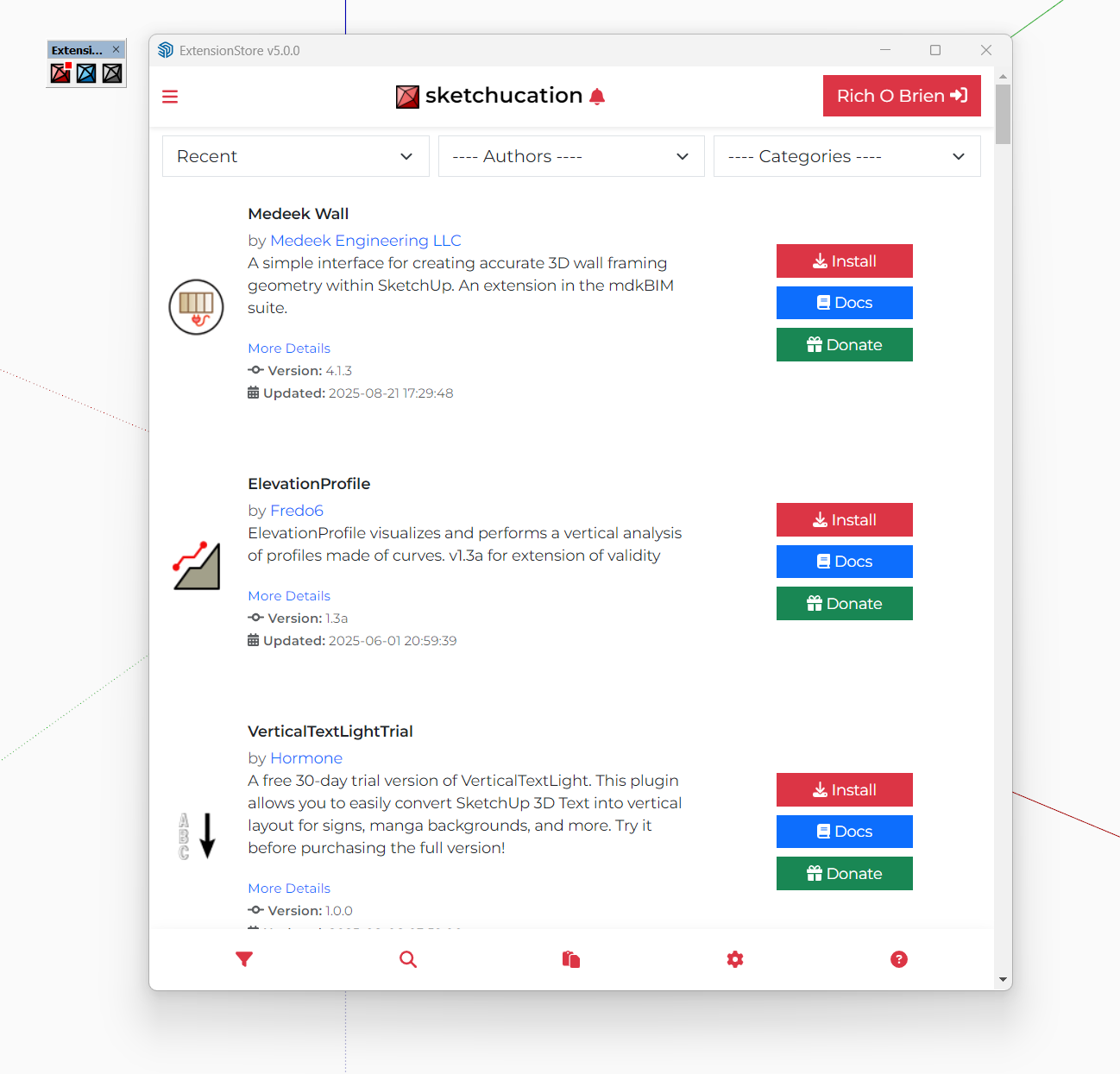
As per your other post you are on a very old SketchUp version. That is probably the reason it is not supported.
Really hard to be retroactively supportive of really old builds of SketchUp because of the sheer difference between that Ruby API and a more modern version.
@rv1974 said in Rework of 12 year old model.:
anyways you are right its too much attention to this matter, all have a nice weekend
You have a great weekend too.
Sketchucation Tools 5.0.4 released
Bugfixing and improvements to toolbar toggling and update notifications.
I would think there is a few issues here that are mesh related.
My approaching to fixing things would be to use Curvizard. Cleanup and resample the curve to re-create the shape with a more manageable edge count. Without affecting the silhouette.
You could go from ~650 edges to <300 quite comfortably.
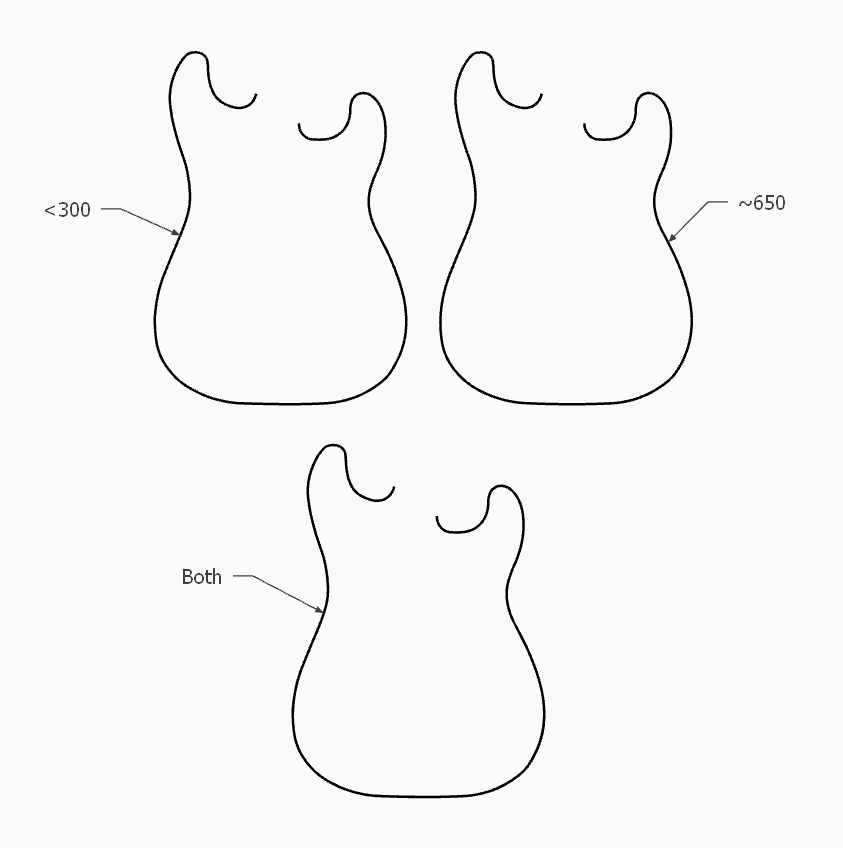
If you overlap the profiles you can see no benefit from the excessive edge count.
You can then run Fredo Corner:
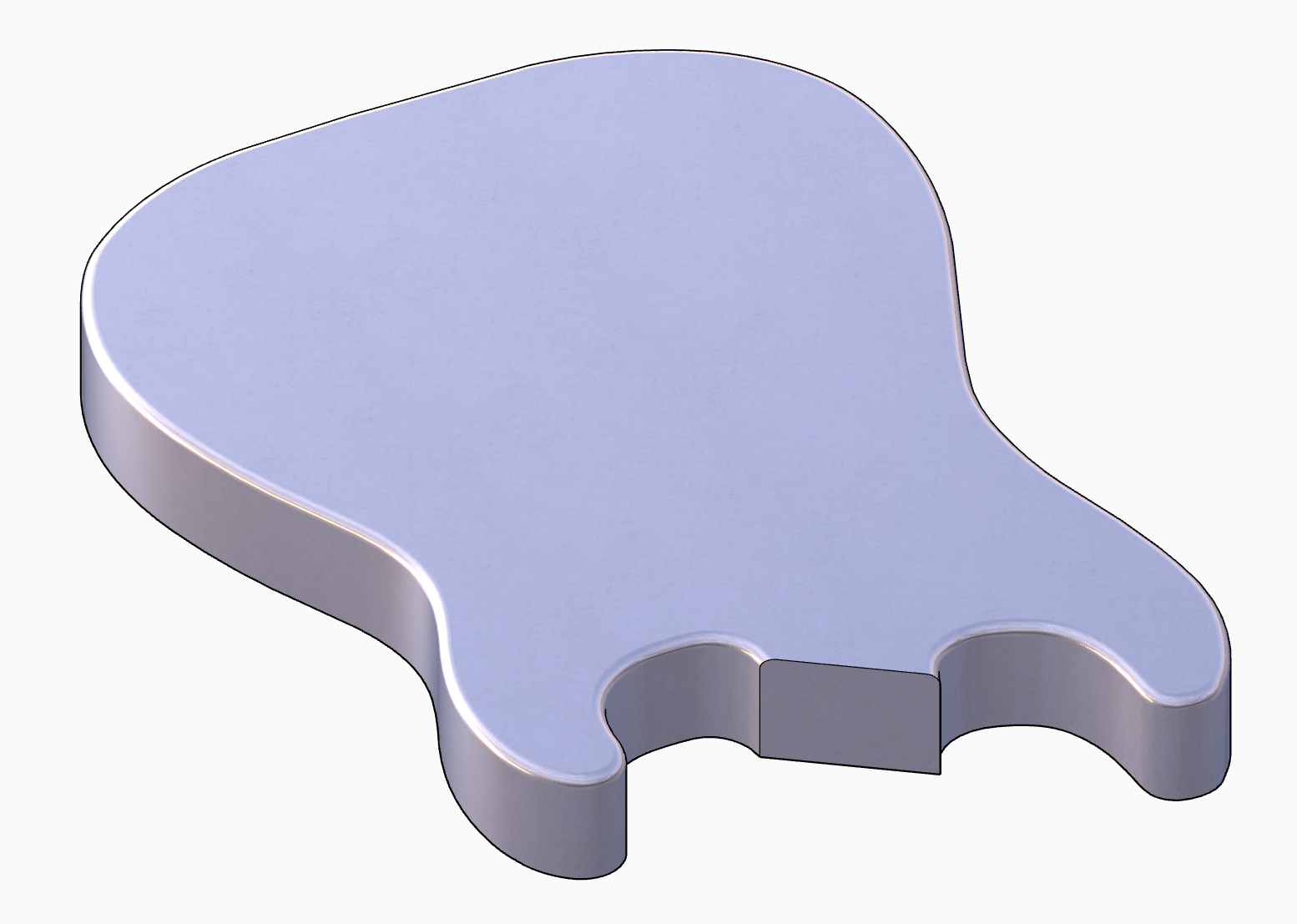
I would guess the reason RoundCorner 'works' is because Fredo Corner has parametric abilities to restore or edit bevel post-op. If the input is troublesome then Fredo Corner is saying 'I can't do this because the computation and parametric abilities are not suited to geometry'.
Works a treat too! DOF works great to take attention from the use of image planes
You could try this:
https://sketchucation.com/pluginstore?pln=universal_importer
https://community.sketchucation.com/topic/159197/plugin-universal-importer-v1-2-6-30-july-2024
It works with simple stuff
But the best way I fould to go from Blender to SU is to use the DAE export in Blender.
If you all stop engaging then it stops. Please and thank you.
v 5.0.5 published
@jo-ke I gotta admit I'm not a fan of AI. I know there's no escaping it. I just find it hard to say wow or well done.
I don't know what to say. Its a timesaver.
Impressive result.
Tons of Ruby Console errors
#<TypeError: reference to deleted Face>
C:/Users/rclub/AppData/Roaming/SketchUp/SketchUp 2026/SketchUp/Plugins/mesh_tools/Dynamic_Subdivide.rb:190:in `edges'
C:/Users/rclub/AppData/Roaming/SketchUp/SketchUp 2026/SketchUp/Plugins/mesh_tools/Dynamic_Subdivide.rb:190:in `block in dyn_loop_getvertices'
C:/Users/rclub/AppData/Roaming/SketchUp/SketchUp 2026/SketchUp/Plugins/mesh_tools/Dynamic_Subdivide.rb:188:in `each'
C:/Users/rclub/AppData/Roaming/SketchUp/SketchUp 2026/SketchUp/Plugins/mesh_tools/Dynamic_Subdivide.rb:188:in `dyn_loop_getvertices'
C:/Users/rclub/AppData/Roaming/SketchUp/SketchUp 2026/SketchUp/Plugins/mesh_tools/Dynamic_Subdivide.rb:345:in `block in dyn_loop_subdivide'
C:/Users/rclub/AppData/Roaming/SketchUp/SketchUp 2026/SketchUp/Plugins/mesh_tools/Dynamic_Subdivide.rb:343:in `times'
C:/Users/rclub/AppData/Roaming/SketchUp/SketchUp 2026/SketchUp/Plugins/mesh_tools/Dynamic_Subdivide.rb:343:in `dyn_loop_subdivide'
C:/Users/rclub/AppData/Roaming/SketchUp/SketchUp 2026/SketchUp/Plugins/mesh_tools/Dynamic_Subdivide.rb:555:in `loop_dynamic_build_result'
C:/Users/rclub/AppData/Roaming/SketchUp/SketchUp 2026/SketchUp/Plugins/mesh_tools/Dynamic_Subdivide.rb:581:in `block in loop_dynamic_schedule_rebuild'
That's very convincing. Even the fresnel effect looks good.
Doesn't look like a render and to be honest if you said it was a photo I wouldn't 2nd guess it.
Looks good. What about customers that don't use gmail? How are those meant to test?
You need to fix the glass materials. You have Thin checked I think which is only meant to be checked for planar surfaces.
On curved surfaces it is causing issues because there is no refraction. Uncheck Thin. If the window glass and the glassware share the same material then use a separate material for the glassware Thin unchecked.
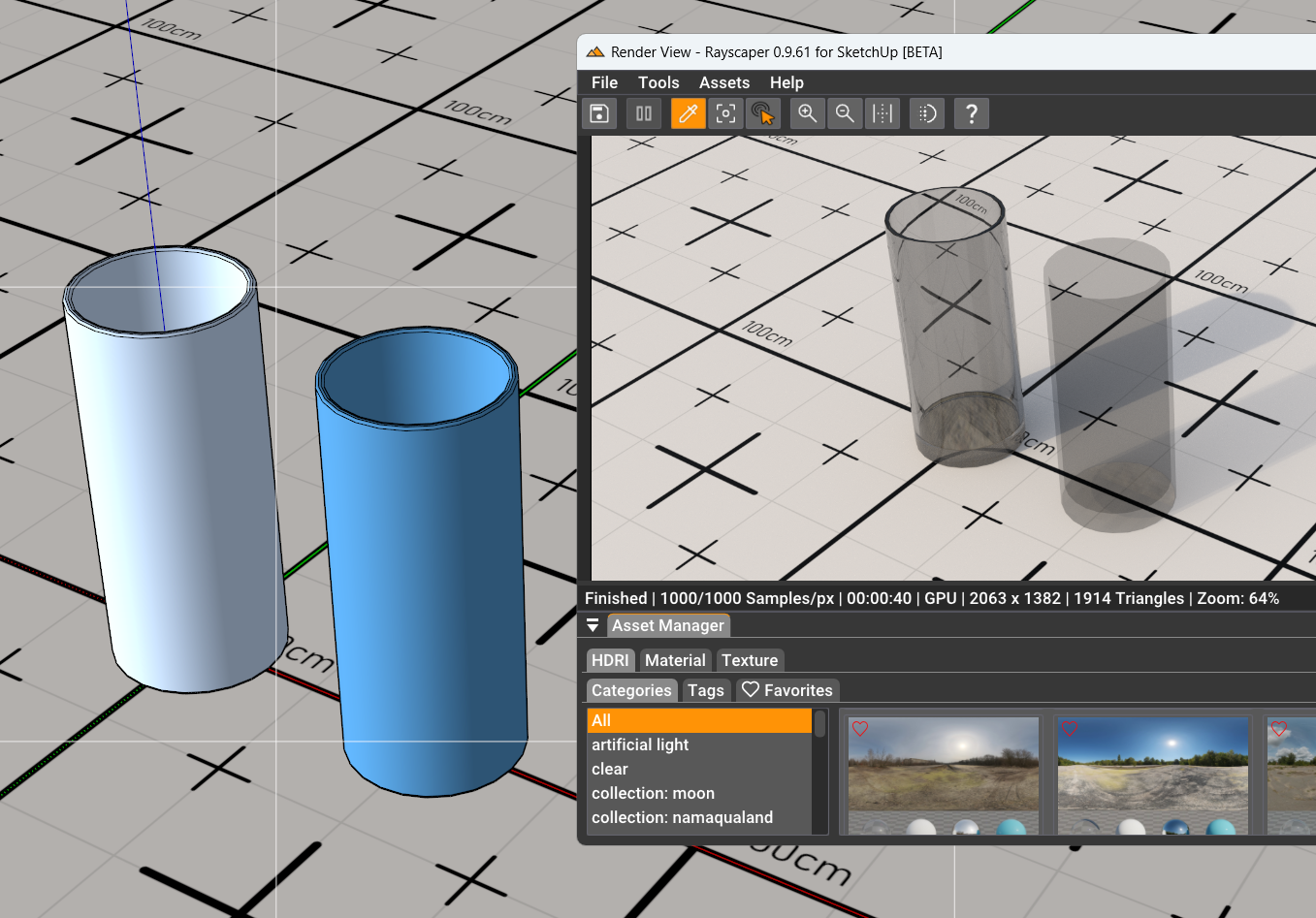
I also think your model is probably completely enclosed with the only entry point for light being the windows. This means the opposite end of the kitchen is struggling and you can see that by the blotchiness on the island counter top, lower cabinets and the backsplash.
Keep digging in things to understand why this happens. Its the best way to learn.