single click on the file in the podium render manager so it is highlighted blue.
Then click on the "show" button.
You should join the podium users group. There are many very talented and helpful
people over there.
 Offline
single click on the file in the podium render manager so it is highlighted blue.
Then click on the "show" button.
You should join the podium users group. There are many very talented and helpful
people over there.
Anyone else notice the cop in the side view mirror in the next to last image.
Nice touch!
p
I don't think I have seen your question at the Podium forum.
Might be worth your time to ask some dedicated Podium users
how they would approach your task.
@solo said:
IMO, you are right, Podium is entry level (and the developers are conscious and deliberate about this, in order to keep it an easy to use render solution), for the next level you will need to look at something with some balls, bells and whistles.
The next step up would be Twilight or your could go even one step higher and try Maxwell, Vray, Thea, Indigo or even Vue (for exteriors)
Would your employer be willing to expend the time & money to get into a more advanced application?
Could you post an example of what you would consider "photo real enough"?
Paul
Thanks Tig,
I was aware that abutting two components caused some occasional cutting errors, but
more often than not they seemed to work for me so I got in the habit of rolling the dice and
separating them only if they caused an issue.
I never had an actual crash before today though.
The strange thing is that I tested a single component in a simple wall in a fresh file and it
still crashed.
Something must have been screwed up with my system because they are all cutting normaly now.
Thanks for the help and the info that I dont need to set the deoth for walls under 20"

p
I am wondering if anyone out there has run into this problem and may have a solution or idea.
I downloaded and installed the hole punching plug in about a month ago.
I have been happily punching holes ever since.
Until today.
Today I inserted a window component into a double skinned wall, set the depth of punch,
& hit punch like normal. Imediate bugsplat.
I thought, ok, bad component maybe, so I copied a window that I had placed and punched
succefully yesterday at the end of the day and tried punching that one. Again, bugsplat.
Tried opening a new drawing, made a guick double skined wall, stuck a window in it, hit punch, & same result. Bugsplat.
I have attached a peice of the model with the windows that were puched through yesterday, as well as a bay window area that
I am trying to place windows in and punch them. I left the windows in place in the bay so maybe one of you could try puching them
to see if the same thing happens to you.
Also image for reference.
The only thing I can think of that has changed in my setup is that I installed the current podium v2 update yeserday. I am fairly sure I did that
before succesfully using holepunchwith the double hung windows, but I can't be sure.
I use su8 pro latest release on a dual core pc with 8mb ram.
Help please.
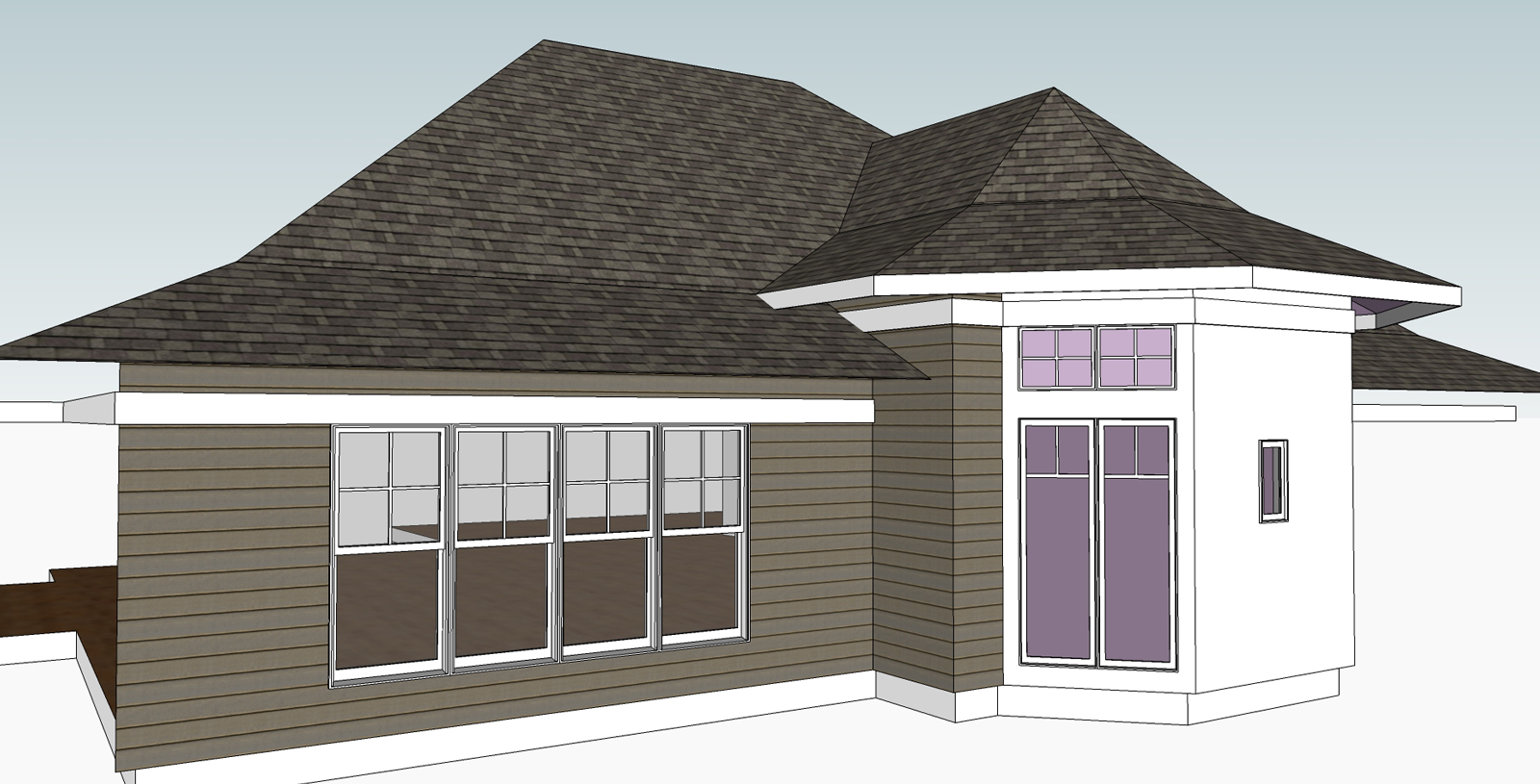 chunk of larger model for testing
Layout is definitely the way to go.
There are plenty of tutorials around on how
to use layout.
I suggest starting there.
p
If photo real is what your aiming for I think you need to desaturate the colors. It is almost glowing with color.
I actualy thought you were purposely going for this type of look and it does look interesting. Kind like a poster.
For more realism you need to sweat the details...like the grass between the driveway pavers would be wore down from driving.
I like them like they are...they are viberant!
The combination of modeling skill, presentation style, and subject matter, makes this
the best thing I have ever viewed on sketchucation.
Masterful!
p
The elevations are great!
One would not normaly think that power lines and a poles would
make an architectural drawing better, but in this case I think they do.
nice!
p
How have I managed for so long without this tool?
Has anybody told you lately that your a genius?
You are!
Thanks.
If I wanted to give you a small payment in gratitude for this and
other plug ins I use of yours, how would I go about that?
Paul
I would still like to know how to modify a window component to do this
on its own at time of insertion if that is possible.
p
Could one of you explain or point me towards
an explanation of how to make a window component
cut both the exterior and interior skins of a wall?
Attached is a model of a simple wall with the exact type of window I use
often that I would like to teach to cut both skins.
Thanks.
p
model


They all have advantages and disadvantages and the best
for you is dependent on your needs and budget(both time and money).
For me Podium fits best.
Here is a link to a few projects of mine that I used podium on.
Not all the projects used podium, but most of them.
pmolson's HOMES
(Above is a link to other pmolson homes)
paul
you should also take this problem to the podium forum.
My thoughts exactly Edson.
Here is a link Andy.
http://supodiumforum.websitetoolbox.com/
Include the version podium, version sketchup, A screen shot if you can, computer specs, and
any other useful info in your post to help others help you.
Good luck.
Paul
You are very talented.
p