sketchucation logo sketchucation
    • Login
    1. Home
    2. pmolson
    3. Posts
    Oops, your profile's looking a bit empty! To help us tailor your experience, please fill in key details like your SketchUp version, skill level, operating system, and more. Update and save your info on your profile page today!
    ๐Ÿ”Œ Smart Spline | Fluid way to handle splines for furniture design and complex structures. Download
    Offline
    • Profile
    • Following 0
    • Followers 0
    • Topics 80
    • Posts 564
    • Groups 1

    Posts

    Recent Best Controversial
    • RE: Performance issue (problem solved - i am an idiot!)

      I was aware that su is not a 64 bit application and therfore not able to benifit easily from the extra ram. I do believe that my sysyem is a bit of a pig in using ram and may only leave about 2.5gb of the 4.0gb available for su to run on. The additional ram will bring me to 8 total (sorry I was not clear on that). I know this will help with certain portions of the rendering process in podium and my hope is that it will allow su to take and use all it can.

      Since I determined that I had two things causing my system to run slowly...1. overheating 2. I did not have the use hardware accelerator box checked. and now both those items have been fixed, I am running as smoothly as I ever have and that is not bad at all. So, my hope is that the additional ram will make things just a bit better than they ever were. Can't hurt.

      Tig you were right to end that last bit with a confused emot.
      I was, I am, and I will be even more confused if I dig into those threads.

      Thanks

      p

      posted in SketchUp Discussions
      pmolsonP
      pmolson
    • RE: Performance issue (problem solved - i am an idiot!)

      Mac1,
      I am such an idiot! After reading your suggestion to turn off hardware acceleration I went to do it and.....
      it was not turned on. ๐Ÿ˜ณ

      Somewhere along the line I must have inadvertantly unchecked the box...although I can't imagine how.

      Anyway, my machine is working like a champ and models are orbiting happily. On the bright side, this problem forced me to get my very filthy computer cleaned up and forced me to pry open my wallet and get some long overdue ram installed which will help with my rendering program.

      Thanks again.

      p

      posted in SketchUp Discussions
      pmolsonP
      pmolson
    • RE: Performance issue (problem solved - i am an idiot!)

      mac1, Thank you very much for your continued advice. You have gone above and beyond giving my issue this much attention.

      No temps got above 100 c. The highest was in the 90 + range and that was the graphics card.

      Drivers are up to date.

      My Tech guy says he did test the graphics card and it is fine.

      I will be dropping my machine off at the shop in the morning to have 8 gb ram installed and have some trouble shooting done if that does not solve the problem.

      This is getting a bit too technical for the likes of me. It is time to let the experts take over.

      Thanks again for your help.

      Paul

      posted in SketchUp Discussions
      pmolsonP
      pmolson
    • RE: Performance issue (problem solved - i am an idiot!)

      I just got off the horn with my tech guy and he agrees with you mac1 that the overheat is not the issue. He is confident that i was sitting on the border of having enough resources to run my 3d programs prior to installing photoshop CS5 approxomately 1 month ago & that pushed me over the edge. I have already ordered ram to double the amount I currently have and he is confident that this will do the trick.

      Thanks again and keep your fingers crossed for me.

      p

      posted in SketchUp Discussions
      pmolsonP
      pmolson
    • RE: Performance issue (problem solved - i am an idiot!)

      i note you state you can dual boot with XP or W 64. Does this happen with both OSs? I do not know how to switch from one to the other.

      Have you look at the task manager and the processes running? You can end many of those ( non system type) and see if the performance improves. Yes I did do that, no noticble improvement

      Can you restore your system to a point before the problem started? It was not an all at once problem, but I supouse I could jump back a bit and see what happens.

      Don't let the "hot" issue lead you down the wrong path? I will try to be objective, it is quite a coincidence though.

      Have you run an anti virus scan lately?? Yes, constantly updating definitions and running two malware programs as well a symantec endpoint protection.

      Thanks for you input.
      I would like to know though if you or anyone can answer this question...

      Is sluggish orbiting and wire frame display during orbiting in sketchup a result of...
      low ram
      or slow proccesor
      or slow graphics card.

      What resource does sketchup lean on hardest when orbiting?

      thanks

      posted in SketchUp Discussions
      pmolsonP
      pmolson
    • Performance issue (problem solved - i am an idiot!)

      Hi,
      I am hoping one of you techy individuals can answer a question for me.

      I have been using the same sytem for 5 years and it has performed nearly flawlessly for me doing fairly large complex models.
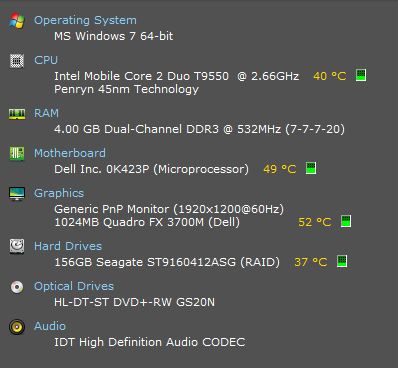
      the system is:
      Capture.JPG

      Recently I noticed that orbiting and zooming in and out even on fairly simple models was getting sluggish and even causing the model to display in wireframe while orbiting. I also noticed that my fans seemed to louder and on constantly.

      Today it got to the point that I just could not continue to work effectively so figuring that it could be overheating I brought it into my local laptop repair guy for a tune up and cleaning.

      It now runs very cool and quiet and routine operations seem crisp...but

      Models are still an issue. Turning shadows on in models that I have previuosly had no issues with pretty much stops everything for minutes. Orbiting even with shadows off is sluggish and causes wireframe to show and components to disappear during the orbit or zoom.

      Remember that these are models created and used on this very same machine and they have never behaved like this before.

      So, my question is, does this sound like a graphic card or cpu related behavior. I am wondering if the overheating caused by my fan ports being blocked with dust could have fried the graphics card or caused my cpu to not function correctly.

      Any thought would be very welcome. I will be bringig it back to the shop on monday and would at least like to understand how sketchup uses computer resourses during orbiting and zooming so I can better direct the trouble shooting.

      Thanks

      posted in SketchUp Discussions sketchup
      pmolsonP
      pmolson
    • RE: New render (External House)

      I actualy like the impending storm. But I am not a normal human. I think andybot is correct in suggesting a less foreboding back drop.
      The best place to get backgound images in my opinion is outside in the real world. Take your camera for a walk.

      paul

      SUadjusted.jpg

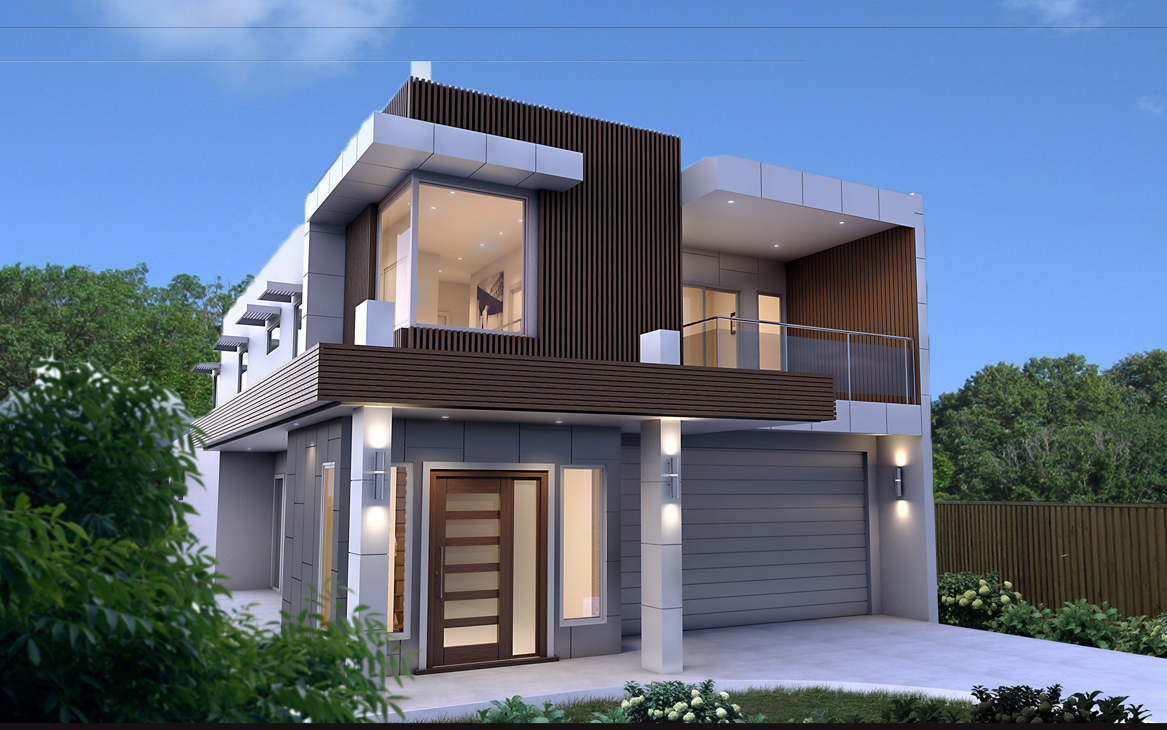
      Hope you don't mind...I just grabbed your image and threw an image in the background that I took with my cheapy digital camera as an example
      of how real world shots can work. Granted the lighting of the image does not match your render, but if you go hunting in your own area at the right time of day in the right neighborhood for your needs you will end up with a pretty convincing back drop.

      This place looks like it would have a neighbor so if it were me I would be tempted to maybe show just a little bit of a neighboring home in the distance and maybe a power line or some other "normal" neighborhood item to add realism.

      One more thing I would say...actualy two more things I would say. I would move a little further away from your building to show a little more foreground and a little more sky above. It feels a little squeezed. Moving back may also help a little with the verticals. The building feels like it is falling away from the viewer. Straightening up those verticals would help I think.

      Now...I am done.

      Did I say nice job?

      Nice job.

      p

      posted in Gallery
      pmolsonP
      pmolson
    • RE: Indipendent styles in same drawing?

      Thank you Dave
      Thank you Gaieus
      Thank you Sonder

      I will not be rendering the scenes with an outside rendering application
      and I also want to keep the model dynamic for further design developemant so
      this leads me to using scenes in layout as you suggest.

      Thank you for other ideas also.

      Paul

      posted in SketchUp Discussions
      pmolsonP
      pmolson
    • RE: Indipendent styles in same drawing?

      pbacot,
      I think you are on to the right idea. It wll be relitively easy to use scenes in layout.
      Thats the route I will go unless I hear of a plug in or trick within su to accomplish what I am
      trying to do.

      Thanks

      p

      posted in SketchUp Discussions
      pmolsonP
      pmolson
    • RE: Indipendent styles in same drawing?

      Thanks Dale, I am actualy hoping to find a way to do this within the sketch up model itself.
      I am guessing what I want to do is not doable, but I have to ask.

      I may try using a semi tranparent mask in layout to at least create a noticable difference between
      new and existing.

      Thanks just the same though.

      p

      posted in SketchUp Discussions
      pmolsonP
      pmolson
    • Indipendent styles in same drawing?

      I am wondering if anyone knows of a trick or two for applying different styles to groups or components within the same model file.
      I am working on an addition to an existing home. The entire model has textures and materials applied that accurately represent the real world siding, roofing etc.

      The new addition is a group and the existing home is a group.

      I would like to be able to display some views with the existing home group with a monochrome style while leaving the new in a rendered style.

      I am sure I am not the first to want to do this. I know I could copy the group, put it on a separate layer, apply a white material to the whole thing and then use a scene that hides one group and displays the dumbed down group, but I would like to avoid that process if possible.

      Any ideas would be appreciated.

      Thanks

      Paul

      posted in SketchUp Discussions sketchup
      pmolsonP
      pmolson
    • RE: My very first SU model

      I am pretty sure this was the first. Boss said "I saw some kinda sketchit 3d stuff...Whydontia look into that...maybe on the xyz project...deadline is yesterday..."
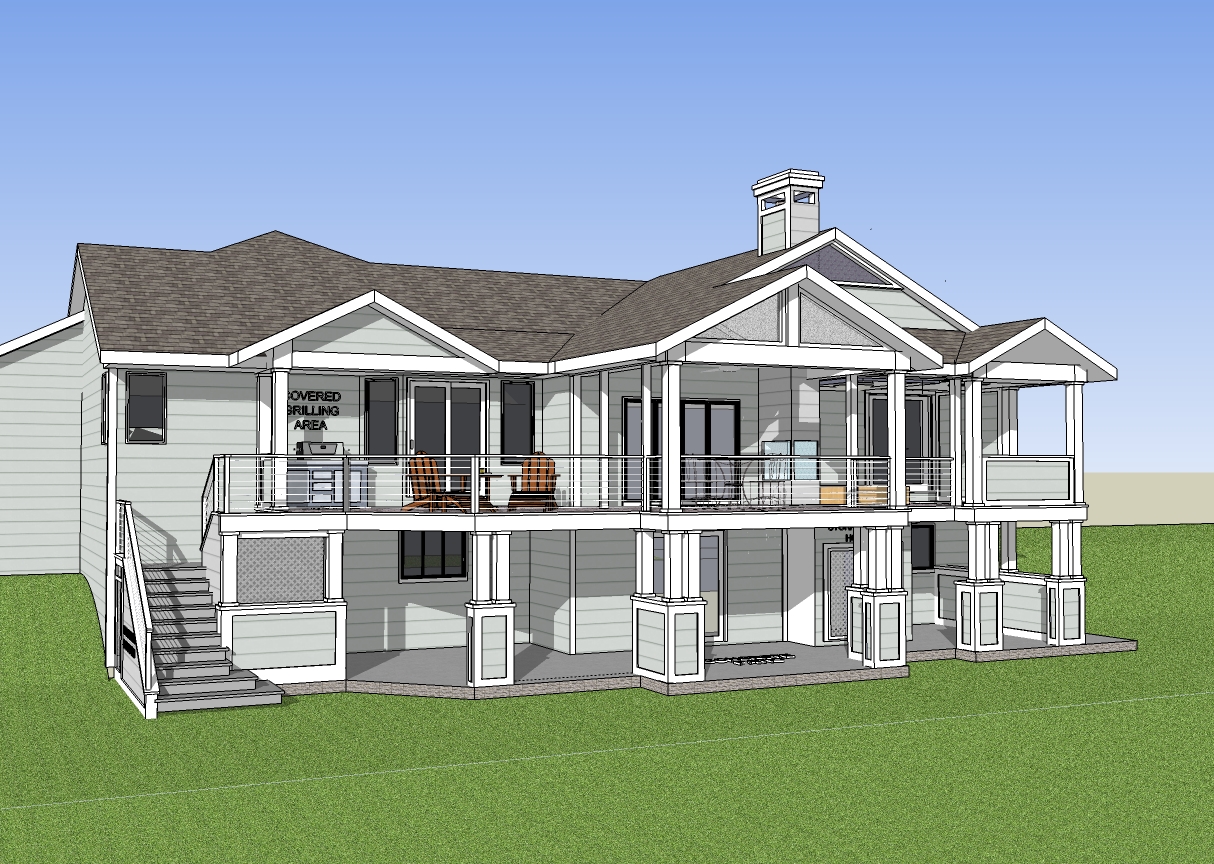
      abdoREV3.jpg
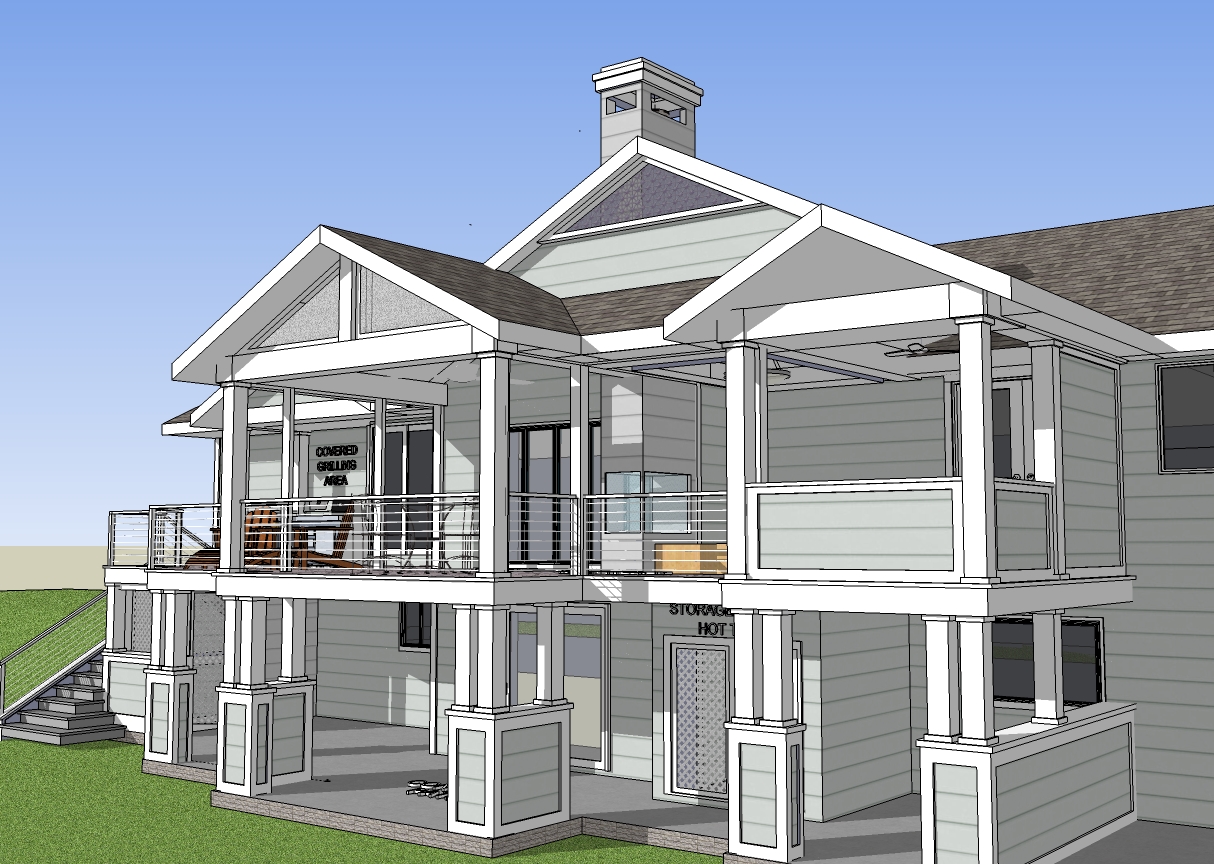
      abdoREV3image 2.jpg

      lakeside deck / screen porch addition.

      Never looked back and now we could not live without sketchup.

      posted in Gallery
      pmolsonP
      pmolson
    • RE: Most impressive SketchUp modelling

      i am photo real

      posted in Gallery
      pmolsonP
      pmolson
    • RE: How to model something like this?

      should be titled "master at work".

      ๐Ÿ‘

      posted in SketchUp Discussions
      pmolsonP
      pmolson
    • RE: Steel staircase

      @unclewk said:

      I modeled it during my free time

      Free Time...What is that? ๐Ÿ˜•

      posted in Gallery
      pmolsonP
      pmolson
    • RE: Images/Render

      I know that when using podium for rendering that .png files you intend to render must be exploded and re grouped prior to rendering.

      paul

      posted in SketchUp Discussions
      pmolsonP
      pmolson
    • RE: 0.skb, 1.skb, 2.skb files.....

      I get them occasionally in the same folder in which the main .skp file is located. I seem to remember that it happens when I have mistakenly hit "save" while in the early part of the podium rendering process.

      I know I have been awful glad to see them a few times when I have opened the file I was working on the previous day and realized that it was not current ๐Ÿ˜ฎ . I then noticed that one of the 1,2,3, etc. files had the right time/date stamp for when I last saved.

      ? I don't know what drives them, but I guess I am glad they are there.

      Paul

      posted in SketchUp Discussions
      pmolsonP
      pmolson
    • RE: How do I model this?

      Hi Perk,

      Your question is pretty broad. I think the answer to the question "how do I model this"
      is...

      Step 1. Try
      If you run into a problem, then post your efforts and ask a specific question.
      Step 2. Try again, ask again.
      Step 3. Repeat steps 1 & 2 until complete.

      The problem with the broad question is that there are many, many ways to go about
      modeling any project. I think you will get much more help if you jump in and give it a go
      and then ask for some direction.

      Good luck with your project

      Paul

      posted in SketchUp Discussions
      pmolsonP
      pmolson
    • RE: Curved Railing

      My favorite tool for curved railing is this plug in.

      http://forums.sketchucation.com/viewtopic.php?t=16465

      it is the follow me and keep plugin.

      very easy to use.

      p

      posted in SketchUp Discussions
      pmolsonP
      pmolson
    • RE: Calibrating displays

      Thank you Brodie for taking the time to explain a couple thinks to me.

      I will look into colorMunki.

      Paul

      posted in SketchUp Discussions
      pmolsonP
      pmolson
    • 1 / 1