sketchucation logo sketchucation
    • Login
    1. Home
    2. mwm5053
    3. Posts
    Oops, your profile's looking a bit empty! To help us tailor your experience, please fill in key details like your SketchUp version, skill level, operating system, and more. Update and save your info on your profile page today!
    ⚠️ Important | Libfredo 15.6b introduces important bugfixes for Fredo's Extensions Update
    M
    Offline
    • Profile
    • Following 0
    • Followers 0
    • Topics 69
    • Posts 718
    • Groups 1

    Posts

    Recent Best Controversial
    • RE: Craftsman Tool Chest

      As I agree with Dave I wouldn't go to the trouble to do the tapered holes in the shop a simple hole and dado as he said earlier but he sorta challenged to see if I could do it in SU so this is how I went about it. Circle tool, made cylinder to 1/16 more than top af taper with PP, scaled bottom of cylinder to ah better to just show you

      Sorry about video quality need to improve on that.

      posted in Woodworking
      M
      mwm5053
    • RE: Craftsman Tool Chest

      Thanks Eric great suggestion 👍

      posted in Woodworking
      M
      mwm5053
    • RE: Craftsman Tool Chest

      @ Eric maybe someday. Here's peek I got so far


      Tool chest.jpg

      posted in Woodworking
      M
      mwm5053
    • RE: Craftsman Tool Chest

      Check it out, it was a lot trouble but it was good practice I used your method in the stopped chamfers tut cut and paste in place and used the solid tools for the first time since I bought SU


      chisel rack_1.skp

      posted in Woodworking
      M
      mwm5053
    • RE: Craftsman Tool Chest

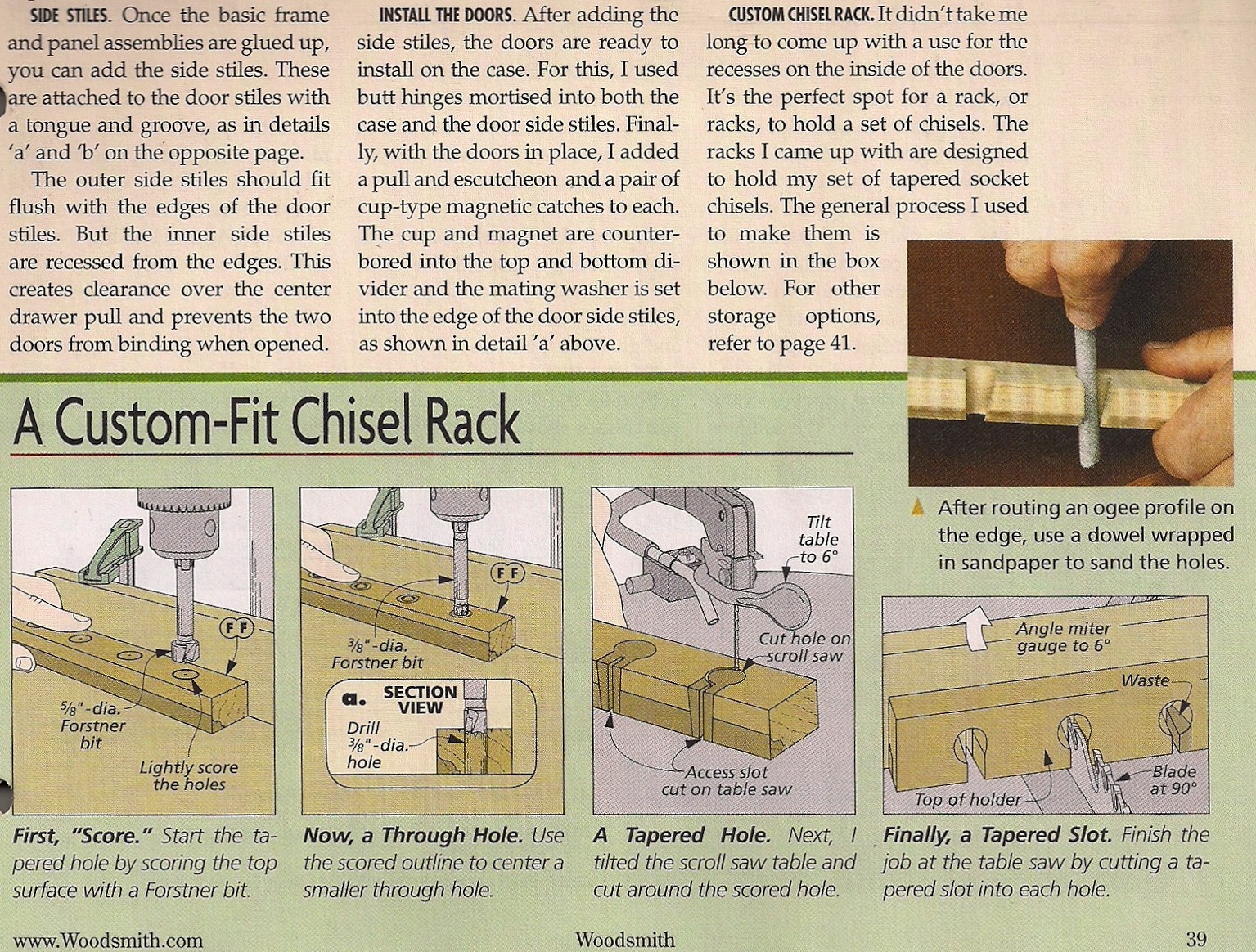
      This is a scan of the article so I was just following as close as I could and see if I could do it in SU probably won't build it that way however. But after all it is a Craftsman Tool Chest.


      Scanned Image.jpg

      posted in Woodworking
      M
      mwm5053
    • RE: Craftsman Tool Chest

      I was being facetious by the way 🤣

      posted in Woodworking
      M
      mwm5053
    • RE: Craftsman Tool Chest

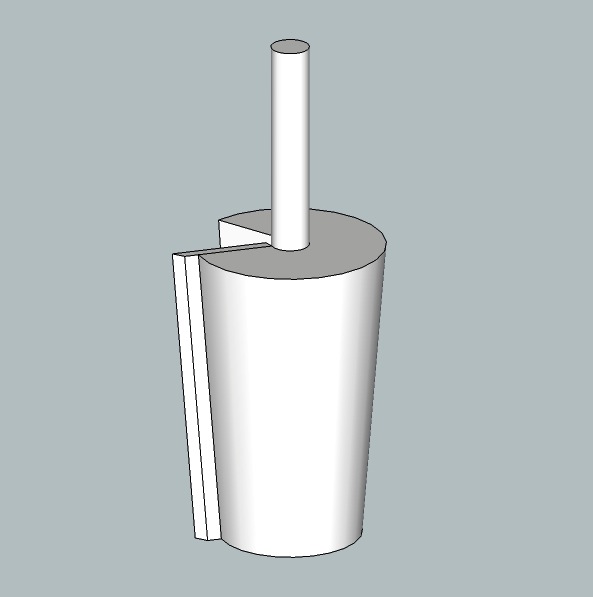
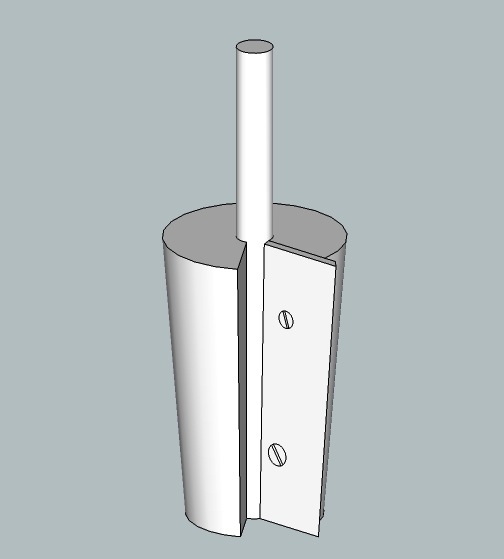
      Know a good tool and die man?


      taper bore.jpg


      taper bor2.jpg

      posted in Woodworking
      M
      mwm5053
    • RE: Craftsman Tool Chest

      The way you mentioned is the way buit them in my shop probably the best way to go. KISS as my shop teacher always told me.

      posted in Woodworking
      M
      mwm5053
    • RE: Craftsman Tool Chest

      @ Dave I think your right, as usual.

      I have a problem doing these chisel racks I want them to have tapered slots. I made the hole with circle tool and push/pull then scale bottom hole 75% about center then draw lines accordingly as you can see in .skp the first one didn't really have a problem but the way they're made they could slip out not what I wanted after I took another look at it so in doing the second one ( rack) the first slot came out fine the way I wanted but in doing the following slots have some strange geometry resulting, even scaling by 1000. Something simple I'm missing I'm sure.


      chisel rack.skp


      chisel rack2.skp


      chisels.skp

      posted in Woodworking
      M
      mwm5053
    • Craftsman Tool Chest

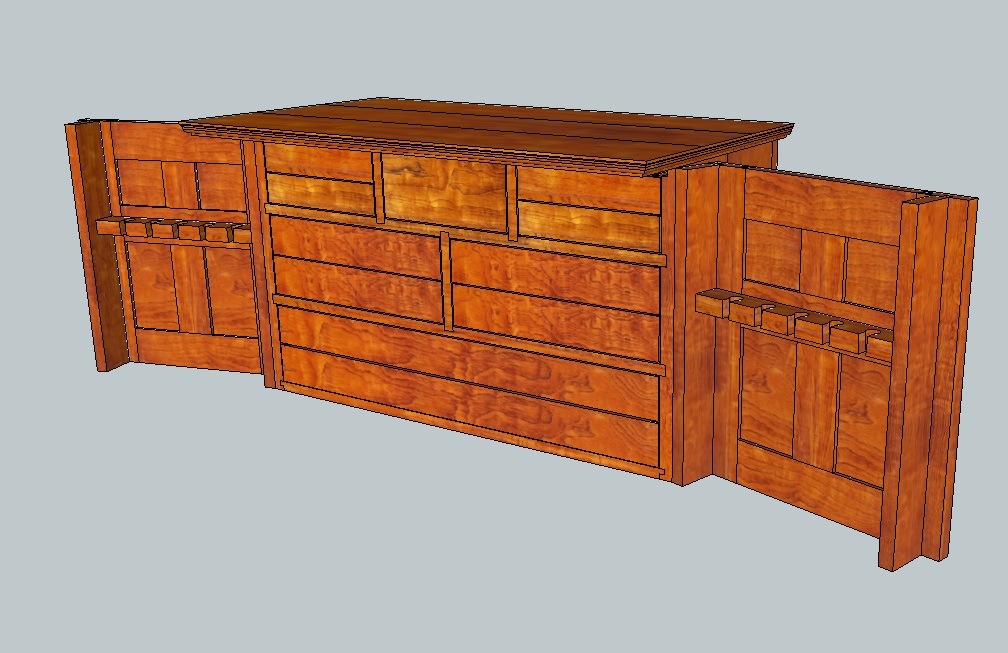
      So it's been a long time since I've done a woodworking project in SU I've been using all my SU time to expand my Architectural Visualization skills just as a hobby. 🤣
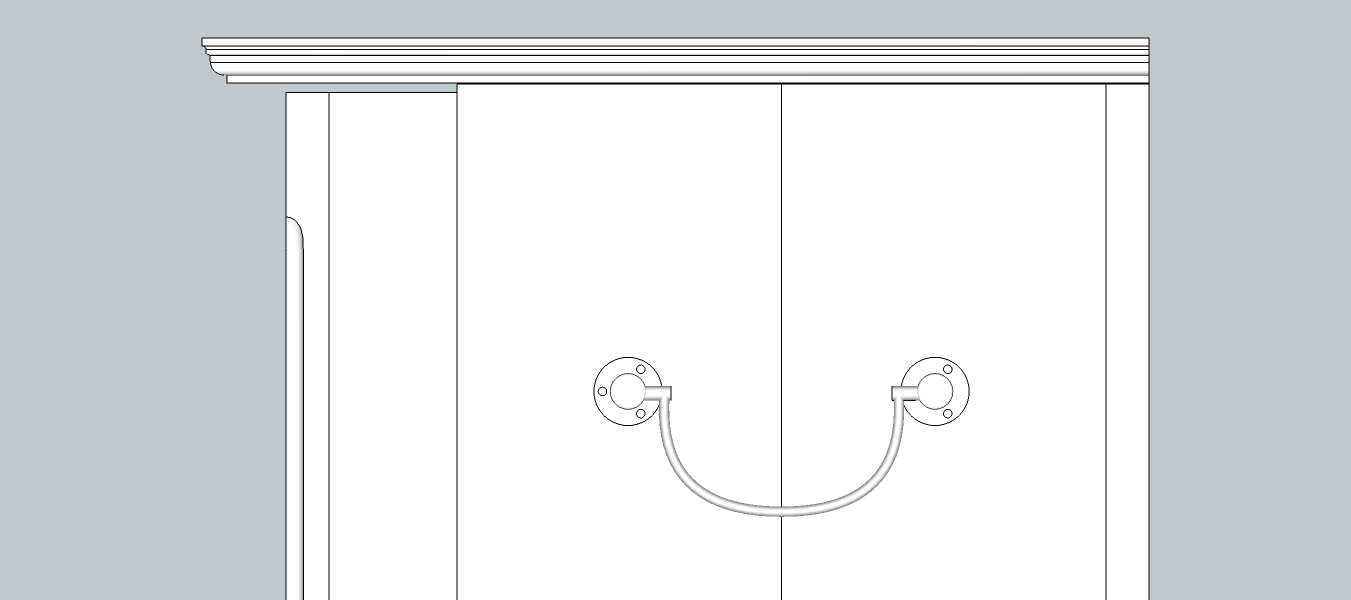
      But I've started this project so I can build it some day and hone up on my LO skills. So I thought I would start this as a WIP thread to get some ideas and some C&C. So my first question is in the plan in the magazine that I'm modeling this from the doors have quite a gap at the top to account for wood expansion but I think it's a bit much and kinda well unsightly? the gap is 1/8, which it might expand that much. The front of the doors are a frame and panel constructruction. To get some feed back. Not ready to post screen shot of entire model, another day 😮

      Thanks in advance.


      Craftsman's Tool Chest copy 2.jpg

      posted in Woodworking
      M
      mwm5053
    • RE: Scenes and geometry position or a solution

      Thanks

      posted in SketchUp Discussions
      M
      mwm5053
    • RE: Scenes and geometry position or a solution

      Wow there's a lot that goes into play here in setting up the arc length, radius and bulge. I tried last year to get my head around this and gave up. 😍


      stopped chamfers.skp

      posted in SketchUp Discussions
      M
      mwm5053
    • RE: Where does a LayOut Scrapbook save on a Mac?

      @mwm5053 said:

      I don't know why Apple changed this in Lion maybe they thought people where to stupid to be messing with their computers. IN finder and the user folder open, go to the top tool bar where you see file, edit, view, go, hit the Go tab with mouse hold the mouse button down while hitting option key scroll down till you highlight Library folder. Impossible to do if you've been drinking

      They are easy just gotta know a few tweaks. Still unsure why Google setup LO to be in User and SU and SB to be in MAC HD since most of the team use MAC.

      posted in LayOut Discussions
      M
      mwm5053
    • RE: Scenes and geometry position or a solution

      Thanks cotty I've haven't used that before.

      Thanks Dave I forgot about that. You did a blog about stopped chamfers but I couldn't seem to find it. Can you give me a link? I will post it in the woodworking forum soon maybe Mike would like to add it to models for sale. 🤣

      PS When you show details of joints in LO good idea to use clipping masks for presentations or not?

      posted in SketchUp Discussions
      M
      mwm5053
    • RE: Where does a LayOut Scrapbook save on a Mac?

      I don't know why Apple changed this in Lion maybe they thought people where to stupid to be messing with their computers. IN finder and the user folder open, go to the top tool bar where you see file, edit, view, go, hit the Go tab with mouse hold the mouse button down while hitting option key scroll down till you highlight Library folder. Impossible to do if you've been drinking

      posted in LayOut Discussions
      M
      mwm5053
    • Scenes and geometry position or a solution

      I'm modeling a wooden tool chest from a wood magazine and I would like to be able to setup scenes to display the doors and drawers closed and open in different scenes but don't seem to able to figure it out or not possible any suggestions?

      posted in SketchUp Discussions sketchup
      M
      mwm5053
    • RE: Lights in Sketchup 8 (Free Version)

      There is a tutorial at Sketchup Artist you might take a look at. Called fast track for Architects.

      Link Preview Image
      Architectural Rendering with SketchUp and Kerkythea :: SketchUp 3D Rendering Tutorials by SketchUpArtists

      By Nick Howlett So you've made that SketchUp model, and want to turn it into a funky architectural render with minimal effort and without shelling

      favicon

      (www.sketchupartists.org)

      posted in Newbie Forum
      M
      mwm5053
    • RE: CatchUp Question

      On the page you see the first page of Catchup if you hover your mouse curser in the lower right bottom of the page you see some new icons apear for save to PDF or print. In Chrome.

      posted in Newbie Forum
      M
      mwm5053
    • RE: Plans to build

      nice job

      posted in Woodworking
      M
      mwm5053
    • RE: Construction & Working Drawings - Discussion

      Very impresive 👍

      posted in LayOut Discussions
      M
      mwm5053
    • 1
    • 2
    • 21
    • 22
    • 23
    • 24
    • 25
    • 35
    • 36
    • 23 / 36