@dave r said:
No, Mac1. There's only one SU8M2 for Mac and one SU8M2 for Windows.
No Dave not talking about SU . Suggest you read links I provided!
@dave r said:
No, Mac1. There's only one SU8M2 for Mac and one SU8M2 for Windows.
No Dave not talking about SU . Suggest you read links I provided!
Not mac user and some of those posting above have more experience but, it is my understanding there are two SKU version for Lion released and the difference maybe how OpenGl is implemented. Do not blindly accept a new graphics driver up date before understanding what version you have and what version you are going too. See these links. http://www.g-truc.net/post-0411.html#menu ; http://www.opengl.org/wiki/Core_And_Compatibility_in_Contexts ; http://aoakyuz.blogspot.com/
It seems to me Google should be asked the question ; "What version did you test to support SU8 M2?"
If you do not know what version of OpenGL you have check this link. They have an audit tool for testing you system and reporting what version is installed. http://www.realtech-vr.com/glview/download.html.
it appears you will have to use the mac app store for this download. 
Used Fredos scale tool and radial bending by selection of plane and edge.
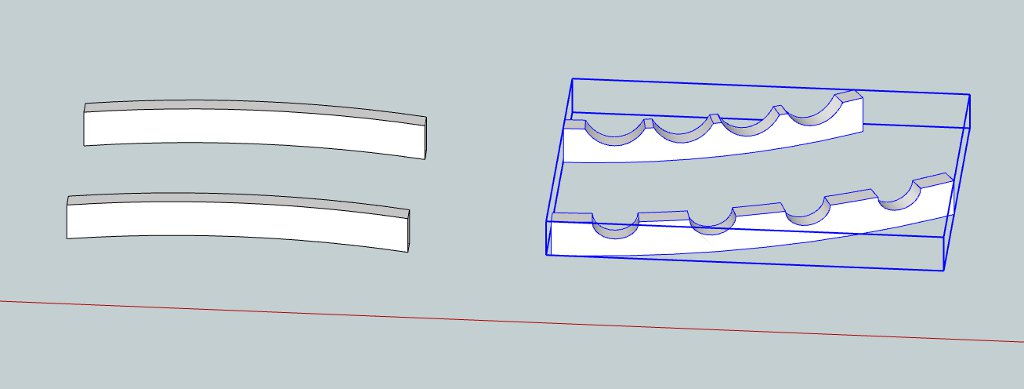 Try Fredos http://forums.sketchucation.com/viewtopic.php?t=17948 scale tool or chris fullmers shape bender http://forums.sketchucation.com/viewtopic.php?t=18210
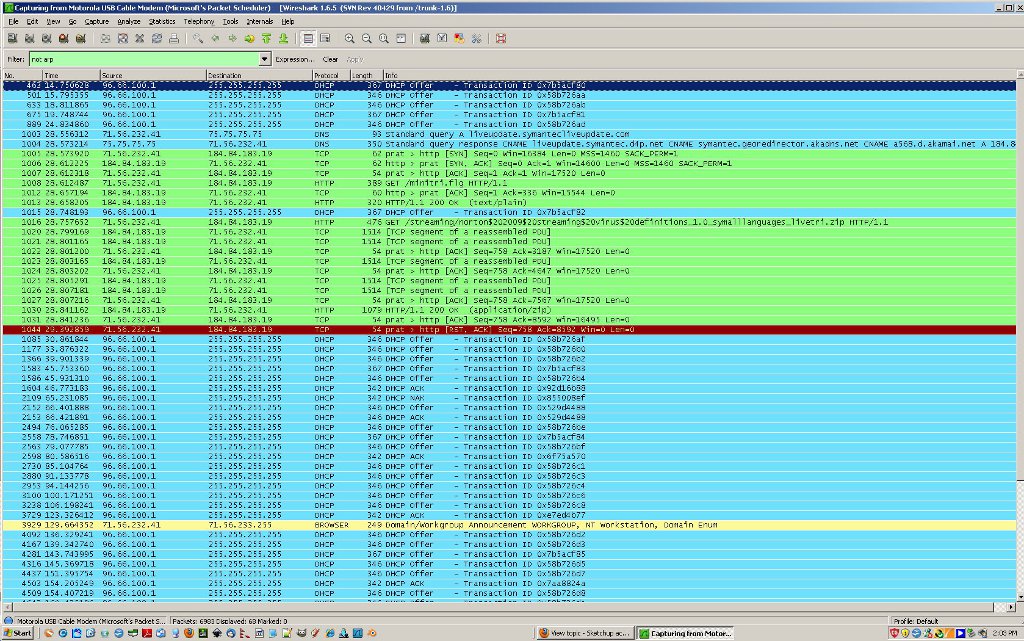
First is filtered t5raffic on my machine SCF page open:
Second is also with SU8M2 open. Note the check for upated even though I have that deselected. CHECKING BUT NO ACTION??

@kubusipit said:
I have the same problem with crash issue. I use Win XP SP 3 with skethup 8. I'm using 2 GB RAM. everytime I applied round corners, my sketchup always crash and shut down. I've tried every setting, it didn't work. Is there any way to solve this problem? I'm totaly confused, whether my XP had something wrong or my Sketchup? thanx for respond.
Jeem
Just happen to see this in passing:
Some thoughts for you. Aligned square and front entrance per your 2 26 616am post and added double jack studs and trimmers for the two window case.
Just some thoughts.
u001_mac1B.skpdom86
dom86;
One other thought. You are measuring an imperfect building and then modeling it perfectly. I have not done any analysis ,but form my intuitive thinking the wall thickness may not account for such a large error. The thought is a small racking of the building can give large errors over the long distances you are dealing with. If you have any chance it may help to measure some diagonals to get some idea how square the building is. I don't think you want to model on that basis but could help understand the issue.
Why in the world do you refuse to post your simple model? The guys here would probably find the answer in secs or do you just to like to ask questions and in the process waste peoples time 
BTw you can use the entity info to get a measure of each line length or the text tool and display the x, y,z value for each end point and quickly find the problem.
Spiral_handrail.skp Spiral Stair HowTo.skp
These should give the info you need. Not my models
@anarchist86ed said:
I think it's going OK. Given my inferior level of knowledge. Anyway...
See the blue line? I don't like it. I messed up along the way and can't figure out how to straighten it up. Short of rebuilding the whole thing...
Look at some of your earlier pics. It is not the line ( plane edge) but the flat area you have added some way and obviously the two will not be planar. You can hide that edge.
@anarchist86ed said:
See the picture. I need to take that piece and put a duplicate on the bottom. Is to make a copy of it and rotate it the only answer? Because rotate is unbelievably frustrating to get to work.
Rotation frustration is not just you. The attitude you arrive at is a function of the sequence it is done.( You can get a differnt answer if you rotate x,y,z vs x,z,y. If you ever heard the word quaternion that is a method that avoids that problem and is often used in space craft attitude control for avoid problems like that.
I missed some thing. Component definitions are invariant under move, rotate and scaling operations. If I scale by -1 this is mirroring and I can have two instances of the same component but mirrored. The one not mirrored ( make copy first ) has to be pasted in place to restore it and you have to watch the axis location
HARNSTEIN:
As a check all materials where deleted in the model and size went from 5.3MB to 4.8MB. The obvious conclusion: It's driven by geometry. If you are concerned about size make max. use of components and try to keep ploy count of components to a min. by reducing the number of edges used in the model.
@harnstein said:
Ok, i understand.
I'll keep that in mind for the next project.
Thanks
-edit- Now, after this i by chance came across this thread about the same: http://forums.sketchucation.com/viewtopic.php?f=79&t=42572&p=378567&hilit=explode+plugin#p378567
Nice looking model 
While you are looking at things for the next project make sure you understand components. It appears ( have not checked in detail yet ) the model size is being driven by the large number of groups you use or different component definitions when not needed. I expected to see the use of large photo textures causing the large size but you only have the one small chain link fence. Components are more unique than groups because their definition are invariant under scale, move and rotate operations. This means you can use just 1 component for many places for beams , studs etc. You can scale, move, rotate them to each application. You can even use the component browser to replace one component for another if you decide to change the design. That replacement will be scaled and located in relation to the one being replaced. However if you context edit one thenallwill change unless you make that it unique. For most cases you should use components vs groups.
The plugin mention above is very good because it lets you put the primitve geometry back to layer 0 on a bulk basis.
@harnstein said:
Good morning,
and first of all thanks for your effort
and second i want to apologize again if someone got me wrong..English is not my mother language, maybe i missed the fine nuance of making jokes
at least in a written way. I'm a friendly and polite person.
None of the things i said, what made me smile or gratulating for 500 posts was ment to be unfriendly.
Just nice.I am reading and listening, trying to understand what people tell me.
I stated that maybe i have misunderstood something in the answers.Thank you for this link to google, i did read that before but honestly didn't put that much importance into the notes.
I did not know that layers only toggle visibility- or where the difference would be compared to other progs.
I'll find out later.Finally, at the end of the quotation it's describing my problem.
It's not a big deal in SU but causes problems when being exported, but there are ways to overcome this as well.
I know that the sample file i proposed was carrying errors- it was on purpose to show the problem.
I tried to explain the problem as precise as possible, because i don't think attaching the project file would help.
Here it is with a problem discription included.
It's zipped because it's file size was 5,5 mb.
[attachment=0:5yatrbmj]<!-- ia0 -->120218 japan house.zip<!-- ia0 -->[/attachment:5yatrbmj]Could you please tell me what you mean with "raw" geometry or what may be the rest ("fine" geometry)-
i interpreted raw geometry in the context of this thread as being lines and faces not grouped together.I don't know how i can explain the problem any further right now, if there are still some questionmarks left
please tell me and i will try to explain.Niko
PS: I can move all elements of layer 0 nested in groups which are on other layers by showing one layer after the other, selecting everything and use "putonlayer". It works and it's ok, as i said. Being able to show elements of a unhidden layer, even if they are nested within a group of a hidden layer, would be beneficial anyway.
PPS: Please don't mind the roof drainage or any other wrong parts of the model, they will not be visible at the end.
There is NO apology expected nor required. I took NO offense what so ever in any thing said.
We are here to try and help and because of that focus some times my comments can get a little terse but are always directed toward that goal so bear with us and always be free to ask questions!
@harnstein said:
Thanks, but that's not the problem.
Made me smile
I'd consider myself being somewhere in the advanced SU level..Didn't you run into these problems as well before?
Just be able to tell SU not to hide elements of a unhidden layer even if they are nested in a group which is on a layer which is hidden?The main problem here seems to be that i can't really explain what's the main problem, right?
Btw, happy 500
(posts)
500 here maybe 1500 or more on other help but just a baby. Look at Dave R and others => You need to listen to them.
If you have an office approach then they can explain how to solve your issue correct?
I am not 100% sure what you are really trying to accomplish so you need to post some of your model.
See this link to the simple model you posted above elements on wrong layer within group problem._mac1.skp wherein I put all back to layer 0 and then show how the use of scenes can be used to control what is displayed for the same layer. One scene shows the cube with faces and edges and other just edges all with the same layer. That is part of reason I showed the above link => scenes give an extra dimension of control.
It is may impression your office has some work flow process they use to maybe show to clients that is not coming across in your questions. Posters herein can help but you need to give them info to allow that to happen. Words and pics just no not carry enough detail information to help a lots. If you want to get a timely answer detail is needed!!
upstairs_downstairs2.skpSee if this helps in what you are trying to do. It is simple but informative , not mine, which was created to show how to avoid the lines you get from a house model.Note the layer control within various scenes allows you to control what is visible. Does this help??
harnstein
Is it at all possible to post model or small portion of it.
In reading your OP I get the impression there is a minor misunderstanding how SU works in terms of layers vs say a CAD program. I question when you state each group is put in an element it is on layer but then noted the issue with nested group layer and also the beveling of an element but not on layer 0. I am sure you know this but just encase: All primitive geometry in SU is drawn on layer zero and it is always the active layer. That means when you context click on a group or component and then select a line it should show layer 0 in the entity info box. Have you tried using the outliner to help your problem? If not take a look at it. If you make the entity you want to bevel a component then when you do that bevel all of the same definition get the same treatment. If it really is group of groups then each entity within that "element" must be beveled since you are not editing a common definition like components.
Hope this not confusion in Mudville here
