What is the best way then to do a Sketchup to illustrator work flow? Via layout, some 3rd party plugin or something?
Sent from my IQ 446
 Offline
What is the best way then to do a Sketchup to illustrator work flow? Via layout, some 3rd party plugin or something?
Sent from my IQ 446
@dave r said:
@john2 said:
All the plugin gods on this forum. Can we have a list of plugins which will not work in the 2015 version of sketchup or which will certainly won't be updated because their creators are no more interested in their future development?
You might take a few minutes to have a look around. This is already in progress in the Plugins forum.
Apologies for repeated post..
Sent from my IQ 446 using Tapatalk
Thanks a gigaton! I've been pulling my hair in frustration for the past two months about this openstudio problem.
Then i installed legacy openstudio plugin but got stuck somewhere else. Frustration at peak.. 
But now, everything is cool... 
I'm feeling like Tom Cruise of Jerry Maguire movie screaming "Show me the forums . I love SCF people"
Thanks from the bottom of my heart..
All the plugin gods on this forum. Can we have a list of plugins which will not work in the 2015 version of sketchup or which will certainly won't be updated because their creators are no more interested in their future development? 
@krisidious said:
I would suggest making a directory where sketchup 8 would have been...
C:\Program Files (x86)\SketchUp\SketchUp 8\Plugins\
then see if the files end up there.
Don't know if that will help when the program looks for them though. Maybe install V8 just to do Energy Work?
Look at my SU Architecture plugin list. At the bottom there is a list of Energy Plugins.
http://sketchucation.com/forums/viewtopic.php?f=323%26amp;t=59471%26amp;p=541170#p541170
Thanks for replying and wow!! what an amazing list! I have just saved the web page for future references. 
Well, unfortunately making SketchUp\SketchUp 8\Plugins\ folder did not help.
I am still getting the error. Hey! Why don't you try doing the same thing and see what happens?
<a href=http://serc-dst.org/ >car games qmobile</a>
![<a href=http://serc-dst.org/ >car games qmobile</a>
[URL=http://serc-dst.org/ ]car games road[/URL]](/uploads/imported_attachments/LHeT_openstudioprolem.JPG "<a href=http://serc-dst.org/ >car games qmobile</a>
[URL=http://serc-dst.org/ ]car games road[/URL]")
I need some help in installation of Open studio - the energy modeling software tailored to work in tandem with SketchUp. I know I should post it in the required sub-topic, but I did not get any response.Actually, I"m getting the error during installation
unable to locate your sketchup installation.
Yeah, open studio as a standalone software installs certain plugins inside sketchup by itself. Unfortunately, I can't specify where exactly my plugin directory is located unlike V-ray installation.
I am doing everything under administrator account and with all the administrator privileges.
I am using sketchup 2014
So...anybody using Openstudio?
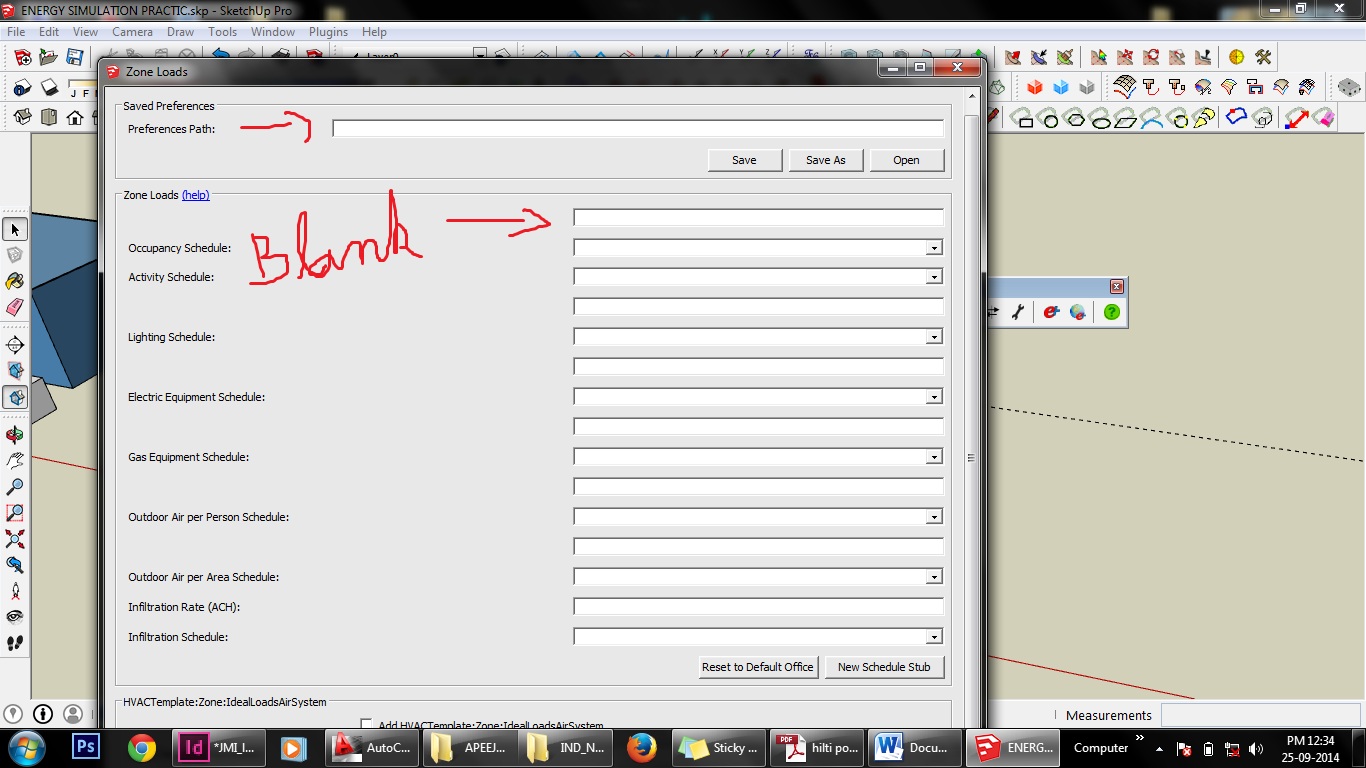
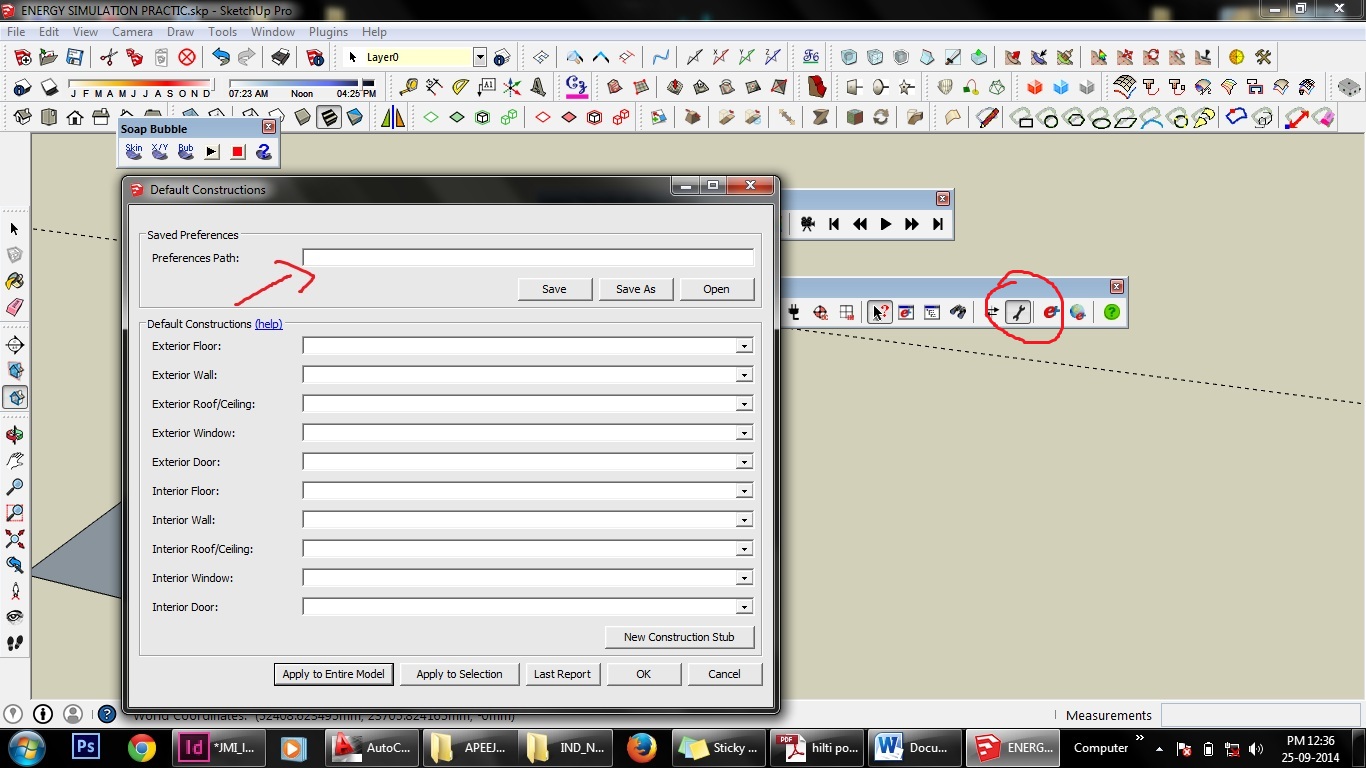
Can anyone please help me understand, how to add the preferences file? It comes as blank. 
I'm trying to export a sketchup 2d view which has only human figures in it taken from the library
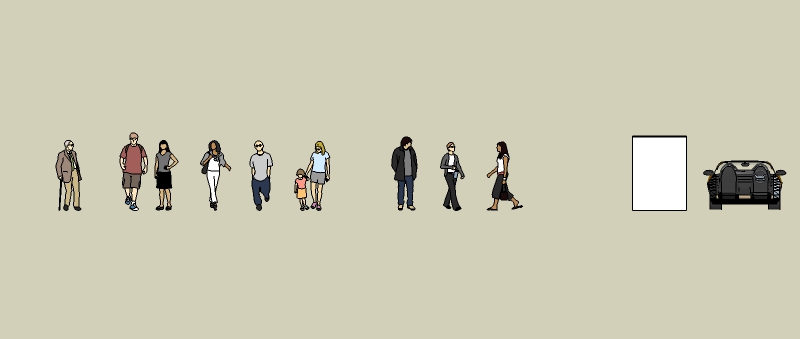
The problem is when I export the eps file in illustrator, it behaves strangely. Even after ungrouping if I delete a line in a say, a lady standing on the left, some portion of a person standing at somewhere else gets deleted.
What is the best way to export a 2d image from sketchup as an eps file?
I bought today a wacom one tablet. It's working fine in illustrator and photoshop. However, when i try to use it in sketchup pro 2014, it doesn't work. What should I do? Strangely, when I press the down button of pen and drag up and down on the tablet surface, I'm able to zoom in and zoom out realtime. But I can't draw anything in SketchUp. I've tried with all commands. Even I can't get the cursor to move.
Okay, what is the procedure for that subsurface scattering? That's the tricky thing.
Sent from my C2305 using Tapatalk
@cotty said:
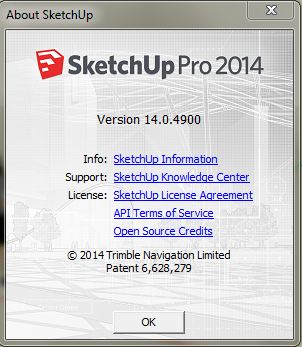
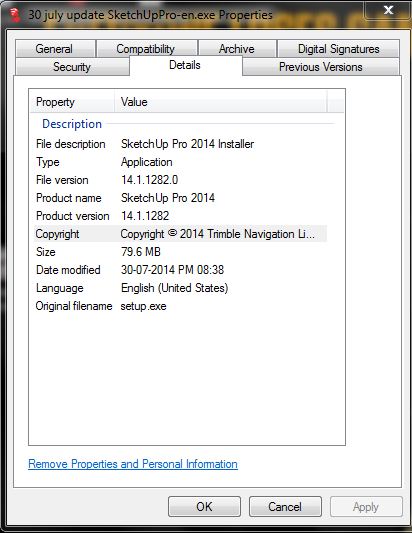
The second image shows the actual version number but the first not, did you install different versions in in different folders?
No, I have only one version of sketchup installed in my laptop which is PRO 2014. I don't even have a 8 or 2013 version installed for plugin issue switch. Then what is causing this problem? 
Yesterday I downloaded a setup of SketchUp pro 2014 from the official website, because I was getting "a newer version of skechup is available" from some weeks.
But when I started the installer, it said that if I wanted to repair or remove my sketchup installation, rather than updating it as a full install.
I checked my sketchup version, but it's an old version and the installer properties say that the latter is newer version. What's going on then?
I want to make a 3d model of an aerogel cuboid. How can I do that in SketchUp?
@sketch3d.de said:
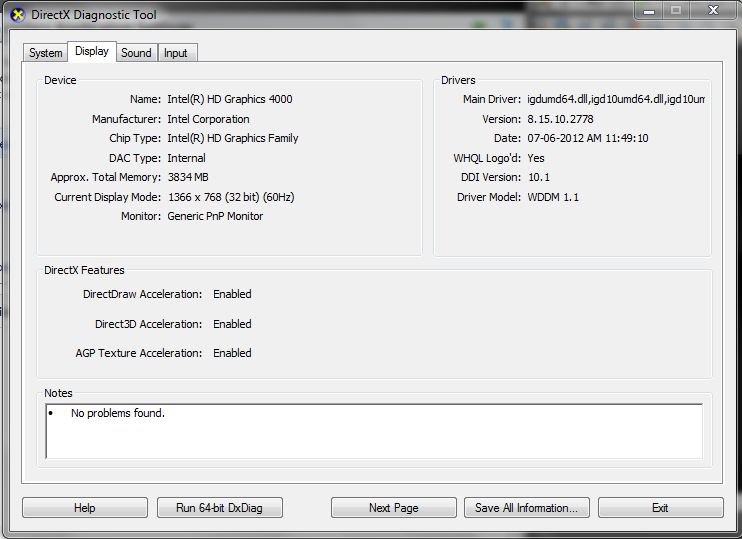
normally yes, launch SU and goto dxdiag (or GPU-Z) for checking this.
N.
Thanks for suggesting this GPU tool. I'll surely check this out.
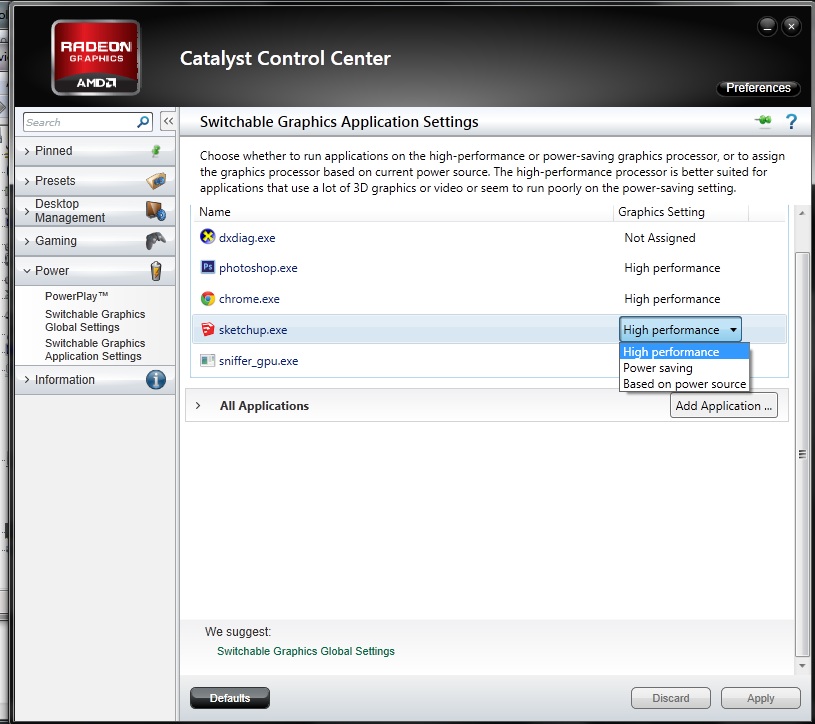
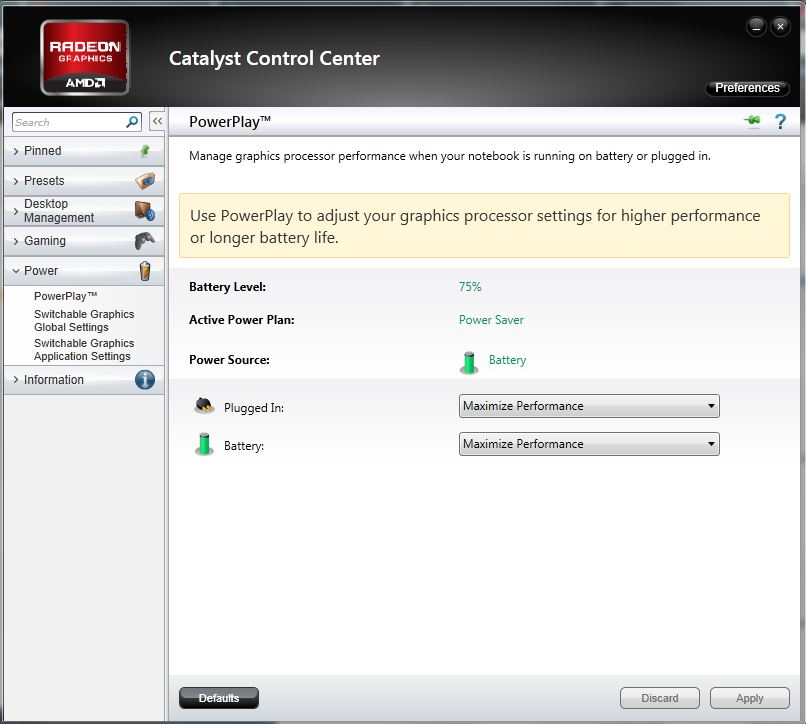
I'm getting High performance, powersaving, based on power source. I've selected high performance option. That will do the thing right?
Uh.. He's suggested to make two toolbars instead of making the toolbar have two columns
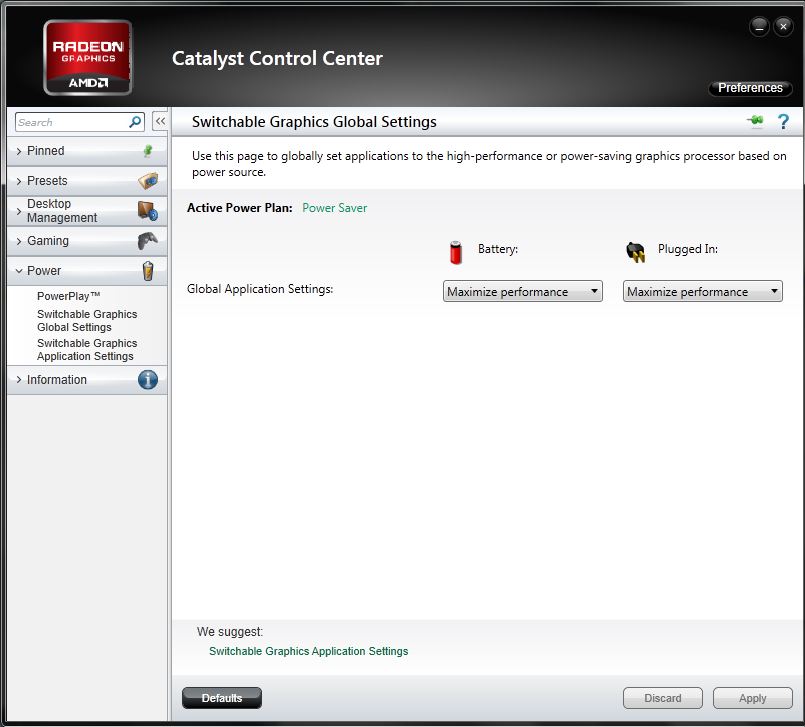
Here are my settings
see the images
In sketchup 8, when we wanted to keep the toolbars in the left vertical column of GUI we could decide whether the toolbar has to be in two columns or one column, but in SU 2014, we are restricted to only one column. Is there a way back to two columns?
I went to catalyst control option, did the maximize performance button. I checked dxdiag. its showing intel one