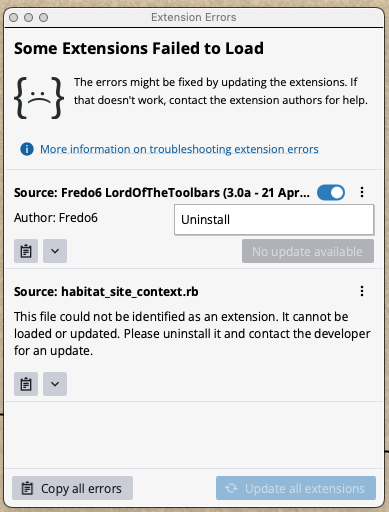
I am unable to license plugins.
Due to the error message, I think this is a general problem, but specifically I was trying to license FredoSpline.
I followed the instructions, and clicked Tools —> Fredo6 Collection —> FredoSpline —> License…
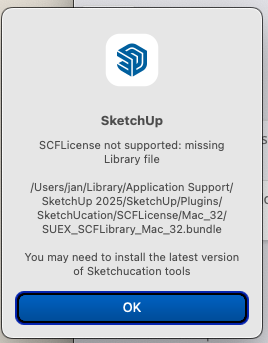
Then I got the following notifier:
For whatever reason, I cannot run SketchUp 2025 or 2026 as available on the SketchUp website — it simply hangs, even overnight, without displaying anything more than a menu bar. Trimble is currently ignoring my bug report on that.
I followed the instructions and installed the latest version of Sketchucation tools and restarted SketchUp — same problem.
So I am using an older version of SketchUp 2025 (25.0.659)
The file it complains about in the dialogue in fact exists and is read-writeable:
0> ls -l ~/Library/Application\ Support/SketchUp\ 2025/SketchUp/Plugins/SketchUcation/SCFLicense/Mac_32/SUEX_SCFLibrary_MAC_32.bundle
-rw-rw-rw-  1 jan  staff  349136 15 Aug  2025 /Users/jan/Library/Application Support/SketchUp 2025/SketchUp/Plugins/SketchUcation/SCFLicense/Mac_32/SUEX_SCFLibrary_MAC_32.bundle
Any ideas? I would really like to use FredoSpline, and my trial expires soon!
Thanks for any help offered!