thank you for the tool, sir.
Oops, your profile's looking a bit empty! To help us tailor your experience, please fill in key details like your SketchUp version, skill level, operating system, and more. Update and save your info on your profile page today!
🔌 Easy Offset | Offset selected faces in SketchUp in positive and negative offsets. Download
 Offline
Posts
-
RE: [Plugin]Hole on Solid tool v1.6.3 upadate Jan 09, 2012
@tig said:
then use my context-menu tool 'Hole Punching Tool...' to punch the wall with a matching hole - this also has the advantage that the 'hole' is linked to the component and moves/copies with it etc...
where can i find that context-menu tool, sir?
[edit] never mind, sir. i already found your Hole Punching Tool. thank you very much.
-
RE: Window components cut opening
@tig said:
A gluing/cutting component has a special axis arrangement - the blue axis is always perpendicular to the face it's placed onto.
When you make a gluing / cutting component create it on a face so that its axes are automatically set correctly on creation... OR make it flat on the ground as [0,0,0] with it facing upwards, as if the face it will glue onto is the ground plane...
You can always change a component's axes after creation using the right-click context-menu 'change-axes' - picking the new axes in the required directions with red/green on the face and blue perpendicular to it...yes, i understand the axes setting a bit now, sir. thank you. got that from the skp Dave Richard gave above. i opened the window component and saw the red, green and blue axis.
i've made the correct axis setting probably in the last attempt i did. i posted in Component's Axes, Gluing and Cut Opening, -
RE: Component's Axis, Gluing and Cut Opening
@gilles said:
You could do three components:
window
vent
window + vent.ah yes i can see what you meant now
 thank you pbacot.
PS: the door and window were from a tutorial blog, SketchUp Tutor
downloadable from Quicky Components Part One
they were made or designed according to local common rules of measurement or scale. -
RE: Component's Axis, Gluing and Cut Opening
hi everyone,
here's another attempt to make a component that would cut opening on a "wall".
though it wasn't a successful one.
the gluing part works quite well. after i read what Dave R said in window components cut opening. i got the idea of the axes placement with the skp Dave R provided there. but, the cut opening cut everything on it's way on the other wall side.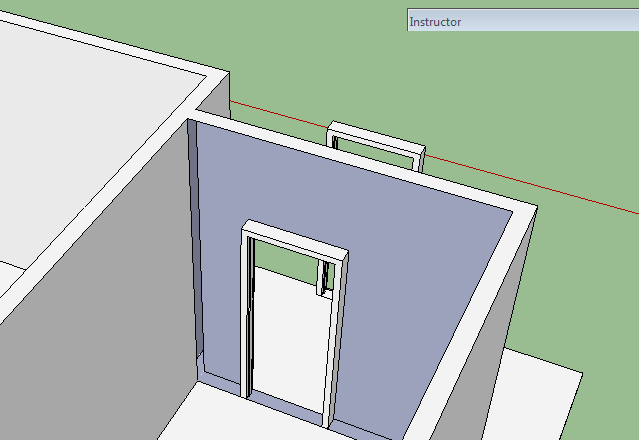
i gave it another try but with different thickness. and it still gives the same result on the other side of the wall. -
RE: Model of Bedaux de Brouwer Architecten
hi there,
nickenzyme, are those trees 2D components. if the are, where can i find and perhaps download them?
-
RE: [Plugin]Hole on Solid tool v1.6.3 upadate Jan 09, 2012
@tak2hata said:
The face and solid must be in same Group or Component or Model.
It is rule of this plugin.
Thanks.thank you in advance for this plugin.
i still didn't get it though.
say, if i have a window as component and a wall as a group, i can't make a hole on the wall with the shape of the window component? -
RE: Window components cut opening
hi everyone,
Dave, i've read your articles in FineWoodworking.
but i didn't get the idea of making component's gluing and cut opening.
i've posted the same question in a different post though.
i'll check the skp you've attached here and see if i can learn something.thank you Dave and everyone else here.
[edit]
Dave, how to check the component create checked items? i see that the component's blue axes is heading towards the model green axes there. could you help me to understand this better.
thank you for your time, Dave. -
RE: Component's Axis, Gluing and Cut Opening
hi pbacot,
thank you for replying. i have another image here to show you why they make vent and window in separate entities.
the vent may be placed in the wall without window sometimes. if the wall might be also be the wall of the neighboring house.
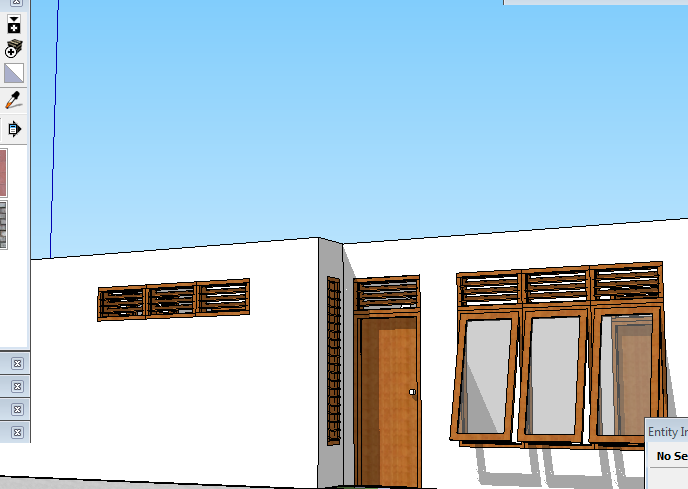
the wall on the rear part of the house might probably become the other house wall next door.
i'll check the setting soon. thank you very much, pbacot.
-
RE: Component's Axis, Gluing and Cut Opening
hi everyone,
here are skp files of those components attached.
-
RE: Easy Boat/Canoe Hull
i see. thank you dave.
is there any chance if we could ask Axeonalias to give us a little tutorial on making hull for that frigate of his? -
RE: Beckford's Folly these last two are more impressing.
could you tell me what was the renderer and post pro if any? -
Component's Axis, Gluing and Cut Opening
hi there,
i've made an attempt to model a small simple house.
and also attempt to make some components that i hope would be useful later.
the problem is the component create setting that i don't understand.these components wont stick or placed into the wall as it should be as i planed.
it gives me that yellow notification saying something like "you cannot place component here"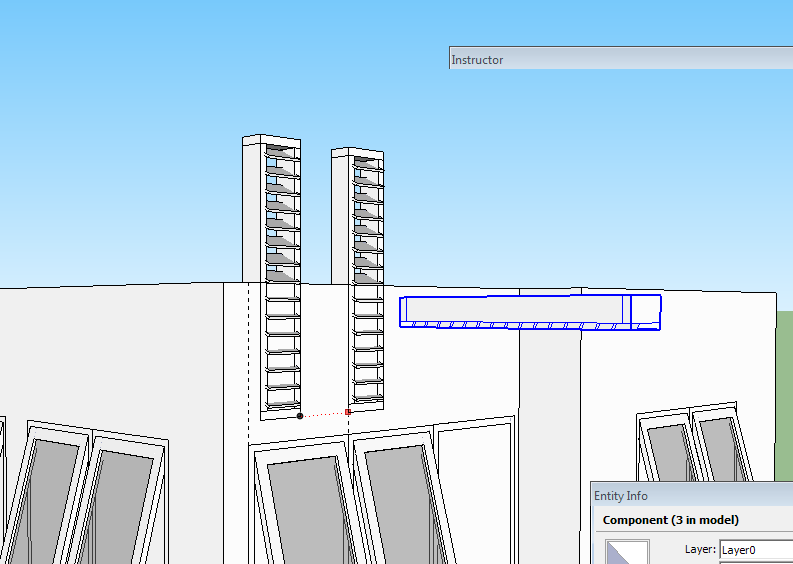
this another component i made for the vent on the window. i hide the wall to put it in place.
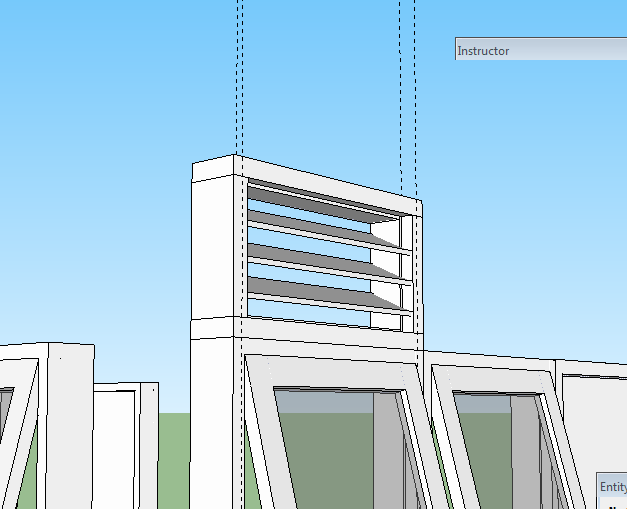
that vent can be placed into the wall then. but only the wall facing towards the front/x/green axes.
it wont do that to wall that facing the side/y/red axes.
how to set the "component create" so they will stick or can be placed into the wall with the right alignment with other component?thank you for your time in advance
-
RE: Easy Boat/Canoe Hull
dave,
would you give us some step by step note in the skp file?
few scenes perhaps? or is there anything like that in FineWoodworking site?
if you have time of course. -
RE: Most impressive SketchUp modelling
what about my favourite frigate,
made by Axeonalias
-
RE: Catchup Edition 6
can we have this publication shared on any social network? facebook perhaps?
thank you -
RE: LAKESIDE
the last image have cooling effect on my eyes
love it david
it reminds me of my place of origin. it gives the felling.
as if i'd like to wash my face and hair there. sitting on those rocks with my feet in the cool water. and the breeze humming a soft music
