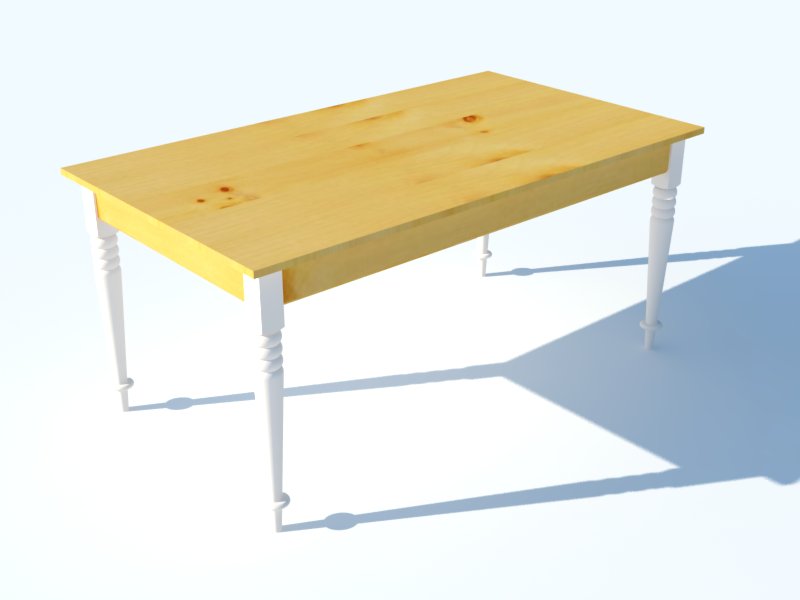
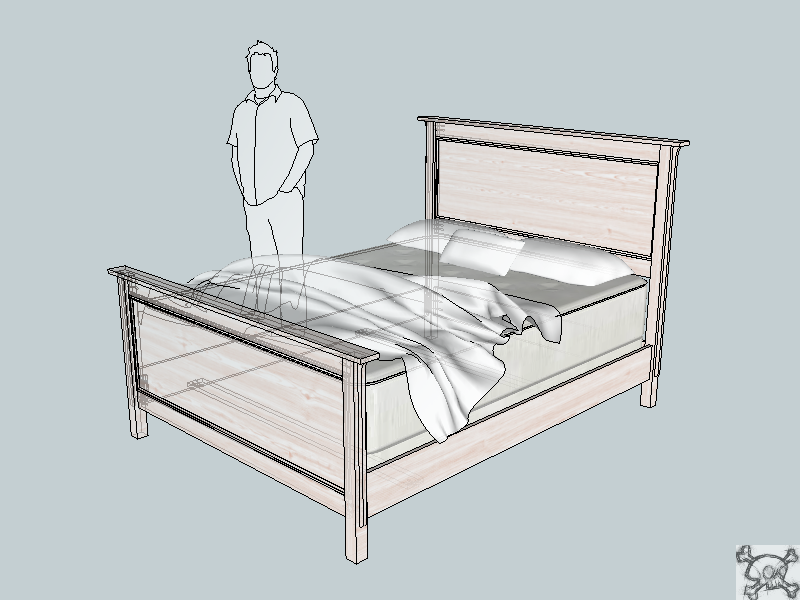
Thanks Dave and yeah I found where I had some of the faces reversed. Messing with the material trying to get a good render now. This is what I have so far.
 Offline
Thanks Dave and yeah I found where I had some of the faces reversed. Messing with the material trying to get a good render now. This is what I have so far.
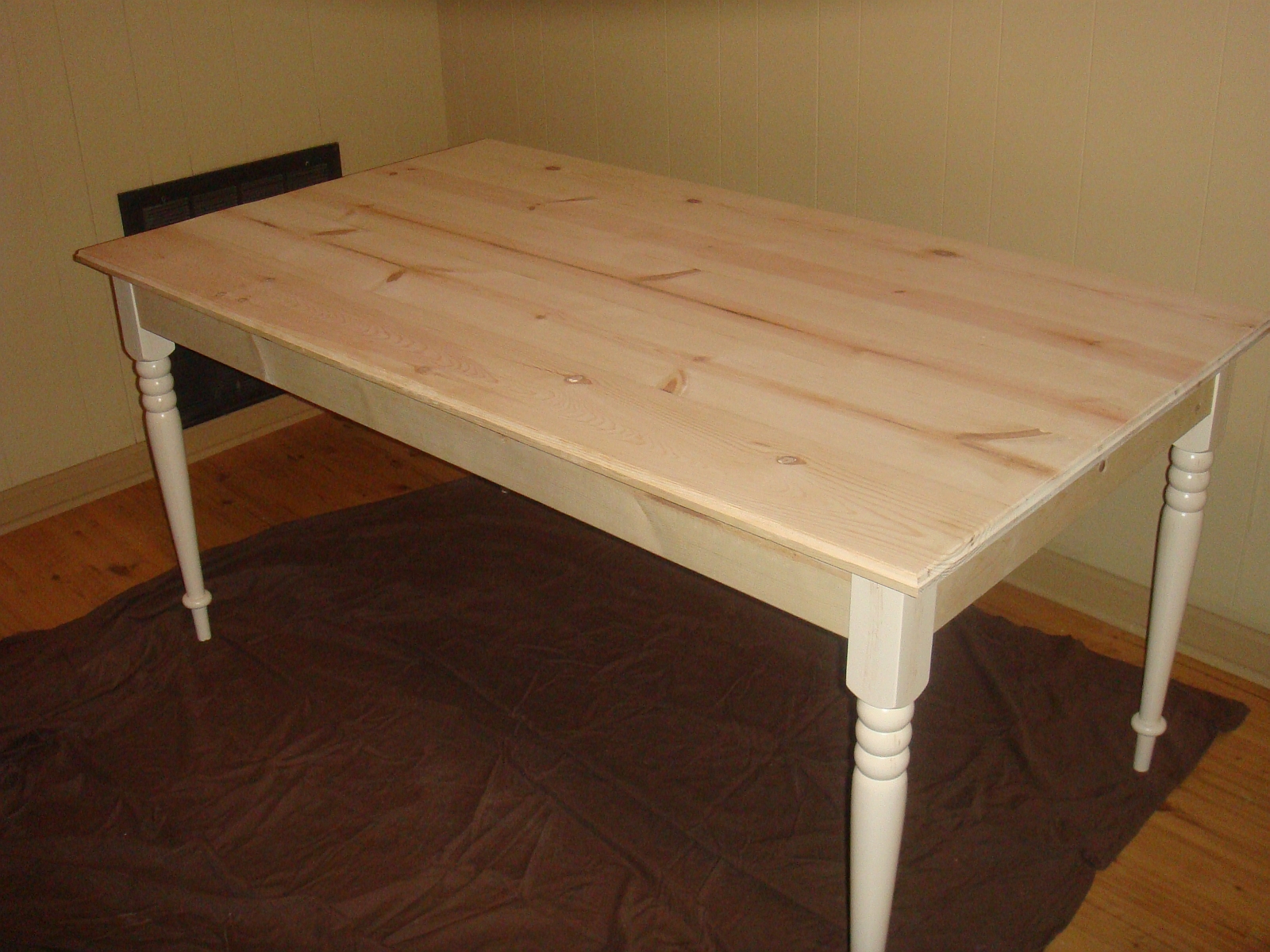
It wasn't built in the traditional ways and probably won't last a 100 years but my daughter and I had a blast building it. All the screws in the table top were because I didn't have clamps big enough and were taken out after the glue dried for the top.
My new favorite plugin, I have been looking for a way to upload my models to the warehouse with an image!
Thanks lots..............Kurt
@frederik said:
What render app are you using, Kurt...??
To make it look correct, the ground needs to be a shadow receiver only...
This means that the ground - as such - isn't visible like in your render, but only received the shadow giving the illution that the model is on the ground of the background image...
I'm using V-Ray and all I'm doing is changing the environment GI color marital to a bitmap and the BG color martial to the same bitmap instead of the sky. Then I'm setting the UVW type to UVWGenEnvironment and the mapping type to spherical. Now what all that really means I don't really know but watched some tuts on it but none on how to show one image as the ground and another as the sky or how to make the ground only receive shadows.
Thanks Kurt
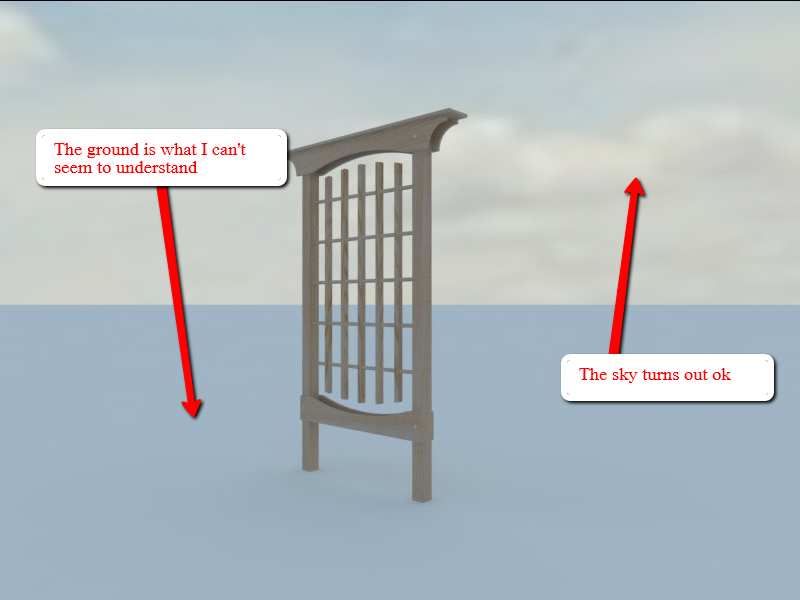
Something like the image below is more or less what I'm having trouble with. The render sucks I know but if I can get the fundamentals of adding the model to a image or image to a model I think I may be able to handle it from there? I'm at a complete loss at getting the ground part to work other than doing a photo match but even then it will be hit and miss.
Thanks Kurt
I look at all of those and they did help out to much at all. Thanks for the help tho!
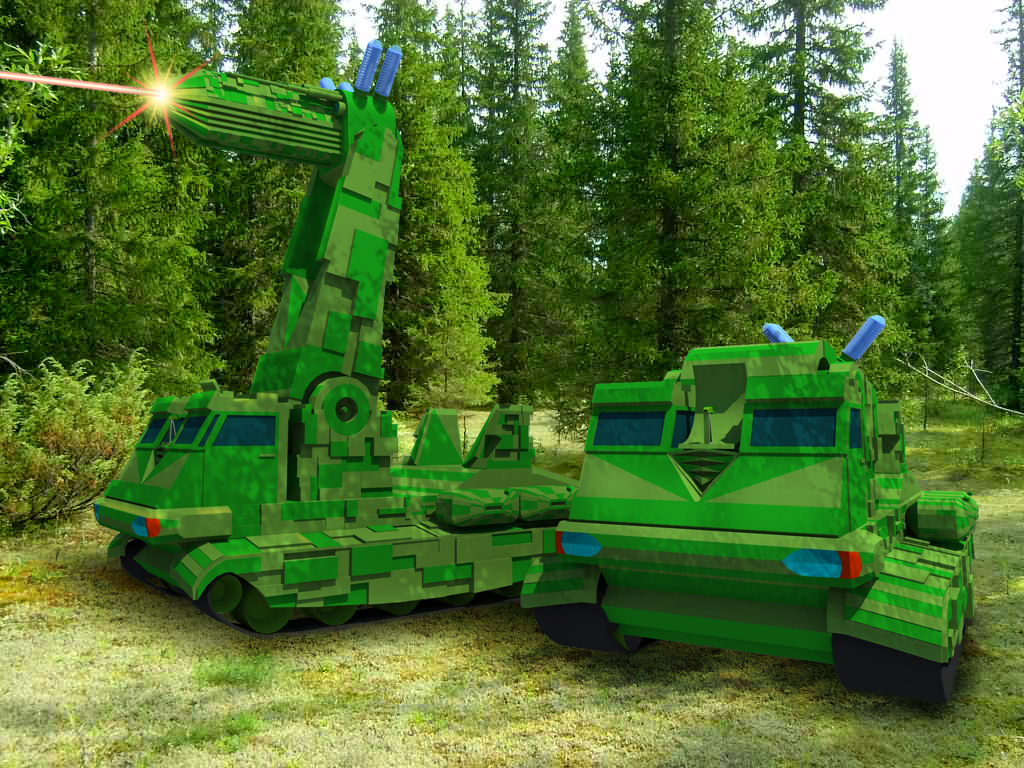
How is the image below and others like it done in SU, is it just a match photo process or something I’m missing. I would love for someone to share a tutorial or point me in the direction to one that will explain it good. All I'm wanting to do is, I have a landscape image and I want to add my SU model to it and render it with v-ray.Is there a tutorial out there that I have missed?
Could anyone point me to some helpful tutorials for adding images as the background. I would like to do something like alvis did with the car or whats in the first post but with a image of a kitchen or living room then add the model to it but every time I've tried it seems wrong. Just wish there were some good tutorials that I could find! I've used Oli's backgrounds with some of my building renders but have the same problem with the ground. Nothing seems to be working out with this rendering thing, maybe should leave it to the pros!
I sit and read everyone’s post here about politics, the American government, if Osama bin laden is really dead and if they had him surrounded why didn’t they just capture him and bring him to justice. I ponder some of these questions myself. I would‘ve loved to see him in general population in a prison somewhere but the way our system seems to work at times, he more than likely would’ve gotten a mistrial for some technicality and the Navy seal would’ve been sent to prison for mistreating him! Osama bin laden would’ve lived out the rest of his days in Alabama or Kentucky somewhere receiving welfare and food stamps off the backs of the American people. I also wonder if they would’ve captured him and brought him to trail and someone happens to get a wild hair and shoots him on the way into the courthouse what would’ve happened to that person, surly this person would be brought to justice! I love my country I so try hard to love her but I see the unmistakable spiral down and all the countries out there that seem to think their better at Democracy, and individual rights will soon I’m afraid get their chance to prove it.
How does someone get the background image of the model to show in the preview at 3Dwarehouse. Not the logo image but the file that you click to download itself. I was thinking it was a background used in the model itself but once downloaded the image is gone and its just the model. I would like to learn how to do this so any help would be greatly appreciated. Thanks Kurt
P.S. below is a link to what I'm talking about in case I didn't explain it good.
http://sketchup.google.com/3dwarehouse/details?mid=255b35f36d886913e4e346ee2650d150&prevstart=132
Does anyone here have any idea what program was used to make this animation? I would love to be able to do something like this in sketchup!
[flash=500,500:3clccaph]http://www.youtube.com/v/FjL6U5SqR_Y?fs=1[/flash:3clccaph]
I'm not positive but I don't think the native sketchup animation export will work with sketchy physics. I think you have to use an external video capturing software to capture the video of what you have going on.
Thanks Dave for the advice like always I'll put it to practice. I guess you never stop learning and thats what makes life fun. The only thing I really had problems with were the legs and I say problems because I haven't glued to much stuff up before. I took three 3/4" x 3" pine boards and cut them down to make the 2 1/4" square post. I had problems with keeping them all flush as I clamped them together. For the second bed I bought more clamps and it was alot easier and was alot less sanding! I guess the old saying " you can never have enough clamps" holds true. Below are a couple pics of the first bed.Thanks again!
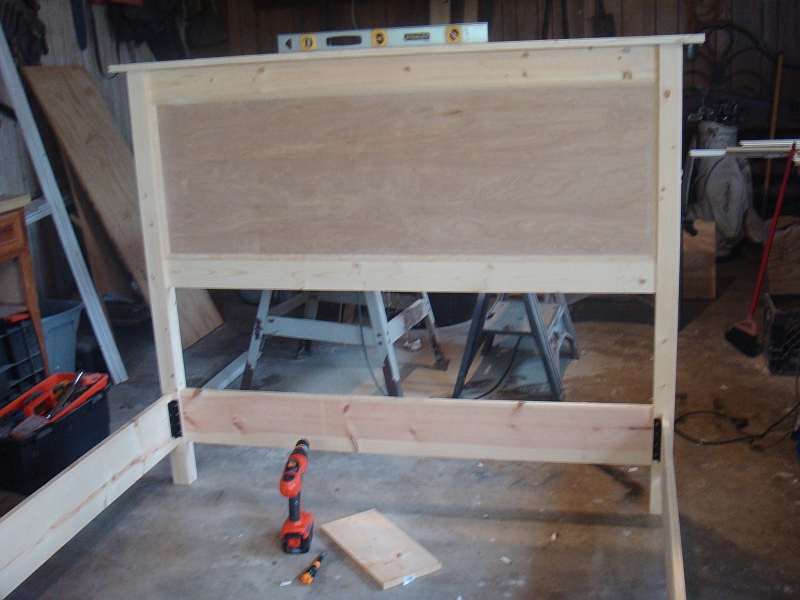
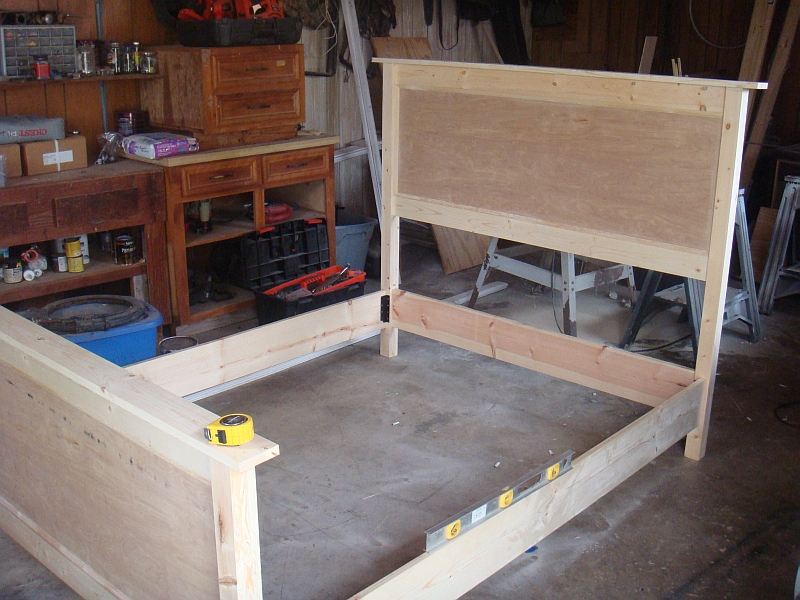
I was wondering if anyone has ever drew something in SU, built it, showed it to friends and they have you build them one just like it only to find theirs came out better. Would that be consider a good thing or a natural learning process for a beginning woodworker?
@dave r said:
Since I only work with components, I leverage the fact that working on a scaled up copy of the component edits the correctly sized copies too. When I need to do something that might generate the tiny faces SketchUp doesn't like, I make a copy of the component, Scale it up with the Scale tool or the Tape Measure, do my work on it and, when the editing has been completed, I close the large version of the component and delete it. No need to scale back down nor worry about where it'll end up when it is scaled back down. I never have to put components back that way because they've never been removed. It works well for things that need to be edited but don't require scaling, too. I happen to be working on one right now as a matter of fact. Of course this method doesn't help those who prefer to make groups instead. This plugin could be handy for them.
Learn something new here everyday, thats cool Dave because I didn't know you could do that. I thought if you copied the component and scaled it the other one would scale as well. To be honest I don't think I've ever tried it because of thinking that way but knowing this now it will save alot of time. Thanks!
I used a TI-86 and it never let me down. I added a pitch program and a fraction program that turns 120.375 to 10'-0 3/8". Not sure how I could share it with you if you wanted it but if anyone one knows and you would like it I'll be happy to share if you settle with a TI-86. I was in the business of metal building detailing for 16 years and upgraded to the 89 but didn't like it as much.
@solo said:
I do respect everyones opinions and beliefs regardless if I agree with them or not.
Thats the simple key that I wish the world could understand and is so we all would be better off!
This is very hard for me to say because for one I'm from the south and two I'm deeply Christian but I do believe church and everything to do with state should be separate! Our money shouldn't reference anything other than our country and our schools shouldn't teach anything other than to love our country. I wouldn't spend a dollar that said "IN ATHEISM WE TRUST" so I can understand.
@mistro11 said:
This is off topic but I just have to say your name "humpmetwice" made me LOL! I'm new here and your name expresses my feelings every time I discover a new cool plugin. OK back on topic.........
Long story on how I got that name but it stuck and I went with it, plus you don't have to worry about it already being used by someone else!